
Uvod
This manual provides essential instructions for the safe and efficient use of your Olympus Note Corder 100 digital voice recorder. Please read this manual thoroughly before operating the device and retain it for future reference.
Proizvod gotovview
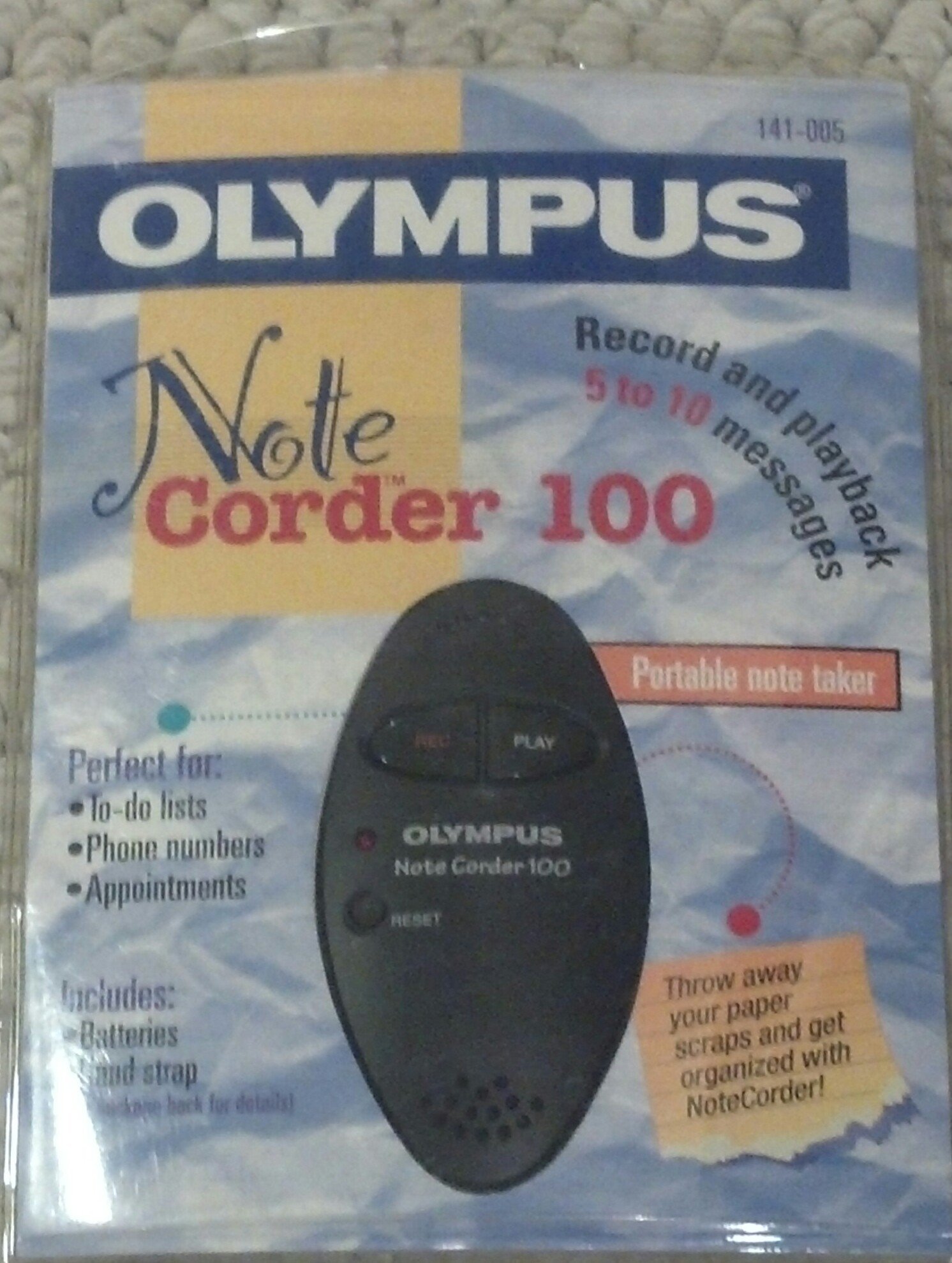
Image: The Olympus Note Corder 100 digital voice recorder, packaged. This image illustrates the product's compact design and highlights its primary features such as ergonomic design, 20-second recording time, and an LED indicator.
The Olympus Note Corder 100 is a compact, portable digital voice recorder designed for quick and convenient voice memos. Its ergonomic design ensures comfortable handling, making it ideal for recording short notes on the go.
Ključne karakteristike:
- Ergonomski dizajn: Fits comfortably in the palm of your hand.
- 20-Second Recording Time: Ideal for short, concise messages.
- LED indikator: Pruža vizualne povratne informacije o statusu uređaja.
- Ugrađena memorija: Stores recordings internally.
- Portable Format: Jednostavan za nošenje i korištenje bilo gdje.
Postavljanje
1. Ugradnja baterije
The Note Corder 100 requires two (2) CR2032 1.5V batteries for operation. Ensure correct polarity when inserting the batteries.
- Pronađite poklopac odjeljka za baterije na uređaju.
- Otvorite poklopac pomicanjem ili podizanjem prema oznakama.
- Insert two CR2032 batteries, observing the positive (+) and negative (-) terminals.
- Čvrsto zatvorite poklopac odjeljka za baterije.
2. Pričvršćivanje remena za ruku
Attach the included hand strap to prevent accidental drops and for convenient carrying.
- Locate the strap attachment point on the device.
- Thread the thin loop of the hand strap through the attachment point.
- Pass the main strap through the loop and pull firmly to secure it.
Upute za rad
1. Recording Messages
The Note Corder 100 allows for quick voice recordings up to 20 seconds in length.
- Pritisnite i držite Snimiti button. The LED indicator will illuminate.
- Govorite jasno u ugrađeni mikrofon.
- Otpustite Snimiti button to stop recording. The LED indicator will turn off.
- If the recording exceeds 20 seconds, the device will automatically stop recording.
2. Playing Back Messages
To listen to your recorded messages:
- Pritisnite tipku Igrati button. The device will play back the last recorded message.
- Za zaustavljanje reprodukcije pritisnite Igrati ponovno gumb.
3. LED indikator
The LED indicator provides visual cues for the device's status:
- Illuminated during Record: Označava aktivno snimanje.
- isključeno: Indicates standby or stopped recording/playback.
Održavanje
1. Zamjena baterije
Replace batteries when the device's performance degrades or the LED indicator suggests low power.
- Slijedite korake za ugradnju baterije opisane u odjeljku Postavljanje.
- Always use two new CR2032 1.5V batteries.
- Stare baterije odložite odgovorno u skladu s lokalnim propisima.
2. Čišćenje
Keep your Note Corder 100 clean to ensure optimal performance.
- Obrišite vanjski dio uređaja mekom, suhom krpom.
- Do not use liquid cleaners, solvents, or abrasive materials.
- Spriječite ulazak vlage u bilo kakve otvore.
Rješavanje problema
| Problem | Mogući uzrok | Otopina |
|---|---|---|
| Uređaj se ne uključuje. | Baterije su ispražnjene ili nepravilno umetnute. | Replace batteries with new CR2032 cells, ensuring correct polarity. |
| Cannot record messages. | Record button not held down, or batteries are low. | Ensure the Record button is pressed and held during recording. Check and replace batteries if necessary. |
| Nema zvuka tijekom reprodukcije. | No message recorded, or low battery. | Verify a message has been recorded. Replace batteries. |
Tehnički podaci
- Model: Olympus Note Corder 100 (Model No. 141-005)
- Vrijeme snimanja: Up to 20 seconds per message
- Izvor napajanja: 2 x CR2032 1.5V Lithium Batteries
- Memorija: Built-in (non-expandable)
- Mikrofon: Integriran
- PC veza: Nije podržano
- Glasovna aktivacija: Nije podržano
- Godina uvođenja: 1996
Jamstvo i podrška
The Olympus Note Corder 100 comes with a 90-dnevno ograničeno jamstvo od datuma kupnje. Ovo jamstvo pokriva nedostatke u proizvodnji pri normalnoj uporabi.
For warranty claims or technical support, please contact Olympus America Inc. at the address below. Please have your proof of purchase and product model number ready.
Olympus America Inc.Two Corporate Center Drive
Melville, NY 11747-3157 USA
Bilješka: This product was manufactured in China.