
1. Važne sigurnosne informacije
Please read all instructions carefully before operating your Thomson RR 68 M clock. Keep this manual for future reference.
- Ne izlažite sat ekstremnim temperaturama, izravnoj sunčevoj svjetlosti ili visokoj vlažnosti.
- Izbjegavajte ispuštanje sata ili izlaganje jakim udarcima.
- Ne pokušavajte rastavljati ili modificirati sat. Time ćete poništiti jamstvo.
- Use only the specified battery type. Ensure correct polarity when inserting batteries.
- Izvadite baterije ako se sat neće koristiti dulje vrijeme kako biste spriječili curenje.
2. Proizvod je gotovview
Familiarize yourself with the components of your Thomson RR 68 M clock.
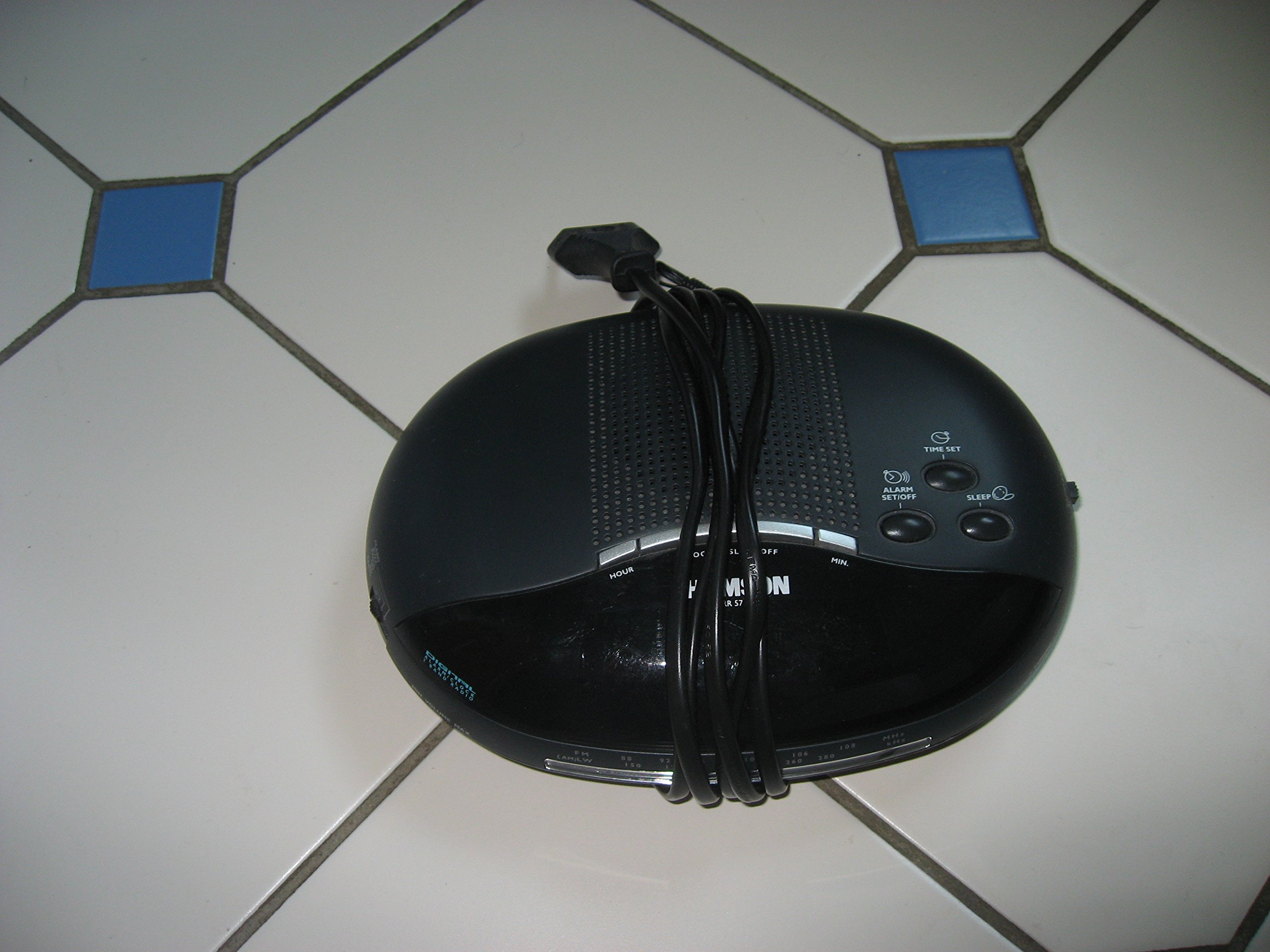
Slika 1: Ispred view of the Thomson RR 68 M clock, showing the digital display and control buttons. This image illustrates the compact design suitable for tabletop placement.
2.1 Sadržaj paketa
- Thomson RR 68 M Clock Unit
- Korisnički priručnik (ovaj dokument)
3. Postavljanje
3.1 Powering the Clock
The Thomson RR 68 M clock operates on batteries (not included). Ensure you have the correct type and quantity of batteries before proceeding.
- Pronađite poklopac odjeljka za baterije na stražnjoj ili donjoj strani sata.
- Uklonite poklopac odjeljka za baterije pomicanjem ili otključavanjem.
- Insert the required batteries, paying close attention to the polarity markings (+ and -) inside the compartment.
- Replace the battery compartment cover securely. The clock display should now illuminate.
4. Upute za rad
4.1 Postavljanje vremena
To set the current time on your Thomson RR 68 M clock:
- Locate the 'SET' or 'MODE' button, usually on the back or side of the clock. Press and hold this button for a few seconds until the hour digits begin to flash.
- Use the '+' or 'HOUR' button to adjust the hour. Press repeatedly to advance the hour.
- Press the 'SET' or 'MODE' button again. The minute digits will begin to flash.
- Use the '+' or 'MINUTE' button to adjust the minutes. Press repeatedly to advance the minutes.
- Press the 'SET' or 'MODE' button one last time to confirm the time setting and exit the setting mode. The display will stop flashing.
Note: This model does not feature an alarm function.
5. Održavanje
5.1 Čišćenje
Za održavanje izgleda vašeg sata:
- Wipe the clock's exterior with a soft, dry cloth.
- Ne koristite abrazivna sredstva za čišćenje, otapala ili kemijske sprejeve, jer mogu oštetiti završnu obradu.
5.2 Zamjena baterije
When the display dims or the clock stops functioning, it is time to replace the batteries. Follow the steps in Section 3.1 to replace the old batteries with new ones. Dispose of used batteries responsibly according to local regulations.
6. Rješavanje problema
If you encounter issues with your Thomson RR 68 M clock, refer to the following common problems and solutions:
6.1 Clock Display is Blank or Dim
- Provjerite baterije: Provjerite jesu li baterije ispravno umetnute s ispravnim polaritetom. Po potrebi zamijenite novima.
- Odjeljak za baterije: Verify the battery compartment cover is securely closed.
6.2 Vrijeme je netočno
- Vrijeme poništavanja: Follow the instructions in Section 4.1 to manually set the time.
- Snaga baterije: If the time frequently resets or loses accuracy, the batteries may be low and require replacement.
7. Specifikacije
| Broj modela | RR 68 M |
| Marka | THOMSON |
| Vrsta montaže | Stolna ploča |
| Izvor napajanja | Baterije (nisu uključene) |
| Funkcija alarma | Ne |
8. Informacije o jamstvu
Specific warranty details for the Thomson RR 68 M clock are not provided within this user manual. Please refer to the product packaging, the point of purchase, or the official Thomson webstranicu za sveobuhvatne uvjete jamstva.
9. Korisnička podrška
For further assistance, technical support, or inquiries regarding your Thomson RR 68 M clock, please visit the official Thomson webweb-mjesto ili se obratite njihovoj službi za korisnike. Kontaktni podaci obično su dostupni na proizvođačevoj webmjesto ili pakiranje proizvoda.