
Uvod
Hvala na kupnjiasing the Optimus F-1230 12-Inch Oscillating 3-Speed Table Fan. This manual provides essential information for the safe and efficient operation, maintenance, and care of your new fan. Please read these instructions thoroughly before use and retain them for future reference.

Figure 1: Optimus F-1230 12-Inch Oscillating 3-Speed Table Fan, White.
Važne sigurnosne upute
- Prije uporabe ovog ventilatora pročitajte sve upute.
- Nemojte koristiti ventilator s oštećenim kabelom ili utikačem. Bacite ventilator ili ga vratite u ovlašteni servis na pregled i/ili popravak.
- Nemojte provlačiti kabel ispod tepiha. Nemojte pokrivati kabel prostirkama, stazama ili sličnim pokrivalima. Postavite kabel dalje od područja prometa i na mjesto gdje se neće spotaknuti.
- Always unplug the fan when moving it, cleaning, or when not in use.
- Do not insert fingers or any foreign objects into the grille openings.
- Do not use this fan near windows, in wet areas, or where it may come into contact with water.
- Osigurajte da ventilator bude postavljen na stabilnu, ravnu površinu kako biste spriječili prevrtanje.
Sadržaj paketa
Upon opening the package, ensure all components are present and undamaged. The Optimus F-1230 fan typically includes the following parts:
- Fan Motor Unit with Base and Control Panel
- Prednja rešetka
- Stražnja rešetka
- Oštrica ventilatora
- Grille Retaining Nut
- Kapica za pričvršćivanje oštrice

Figure 2: Components of the Optimus F-1230 Table Fan.
Upute za sastavljanje
The Optimus F-1230 fan is designed for no-tool assembly. Follow these steps to set up your fan:
- Attach Rear Grille: Align the rear grille with the motor housing, ensuring the alignment pins on the motor housing fit into the corresponding holes on the rear grille. Secure it with the grille retaining nut by turning clockwise.
- Install Fan Blade: Slide the fan blade onto the motor shaft, making sure the notch on the blade aligns with the pin on the shaft. Secure it with the blade retaining cap by turning counter-clockwise.
- Attach Front Grille: Place the front grille over the rear grille, aligning the clips. Snap the front grille into place, ensuring it is securely fastened around the entire circumference.
- Postavite ventilator: Place the assembled fan on a stable, flat surface.
Upute za rad
Once assembled, your Optimus F-1230 fan is ready for use. Ensure the fan is plugged into a standard 120V AC electrical outlet.
Postavke snage i brzine
The fan features a 4-position push button switch located on the base for controlling power and speed:
- Press the appropriate button to select one of the 3 postavke brzine (Low, Medium, High).
- Press the 'OFF' button to turn the fan off.
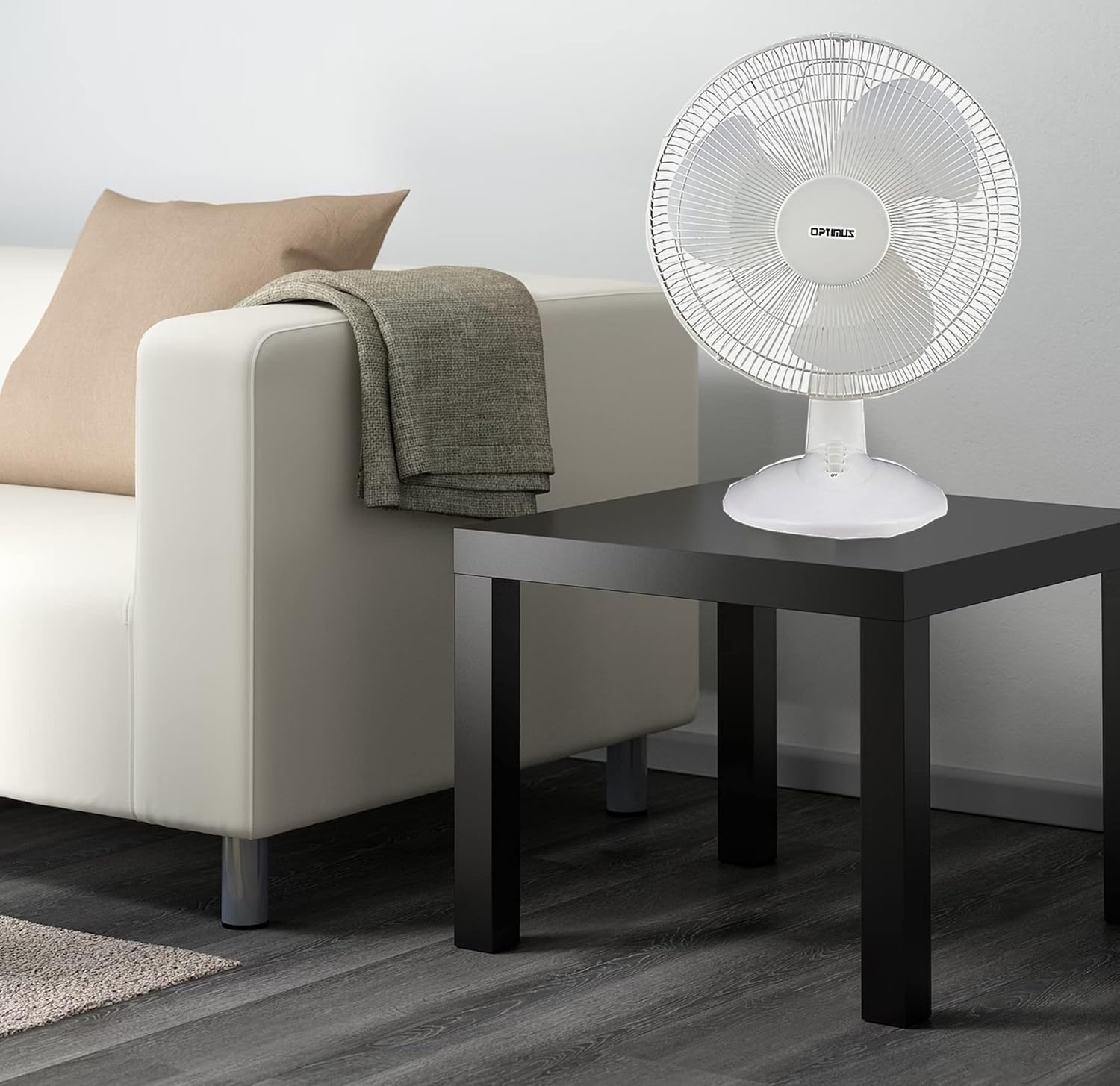
Figure 3: 4-Position Push Button Switch for speed control.
Funkcija oscilacije
The fan offers a full room of directional 90-degree oscillation to distribute air across a wider area:
- To start oscillation, push down the oscillation knob located on top of the motor housing.
- To stop oscillation and direct airflow in a fixed position, pull up the oscillation knob.
Adjustable Tilt/Angle Head
The fan head can be adjusted vertically to direct airflow precisely where needed:
- To adjust the tilt, gently push the fan head up or down to the desired angle. The fan head will remain in the selected position.

Figure 4: Adjustable tilt/angle head for vertical airflow adjustment.
Održavanje i čišćenje
Regular cleaning and maintenance will ensure optimal performance and extend the life of your fan.
Čišćenje
- Prije čišćenja uvijek isključite ventilator iz električne utičnice.
- Koristite meku, damp krpom za brisanje vanjskih površina ventilatora. Nemojte koristiti abrazivna sredstva za čišćenje ili otapala.
- To clean the fan blades, you may need to carefully remove the front grille. Refer to the assembly instructions in reverse order for safe removal and reattachment.
- Prije ponovnog spajanja ventilatora provjerite jesu li svi dijelovi potpuno suhi.
Skladištenje
Kada se ventilator ne koristi dulje vrijeme, čuvajte ga na hladnom i suhom mjestu, po mogućnosti u originalnom pakiranju, kako biste ga zaštitili od prašine i oštećenja.
Rješavanje problema
If your fan is not operating correctly, consult the following common issues and solutions:
- Ventilator se ne uključuje:
- Provjerite je li kabel za napajanje sigurno uključen u ispravnu električnu utičnicu.
- Check if the outlet is receiving power by plugging in another appliance.
- Verify that the speed control button is pressed to an 'ON' setting (1, 2, or 3).
- Ventilator je bučan:
- Pazite da ventilator bude postavljen na stabilnu, ravnu površinu.
- Provjerite ima li labavih dijelova ili prepreka unutar rešetki ventilatora ili oko lopatica.
- Clean the fan blades and grilles to remove any dust buildup that might cause imbalance.
- Fan does not oscillate:
- Ensure the oscillation knob on top of the motor housing is pushed down.
Ako problem i dalje postoji nakon isprobavanja ovih rješenja, obratite se korisničkoj podršci.
Tehnički podaci
| Marka | Optimus |
| Broj modela | F-1230 |
| Dizajn električnog ventilatora | Stolni ventilator |
| Boja | Bijela |
| Izvor napajanja | Električni na kabel |
| Broj brzina | 3 |
| Posebna značajka | oscilirajući |
| Vrsta montaže | Stolni nosač |
| Vrsta kontrolera | Kontrola gumba |
| Wattage | 50 vata |
| Voltage | 120 volti |
| Težina artikla | 4.95 funti |
| Vrsta materijala | Plastični |
| Unutarnja/vanjska upotreba | Zatvoreni |
Jamstvo i korisnička podrška
Informacije o jamstvu
This Optimus F-1230 fan comes with a 1 godina dijelovi i rad warranty. Please retain your proof of purchase for any warranty claims.
Korisnička podrška
For technical assistance, troubleshooting not covered in this manual, or warranty service, please contact Optimus Enterprises. The manufacturer's contact information is: SEATTLE, WA, 98109 US.
You may also visit the official Optimus webmjesto za dodatne resurse podrške.