
Uvod
Thank you for choosing the Westclox 66705 Digital Alarm Clock. This clock is designed for simplicity and reliability, featuring a large 1.8-inch red LED display for clear visibility and an oversized snooze bar for easy access. It operates on AC power with a battery backup system to maintain time and alarm settings during power interruptions. This manual provides detailed instructions for setup, operation, and maintenance to ensure optimal performance of your alarm clock.
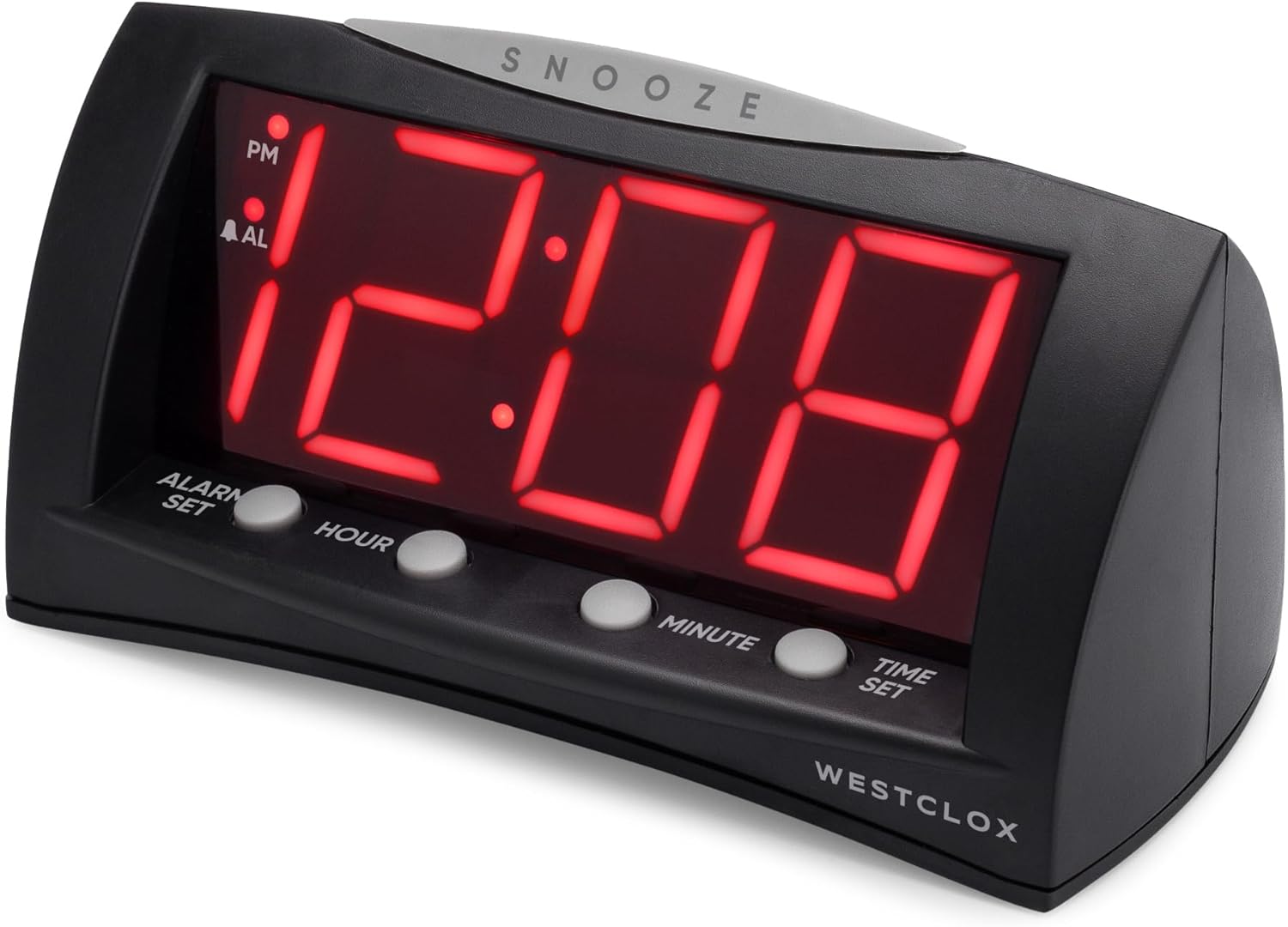
Ispred view of the Westclox 66705 Digital Alarm Clock, showing the large red LED display and control buttons.
Značajke proizvoda
- 1.8" Extra Large Display: Large red LED digits ensure visibility from anywhere in the room.
- Convenient Oversized Snooze Bar: Easy-to-find snooze bar for temporary alarm pause.
- Dvostruke opcije napajanja: Corded operation for reliability and battery backup for power outages.
- Digitalna točnost: Precise timekeeping for maintaining your schedule.
- Modern and Versatile Style: Sleek black finish and compact design suitable for various spaces.
Postavljanje
- Spojite AC napajanje: Connect the AC power cord to a standard household electrical outlet. The clock will display 12:00.
- Instalirajte rezervnu bateriju: Open the battery compartment on the bottom of the clock. Insert one (1) AA battery (not included), ensuring correct polarity. This battery preserves time and alarm settings during power outages but does not power the display.
- Postavi trenutno vrijeme:
- Press and hold the 'POSTAVLJENO VRIJEMEgumb '.
- While holding 'POSTAVLJENO VRIJEME', press 'SAT' to advance the hour.
- Continue holding 'POSTAVLJENO VRIJEME' and press 'MINUTA' to advance the minute.
- Observe the 'PM' indicator on the display to ensure correct AM/PM setting.
- Release 'POSTAVLJENO VRIJEME' when the correct time is displayed.
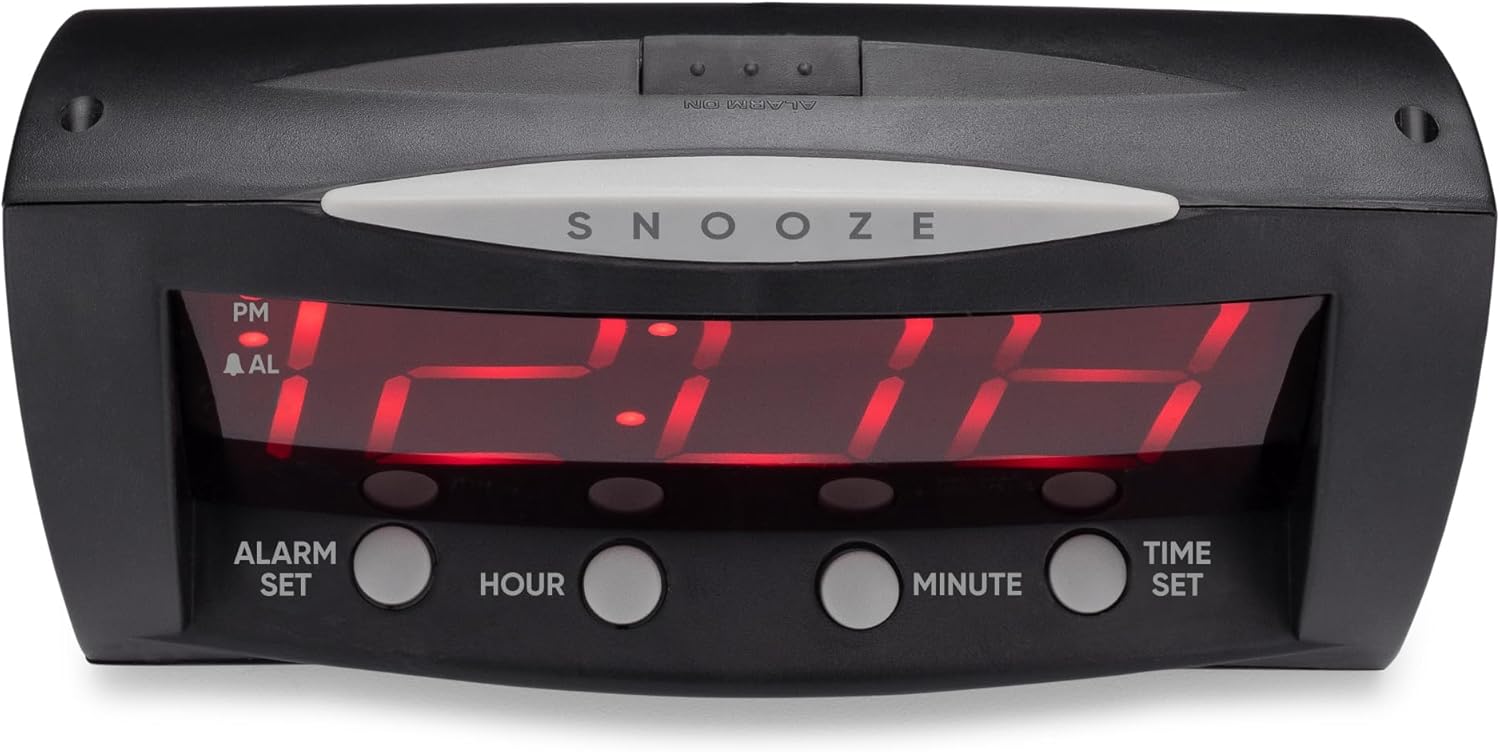
Frontalni view of the Westclox 66705 Digital Alarm Clock, highlighting the oversized snooze bar and time/alarm setting buttons.
Upute za rad
- Postavite vrijeme alarma:
- Press and hold the 'SET ALARMAgumb '.
- While holding 'SET ALARMA', press 'SAT' to advance the alarm hour.
- Continue holding 'SET ALARMA' and press 'MINUTA' to advance the alarm minute.
- Observe the 'PM' indicator and the 'AL' (alarm) indicator for correct AM/PM setting.
- Release 'SET ALARMA' when the desired alarm time is displayed.
- Aktiviranje/deaktiviranje alarma:
- Locate the 'UKLJUČIVANJE / ISKLJUČIVANJE ALARMA' slide switch on the back of the clock.
- Slide the switch to 'ALARM UKLJUČEN' to enable the alarm. The 'AL' indicator will illuminate on the display.
- Slide the switch to 'ALARM ISKLJUČEN' to disable the alarm. The 'AL' indicator will turn off.
- Odgoda funkcija:
- When the alarm sounds, press the large 'DRIJEMEŽ' bar located on top of the clock.
- The alarm will temporarily stop and sound again after approximately 9 minutes.

Stražnji view of the Westclox 66705 Digital Alarm Clock, displaying the power cord and the alarm on/off switch.
Održavanje
- Čišćenje: To clean the clock, wipe it with a soft, dry cloth. Do not use abrasive cleaners or solvents, as they may damage the finish.
- Zamjena baterije: If the battery backup is used frequently or if the clock experiences power outages and settings are lost, replace the AA battery in the compartment on the bottom of the clock.
- Skladištenje: Ako sat skladištite dulje vrijeme, izvadite bateriju kako biste spriječili curenje.
Rješavanje problema
- Zaslon je prazan ili ne radi:
- Ensure the AC power cord is securely plugged into a working electrical outlet.
- If a battery is installed, check if it is fresh and correctly inserted. The battery backup only maintains settings, not the display.
- Alarm se ne oglašava:
- Verify that the 'ALARM ON/OFF' switch on the back of the clock is set to 'ALARM ON'.
- Check that the alarm time is correctly set and the 'AL' indicator is visible on the display.
- Time or alarm cannot be set:
- Ensure you are pressing and holding the 'POSTAVLJENO VRIJEME'ili'SET ALARMA' button while adjusting the hour and minute. Release the button after setting.
- Display is too bright:
- This model does not feature a dimmer function. Consider adjusting the clock's position if the brightness is an issue.
Tehnički podaci
| Marka | Westclox |
| Broj modela | 66705 |
| Vrsta zaslona | Digital, 1.8" Red LED |
| Izvor napajanja | Corded-electric with Battery Backup |
| Zahtjev za bateriju | 1 AA baterija (nije uključena) |
| Dimenzije proizvoda | 22.1 cm Š x 17.8 cm V |
| Težina artikla | 12.5 unci |
| Materijal | Plastični |
| Posebne značajke | Large Digits, Oversized Snooze, Corded, Battery Backup |
Informacije o jamstvu
This Westclox product is covered by a 1-year limited warranty from the date of purchase. This warranty covers manufacturing defects in materials and workmanship. It does not cover damage caused by misuse, accidents, unauthorized repairs, or normal wear and tear. Please retain your original proof of purchase for any warranty claims.
podrška
For further assistance, technical support, or to inquire about replacement parts, please visit the official Westclox website or refer to the contact information provided on the product packaging. Our customer service team is available to help with any questions or concerns you may have regarding your Westclox 66705 Digital Alarm Clock.