
Uvod
This manual provides detailed instructions for the operation and maintenance of your Garmin GPSMAP 78sc 2.6-Inch Waterproof Marine GPS and Chartplotter. The GPSMAP 78sc series is designed for recreational navigation, featuring a bright 2.6-inch LCD color display, built-in basemap, and a high-sensitivity GPS receiver. All models are waterproof to IPX7 standards and float in water, making them suitable for boating and watersports. Key features include a built-in microSD card slot for additional maps and a dedicated Man Over Board (MOB) button.
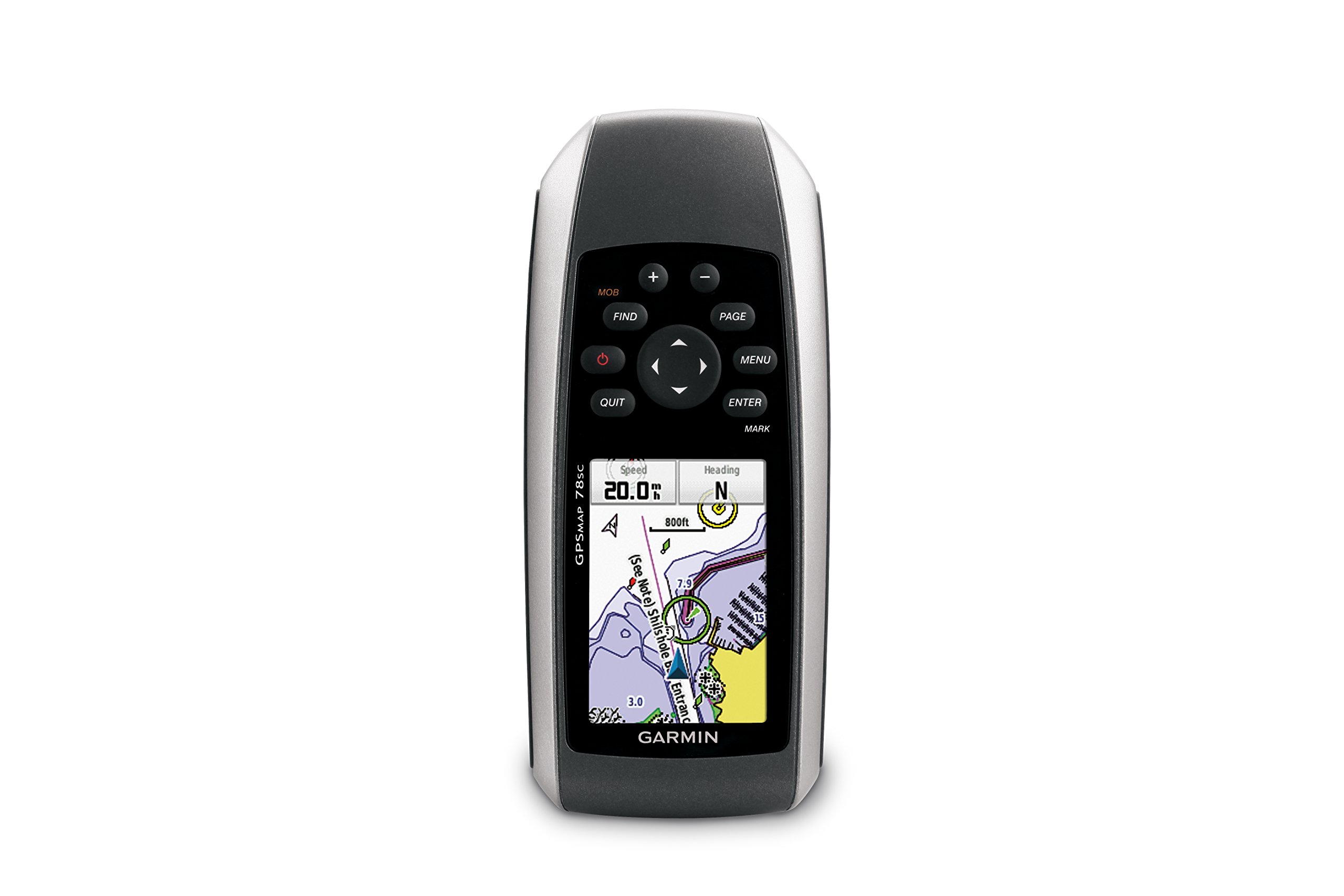
Slika 1: Prednja strana view of the Garmin GPSMAP 78sc handheld marine GPS and chartplotter.
Proizvod gotovview
Ključne karakteristike:
- Marine-friendly handheld with high-sensitivity GPS receiver and 2.6-inch color TFT display.
- Waterproof to IPX7 standards; floats in water.
- Built-in BlueChart g2 U.S./Bahamas coastal charts with shorelines, depth contours, navaids, harbors, marinas, and more.
- Built-in 3-axis tilt-compensated electronic compass and barometric altimeter for heading, altitude, and weather information.
- Wireless sharing of waypoints, tracks, routes, and geocaches with other compatible devices.
Što je u kutiji:
- GPSMAP 78sc device
- Traka za zapešće
- USB kabel
- Priručnik

Slika 2: Kutno view of the Garmin GPSMAP 78sc, highlighting its button interface.
Video zapisi proizvoda:
Garmin GPSmap 78 handheld GPS Overview
Ovaj video pruža opći pregledview of the Garmin GPSMAP 78 handheld GPS, demonstrating its features and design.
Proizvod gotovview Video
A concise product overview video from the seller, highlighting key aspects of the device.
Postavljanje
1. Instaliranje baterija:
The GPSMAP 78sc operates on two AA batteries (not included). To install:
- Pronađite poklopac odjeljka za baterije na stražnjoj strani uređaja.
- Okrenite D-prsten suprotno od smjera kazaljke na satu kako biste otključali i uklonili poklopac.
- Umetnite dvije AA baterije, pazeći na ispravan polaritet (+ i -).
- Vratite poklopac i okrenite D-prsten u smjeru kazaljke na satu kako biste ga pričvrstili.

Slika 3: Natrag view of the Garmin GPSMAP 78sc, illustrating the battery compartment.
2. Uključivanje/isključivanje:
Pritisnite i držite Vlast button (located on the left side) to turn the device on or off. A short press will adjust the backlight.
3. Početne postavke:
Upon first use, the device may prompt you to set language, time zone, and other preferences. Follow the on-screen instructions using the directional pad and ENTER dugme.
Operativni
Navigation Basics:
- Glavni izbornik: Pritisnite tipku JELOVNIK button twice to access the main menu.
- Gumb stranice: Pritisnite STRANICA to cycle through the main pages (Map, Compass, Trip Computer, etc.).
- Usmjerivačka ploča: Use the directional pad to scroll through menus, pan the map, or adjust settings.
- Tipka ENTER: Pritisnite ENTER to select an item or confirm an action.
- QUIT Button: Pritisnite PRESTATI to return to the previous page or cancel an action.
Stvaranje putnih točaka:
To mark your current location as a waypoint:
- Pritisnite tipku OCJENA dugme.
- Edit the waypoint name, symbol, and coordinates if desired.
- Odaberite Gotovo or Uštedjeti to store the waypoint.
Man Over Board (MOB) Function:
U hitnom slučaju pritisnite tipku MOB button to immediately mark the current location and initiate navigation back to that point. This feature is critical for safety in marine environments.
Održavanje
Čišćenje uređaja:
Obrišite uređaj krpom dampened with a mild detergent solution. Dry thoroughly. Avoid using abrasive cleaners or solvents that could damage the device's finish or screen.
Njega baterije:
Always use fresh, high-quality AA batteries. If the device will not be used for an extended period, remove the batteries to prevent leakage and corrosion.
Ažuriranja softvera:
Povremeno provjeravajte Garmin website for software updates to ensure optimal performance and access to the latest features. Updates can typically be installed by connecting the device to a computer via the USB cable.
Rješavanje problema
Uređaj se ne uključuje:
- Provjerite jesu li baterije pravilno postavljene i potpuno napunjene.
- Try new batteries.
- Provjerite kontakte baterije na koroziju.
Slab GPS signal:
- Provjerite ima li uređaj čist view od neba.
- Avoid areas with tall buildings, dense foliage, or other obstructions.
- Allow sufficient time for the device to acquire satellites, especially after being off for a long period.
Zaslon ne reagira:
- Izvršite soft reset uklanjanjem i ponovnim umetanjem baterija.
- Provjerite je li zaslon čist i bez nečistoća.
Tehnički podaci
| Značajka | Detalj |
|---|---|
| Marka | Garmin |
| Naziv modela | GPSKARTA |
| Broj modela | 010-00864-02 |
| Veličina zaslona | 2.6 inča |
| Vrsta zaslona | LCD |
| Rezolucija | 160 x 240 piksela |
| Ocjena vodootpornosti | IPX7 (floats) |
| Trajanje baterije | 20 Hours (typical) |
| Vrsta baterije | 2 AA baterija (nisu uključene) |
| Kapacitet pohrane memorije | 1 GB |
| Compatible Flash Memory Type | microSD |
| Podržani satelitski navigacijski sustav | GPS |
| Posebne značajke | Rugged case, Barometric altimeter, Garmin Connect compatible, Electromagnetic compass, Garmin HotFix, Custom POIs, Automatic routing, Hunt/fish calendar, Geocaching, Photo navigation |
| Dimenzije artikla D x Š x V | 2.6 cm D x 1.2 cm Š x 6 cm V |
| Težina artikla | 7.7 unci |
Jamstvo i podrška
The Garmin GPSMAP 78sc comes with a 1 Year Limited Warranty. For detailed warranty information, product support, or service inquiries, please refer to the official Garmin website or contact Garmin customer service directly. The included manual also contains contact information and further support resources.