
1. Uvod
The NETGEAR DGN3500 N300 Wireless Gigabit ADSL2+ Modem Router integrates an ADSL2+ modem and a Wireless-N router into a single device. This unit is designed to deliver high-speed internet access and establish a robust wireless network for both home and small office environments. This manual provides essential instructions for the setup, operation, and maintenance of your NETGEAR DGN3500 device.
2. Sadržaj paketa
Prije nego što nastavite s instalacijom, provjerite sadrži li vaš paket sljedeće stavke:
- NETGEAR DGN3500 N300 Wireless Gigabit ADSL2+ Modem Router
- Ethernet kabel
- Phone Cable (DSL Cable)
- Adapter napajanja
- Resource CD (may contain software and documentation)
- Vodič za brzu instalaciju
3. Fizički overview
Familiarize yourself with the device's indicators and ports.
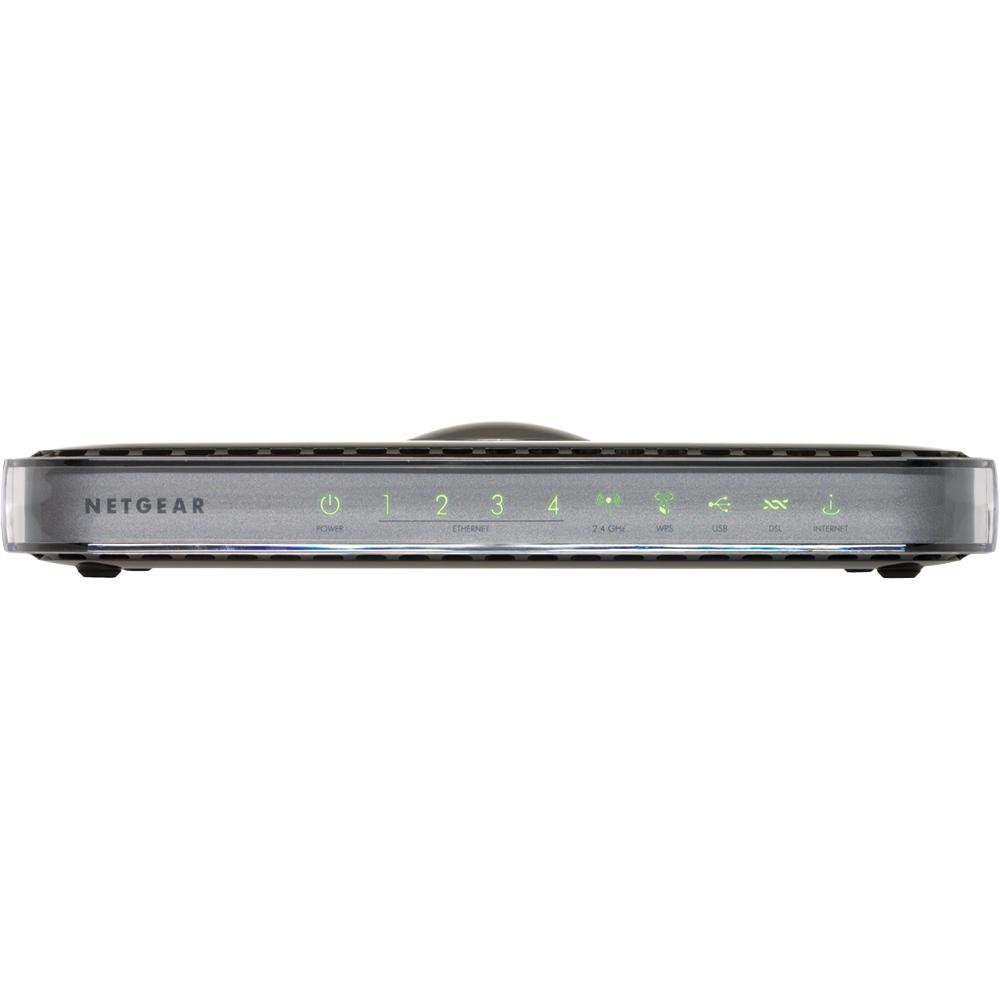
Slika: prednja strana view of the NETGEAR DGN3500 N300 Wireless Gigabit ADSL2+ Modem Router, showing its indicator lights and sleek design.
LED diode na prednjoj ploči
- LED za napajanje: Pokazuje status napajanja uređaja.
- Internet LED: Illuminates when an active ADSL connection is established and flashes to indicate internet activity.
- Bežični LED: Indicates the status and activity of the wireless network.
- LAN LED-ovi (1-4): Each LED corresponds to a wired Ethernet port, indicating connection and activity.
- USB LED: Indicates activity on the USB port, typically when a storage device is connected and accessed.
Priključci i tipke na stražnjoj ploči
- DSL priključak: Connects the modem router to your ADSL telephone line.
- Ethernet priključci (1-4): Four 10/100 Fast Ethernet ports for connecting wired devices such as computers, gaming consoles, or network printers.
- USB priključak: Supports ReadySHARE functionality for connecting a USB storage device to share filepreko vaše mreže.
- Gumb za uključivanje/isključivanje: Upravlja napajanjem uređaja.
- Priključak za adapter za napajanje: Connects the provided power adapter to the device.
- Gumb za resetiranje: A recessed button used to restore the device to its factory default settings. Use a paperclip or similar pointed object to press and hold for approximately 10 seconds.
4. Vodič za postavljanje
4.1. Hardverska veza
- Spojite DSL liniju: Connect one end of the phone cable to the DSL port on the modem router and the other end to your telephone wall jack. If you have a phone splitter, ensure the modem router is connected to the modem port of the splitter.
- Priključite napajanje: Plug the power adapter into the power adapter port on the modem router and then into an electrical outlet. Press the Power On/Off button if necessary. Wait for the Power LED to turn solid green.
- Connect a Computer (Optional for Initial Setup): For initial configuration, you may connect a computer directly to one of the Ethernet ports (1-4) on the modem router using an Ethernet cable. This ensures a stable connection during setup.
4.2. Software Configuration (Initial Setup)
- Access the Router Interface: Otvori a web browser on a connected computer. In the address bar, type http://www.routerlogin.net or http://192.168.0.1 i pritisnite Enter.
- Prijavi se: When prompted, enter the default username (usually admin) i lozinka (obično lozinka). These credentials can be found on a label on the device or in the Quick Installation Guide.
- Pokrenite čarobnjaka za postavljanje: The NETGEAR Genie setup wizard should launch automatically. Follow the on-screen instructions to configure your internet connection. You will need your Internet Service Provider (ISP) details, including your DSL username and password.
- Configure Wireless Network: During the setup, you will be prompted to set up your wireless network (Wi-Fi). Choose a unique network name (SSID) and a strong password (WPA2-PSK recommended). Note these details for connecting your wireless devices.
- Dovršite postavljanje: Once the wizard is complete, save your settings. The modem router will restart, and your internet connection should become active.
5. Upute za rad
5.1. Konfiguracija bežične mreže
- Povezivanje uređaja: On your wireless devices (laptops, smartphones, tablets), search for available Wi-Fi networks. Select the SSID you configured during setup and enter the wireless password.
- Promjena postavki Wi-Fi mreže: To modify your Wi-Fi network name (SSID), password, or security type, log back into the router's web sučelje (http://www.routerlogin.net). Navigate to the Wireless Settings section.
- Push 'N' Connect (WPS): For WPS-compatible devices, press the WPS button on the modem router and then activate WPS on your device within two minutes to establish a secure connection without entering a password.
5.2. ReadySHARE USB Storage
The ReadySHARE feature allows you to connect a USB storage device (e.g., a USB hard drive or flash drive) to the modem router and share its contents with all devices on your network.
- Povežite USB pogon: Plug your USB storage device into the USB port on the rear of the modem router.
- Access Shared Content: From a computer on your network, open File Explorer (Windows) or Finder (macOS). The USB drive should appear as a network share. You can also access it via the router's web interface under the ReadySHARE section.
5.3. NETGEAR Genie
NETGEAR Genie is the web-based management interface for your modem router. It provides an intuitive dashboard to manage, monitor, and repair your home network.
- Status mreže: View real-time information about your internet connection, wireless network, and connected devices.
- Upravljanje uređajem: See a list of all devices connected to your network, manage their access, and view their IP addresses.
- Napredne postavke: Access advanced features such as port forwarding, parental controls, and VPN settings.
6. Održavanje
Regular maintenance helps ensure optimal performance and security for your modem router.
- Ažuriranja firmvera: Povremeno provjeravajte NETGEAR podršku website for new firmware versions. Updating firmware can improve performance, add new features, and fix security vulnerabilities. You can usually update firmware through the router's web sučelje.
- Redovita ponovna pokretanja: Rebooting your modem router every few weeks can help clear its memory and resolve minor connectivity issues. Simply unplug the power adapter for 10 seconds and then plug it back in.
- Fizičko čišćenje: Keep the device free from dust and obstructions to ensure proper ventilation. Use a soft, dry cloth for cleaning.
- Najbolje sigurnosne prakse: Regularly change your router's administrative password and Wi-Fi password. Use strong, unique passwords for both.
7. Rješavanje problema
Ovaj odjeljak obrađuje uobičajene probleme s kojima se možete susresti.
- Nema internetske veze:
- Check if the Internet LED is solid green. If not, verify DSL line connection and contact your ISP.
- Ensure your ISP username and password are correctly entered in the router settings.
- Ponovno pokrenite modem-usmjerivač i računalo.
- Spora bežična brzina:
- Ensure your devices are connected to the 802.11n network if supported.
- Reduce interference by moving the router away from other electronic devices (cordless phones, microwaves).
- Provjerite ima li ažuriranja firmvera.
- Ne mogu pristupiti postavkama usmjerivača:
- Verify your computer is connected to the router (wired or wireless).
- Provjerite koristite li ispravnu IP adresu (192.168.0.1) ili URL (routerlogin.net).
- Izbrišite predmemoriju i kolačiće preglednika ili pokušajte s drugim preglednikom.
- Vraćanje na tvorničke postavke: If you encounter persistent issues or forget your password, you can restore the modem router to its factory default settings. With the device powered on, use a paperclip to press and hold the recessed Reset button on the rear panel for approximately 10 seconds. The device will reboot with default settings.
8. Specifikacije
| Značajka | Specifikacija |
|---|---|
| Marka | NETGEAR |
| Naziv modela | DGN3500 |
| Bežični standard | 802.11a/b/g/n (N300) |
| Data Transfer Rate (Wireless) | Do 300 Mbps |
| LAN Port Bandwidth | 10/100 Mbps (brzi Ethernet) |
| Broj priključaka | 1x ADSL2+ port, 4x 10/100 Fast Ethernet ports, 1x USB port |
| Sigurnosni protokol | WEP, WPA-PSK, WPA2-PSK, WPS |
| Operating System (Management) | NETGEAR Genie |
| Težina artikla | 1.1 funti |
| Kompatibilni uređaji | Osobno računalo |
| Tehnologija povezivanja | Bežični |
9. Jamstvo i podrška
For detailed warranty information, technical support, and additional resources, please refer to the documentation included with your product. You can also visit the official NETGEAR support website for the latest drivers, firmware, and troubleshooting guides.
Podrška za NETGEAR Webstranica: https://www.netgear.com/support/