
Uvod
This manual provides essential information for the proper setup, operation, and maintenance of your Spectra SP-PC Stereo Computer Transcription Headset. Please read these instructions carefully to ensure optimal performance and longevity of your device.
Proizvod gotovview
The Spectra SP-PC is a stereo headset designed for computer transcription and other audio applications. It features an under-chin bow design, twin speakers, and a 10-foot cord with a 3.5mm right-angle plug for convenient connection to various devices.

Image 1: The Spectra SP-PC Stereo Computer Transcription Headset, showing the under-chin design, twin speakers, and the coiled 10-foot cord with a 3.5mm right-angle plug.
Postavljanje
- Raspakirajte slušalice: Carefully remove the headset from its packaging. A black pouch is included for storage.
- Identifikujte audio priključak: Locate the 3.5mm right-angle plug at the end of the headset's 10-foot cord.
- Povežite se s uređajem: Insert the 3.5mm plug into the audio output jack of your computer, laptop, tablet, or any compatible device. Ensure the connection is secure.
- Adjust System Volume: The Spectra SP-PC headset does not feature an inline volume control. Adjust the audio volume directly through your computer's operating system or the application you are using.
Upute za rad
- Nošenje slušalica: Position the headset with the flexible band resting gently under your chin. The twin speakers should sit comfortably just outside your ear canals. This under-chin design is intended for extended wear comfort.
- Audio reprodukcija: Once connected, initiate audio playback from your chosen application (e.g., transcription software, media player).
- Podešavanje glasnoće: Use your device's native volume controls to set the desired listening level.
- Optimized for Voice: This headset is particularly suited for voice clarity, making it ideal for transcription tasks.
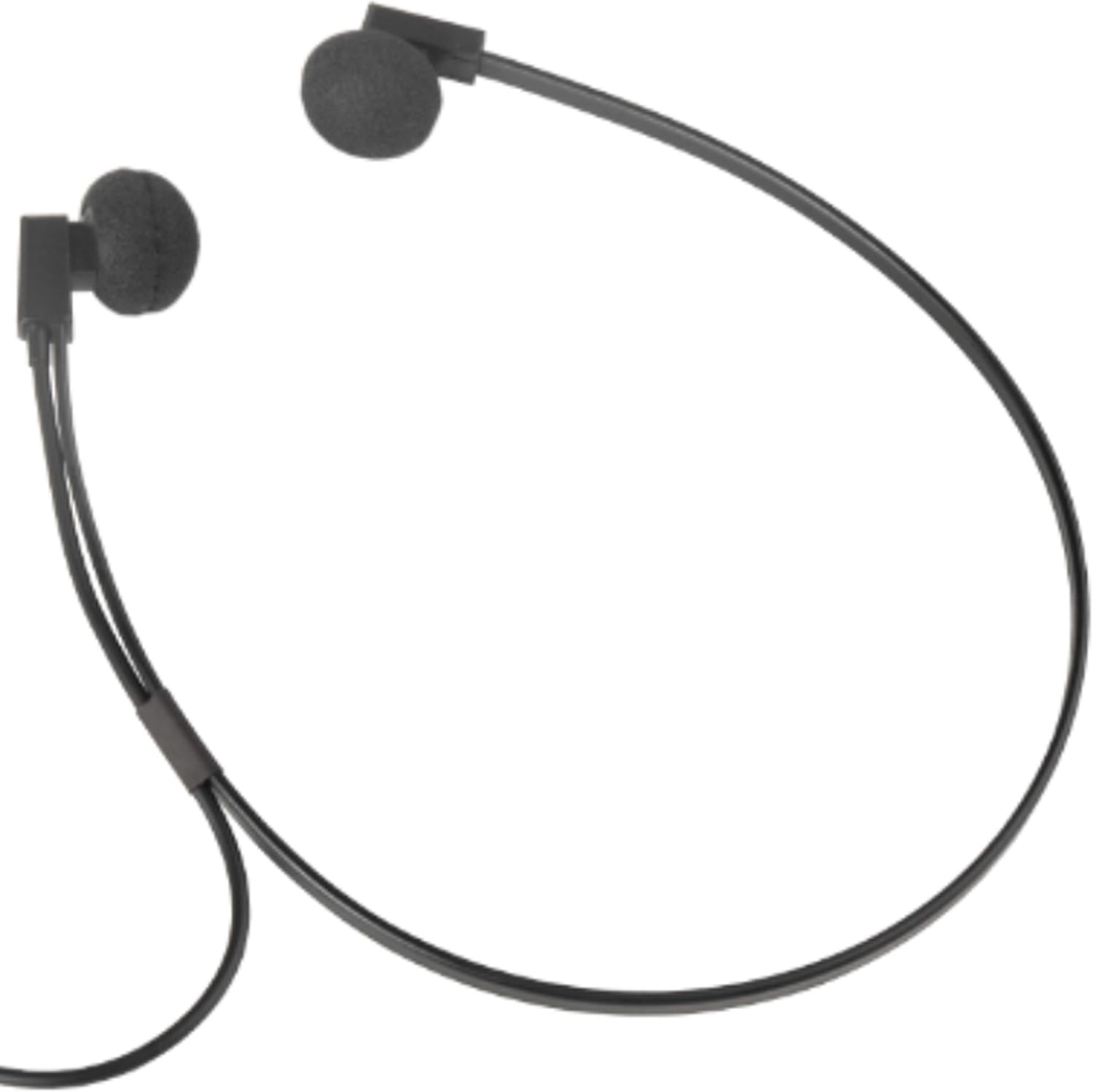
Slika 2: Krupni plan view of the Spectra SP-PC headset, demonstrating how the under-chin band supports the earpieces for comfortable wear.
Održavanje
- Čišćenje: Gently wipe the earpieces and cable with a soft, dry cloth. Avoid using harsh chemicals or abrasive materials.
- Ear Foam Replacement: The headset comes with extra ear foam covers. If the existing foam covers become worn or damaged, carefully remove them and replace them with the new ones provided.
- Skladištenje: When not in use, store the headset in the provided black pouch to protect it from dust and damage. Avoid tangling the cord.
- Rukovanje: While durable, avoid dropping the headset on hard surfaces, as this may cause damage to the earpieces or internal components.
Rješavanje problema
- Nema zvuka:
- Provjerite je li 3.5 mm utikač potpuno umetnut u audio priključak vašeg uređaja.
- Check your device's volume settings to ensure it is not muted or set too low.
- Test the headset with another audio source or device to rule out a device-specific issue.
- Izobličen zvuk:
- Smanjite glasnoću na svom uređaju.
- Provjerite je li audio izvor dobre kvalitete.
- Check for any damage to the cable or plug.
- Discomfort During Extended Use:
- While designed for comfort, individual ear sensitivity varies. Take short breaks during prolonged listening sessions.
- Ensure the ear foam covers are properly seated and not causing irritation.
Tehnički podaci
| Marka | SPECTRA |
| Broj modela | SP-PC |
| Tehnologija povezivanja | Ožičeno |
| Utičnica za slušalice | 3.5 mm Jack |
| Značajka kabela | 10 feet 3.5 mm right angle stereo plug |
| Postavljanje uha | In Ear (Under-Chin Form Factor) |
| Vrsta audio upravljačkog programa | Dinamički upravljački program |
| Težina artikla | 2.4 unci |
| Dimenzije proizvoda | 9 x 1 x 12 inča |
| Kompatibilni uređaji | Devices with a 3.5mm Jack (PC, Laptops, Tablets) |
| Posebna značajka | Lagan |
| Materijal torbice za nošenje | Mekani materijal |
Jamstvo i podrška
For warranty information and technical support, please refer to the documentation included with your purchase or contact the manufacturer directly. Specific warranty terms may vary by region and retailer.