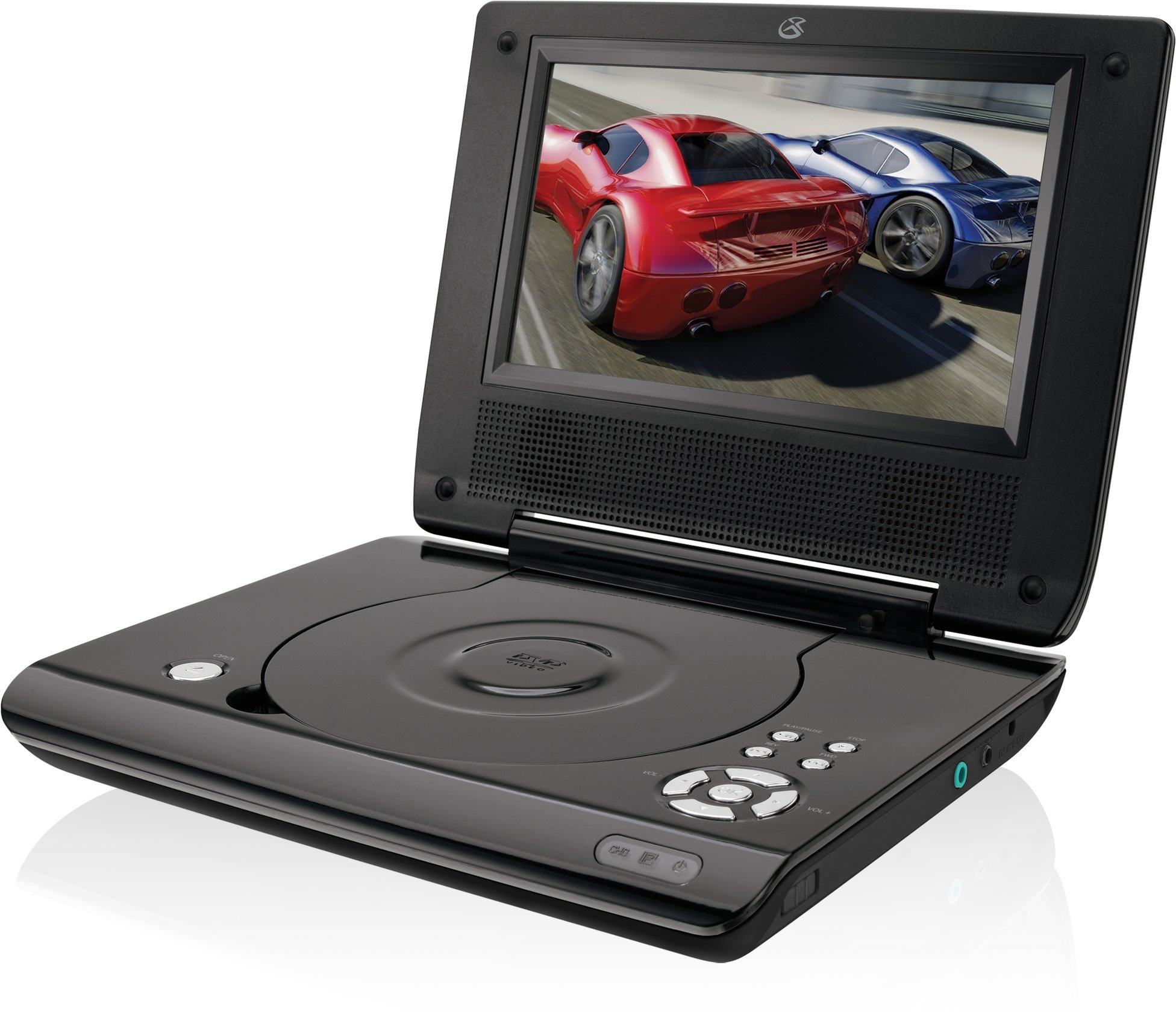
This manual provides essential instructions for the safe and efficient operation of your GPX PD730B 7-inch Portable DVD Player. Please read this manual thoroughly before using the device and retain it for future reference. The GPX PD730B is designed for portable entertainment, allowing you to enjoy DVDs, CDs, and JPEG files on its 7-inch TFT LCD screen.
Sadržaj paketa
Provjerite jesu li sve dolje navedene stavke uključene u vaš paket:
Prijenosni DVD uređaj GPX PD730B
AC/DC strujni adapter
DC Car Adapter (12V)
Stereo slušalice
Daljinski upravljač (s 2 AAA baterije)
Korisnički priručnik (ovaj dokument)
Proizvod gotovview
Figure 1: GPX PD730B Portable DVD Player (Closed)
This image shows the GPX PD730B portable DVD player in its closed position, highlighting its compact and sleek design. The top surface is smooth and black, with control buttons visible on the right edge.
Kontrole i veze
Familiarize yourself with the various controls and connection ports on your portable DVD player.
Gumb za napajanje: Uključuje ili isključuje jedinicu.
Gumb za reprodukciju/pauzu: Pokreće ili zaustavlja reprodukciju.
Gumb Zaustavi: Zaustavlja reprodukciju.
Gumbi za preskakanje/pretraživanje: Navigates tracks or chapters, or fast-forwards/rewinds.
Kontrola glasnoće: Podešava razinu audio izlaza.
Priključak za slušalice: For private listening with stereo earbuds or headphones.
DC ulazni priključak: Connects to the AC/DC or car power adapter for charging and power.
Postavljanje
1. Punjenje baterije
Before initial use, fully charge the built-in rechargeable battery. A full charge provides approximately 2 hours of playback time.
Connect the AC/DC power adapter to the DC In port on the DVD player.
Uključite AC/DC adapter u standardnu zidnu utičnicu.
The charging indicator light (if present) will illuminate. Charging is complete when the light changes color or turns off (refer to device for specific indicator behavior).
Alternatively, use the 12V DC car adapter to charge the player in a vehicle.
2. Uključivanje/isključivanje
Pritisnite i držite Vlast button on the unit to turn the player on or off. The screen will illuminate when powered on.
Upute za rad
1. Inserting and Removing Discs
Gently open the disc compartment lid.
Place a DVD or CD onto the spindle with the label side facing up. Press down gently on the center of the disc until it clicks into place.
Close the disc compartment lid firmly.
To remove a disc, open the lid, gently press the spindle button (if present) or lift the disc from the edges, avoiding touching the data surface.
2. Osnovna reprodukcija
Nakon umetanja diska, uređaj će obično automatski započeti reprodukciju.
Koristite Reprodukcija/Pauza gumb za pauziranje ili nastavak reprodukcije.
Pritisnite tipku Stop tipka za zaustavljanje reprodukcije.
Koristite Preskočiti buttons (usually labeled with arrows) to navigate between chapters or tracks.
Koristite Traži buttons (often combined with Skip) to fast-forward or rewind.
3. Korištenje daljinskog upravljača
The included remote control provides convenient access to all player functions from a distance. Ensure the 2 AAA batteries are correctly installed. Point the remote control directly at the player's remote sensor.
4. Spajanje slušalica
For private listening, plug the stereo earbuds (or your own headphones) into the Utičnica za slušalice on the side of the player. The built-in speakers will automatically mute when headphones are connected.
Figure 2: Portable DVD Player in use (Bedroom)
This image illustrates the portable DVD player being used by a girl in a bedroom setting, demonstrating its suitability for personal entertainment at home.
Figure 3: Portable DVD Player in use (Vehicle)
This image shows a boy watching the portable DVD player in the back seat of a car, highlighting its utility for entertainment during travel.
Figure 4: Portable DVD Player in use (Airplane)
This image depicts a woman using the portable DVD player with headphones on an airplane, showcasing its versatility for quiet, personal entertainment during flights.
Održavanje
Cleaning the Player
Disconnect the player from all power sources before cleaning.
Za brisanje vanjskih površina koristite meku, suhu krpu. Nemojte koristiti abrazivna sredstva za čišćenje, voskove ili otapala.
For the screen, use a soft, lint-free cloth specifically designed for LCD screens. Avoid excessive pressure.
Keep the disc compartment free of dust and debris.
Briga o bateriji
Kako biste produžili vijek trajanja baterije, izbjegavajte često potpuno pražnjenje baterije.
If the player will not be used for an extended period, charge the battery to about 50% before storing.
Store the player in a cool, dry place.
Rješavanje problema
Ako naiđete na probleme s GPX PD730B, pogledajte sljedeće uobičajene probleme i rješenja:
Problem
Mogući uzrok
Otopina
Player se ne uključuje.
Baterija je prazna; adapter za napajanje nije ispravno spojen.
Charge the battery; Ensure power adapter is securely connected to both the player and power source.
Nema reprodukcije diska.
Disc inserted incorrectly; Disc is dirty or scratched; Incorrect disc format.
Reinsert disc correctly (label side up); Clean disc with a soft cloth; Ensure disc is DVD, CD, or JPEG CD format.
Nema zvuka iz zvučnika/slušalica.
Volume too low; Headphones not fully plugged in; Mute function active.
Increase volume; Ensure headphones are fully inserted; Check if mute is active on remote or player.
Daljinski upravljač ne radi.
Baterije su prazne ili nepravilno umetnute; Prepreka između daljinskog upravljača i uređaja.
Replace remote batteries; Ensure correct polarity; Remove any obstructions and point remote directly at sensor.
Tehnički podaci
Broj modela
PD730B
Veličina zaslona
7 inča
Vrsta zaslona
TFT LCD
Izvorna razlučivost
480x234
Omjer slike
16:9
Kompatibilni mediji
DVD, DVD+R/RW, CD, CD-R/RW, JPEG CD
Trajanje baterije (prosjek)
2 sata
Ulazna snaga
AC/DC Adapter, 12V DC Car Adapter
Povezivost
Pomoćni (priključak za slušalice)
Težina artikla
1.72 funti
UPC
047323007309
Jamstvo i podrška
For warranty information, technical support, or service inquiries, please refer to the warranty card included with your product or visit the official GPX webstranicu. Sačuvajte račun kao dokaz o kupnji za slučaj reklamacije.
Ask about setup, troubleshooting, compatibility, parts, safety, or missing instructions. Manuals+ will review the question and use this page’s manual context to help answer it.