
1. Uvod
This manual provides essential information for the installation, configuration, operation, and maintenance of the Juniper Networks SRX220H-POE Services Gateway. The SRX220H-POE is a high-performance security, routing, and switching platform designed for small to medium-sized branch offices. It offers 8 Gigabit Ethernet ports and 2 mini-PIM slots, with Power over Ethernet (PoE) capabilities.
Prije upotrebe uređaja pažljivo pročitajte ovaj priručnik kako biste osigurali ispravan rad i spriječili oštećenja.
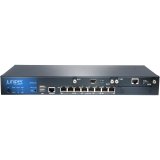
Slika 1: Prednja strana view of the Juniper Networks SRX220H-POE Services Gateway, showing the 8 Gigabit Ethernet ports and status indicators.
2. Sigurnosne informacije
Pridržavajte se sljedećih sigurnosnih mjera opreza kako biste spriječili ozljede i oštećenje uređaja:
- Električna sigurnost: Ensure the power source matches the device's requirements. Use only the provided power cord.
- Uzemljenje: Always connect the device to a properly grounded outlet.
- Ventilacija: Do not block ventilation openings. Ensure adequate airflow around the device to prevent overheating.
- Plasman: Install the device in a stable, dry environment, away from direct sunlight, heat sources, and moisture.
- Servisiranje: Za sve servisne radove obratite se kvalificiranom osoblju. Ne pokušavajte sami otvarati ili popravljati uređaj.
3. Postavljanje
3.1 Raspakiranje uređaja
Carefully remove the SRX220H-POE Services Gateway from its packaging. Verify that all components listed below are present:
- Juniper Networks SRX220H-POE Services Gateway unit
- Kabel za napajanje
- Komplet za montažu u rack (ako je primjenjivo)
- Kabel za konzolu
- Documentation CD/Quick Start Guide
3.2 Montaža u rack (opcionalno)
The SRX220H-POE is rack-mountable. To install the device in a standard 19-inch equipment rack:
- Attach the provided rack-mount brackets to the sides of the SRX220H-POE using the screws supplied with the kit.
- Align the brackets with the rack posts and secure the device using appropriate rack screws.
- Ensure the device is level and securely fastened.
3.3 Povezivanje struje
Connect the power cord to the power input on the rear panel of the SRX220H-POE, then plug the other end into a grounded electrical outlet. The device will begin its power-on self-test (POST).
3.4 Početna mrežna veza
Connect an Ethernet cable from your computer to one of the Gigabit Ethernet ports (e.g., ge-0/0/0) on the SRX220H-POE for initial configuration. Alternatively, use the console port with a console cable and terminal emulation software.
4. Rukovanje uređajem
4.1 Uključivanje i isključivanje
To power on the device, connect the power cord. The device will automatically start. To power off, disconnect the power cord from the electrical outlet. It is recommended to gracefully shut down the system via the command-line interface (CLI) before disconnecting power, if possible.
4.2 Osnovna konfiguracija
Access the device's CLI via the console port or an Ethernet management interface. Default login credentials are typically korijen with no password (for initial setup). Refer to the Juniper Networks documentation for detailed configuration guides for Junos OS.
- Setting IP Address: Configure the management interface with a static IP address.
- Korisnički računi: Create new user accounts with strong passwords and delete or disable default accounts.
- Sigurnosne politike: Implement appropriate security policies for your network environment.
4.3 Power over Ethernet (PoE)
The SRX220H-POE ports support Power over Ethernet, allowing compatible devices (e.g., IP phones, wireless access points) to receive power and data over a single Ethernet cable. Ensure connected devices are PoE-compatible and do not exceed the total power budget of the SRX220H-POE.
5. Održavanje
5.1 Ažuriranja softvera
Redovito provjeravajte podršku Juniper Networksa website for the latest Junos OS software updates. Applying updates helps ensure optimal performance, security, and access to new features. Follow the provided upgrade procedures carefully.
5.2 Čišćenje
Keep the device clean and free of dust. Use a soft, dry cloth to wipe the exterior. Do not use liquid cleaners or aerosol sprays directly on the device. Ensure ventilation openings are clear of obstructions.
5.3 Konfiguracija sigurnosne kopije
Periodically back up your device configuration to an external storage device or network location. This allows for quick restoration in case of a system failure or misconfiguration.
6. Rješavanje problema
This section provides solutions to common issues. For more complex problems, consult the Juniper Networks support documentation or contact technical support.
| Problem | Mogući uzrok | Otopina |
|---|---|---|
| Uređaj se ne uključuje. | Nema struje, neispravan kabel za napajanje, problem s napajanjem. | Check power cord connection. Verify power outlet functionality. Try a different power cord. |
| Cannot access device via network. | Incorrect IP configuration, network cable issue, firewall blocking access. | Verify IP address and subnet mask. Check network cable connections. Temporarily disable client firewall for testing. Try console access. |
| PoE uređaj ne prima napajanje. | Device not PoE-compatible, cable issue, power budget exceeded, PoE port disabled. | Ensure device is PoE-compatible. Check Ethernet cable. Verify PoE configuration on the SRX220H-POE. Check total power consumption. |
| Spore mrežne performanse. | Network congestion, misconfiguration, faulty cable, hardware issue. | Monitor network traffic. Review configuration for bottlenecks. Test with different cables. Check device logs for errors. |
7. Specifikacije
Key technical specifications for the Juniper Networks SRX220H-POE Services Gateway:
- Model: SRX220H-POE
- Priključci: 8 x Gigabit Ethernet (GE) ports
- Utori za proširenje: 2 x Mini-PIM slots
- PoE podrška: Yes, Power over Ethernet on specified ports
- Memorija: 1 GB
- Vlast: 120 W
- Faktor oblika: Montaža u stalak
- Dimenzije (približne): Refer to official Juniper documentation for precise measurements.
- Težina: Otprilike 8.82 funti (4 kg)
- Proizvođač: Juniper Networks
8. Jamstvo i podrška
Juniper Networks products typically come with a standard limited hardware warranty. For specific warranty terms and conditions applicable to your SRX220H-POE Services Gateway, please refer to the warranty documentation included with your purchase or visit the official Juniper Networks webmjesto.
8.1 Tehnička podrška
For technical assistance, product documentation, software downloads, and knowledge base articles, visit the Juniper Networks Support Portal. You may need your product serial number to register for support services.
Podrška za Juniper Networks Webstranica: https://www.juniper.net/support/
For information on extended protection plans, please consult your reseller or Juniper Networks sales representative.