
Uvod
This manual provides instructions for the proper use, setup, and maintenance of your Beats by Dr. Dre In-Ear Headphones, Model OMEL-MR-PN-6694832. Please read this manual thoroughly before using the product to ensure optimal performance and longevity.
Proizvod gotovview
The Beats by Dr. Dre In-Ear Headphones are designed for high-quality audio delivery and convenience. Key features include:
- Solid Metal Housing: Constructed with durable metal for enhanced resilience.
- Grid-Iron Tough Build: Engineered for robustness and durability.
- Ugrađeni mikrofon: Facilitates hands-free calls. Note that inline remote or microphone functionality may be limited with Apple devices.
- Tangle-Free Cables: Designed to prevent tangling for ease of use and storage.
- Lagan i sklopiv dizajn: Offers portability and comfort during extended wear.
- Kontrola glasnoće: Integrated controls for easy audio adjustments.
- Android Phone Control Support: Optimized for use with Android devices.
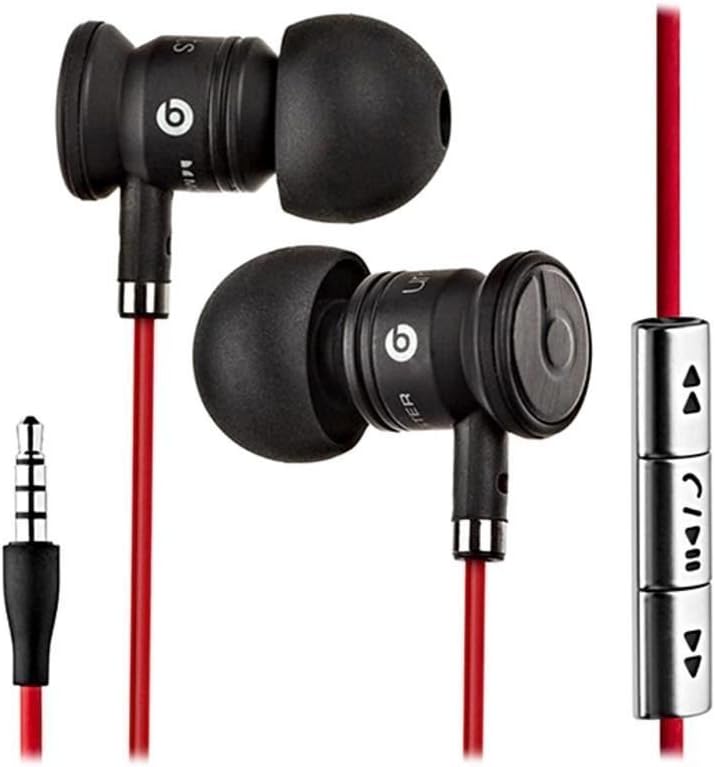
Image: The Beats by Dr. Dre In-Ear Headphones, featuring black earbuds, a red tangle-free cable, and an inline remote with control buttons.
Postavljanje
- Odaberite nastavke za uši: Choose the ear tips that provide the most comfortable and secure fit for your ears. The headphones come with various sizes to ensure optimal sound isolation and comfort.

Image: The Beats by Dr. Dre In-Ear Headphones displayed with a selection of different sized ear tips and a branded carrying pouch.
- Povežite se s uređajem: Insert the 3.5mm audio jack into the headphone port of your audio device (smartphone, tablet, MP3 player, etc.).
- Položaj slušalica: Gently insert the earbuds into your ears, ensuring a snug fit. The cable should hang comfortably.
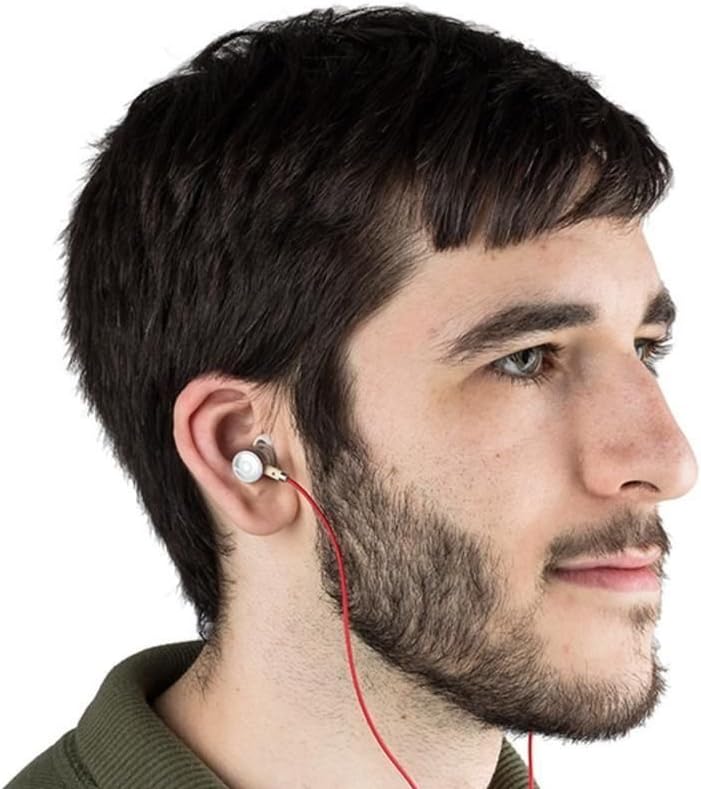
Image: A person wearing the Beats by Dr. Dre In-Ear Headphones, demonstrating proper earbud placement.
Upute za rad
Audio reprodukcija
- Reproduciraj/pauziraj: Press the center button on the inline remote once.
- Sljedeća pjesma: Dvaput brzo pritisnite središnju tipku.
- Prethodni zapis: Pritisnite središnju tipku tri puta brzo.
- Pojačati: Press the '+' button on the inline remote.
- Smanjivanje glasnoće: Press the '-' button on the inline remote.
Upravljanje pozivima
- Odgovori/prekini poziv: Pritisnite središnju tipku jednom tijekom dolaznog poziva ili aktivnog poziva.
- Odbijanje poziva: Tijekom dolaznog poziva pritisnite i držite središnju tipku otprilike dvije sekunde.
Bilješka: Functionality of the inline remote and microphone may be limited or vary when used with Apple devices compared to Android devices.
Održavanje
- Čišćenje: Regularly wipe the earbuds and cable with a soft, dry, lint-free cloth. Do not use harsh chemicals or abrasive materials.
- Njega vrhova uha: Povremeno skidajte nastavke za uši i čistite ih blagim sapunom i vodom. Prije ponovnog stavljanja provjerite jesu li potpuno suhi.
- Skladištenje: When not in use, store your headphones in the provided carrying pouch to protect them from dust, dirt, and tangling.

Image: The black carrying pouch with the Beats by Dr. Dre logo, designed for headphone storage.
- Izbjegavajte vlagu: Držite slušalice dalje od vode i prekomjerne vlage.
Rješavanje problema
- Nema zvuka:
- - Ensure the 3.5mm jack is fully inserted into your device.
- - Check the volume level on both your device and using the inline remote.
- - Test the headphones with another audio device to rule out device issues.
- Mikrofon ne radi:
- - Verify that your device's microphone settings are correctly configured.
- - Remember that microphone functionality may be limited with Apple devices.
- - Provjerite da mikrofon nije blokiran.
- Problemi s daljinskim upravljačem:
- - Confirm compatibility with your device. Full functionality is primarily supported on Android devices.
- - Ensure the connection is secure.
Tehnički podaci
| Značajka | Detalj |
|---|---|
| Marka | Otkucaji |
| Broj modela | OMEL-MR-PN-6694832 |
| Postavljanje uha | U uho |
| Form Factor | U uho |
| Tehnologija povezivanja | Ožičeno |
| Težina artikla | 0.3 unci |
| Materijal kućišta | Metal |
| Značajke kabela | Bez zapleta |
| Dodatne značajke | Foldable, Lightweight, Volume Control, Android Phone Control |
| Vrsta kontrole | Daljinski |
Službeni video proizvoda
Video: Službenik prekoview of the Beats by Dr. Dre In-Ear Headphones, demonstrating key features and design elements. Note: The video narration incorrectly refers to the product as wireless; these headphones are wired as shown in the video and product images.
Jamstvo i podrška
For warranty information and customer support, please refer to the official Beats by Dr. Dre webweb-mjesto ili se obratite prodavaču. Sačuvajte dokaz o kupnji za slučaj zahtjeva za jamstvo.
Za dodatnu pomoć možete posjetiti Beats Store na Amazonu.