
Uvod
This user manual provides essential information for setting up, operating, maintaining, and troubleshooting your Vibox Standard 3XL Gaming PC. Please read this manual thoroughly before using your computer to ensure proper function and longevity of the product. Keep this manual for future reference.
Sigurnosne informacije
- Ensure the PC is placed on a stable, flat surface with adequate ventilation.
- Do not block ventilation openings. Overheating can damage components.
- Keep the PC away from direct sunlight, heat sources, and liquids.
- Use only the power supply unit provided with the PC.
- Prije čišćenja ili bilo kakvog održavanja isključite kabel za napajanje.
- Do not open the PC casing osim ako to ne uputi kvalificirani tehničar.
- Avoid placing heavy objects on the PC or its cables.
Sadržaj paketa
Provjerite jesu li sve dolje navedene stavke prisutne u vašem paketu:
- Vibox Standard 3XL Gaming PC Tower
- 21.5-inch LED HD Monitor
- UK QWERTY Gamer Keyboard
- Igrač miša
- Kabel(i) za napajanje
- HDMI kabel
- Windows 10 Operating System Disk/License Key
- Korisnički priručnik (ovaj dokument)
Vodič za postavljanje
1. Raspakiranje i postavljanje
Carefully remove all components from their packaging. Place the PC tower on a flat, stable surface, ensuring sufficient space around it for airflow. Avoid placing it in enclosed cabinets.

Slika 1: Prednja strana view of the Vibox Standard 3XL Gaming PC tower, showcasing its design and blue LED accents.
2. Povezivanje perifernih uređaja
- Monitor: Connect the HDMI cable from your monitor to the HDMI port on the back of the PC.
- Tipkovnica i miš: Connect the USB cables from your keyboard and mouse to any available USB ports on the back or front of the PC.
- Vlast: Connect the power cable to the power supply unit on the back of the PC, then plug the other end into a wall outlet. Connect the monitor's power cable to an outlet as well.
- Mreža (nije obavezno): For a wired internet connection, connect an Ethernet cable from your router to the Ethernet port on the back of the PC. For Wi-Fi, ensure the Wi-Fi antenna (if provided) is connected.

Slika 2: Od vrha prema dolje view of the PC, illustrating the location of top-mounted USB ports and ventilation.
3. Initial Power-On and Windows Setup
- Press the power button on the front of the PC tower.
- Uključite monitor.
- Follow the on-screen instructions to complete the Windows 10 setup process. This typically involves selecting your region, language, creating a user account, and accepting terms.
- Once Windows 10 is set up, you may need to install drivers for any additional peripherals or update existing drivers.
Upute za rad
Uključivanje/isključivanje
- Upaliti: Pritisnite gumb za napajanje na prednjoj strani računala.
- Za isključivanje: Click the Start button in Windows 10, then select Power > Shut down. Do not force shut down by holding the power button unless absolutely necessary to prevent data loss.
- Ponovo pokrenuti: Kliknite gumb Start, a zatim odaberite Napajanje > Ponovno pokretanje.
Spajanje USB uređaja
Your PC is equipped with multiple USB 2.0 and USB 3.0 ports. USB 3.0 ports are typically blue and offer faster data transfer speeds. Simply plug your USB device into an available port.
Korištenje čitača kartica
The integrated card reader supports various memory card formats. Insert your memory card into the appropriate slot on the PC. The card will appear as a removable drive in 'This PC' (or 'My Computer').
Održavanje
Čišćenje
- Vanjski: Koristite meku, damp cloth to wipe the exterior of the PC. Avoid abrasive cleaners or solvents.
- Ventilacija: Periodically use compressed air to clear dust from the ventilation grilles to ensure optimal airflow and prevent overheating. Ensure the PC is powered off and unplugged before doing so.
- Monitor: Use a specialized screen cleaner and a microfiber cloth for the monitor display.
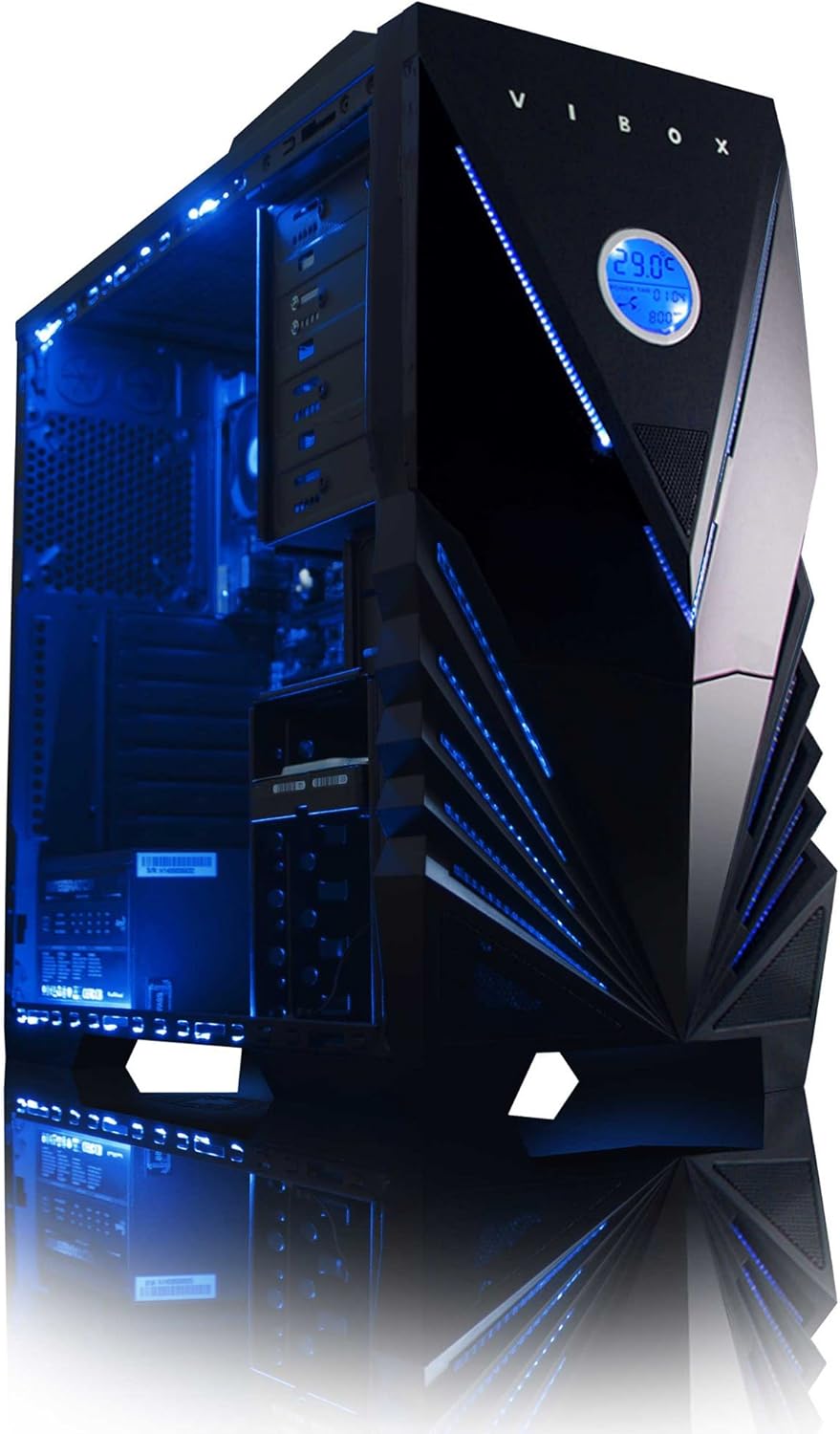
Slika 3: Interno view of the Vibox Standard 3XL Gaming PC, highlighting the arrangement of components and cooling system.
Ažuriranja softvera
Regularly update your Windows operating system, drivers, and antivirus software to ensure system stability, security, and optimal performance.
Sigurnosna kopija podataka
Preporučuje se redovito sigurnosno kopiranje važnih podataka na vanjski pogon ili pohranu u oblaku kako bi se spriječio gubitak podataka u slučaju kvara sustava.
Rješavanje problema
| Problem | Mogući uzrok | Otopina |
|---|---|---|
| Računalo se ne uključuje. | Labav kabel za napajanje, problem s napajanjem, kvar gumba za uključivanje/isključivanje. | Check all power connections. Ensure the wall outlet is functional. Try a different power cable if available. |
| Nema prikaza na monitoru. | Monitor not powered, video cable loose, incorrect input selected on monitor. | Ensure monitor is powered on and connected. Check video cable connections. Select correct input source on monitor (e.g., HDMI). |
| PC is running slow. | Too many programs running, insufficient RAM, hard drive full, malware. | Close unnecessary applications. Check disk space. Run antivirus scans. Consider upgrading RAM if consistently slow. |
| Peripherals (keyboard/mouse) not responding. | Labava USB veza, problem s upravljačkim programom. | Reconnect the peripheral to a different USB port. Restart the PC. Check device manager for driver issues. |
Ako naiđete na probleme koji nisu ovdje obuhvaćeni ili vam je potrebna dodatna pomoć, pogledajte odjeljak Podrška.
Tehnički podaci
| Značajka | Detalj |
|---|---|
| Marka | Vibox |
| Broj modela | VBX-PC-6450 |
| Niz | VIBOX Standard |
| Operativni sustav | Windows 10 |
| Marka procesora | AMD |
| Vrsta procesora | Athlon 64 FX (AMD A8 Quad-Core) |
| Brzina procesora | 3.1 GHz (3.8 GHz Turbo) |
| Broj jezgri | 4 |
| OVAN | 32 GB DDR3 1600 MHz |
| Maksimalna podržana memorija | 32 GB |
| Veličina tvrdog diska | 2000 GB (2 TB) |
| Tehnologija tvrdog diska | HDD (7200 RPM, Serial ATA 600) |
| Marka grafičkog čipseta | Radeon |
| Opis grafičke kartice | AMD Radeon R7 (integrirana) |
| Tehnologija zaslona | Bez dodira |
| Screen Size (Included Monitor) | 21.5 inča |
| Screen Resolution (Included Monitor) | 1920 x 1080 (1080p Full HD) |
| Omjer slike | 16:9 |
| Vrsta povezanosti | Wi-Fi (802.11bgn) |
| Bluetooth kompatibilan | Ne |
| HDMI priključci | 1 |
| USB 2.0 priključci | 6 |
| USB 3.0 priključci | 3 |
| Ethernet priključci | 1 |
| Posebne značajke | Čitač kartica |
| Dimenzije (D x Š x V) | 51.5 x 19 x 44 cm |
| Težina proizvoda | 16 Grams (PC Tower only) |
Informacije o jamstvu
Your Vibox Standard 3XL Gaming PC comes with a Doživotno jamstvo. This warranty covers manufacturing defects and hardware failures under normal use conditions. For specific terms and conditions, please refer to the warranty documentation included with your purchase or contact Vibox customer support.
To claim warranty service, you will typically need your proof of purchase and the product's serial number. Do not attempt to repair the product yourself, as this may void your warranty.
Korisnička podrška
For technical assistance, troubleshooting beyond this manual, or warranty inquiries, please contact Vibox customer support. You can usually find contact information (phone number, email, or support website) on the manufacturer's official webmjestu ili na ambalažnim materijalima.
When contacting support, please have your product model number (VBX-PC-6450) and serial number ready to expedite the service process.