
Važne sigurnosne informacije
Please read these instructions carefully before using the shredder. Keep this manual for future reference.
- Držite djecu i kućne ljubimce dalje od sjeckalice.
- Keep loose clothing, jewelry, hair, and other foreign objects away from the shredder opening.
- Do not insert fingers or hands into the shredder opening.
- Isključite usitnjivač iz struje kada ga ne koristite ili prije čišćenja.
- Do not shred metal objects, large paper clips, or hard plastic (except credit cards as specified).
- Ne koristite aerosolne proizvode, maziva na bazi nafte ili druge zapaljive proizvode na ili u blizini usitnjivača.
- Ne koristite usitnjivač ako je kabel za napajanje oštećen.
- The shredder is equipped with overheat protection. If it overheats, it will automatically shut off. Allow it to cool down before resuming operation.
Sadržaj paketa
Provjerite jesu li svi predmeti prisutni:
- Amazon Basics AS665C Paper Shredder Unit
- Kanta za otpatke
- Upute za uporabu (ovaj dokument)
Postavljanje
- Raspakirajte Shredder: Pažljivo izvadite sve komponente iz pakiranja.
-
Position the Waste Bin: Place the shredder head securely on top of the provided waste bin. Ensure it is properly seated.
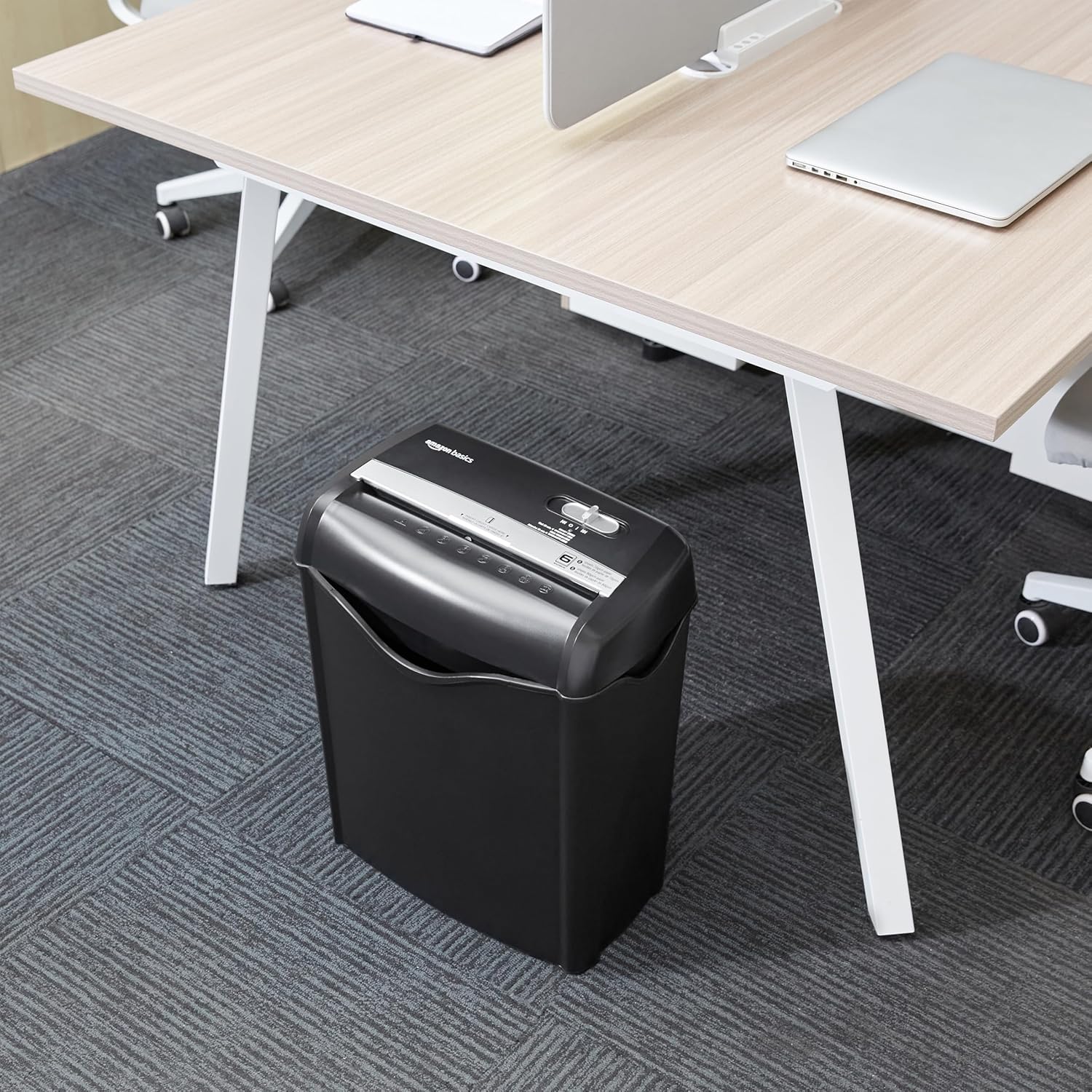
Image: The Amazon Basics AS665C Paper Shredder positioned under a desk, demonstrating its compact size and ease of placement in an office or home environment.
- Priključite napajanje: Uključite kabel za napajanje u standardnu električnu utičnicu.
Upute za rad
Kontrolni prekidač
The shredder features a slide switch with three positions:
- AUTO (I): Usitnjivač će se automatski pokrenuti kada se umetne papir i zaustaviti se kada je uništavanje završeno.
- ISKLJUČENO (O): Usitnjivač je isključen iz struje.
- REV (<<): Aktivira funkciju obrnutog pomicanja kako bi se uklonio zaglavljeni papir.

Slika: Detaljna view of the shredder's control switch, showing the "AUTO", "OFF", and "REV" settings, along with the "READY" (green) and "OVERHEAT" (red) indicator lights.
Uništavanje dokumenata
- Odaberite način rada: Postavite upravljački prekidač na AUTO (I) position. The "READY" indicator light (green) will illuminate.
-
Umetnite papir: Insert up to 6 sheets of 70gsm paper (or 5 sheets of 80gsm paper) straight into the paper entry slot. The shredder will automatically start and stop.
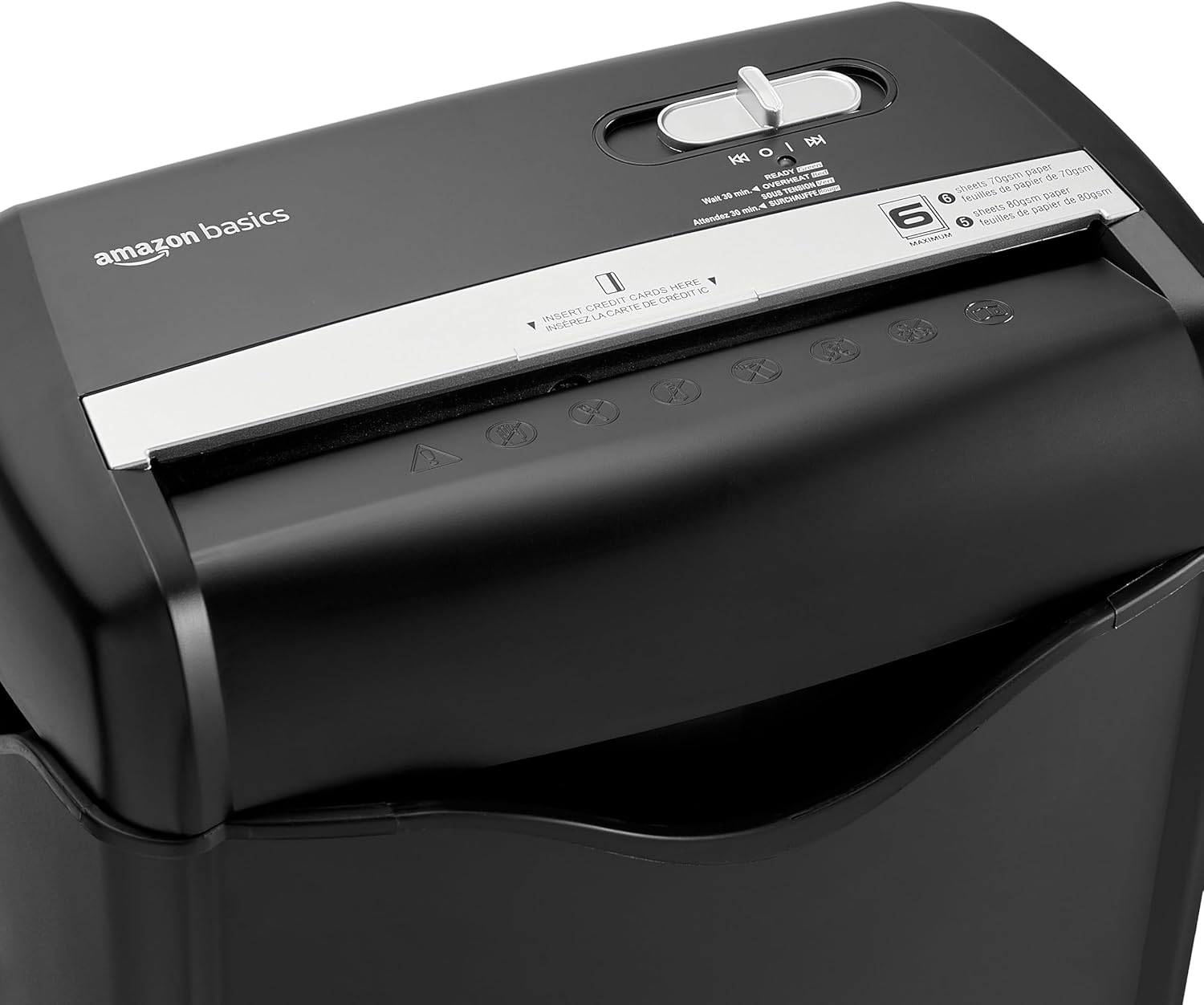
Slika: Vrh view of the shredder, highlighting the paper entry slot, the control switch, and the "MAXIMUM" sheet capacity label.

Image: A close-up of the shredder's label indicating the maximum sheet capacity: 6 sheets of 70gsm paper or 5 sheets of 80gsm paper.
-
Uništavanje kreditnih kartica: Insert one credit card at a time into the dedicated credit card slot.

Slika: Krupni plan view of the shredder's dedicated slot for inserting credit cards, clearly labeled "INSERT CREDIT CARDS HERE".
- Zaštita od pregrijavanja: The shredder will automatically shut off if it runs continuously for too long or if the motor overheats. The "OVERHEAT" indicator light (red) will illuminate. Allow the shredder to cool down for approximately 30 minutes before resuming operation.

Image: A pile of cross-cut shredded paper, demonstrating the small particle size for enhanced security. A quarter coin is placed next to it for scale.
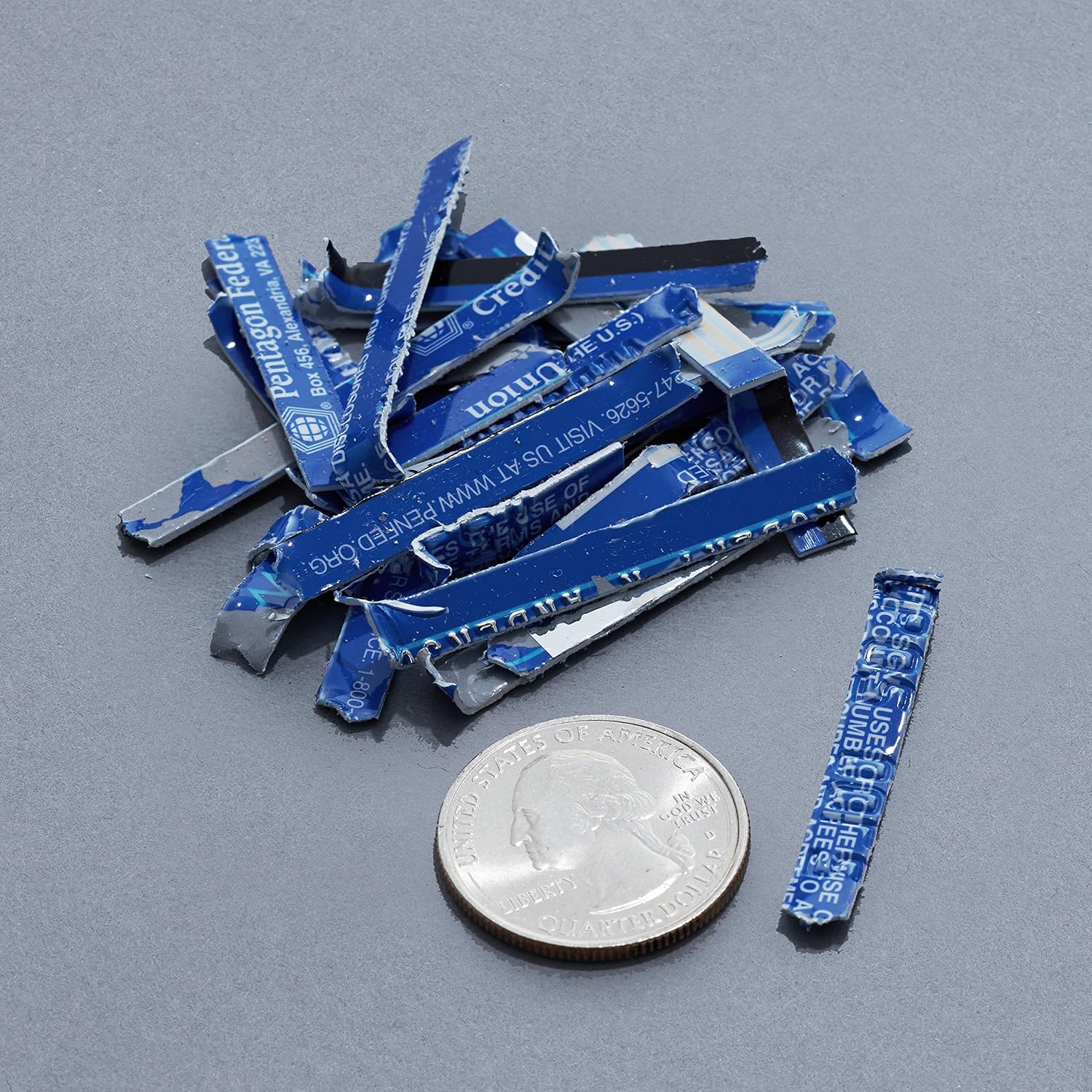
Image: A collection of shredded credit card pieces, illustrating the secure destruction of plastic cards. A quarter coin is included for size reference.
Održavanje
Pražnjenje kante za otpad
Regularly empty the waste bin to prevent paper jams and ensure optimal performance. Unplug the shredder before removing the head to empty the bin.
Čišćenje
- Isključite usitnjivač iz struje prije čišćenja.
- Obrišite vanjski dio usitnjivača mekom, suhom krpom.
- Nemojte koristiti abrazivna sredstva za čišćenje ili otapala.
- For optimal performance, periodically oil the shredder blades with shredder oil sheets or liquid shredder oil. Follow the oil product's instructions.
Rješavanje problema
| Problem | Mogući uzrok | Otopina |
|---|---|---|
| Usitnjivač se ne pokreće. |
|
|
| Zastoj papira. |
|
|
| Shredder se zaustavlja tijekom rada. |
|
|
Tehnički podaci
| Značajka | Detalj |
|---|---|
| Marka | Osnove Amazona |
| Broj modela | AS665C (Manufacturer Model: AS662C-EU) |
| Vrsta usitnjavanja | Poprečni rez |
| Kapacitet lista | 6 sheets (70gsm paper) / 5 sheets (80gsm paper) |
| komadiće | Papir, kreditne kartice |
| Izvor napajanja | Električni na kabel |
| Posebne značajke | Portable, Overheat Protection, Manual Reverse |
| Dimenzije proizvoda (D x Š x V) | 30.7 x 19.6 x 38.1 cm (12.1 x 7.7 x 15 inča) |
| Težina proizvoda | 3.72 kg (8.2 lbs) |
| Materijal | Plastika i metal |
Jamstvo i podrška
For warranty information and customer support, please refer to the Amazon Basics webweb-mjesto ili izravno kontaktirajte korisničku službu Amazona. Sačuvajte račun za slučaj reklamacije.