
Uvod
Hvala na kupnjiasing the GPX 9-inch Portable DVD Player, Model PD901BDLP. This manual provides essential information for the safe and efficient operation of your device. Please read it thoroughly before use and retain it for future reference.
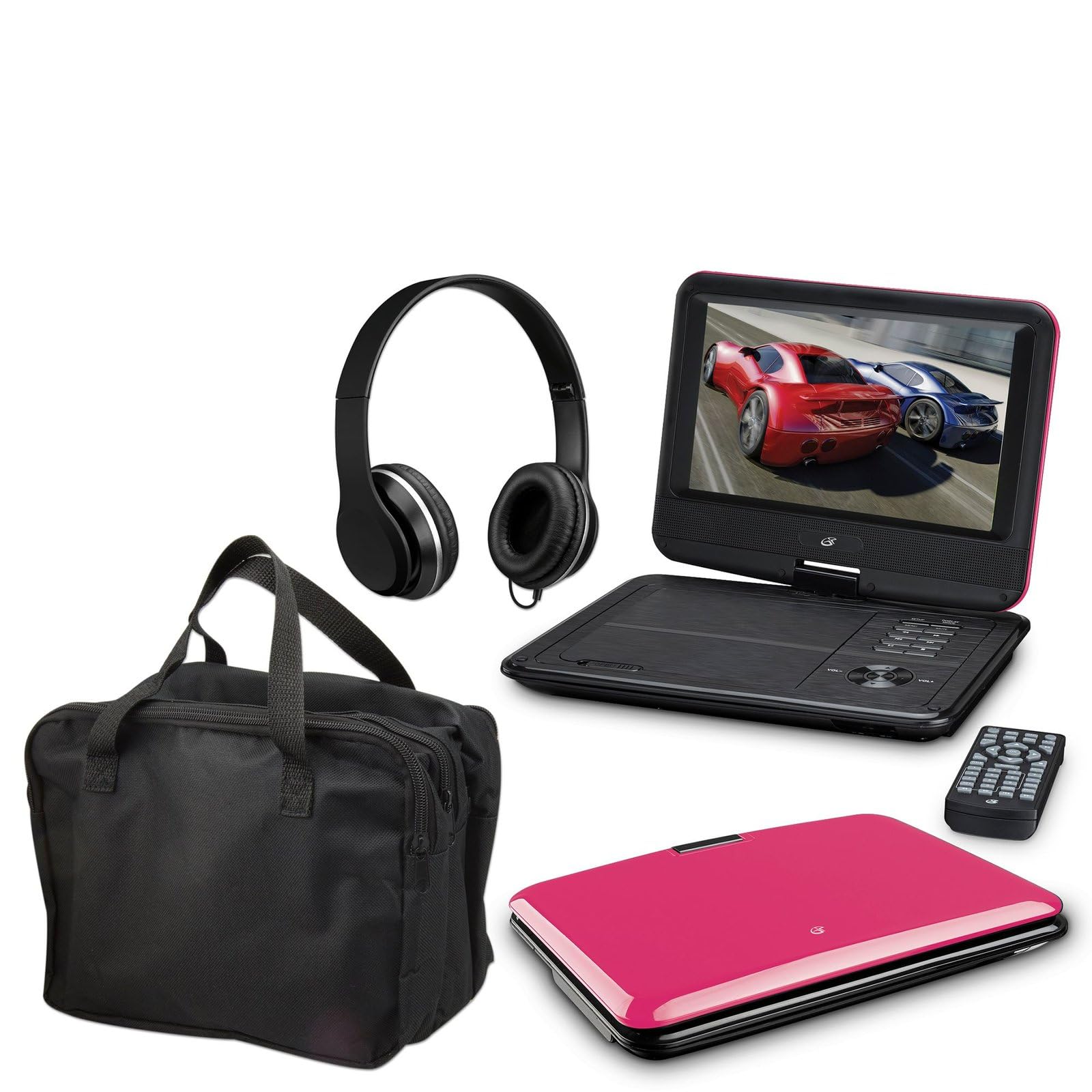
Image: The GPX 9-inch Portable DVD Player in its closed position, showcasing its vibrant pink top casing and sleek design.
Sadržaj paketa
Provjerite jesu li sve dolje navedene stavke uključene u vaš paket:
- GPX 9-inch Portable DVD Player (Model PD901BDLP)
- Daljinski upravljač (potrebne su 2 AAA baterije, uključene)
- AC/DC strujni adapter
- 12V auto adapter
- 3.5mm-to-RCA audio/video cable
- Torba za nošenje
- Slušalice
- Upute za uporabu (ovaj dokument)
Značajke proizvoda
- 9-inch 800x480 LCD screen
- Screen tilts and swivels for versatile viewing kutova
- Rechargeable lithium polymer battery with up to 2 hours of battery life
- Ugrađeni stereo zvučnici
- Utičnica za slušalice za privatno slušanje
- RCA output for connection to external displays
- Supports DVD, DVD-R/RW, DVD+R/RW, CD, CD-R/RW, JPEG, MP3 formats
Postavljanje
1. Punjenje baterije
Before first use, fully charge the internal lithium polymer battery. Connect the AC/DC power adapter to the DC IN port on the DVD player and plug the other end into a standard wall outlet. The charging indicator light will illuminate. Charging typically takes approximately 3-4 hours for a full charge, providing up to 2 hours of playback.
2. Instaliranje baterija daljinskog upravljača
Open the battery compartment on the back of the remote control. Insert two (2) AAA batteries, ensuring correct polarity (+/-). Close the compartment securely.
3. Connecting to a Television (Optional)
Do view content on a larger screen, use the included 3.5mm-to-RCA audio/video cable. Connect the 3.5mm end to the AV OUT port on the DVD player. Connect the RCA (red, white, yellow) ends to the corresponding AV INPUT ports on your television. Select the correct AV input source on your TV.
4. Using the Car Adapter (Optional)
For in-car use, connect the 12V car adapter to the DC IN port on the DVD player and plug the other end into your vehicle's cigarette lighter socket.
Upute za rad
1. Uključivanje/isključivanje
Pritisnite i držite VLAST button on the player or remote control to turn the device on or off.
2. Inserting a DVD
- Gently open the DVD player lid.
- Place a DVD disc onto the spindle with the label side facing up.
- Lagano pritisnite središte diska dok ne klikne na svoje mjesto.
- Close the lid. The player will automatically begin reading the disc.
3. Podešavanje zaslona
The LCD screen can be tilted and swiveled to achieve the optimal viewing angle. Carefully adjust the screen to your preferred position.
4. Osnovne kontrole reprodukcije
- REPRODUCIRAJ/PAUZIRAJ: Press to start or pause playback.
- STOP: Pritisnite za zaustavljanje reprodukcije.
- PRESKOČI (<< / >>): Press to skip to the previous or next chapter/track.
- FF/REW: Press and hold to fast forward or rewind.
- GLASNOĆA (+/-): Adjust the audio volume.
5. Korištenje slušalica
Plug the included headphones into the SLUŠALICA jack for private listening. The built-in speakers will automatically mute when headphones are connected.
Održavanje
- Čišćenje ekrana: Use a soft, lint-free cloth to gently wipe the LCD screen. Do not use liquid cleaners or abrasive materials.
- Čišćenje ladice za disk: Držite ladicu diska čistom od prašine i ostataka. Po potrebi upotrijebite meku četku ili komprimirani zrak.
- Njega baterije: To prolong battery life, avoid fully discharging the battery frequently. If storing the player for an extended period, charge it periodically.
- Skladištenje: Store the DVD player in a cool, dry place away from direct sunlight and extreme temperatures. Use the included carrying case for protection during transport.
Rješavanje problema
| Problem | Otopina |
|---|---|
| Player se ne uključuje. | Ensure the battery is charged or the AC/DC adapter is securely connected to a working power outlet. Check the power switch. |
| Disk nije otkriven. | Verify the disc is inserted correctly with the label side up and seated properly on the spindle. Ensure the disc is clean and free of scratches. Try a different disc. |
| Nema zvuka. | Check the volume level. Ensure headphones are not plugged in if you intend to use the built-in speakers. If connected to a TV, check the TV's volume and input settings. |
| Daljinski upravljač ne radi. | Check and replace the AAA batteries in the remote. Ensure there are no obstructions between the remote and the player's IR sensor. |
| Slika je iskrivljena ili mutna. | Clean the disc. Adjust the screen angle. If connected to a TV, check the AV cable connections. |
Tehnički podaci
- Model: PD901BDLP
- Veličina zaslona: 9 inča
- Vrsta zaslona: LCD
- Izvorna razlučivost: 800 x 480
- Vrsta medija: DVD, DVD-R/RW, DVD+R/RW, CD, CD-R/RW, JPEG, MP3
- Baterija: Punjivi litij polimer
- Trajanje baterije: Do 2 sati
- Povezivost: 3.5mm AV Out, Headphone Jack, DC In
- Ulazna snaga: AC/DC Adapter, 12V Car Adapter
- Težina: Otprilike 0.86 kg (1.9 funta)
- Boja: Ružičasta
- UPC: 047323179044
Jamstvo i podrška
This GPX Portable DVD Player is covered by a 90-dnevno ograničeno jamstvo proizvođača od datuma originalne kupnje. Ovo jamstvo pokriva nedostatke u materijalima i izradi pri normalnoj uporabi.
For warranty service or technical support, please refer to the contact information provided with your product packaging or visit the official GPX webstranicu. Sačuvajte račun kao dokaz o kupnji.
Za više informacija možete posjetiti GPX Store on Amazon.