
Tornado 43ES1500E
TORNADO Smart LED TV 43ES1500E Korisnički priručnik
Model: 43ES1500E
1. Uvod
This manual provides essential information for the safe and efficient operation of your TORNADO Smart LED TV 43ES1500E. Please read these instructions thoroughly before using your television and retain them for future reference.

Image: The TORNADO Smart LED TV 43ES1500E displayed in a modern living room environment.
The TORNADO Smart LED TV 43ES1500E features a 43-inch Full HD display, integrated Wi-Fi, and multiple connectivity options including RF, USB, and HDMI. It operates on the TORNADO Smart Portal operating system, offering access to various applications and internet browsing capabilities.
Video: Prekorview of the TORNADO Smart LED TV, demonstrating its features and setup process.
2. Postavljanje
2.1 Raspakiranje i sadržaj
Carefully open the television packaging. Ensure all components are present and undamaged. The box should contain:
- TORNADO Smart LED TV Unit
- Daljinski upravljač
- TV stalci (2 komada)
- Vijci za ugradnju stalka
- Kabel za napajanje
- Korisnički priručnik i Jamstveni list
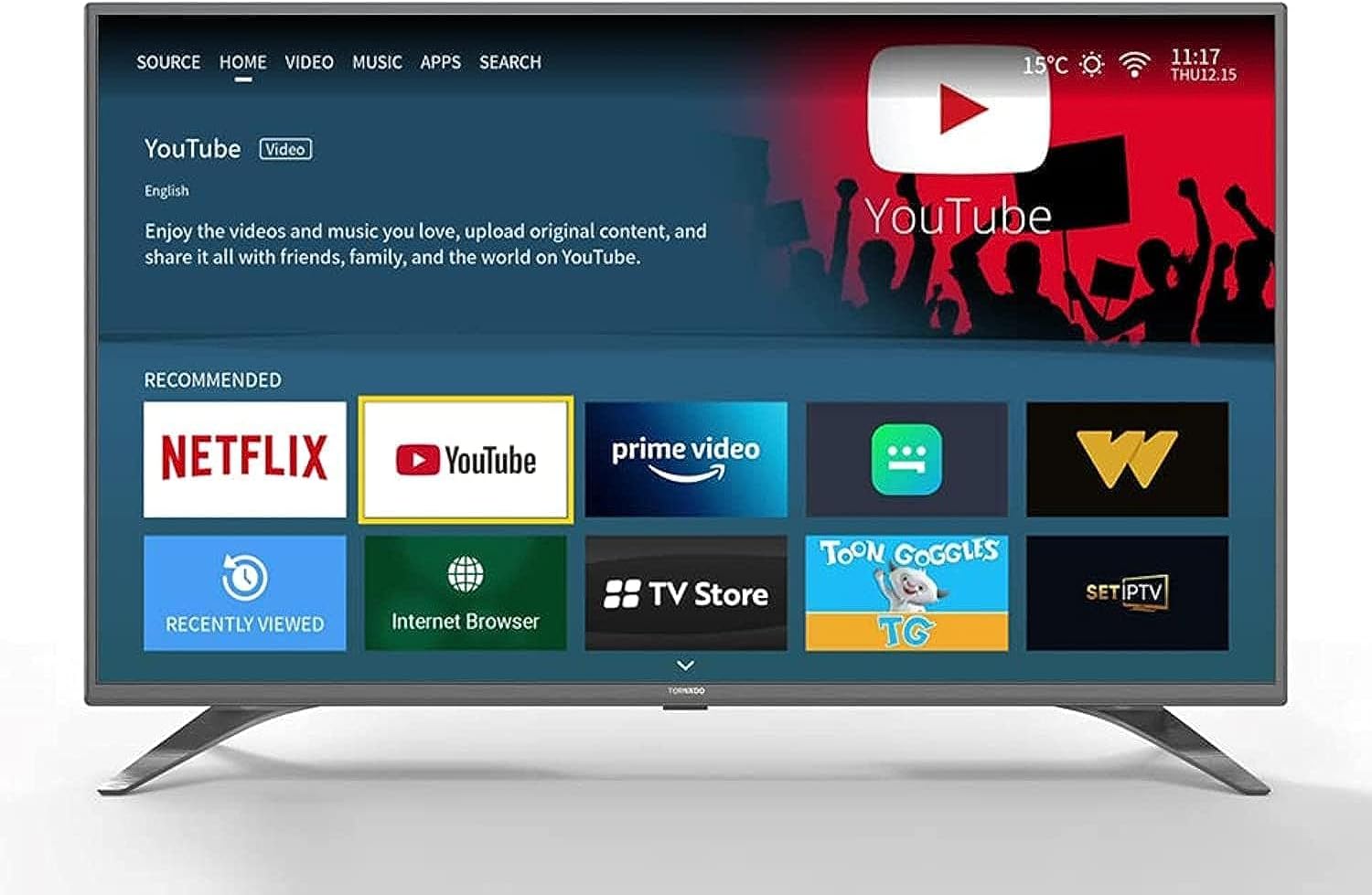
Image: The TORNADO Smart LED TV and its accompanying accessories, including the remote control, stands, and documentation.
2.2 Instalacija postolja
To install the TV stands:
- Postavite televizor zaslonom prema dolje na meku, ravnu površinu kako biste spriječili ogrebotine.
- Poravnajte svaki stalak s odgovarajućim utorima na donjoj strani televizora.
- Pričvrstite svaki stalak pomoću priloženih vijaka. Provjerite jesu li čvrsto zategnuti.

Slika: prednja strana view of the TORNADO Smart LED TV 43ES1500E with its two stands securely attached.
2.3 Montaža na zid (opcionalno)
If you choose to wall-mount your TV, ensure you use a compatible wall mount bracket for the TV's size and weight. It is recommended to have a qualified technician perform the installation to ensure safety and proper mounting.
- Remove any pre-installed screws from the back of the TV if they interfere with the wall mount.
- Attach the wall mount brackets to the TV using the appropriate screws, ensuring they are securely fastened to the VESA mounting points.
- Mount the TV to the wall bracket according to the wall mount manufacturer's instructions.
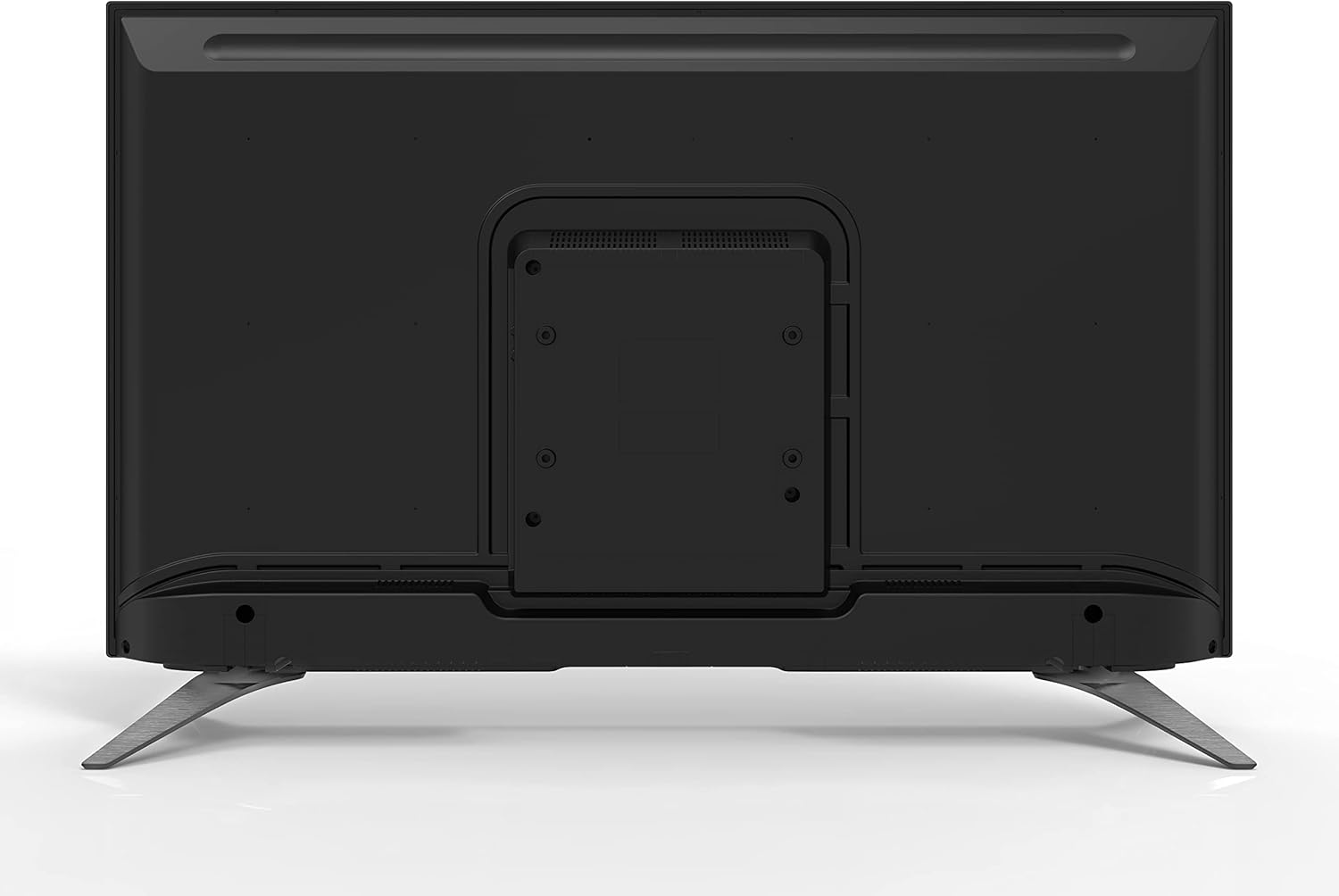
Slika: Stražnja strana view of the TORNADO Smart LED TV 43ES1500E, highlighting the VESA mounting points for wall installation.
2.4 Connecting Power and Initial Power-Up
Connect the power cable to the TV's power input and then to a wall outlet. Ensure the outlet is easily accessible. Press the power button on the remote control or the TV to turn it on. Follow the on-screen instructions for initial setup, including language selection, network connection, and channel scanning.

Slika: Bočni profesionalacfile of the TORNADO Smart LED TV 43ES1500E, displaying its connectivity ports including HDMI and USB.
3. Upute za rad
3.1 Funkcije daljinskog upravljača
The remote control allows you to navigate the TV's menus and control various functions. Familiarize yourself with the button layout for optimal use.
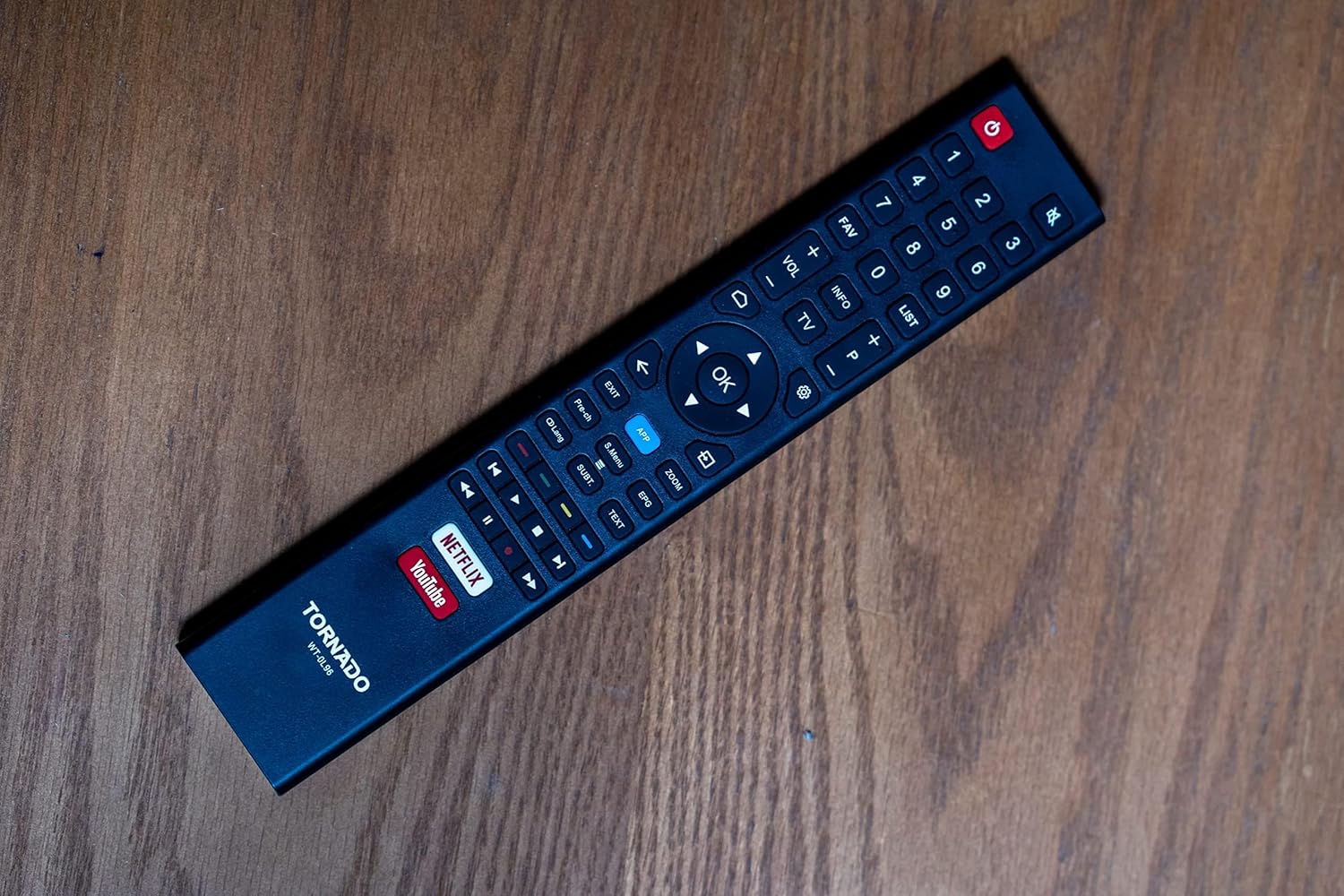
Image: The remote control for the TORNADO Smart LED TV 43ES1500E, showing its various buttons and layout.
3.2 Značajke pametnog televizora
Your TORNADO Smart LED TV runs on the TORNADO Smart Portal operating system, providing access to a range of smart features:
- Web preglednik: Pristupite internetu izravno s televizora.
- Unaprijed instalirane aplikacije: Enjoy popular streaming services like Netflix, YouTube, and Prime Video.
- Zrcaljenje zaslona: Connect your mobile device to the TV to display content from your phone or tablet on the larger screen.

Image: The smart TV interface of the TORNADO 43ES1500E, showing recommended applications like Netflix, YouTube, and Prime Video.
3.3 PVR (Personal Video Recorder) Function
The PVR function allows you to record live television broadcasts directly to a USB storage device connected to your TV. To use this feature, ensure a USB drive with sufficient storage is connected.
3.4 Time Shift Function
With the Time Shift function, you can pause live TV and resume watching later. This feature also requires a USB storage device to be connected to the TV.
Video: A demonstration of the TORNADO Smart LED TV's PVR and Time Shift functions, showing how to record and pause live television.
4. Održavanje
To ensure the longevity and optimal performance of your TORNADO Smart LED TV, follow these maintenance guidelines:
- Čišćenje ekrana: Nježno obrišite zaslon mekom, suhom krpom koja ne ostavlja dlačice. Za tvrdokorne mrlje, laganoampobrišite krpu vodom ili specijaliziranim sredstvom za čišćenje ekrana (ne prskajte izravno po ekranu).
- Čišćenje organizma: Za čišćenje okvira i stražnje ploče televizora koristite meku, suhu krpu.
- Ventilacija: Provjerite da ventilacijski otvori na stražnjoj strani televizora nisu blokirani kako biste spriječili pregrijavanje.
- Isključivanje: Always turn off the TV and unplug it from the power outlet before cleaning or when it will not be used for an extended period.
5. Rješavanje problema
This section addresses common issues you might encounter with your TORNADO Smart LED TV.
5.1 Image Distortion or Interference
If the image appears distorted, blurry, or has interference (repeated or overlapping images):
- Provjerite veze: Ensure all antenna/satellite (RF) and HDMI cables are securely connected to the TV and external devices.
- Smanjite smetnje: Keep the TV away from other electronic devices that might cause electromagnetic interference, such as hair dryers or other appliances. Ensure signal cables are not running parallel to power cables.
5.2 TV Turns Off Automatically
If the TV turns off by itself:
- Check Sleep Timer: Verify that the sleep timer function is not activated in the TV settings.
- Automatsko stanje pripravnosti: Ensure the automatic standby feature (if available) is not set to turn off the TV after a specific period of inactivity. Adjust or disable this setting in the system menu.
5.3 Daljinski upravljač ne radi
If the remote control is unresponsive:
- Provjerite baterije: Replace the batteries in the remote control with new ones, ensuring correct polarity.
- Prepreke: Provjerite da nema prepreka između daljinskog upravljača i infracrvenog senzora televizora.
Video: Troubleshooting guide for common issues with the TORNADO Smart LED TV, including image problems and remote control functionality.
6. Specifikacije
Detailed technical specifications for the TORNADO Smart LED TV 43ES1500E:
| Značajka | Specifikacija |
|---|---|
| Broj modela | 43ES1500E |
| Veličina zaslona | 43 inča |
| Tehnologija zaslona | LED |
| Rezolucija | 1920 x 1080 (puni HD) |
| Omjer slike | 16:9 |
| Omjer kontrasta | 1:3000 |
| Viewing kut | 178° |
| Brzina osvježavanja | 60 Hz |
| Broadcasting Type | Digital (DVB-T/T2/S2) |
| Operativni sustav | TORNADO Smart Portal |
| Povezivost | Wi-Fi, RF, USB (2), HDMI (2), Video In (1) |
| Izlazna audio snaga | 2 x 10 W |
| Posebne značajke | Built-in Receiver, Web Browser, Netflix, YouTube, Screen Mirroring, PVR, Time Shift |
| Dimenzije (bez postolja) | 970 x 566 x 85 mm |
| Dimenzije (sa postoljem) | 970 x 618 x 220 mm |
| Neto težina | 7.3 kg |
| Bruto težina | 9.8 kg |
| Klasa energetske učinkovitosti | A |
| Zemlja podrijetla | Egipat |

Image: The TORNADO Smart LED TV 43ES1500E with its key dimensions (width, height, depth) clearly indicated.
7. Jamstvo i podrška
Your TORNADO Smart LED TV 43ES1500E comes with a 3-year full free warranty from the manufacturer. For warranty claims, technical support, or service inquiries, please refer to the contact information provided on your warranty card or visit the official Tornado service center.
Molimo sačuvajte dokaz o kupnji radi potvrde jamstva.
Ask a question about this manual
Ask about setup, troubleshooting, compatibility, parts, safety, or missing instructions. Manuals+ will review the question and use this page’s manual context to help answer it.