
1. Proizvod je gotovview
The UDIRC U818A-HD is a 2.4GHz 4-channel, 6-axis headless RC quadcopter equipped with an HD camera. It is designed for both beginners and experienced pilots, offering stable flight and easy control. Key features include headless mode for simplified orientation, 6-axis gyro for stability, and 360-degree eversion capabilities.

Image: The UDIRC U818A-HD quadcopter and its remote control unit.
2. Sadržaj paketa
Provjerite jesu li svi artikli prisutni u paketu:
- UDI U818A-HD RC Quadcopter
- Daljinski upravljač
- LiPO Battery (2 included)
- 4GB Micro SD Memory Card
- USB punjač
- Rezervni propeleri
- Odvijač
- Priručnik s uputama
3. Postavljanje
3.1 Ugradnja baterije
- Open the battery compartment on the quadcopter's underside.
- Connect the LiPO battery to the quadcopter's power connector.
- Pažljivo stavite bateriju u odjeljak i zatvorite poklopac.
3.2 Ugradnja propelera
Ensure propellers are correctly oriented. Propellers marked 'A' should be installed on motor shafts 'A', and 'B' on 'B'. Secure them with the provided screws.
3.3 Instalacija kamere
Attach the HD camera to the designated slot on the quadcopter's underside. Connect the camera cable to the port. Insert the 4GB Micro SD card into the camera's slot.

Slika: Donja strana view of the quadcopter, highlighting the camera and LED lights.
3.4 Postavljanje daljinskog upravljača
Insert 4 AA batteries (not included) into the remote control. Power on the remote control.
3.5 Binding and Calibration
- Place the quadcopter on a flat, level surface.
- Turn on the quadcopter, then turn on the remote control.
- Move the left joystick (throttle) all the way up, then all the way down. The quadcopter's lights will stop flashing, indicating successful binding.
- To calibrate the gyroscope, move both joysticks to the bottom-right corner simultaneously until the lights flash and then become solid.

Image: The UDIRC U818A-HD quadcopter and its remote control, ready for operation.
4. Upute za rad
4.1 Osnovne kontrole leta
- Gas (lijevi joystick gore/dolje): Kontrolira nadmorsku visinu.
- Skretanje (lijeva upravljačka palica lijevo/desno): Rotates the quadcopter horizontally.
- Naprijed/Nazad (desna upravljačka palica gore/dolje): Kontrolira kretanje naprijed i nazad.
- Bočni let lijevo/desno (desna upravljačka palica lijevo/desno): Controls sideward movement.
4.2 Headless Mode (IOC)
The Headless/IOC function allows the quadcopter to fly based on the pilot's orientation, regardless of the drone's actual front direction. This simplifies control for beginners. Activate and deactivate using the dedicated button on the remote control.
4.3 360° Eversion
Press the 360° Eversion button on the remote control, then move the right joystick in any direction to perform a continuous roll. Ensure sufficient altitude before attempting this maneuver.
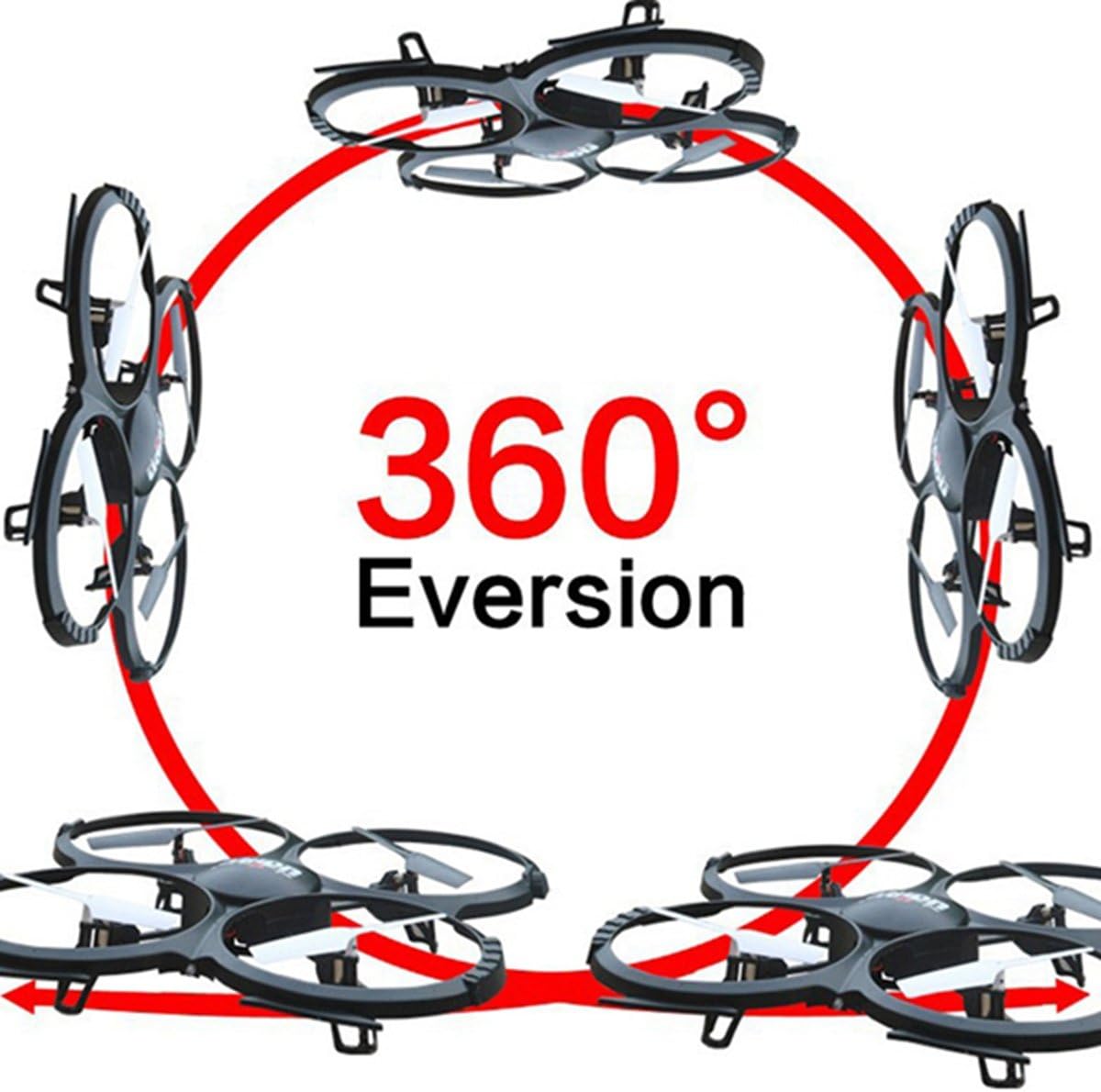
Image: Diagram showing the quadcopter performing a 360-degree eversion.
4.4 Snimanje fotografija i videa
Use the dedicated buttons on the remote control to capture photos or start/stop video recording. Ensure the Micro SD card is inserted correctly in the camera. Recorded media can be accessed by removing the SD card and inserting it into a computer.
5. Održavanje
- Njega baterije: Charge batteries using the provided USB charger. Do not overcharge. Store batteries in a cool, dry place.
- Čišćenje: Use a soft, dry cloth to clean the quadcopter. Avoid water or harsh chemicals.
- Zamjena propelera: If propellers are damaged, replace them with spare parts. Ensure correct 'A' and 'B' propeller placement.
6. Rješavanje problema
- Quadcopter not responding: Ensure the battery is charged, the remote control has fresh batteries, and the quadcopter is properly bound and calibrated.
- Nestabilan let: Recalibrate the gyroscope on a flat surface. Check for damaged propellers and replace if necessary.
- Kamera ne snima: Verify the Micro SD card is inserted correctly and has sufficient free space. Ensure the camera cable is securely connected.
7. Specifikacije
| Značajka | Specifikacija |
|---|---|
| Marka | UDIRC |
| Naziv modela | U818A |
| Vrsta kontrole | RC |
| Tehnologija povezivanja | USB, radio frekvencija |
| Rezolucija video snimanja | 720p (1280 x 720 piksela) |
| Učinkovito još uvijek razrješenje | 1 MP |
| Kapacitet baterije | 500 Miliamp sati |
| Težina artikla | 0.41 kilogram |
| Maksimalni domet | 100 metara |
| Materijal | Plastični |
| Dimenzije artikla D x Š x V | 13.4 cm D x 13 cm Š x 2.2 cm V |
8. Jamstvo i podrška
Za informacije o jamstvu i tehničkoj podršci obratite se službenoj stranici proizvođača webweb-mjesto ili se obratite njihovoj službi za korisnike. Sačuvajte račun kao dokaz o kupnji.