
Proizvod gotovview
The Muse M-1280 BT is a versatile Bluetooth tower speaker designed to deliver clear audio with multiple connectivity options. It features A2DP Bluetooth for wireless streaming, a powerful 120W output, a PLL FM radio tuner, and ports for USB and SD card playback. Additionally, it includes a USB charging function and an auxiliary input for wired connections. The speaker is housed in a stylish wooden cabinet and stands approximately 100cm tall, making it a prominent addition to any room.
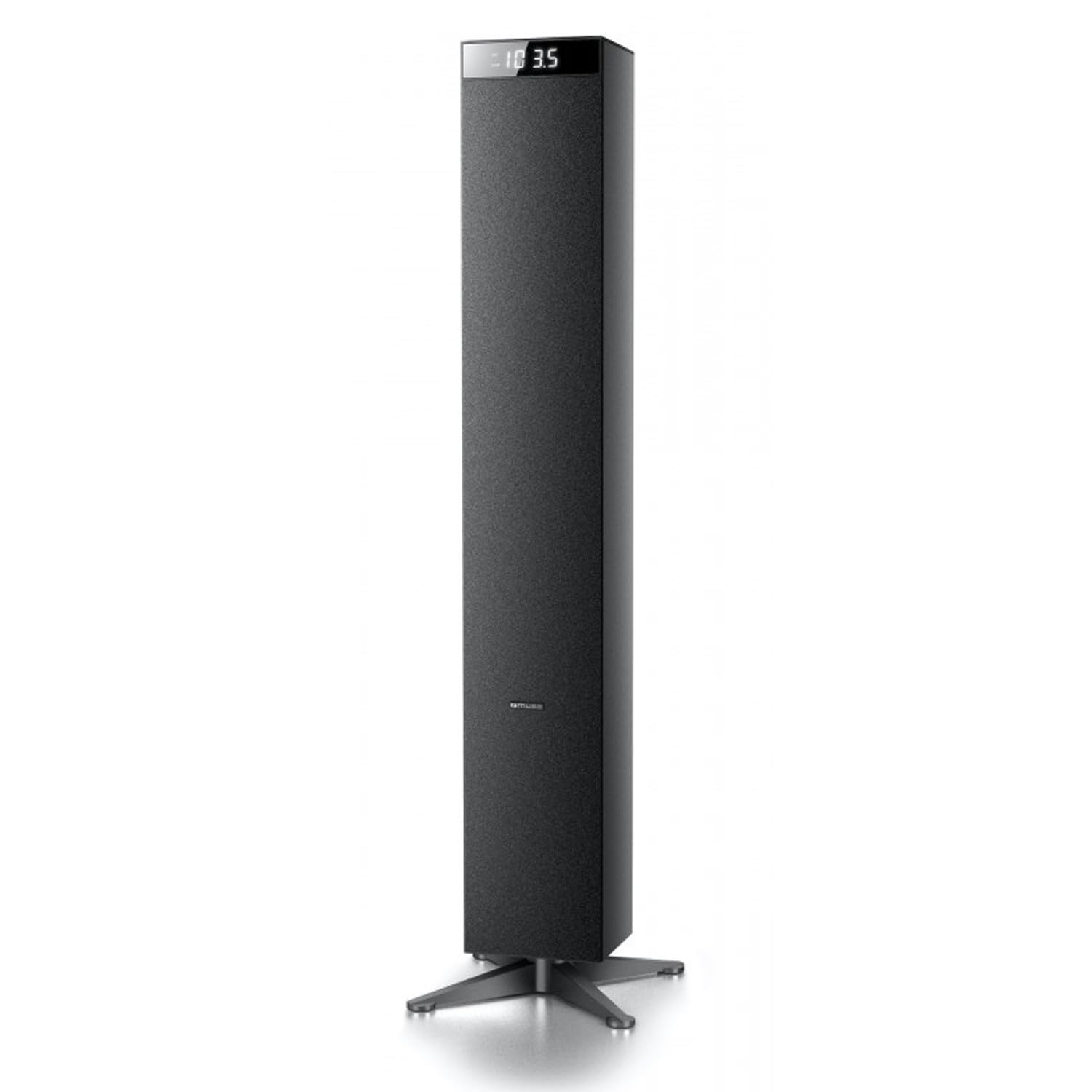
Slika: prednja strana view of the Muse M-1280 BT Bluetooth Tower Speaker, showcasing svojim elegantnim crnim dizajnom i integriranim zaslonom.
Sadržaj paketa
Prije postavljanja, molimo provjerite jesu li sve stavke prisutne u paketu:
- Muse M-1280 BT Bluetooth Tower Speaker
- Daljinski upravljač
- Aux-In kabel
- Kratki vodič za početak
- Kabel za napajanje
Upute za postavljanje
- Raspakiranje: Pažljivo izvadite zvučnik i sav pribor iz pakiranja.
- Plasman: Position the M-1280 BT speaker on a stable, flat surface. Ensure it is placed in a location with good ventilation and away from direct sunlight, heat sources, or moisture. The speaker is designed for floor standing.
- Priključite napajanje: Insert the power cable into the AC IN port on the back of the speaker, then plug the other end into a standard wall outlet.
- Početno uključivanje: Press the Power button on the top panel or the remote control to turn on the speaker. The display will illuminate.

Image: The Muse M-1280 BT speaker positioned in a room, with a detailed view of its top control panel and phone dock.
Upute za rad
1. Selecting a Source
Pritisnite tipku IZVOR button on the top panel or remote control to cycle through available input modes: Bluetooth, FM Radio, USB, SD, and AUX.
2. Bluetooth način
- Odaberite Bluetooth mode using the SOURCE button. The display will show "BT" and flash, indicating it's in pairing mode.
- On your smartphone, tablet, laptop, or PC, enable Bluetooth and search for available devices.
- Odaberite "M-1280 BT" from the list of devices. Once paired, the speaker will emit a confirmation sound, and "BT" on the display will stop flashing.
- You can now play audio from your connected device. Use the playback controls on your device or the speaker's top panel/remote (Play/Pause, Next/Previous Track) to manage your music.
3. FM radio način
- Odaberite FM radio mode using the SOURCE button.
- Za automatsko skeniranje i spremanje postaja pritisnite i držite REPRODUCIRAJ/PAUZIRAJ button (often labeled as "SCAN" or "AUTO" in radio mode). The speaker will scan for available FM stations and store them.
- Koristite SLJEDEĆA/PRETHODNA PJESMA tipke za navigaciju kroz spremljene stanice.
- Za ručno podešavanje, kratko pritisnite SLJEDEĆA/PRETHODNA PJESMA tipke za podešavanje frekvencije korak po korak.
4. Reprodukcija s USB-a/SD kartice
- Umetnite USB flash pogon u USB priključak ili SD karticu u utor za SD karticu.
- Odaberite USB or SD mode using the SOURCE button. The speaker will automatically begin playing compatible audio files.
- Use the playback controls (Play/Pause, Next/Previous Track) on the speaker or remote to control playback.
- Note: The speaker supports common audio file formats. Unsupported file types will not play.
5. AUX ulaz
- Connect one end of the provided Aux-In cable to the POMOĆNI IN port on the speaker and the other end to the audio output (e.g., headphone jack) of your external audio device.
- Odaberite AUX mode using the SOURCE button.
- Reproducirajte zvuk s vanjskog uređaja. Glasnoća se može kontrolirati putem zvučnika ili vanjskog uređaja.
6. USB punjenje
The USB port on the speaker can also be used to charge compatible devices. Connect your device's USB charging cable to the speaker's USB port.

Image: Close-up of the Muse M-1280 BT speaker's top panel, highlighting the control buttons, digital display, and integrated dock for mobile devices.
Održavanje
- Čišćenje: Za čišćenje vanjske strane zvučnika koristite meku, suhu krpu. Nemojte koristiti tekuća sredstva za čišćenje ili abrazivne materijale jer mogu oštetiti završnu obradu.
- Skladištenje: If storing the speaker for an extended period, disconnect it from power and store it in a cool, dry place.
- Ventilacija: Provjerite da ventilacijski otvori zvučnika nisu blokirani kako biste spriječili pregrijavanje.
Rješavanje problema
| Problem | Mogući uzrok | Otopina |
|---|---|---|
| Nema struje | Kabel za napajanje nije spojen; Utičnica nije aktivna | Ensure power cable is securely connected to both the speaker and a working wall outlet. |
| Nema zvuka | Volume too low; Incorrect source selected; Device not paired (Bluetooth) or connected (AUX) | Increase volume. Select the correct input source. For Bluetooth, ensure device is paired. For AUX, ensure cable is fully inserted. |
| Bluetooth uparivanje nije uspjelo | Zvučnik nije u načinu uparivanja; Uređaj je previše udaljen; Smetnje | Ensure speaker is in Bluetooth pairing mode (BT flashing). Move device closer to speaker. Avoid strong electromagnetic interference. |
| Loš FM radio prijem | Slab signal; Antena nije izvučena | Adjust the position of the speaker. Ensure the FM antenna (if external) is fully extended. |
Tehnički podaci
- Naziv modela: M-1280 BT
- Marka: MUZA
- Vrsta zvučnika: Toranj
- Tehnologija povezivanja: Bluetooth (A2DP), USB, SD, AUX
- Izlazna snaga: 120 W (maks.)
- Radio tuner: PLL FM
- USB priključak: Yes (for playback and charging)
- Čitač SD kartica: Da
- Izvor napajanja: Električni kabel
- Materijal: Drvo
- Boja: Crna
- Dimenzije (D x Š x V): 20 x 18 x 101.2 cm (7.87 x 7.09 x 39.84 inča)
- Težina: 5.3 kilograma (11.68 lbs)
- Uključene komponente: Aux-In Cable, Quick Start Guide, Remote Control
- Kompatibilni uređaji: Smartphone, Laptop, PC
Jamstvo i podrška
This Muse M-1280 BT speaker comes with a 1 godine jamstva proizvođača od datuma kupnje. Molimo sačuvajte dokaz o kupnji za potrebe jamstvenog zahtjeva.
For technical support, service, or warranty inquiries, please refer to the contact information provided in the Quick Start Guide or visit the official Muse website for your region. Do not attempt to repair the device yourself, as this may void the warranty.