
Uvod
The Master & Dynamic MW60 Wireless Bluetooth Foldable Headphones are designed to deliver a high-quality audio experience with effective sound isolation. They feature 45mm neodymium drivers for clear audio reproduction across various music genres. Equipped with Bluetooth 4.1, these headphones offer wireless connectivity and up to 16 hours of battery life. Constructed with lightweight stainless steel and aluminum, and featuring leather ear pads, the MW60 headphones are designed for comfort and durability, with a foldable design for portability.
Što je u kutiji
- Master & Dynamic MW60 Wireless Headphones
- Audio kabel (3.5 mm)
- Audio adapter
- Kabel za punjenje mikro USB na USB
- Carry Case for Headphones
- Carry Pouch for Accessories
Proizvod gotovview
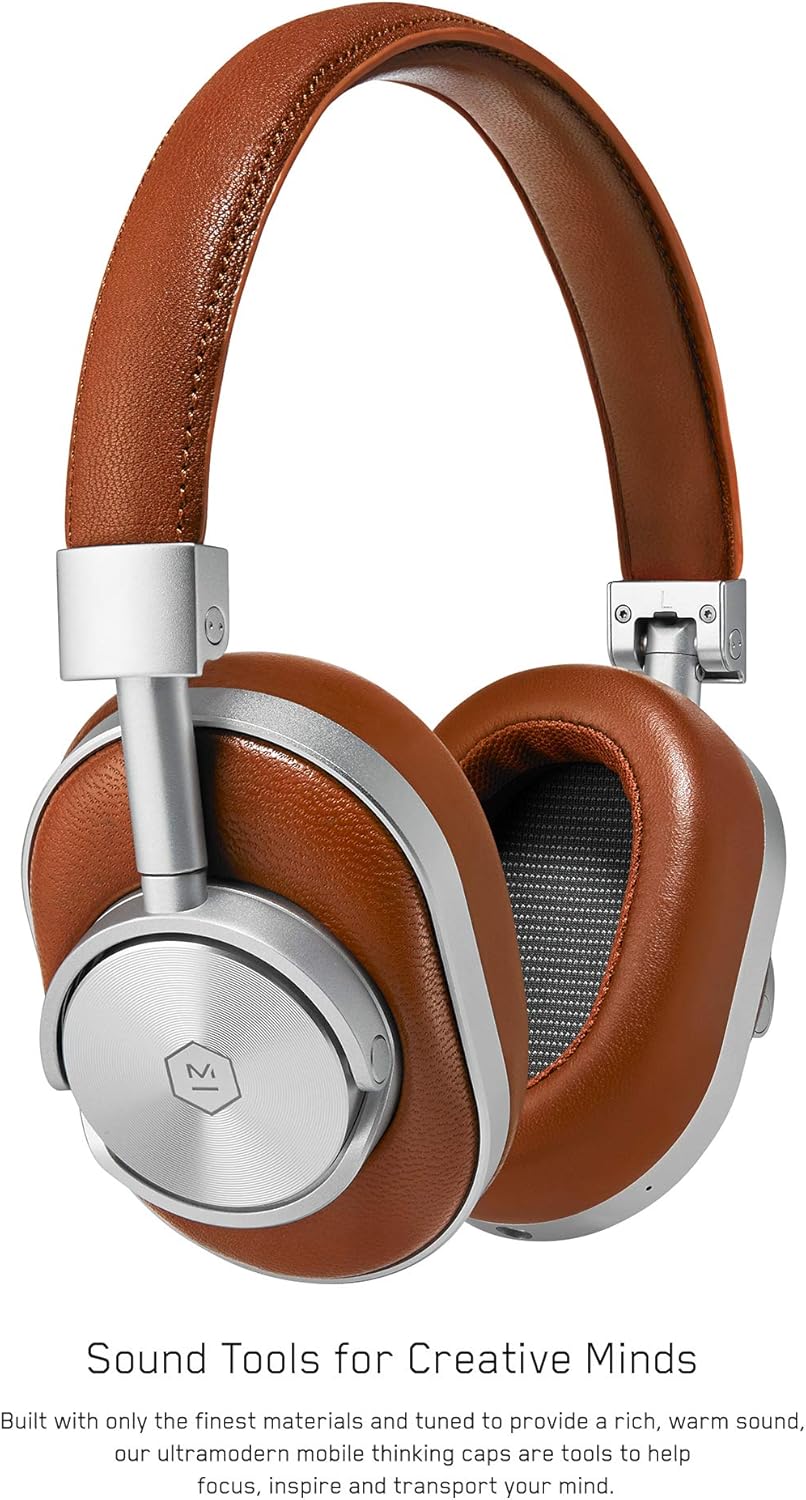
Slika 1: Ispred view of the Master & Dynamic MW60 Wireless Headphones. This image displays the over-ear design with silver metal accents and brown leather earcups and headband.

Slika 2: Close-up of the right earcup showing the control buttons and ports. Visible controls include volume up/down, a multi-function button, and the power/pairing switch. A 3.5mm audio jack and micro USB charging port are also present.
Kontrole i priključci
- Power/Pairing Switch: Located on the earcup, used to turn the headphones on/off and initiate Bluetooth pairing.
- Višenamjenska tipka: Controls playback (play/pause), call management, and voice assistant activation.
- Gumbi za pojačavanje / smanjivanje glasnoće: Adjusts audio volume. Can also be used for track skipping (hold for next/previous track).
- 3.5 mm audio utičnica: Za žično povezivanje pomoću priloženog audio kabela.
- Mikro USB priključak: Za punjenje unutarnje baterije.
- Mikrofon: Integrirano za hands-free pozive.
Postavljanje
Punjenje slušalica
- Connect the Micro USB end of the charging cable to the Micro USB port on the headphone earcup.
- Connect the USB-A end of the charging cable to a powered USB port (e.g., computer, wall adapter).
- Indikatorska lampica će pokazivati status punjenja. Potpuno punjenje obično traje otprilike 2 sata.
Uparivanje Bluetooth veze
- Provjerite jesu li slušalice potpuno napunjene.
- Slide the Power/Pairing switch to the ON position.
- To enter pairing mode, slide and hold the Power/Pairing switch to the far right (pairing icon) until the indicator light begins to flash.
- Na svom uređaju (pametnom telefonu, tabletu, računalu) omogućite Bluetooth i potražite dostupne uređaje.
- Select "MW60" from the list of detected devices.
- Once paired, the indicator light will turn solid blue or white, depending on the model.
Upute za rad
Osnovne funkcije
- Uključivanje/isključivanje: Slide the Power/Pairing switch to the ON or OFF position.
- Reproduciraj/pauziraj: Pritisnite višenamjenski gumb jednom.
- Kontrola glasnoće: Pritisnite tipke za pojačavanje glasnoće (+) ili stišavanje glasnoće (-).
- Sljedeća pjesma: Pritisnite i držite tipku za pojačavanje glasnoće (+).
- Prethodni zapis: Pritisnite i držite tipku za smanjivanje glasnoće (-).
Upravljanje pozivima
- Odgovori/prekini poziv: Pritisnite višenamjenski gumb jednom.
- Odbij poziv: Pritisnite i držite višenamjenski gumb.
- Aktiviranje glasovnog asistenta: Dvaput pritisnite višenamjenski gumb.
Žična veza
To use the headphones with a wired connection, plug the included 3.5mm audio cable into the audio jack on the earcup and the other end into your audio source. The headphones will automatically switch to wired mode, conserving battery life.
Održavanje
Čišćenje
- Obrišite slušalice mekom, suhom krpom.
- Nemojte koristiti jake kemikalije ili abrazivne materijale.
- For leather parts, use a specialized leather cleaner if necessary, following product instructions.
Skladištenje

Slika 3: The MW60 headphones folded into a compact form, demonstrating their portability and ease of storage in the included carry case.
- When not in use, fold the headphones and store them in the provided carry case to protect them from dust and damage.
- Izbjegavajte skladištenje na ekstremnim temperaturama ili visokoj vlažnosti.
Rješavanje problema
| Problem | Moguće rješenje |
|---|---|
| Slušalice se ne uključuju | Provjerite jesu li slušalice potpuno napunjene. Spojite ih na izvor napajanja pomoću Micro USB kabela. |
| Nije moguće uparivanje putem Bluetootha | Ensure headphones are in pairing mode (flashing indicator light). Turn off and on Bluetooth on your device. Try forgetting the device on your phone and re-pairing. Ensure no other devices are actively connected. |
| Intermittent audio or connection drops | Ensure your device is within the Bluetooth range. Avoid physical obstructions between the headphones and your device. Minimize interference from other wireless devices. |
| Nema zvuka u žičanom načinu rada | Ensure the 3.5mm audio cable is securely connected to both the headphones and the audio source. Check the volume levels on both the headphones and the audio source. |
| Earcups detach easily | Ensure earcups are properly aligned and securely attached to the magnetic mounts. |
Tehnički podaci
| Značajka | Detalj |
|---|---|
| Naziv modela | MW60S2 |
| Tehnologija povezivanja | Bežično (Bluetooth 4.1) |
| Vrsta audio upravljačkog programa | 45mm Neodymium Dynamic Drivers |
| Trajanje baterije | Do 16 sati |
| Materijali | Aluminum, Stainless Steel, Leather |
| Težina artikla | 3 funte (otprilike 1.36 kg) |
| Dimenzije proizvoda | 10 x 3.75 x 8 inča (25.4 x 9.5 x 20.3 cm) |
| Impedancija | 32 Ohma |
| Kontrola buke | Zvučna izolacija (pasivna) |
| Utičnica za slušalice | 3.5 mm Jack |
Jamstvo i podrška
Warranty information for your Master & Dynamic MW60 Wireless Headphones is typically provided with your purchase. Please refer to the documentation included in your product packaging for specific warranty terms and conditions.
For technical support, service, or further inquiries, please contact Master & Dynamic customer service directly. Contact details can usually be found on the manufacturer's official webweb-mjestu ili u dokumentaciji vašeg proizvoda.