
Uvod
The HyperGear Rave Wireless Stereo Speaker delivers high-fidelity sound with an interactive multi-colored LED light show. It features Bluetooth connectivity, a built-in speakerphone, and an FM radio, making it suitable for various audio needs.
Sadržaj paketa
- Rave Wireless Speaker
- 3.5mm Stereo Auxiliary Cable
- Micro USB kabel za punjenje
- Korisnički priručnik (ovaj dokument)

Proizvod gotovview
Upoznajte se s kontrolama i priključcima zvučnika.

Kontrolni gumbi
- Gumb za napajanje: Pritisnite i držite za uključivanje ili isključivanje zvučnika.
- Gumb za način rada (M): Pritisnite za prebacivanje između Bluetooth, FM radio i AUX načina rada.
- Play/Pause Button (►/∕): Press to play or pause audio. In call mode, press to answer/end calls.
- Volume Down / Previous Track (-/◀◀): Pritisnite za smanjenje glasnoće. Pritisnite i držite za prelazak na prethodnu pjesmu.
- Volume Up / Next Track (+/►►): Pritisnite za povećanje glasnoće. Pritisnite i držite za prelazak na sljedeću pjesmu.
- Light Mode Button (*): Press to cycle through different LED light patterns or turn off the light show.
luke
- Micro USB priključak za punjenje: Za punjenje unutarnje baterije zvučnika.
- 3.5 mm AUX ulaz: Za spajanje vanjskih audio uređaja putem pomoćnog kabela.
Postavljanje
Punjenje zvučnika
Before first use, fully charge the speaker. Connect the Micro USB charging cable to the speaker's charging port and the other end to a USB power adapter (not included) or a computer's USB port. The charging indicator light will illuminate during charging and turn off when fully charged. A full charge takes approximately 3-4 hours and provides up to 8 hours of playback.
Uključivanje/isključivanje
Pritisnite i držite Gumb za napajanje otprilike 3 sekunde za uključivanje ili isključivanje zvučnika. Glasovni uputa će naznačiti status napajanja.
Upute za rad
Uparivanje Bluetooth veze
- Provjerite je li zvučnik uključen i u Bluetooth načinu rada. Ako nije, pritisnite Tipka za način rada (M) until you hear the Bluetooth pairing prompt. The LED indicator will flash, indicating it is ready to pair.
- Na svom mobilnom uređaju omogućite Bluetooth i potražite dostupne uređaje.
- Select "HyperGear Rave" from the list of devices.
- Once paired, the speaker will emit a confirmation tone, and the LED indicator will stop flashing.

Puštanje glazbe
Bluetooth način rada
After successful pairing, you can play music from your connected device. Use the speaker's Reprodukcija/Pauza, Pojačavanje glasnoće/sljedeća pjesma, i Smanjivanje glasnoće/prethodna pjesma buttons to control playback, or control directly from your device.
AUX način rada
Connect one end of the 3.5mm auxiliary cable to the speaker's AUX input and the other end to the audio output of your external device. Press the Tipka za način rada (M) to switch to AUX mode. Audio will play directly from your connected device.
Hands-free pozivanje
When connected via Bluetooth, the speaker can be used as a speakerphone. When a call comes in, the music will pause. Press the Gumb za reprodukciju/pauzu to answer an incoming call. Press it again to end the call. Press and hold the Gumb za reprodukciju/pauzu za odbijanje dolaznog poziva.
Rad FM radija
Pritisnite tipku Tipka za način rada (M) to switch to FM Radio mode. The speaker will automatically scan and save available stations. Use the Pojačavanje glasnoće/sljedeća pjesma i Smanjivanje glasnoće/prethodna pjesma buttons to navigate between saved stations. Press and hold these buttons to fine-tune the frequency.
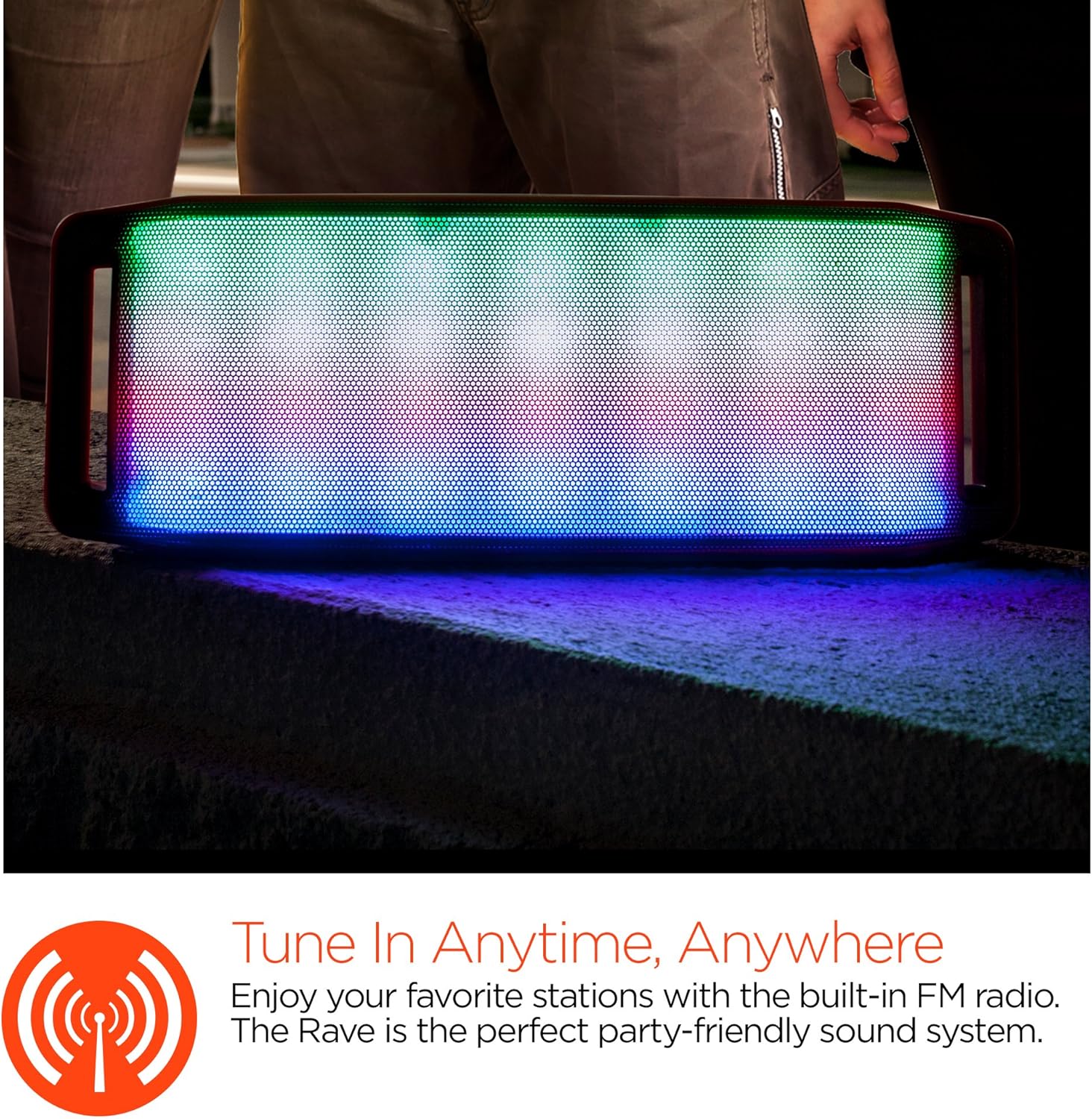
LED svjetlosni show
The speaker features an interactive multi-colored LED light show. Press the Light Mode Button (*) to cycle through different light patterns or to turn the light show off.

Održavanje
Čišćenje
Wipe the speaker with a soft, dry cloth. Do not use abrasive cleaners or solvents. Avoid exposing the speaker to excessive moisture.
Skladištenje
Zvučnik čuvajte na hladnom i suhom mjestu, dalje od izravne sunčeve svjetlosti i ekstremnih temperatura. Ako ga skladištite dulje vrijeme, povremeno punite bateriju kako biste održali njezin vijek trajanja.
Briga o bateriji
To prolong battery life, avoid fully discharging the speaker frequently. Charge the speaker regularly, even if not in use, to prevent deep discharge.
Rješavanje problema
| Problem | Mogući uzrok | Otopina |
|---|---|---|
| Zvučnik se ne uključuje. | Baterija je prazna. | Napunite zvučnik pomoću Micro USB kabela. |
| Nije moguće uparivanje putem Bluetootha. | Zvučnik nije u načinu uparivanja; Bluetooth je isključen na uređaju; uređaj je previše udaljen. | Ensure speaker is in Bluetooth pairing mode (flashing LED). Turn on Bluetooth on your device. Move device closer to speaker (within 10 meters). |
| Nema zvuka. | Volume is too low; incorrect mode selected; device not playing. | Increase volume on both speaker and connected device. Ensure correct mode (Bluetooth/AUX/FM) is selected. Verify audio is playing on the source device. |
| Izobličenje zvuka. | Previsoka glasnoća; slaba baterija; smetnje. | Smanjite glasnoću. Napunite zvučnik. Odmaknite zvučnik od drugih elektroničkih uređaja. |
| Prijem FM radija je slab. | Slab signal; smetnje iz okoline. | Relocate the speaker to an area with better reception. Extend the charging cable (if connected) as it can act as an antenna. |
Tehnički podaci
| Značajka | Detalj |
|---|---|
| Broj modela | 13604 |
| Bluetooth verzija | 3.0 ± EDR |
| Izlazna snaga zvučnika | 2 x 5 W (ukupno 10 W) |
| Omjer signal-šum (S/N) | 80 dB |
| Kapacitet baterije | 1500 mAh |
| Vrijeme za igru | Do 8 sati |
| Bluetooth domet | Do 33 stope / 10 m |
| Tehnologija povezivanja | Bluetooth, bežični |
| Način audio izlaza | Stereo |
| Metoda kontrole | Dodir |
| Težina | 2.25 funti |
| Posebne značajke | Bass Boost, Display, Multi-colored LED Light Show, Built-in Speakerphone, FM Radio |
Jamstvo i podrška
For warranty information or technical support, please refer to the contact details provided on the product packaging or visit the official HYPERGEAR webstranicu. Sačuvajte račun kao dokaz o kupnji.