
1. Uvod
This manual provides detailed instructions for the installation, operation, and maintenance of your Thomson 512331 720p WiFi IP Camera. This wireless security camera features 720p HD resolution, advanced night vision, motion detection, and remote viewing capabilities via a smartphone or tablet application. Designed for outdoor use, it boasts an IP66 weather-resistant rating and a durable metal construction.
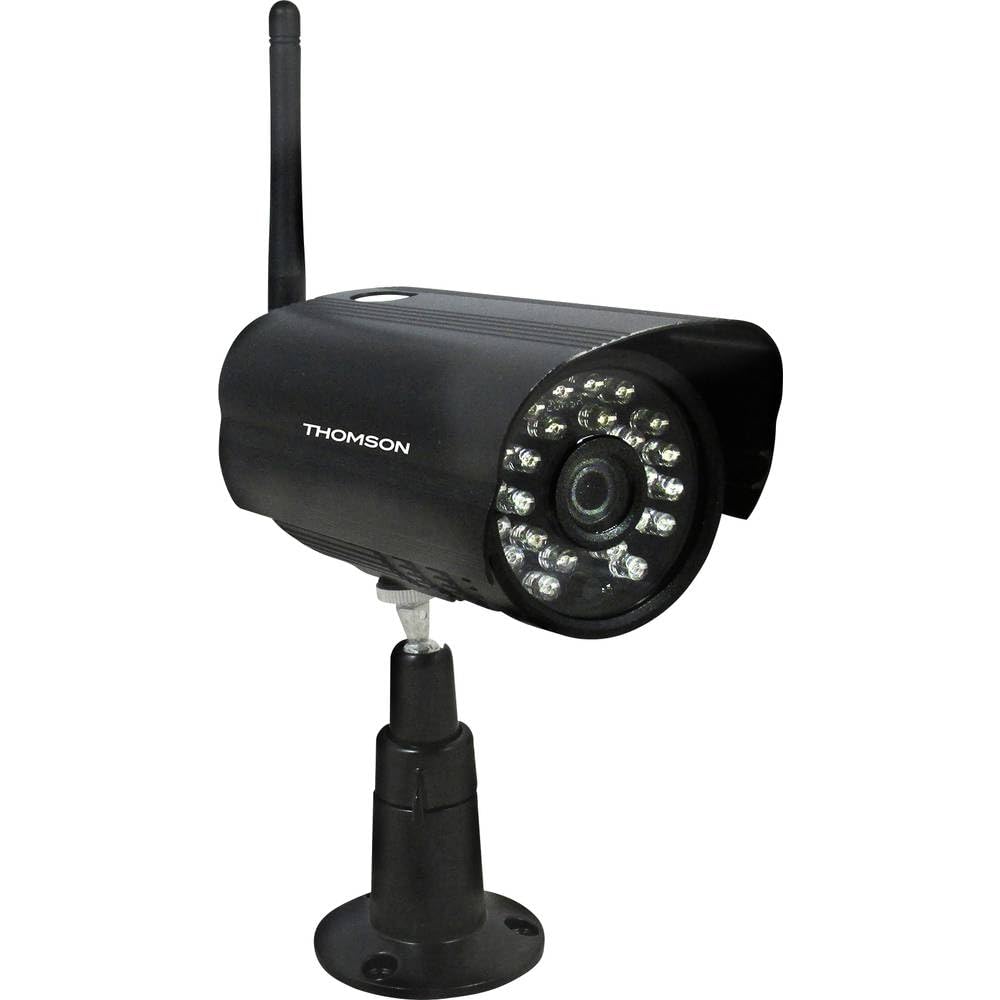
Slika 1: Ispred view of the Thomson 512331 720p WiFi IP Camera. This image shows the camera's main body, lens, and antenna connection point, highlighting its compact and robust design suitable for outdoor surveillance.
2. Sadržaj paketa
Please verify that all items listed below are included in your package. If any items are missing or damaged, contact customer support.
- Thomson 512331 IP Camera
- Power Adapter (230VAC/12VDC 500mA)
- WiFi antena
- Komplet za montažu (vijci i zidni tiplovi)
- Korisnički priručnik (ovaj dokument)
3. Proizvod je gotovview
The Thomson 512331 camera is designed for reliable surveillance with the following key features:
- Objektiv: 3.6mm fixed lens for a wide field of view.
- rezolucija: 1280x720 (720p) HD video capture.
- Noćni vid: Infrared night vision with 24 LEDs, providing a range of up to 20 meters. Features color night vision capability.
- Audio: Integrated microphone for audio acquisition.
- Povezivost: Wireless Wi-Fi connectivity for flexible placement.
- Otpornost na vremenske uvjete: IP66 rated for outdoor use, protecting against dust and powerful water jets.
- Materijal: Durable metal housing.
- Vlast: 12VDC 500mA power input, maximum consumption 5W.
- Video kompresija: H.264 za učinkovito pohranjivanje i streaming.
- Skladištenje: Supports SD card for local storage (SD card not included).
4. Postavljanje
4.1 Fizička instalacija
- Odaberite lokaciju: Select a suitable outdoor location for the camera, ensuring it has a clear view of the area you wish to monitor and is within range of your Wi-Fi network.
- Montirajte kameru: Use the provided mounting kit to securely attach the camera to a wall or other stable surface. Drill pilot holes if necessary, insert wall plugs, and fasten the camera bracket with screws.
- Attach WiFi Antenna: Screw the WiFi antenna firmly onto the designated port on the camera.
- Priključite napajanje: Connect the power adapter to the camera's 12VDC input port and plug the adapter into a suitable power outlet. Ensure the power outlet is protected from weather if installed outdoors.
4.2 Network Configuration and App Setup
- Preuzmite aplikaciju: Tražiti the official Thomson IP Camera application on your smartphone's or tablet's app store (iOS or Android). Download and install the application.
- Napravi račun: Otvorite aplikaciju i slijedite upute na zaslonu za stvaranje novog korisničkog računa ili se prijavite ako ga već imate.
- Dodaj kameru: In the app, select the option to "Add Device" or "Add Camera." Follow the in-app wizard to connect your camera to your Wi-Fi network. This typically involves scanning a QR code on the camera or entering your Wi-Fi credentials.
- Konfigurirajte postavke: Once connected, you can configure various settings such as motion detection sensitivity, recording schedules, and alert notifications within the app.
5. Upute za rad
5.1 Uživo View
Open the Thomson IP Camera app on your smartphone or tablet. Select your camera from the device list to view the live video feed. You can typically switch between standard and HD resolution, and access controls for audio and recording.
5.2 Detekcija pokreta i upozorenja
The camera is equipped with motion detection. When motion is detected, the camera can trigger recordings and send push notifications to your connected device. Adjust motion detection sensitivity and alert preferences in the app's settings.
5.3 Noćni vid
The camera automatically switches to infrared night vision in low-light conditions, providing clear black and white video. It also supports color night vision in certain conditions. The 24 built-in IR LEDs illuminate up to 20 meters.
5.4 Snimanje i reprodukcija
If an SD card is installed (not included), the camera can record video locally. Recordings can be triggered by motion or set on a schedule. Access recorded footagputem funkcije reprodukcije u aplikaciji.
6. Održavanje
- Čišćenje: Povremeno čistite objektiv i kućište kamere mekom krpomamp krpom za uklanjanje prašine i prljavštine. Nemojte koristiti jake kemikalije ili abrazivna sredstva za čišćenje.
- Ažuriranja firmvera: Check the app regularly for firmware updates. Keeping your camera's firmware up-to-date ensures optimal performance and security.
- Napajanje: Ensure the power adapter and cable are in good condition and free from damage.
- Wi-Fi veza: Verify your Wi-Fi signal strength periodically to ensure a stable connection for continuous surveillance.
7. Rješavanje problema
- Kamera se ne povezuje na Wi-Fi:
- Provjerite je li kamera unutar dometa vašeg Wi-Fi usmjerivača.
- Provjerite je li vaša lozinka za Wi-Fi ispravno unesena u aplikaciju.
- Ponovno pokrenite ruter i kameru.
- Ensure your Wi-Fi network is 2.4GHz, as 5GHz networks may not be supported.
- Nema video feeda:
- Provjerite je li kamera uključena.
- Confirm a stable internet connection on both the camera and your viewing uređaj.
- Ponovno pokrenite kameru i aplikaciju.
- Detekcija pokreta ne radi:
- Check motion detection settings in the app; ensure it is enabled and sensitivity is adjusted correctly.
- Provjerite da nema prepreka koje blokiraju kameru view.
- Loša kvaliteta noćnog vida:
- Očistite objektiv fotoaparata kako biste uklonili prljavštinu ili mrlje.
- Ensure there are no reflective surfaces close to the camera that might interfere with IR illumination.
8. Specifikacije
| Naziv modela | 512331 |
| Marka | Thomson |
| Dimenzije (D x Š x V) | 50 x 50 x 28 cm |
| Težina | 500 grama |
| Tehnologija povezivanja | Bežični, Wi-Fi |
| Posebna značajka | Noćni vid |
| Kompatibilni uređaji | Tablet, pametni telefon |
| Izvor napajanja | AC Power (12VDC 500mA adapter) |
| Vrsta kontrolera | iOS (via application) |
| Vrsta montaže | Zidni nosač |
| Značajke proizvoda | Noćni vid, Detekcija pokreta |
| Materijal | Metal |
| Razina vodootpornosti | IP66 (vodootporan) |
| Vrsta upozorenja | Samo pokret |
| Vrsta izvora svjetlosti | LED |
| Metoda kontrole | Primjena |
| Potrošnja energije | 5 vata |
| Potrebne baterije | Ne |
| Broj kanala | 1 |
| Vrsta fokusa | Automatski fokus |
| Tehnologija optičkih senzora | BSI CMOS |
| Video rezolucija | 720p (1280x720 Pixels) |
| Domet noćnog vida | 20 metara |
| Vrsta noćnog vida | Infrared with Color Night Vision capability |
| Vrsta flash memorije | SD (for local storage) |
9. Jamstvo i podrška
For warranty information and technical support, please refer to the documentation provided with your purchase or visit the official Thomson webstranicu. Sačuvajte dokaz o kupnji za slučaj reklamacije.
Mrežni resursi: www.thomson.eu