Hvala na kupnjiasing the MUSE M-1600 SBT Soundbar. This manual provides important information regarding the installation, operation, and maintenance of your new soundbar. Please read it thoroughly before use and retain it for future reference.
The M-1600 SBT is designed to enhance your audio experience with its powerful 60W output, versatile connectivity options including Bluetooth, USB, AUX-in, RCA, and Optical inputs, and an integrated PLL FM radio.
2. Sigurnosne upute
Izvor napajanja: Provjerite je li napajanje voltage matches the rating label on the soundbar.
Ventilacija: Ne blokirajte ventilacijske otvore. Osigurajte dovoljno prostora oko uređaja za pravilan protok zraka.
Voda i vlaga: Do not expose the soundbar to rain, moisture, or dripping/splashing liquids. Do not place objects filled with liquids, such as vases, on the apparatus.
Izvori topline: Držite uređaj dalje od izvora topline kao što su radijatori, grijalice, peći ili drugi uređaji (uključujući amplifiers) koji proizvode toplinu.
Čišćenje: Čistite samo suhom krpom. Nemojte koristiti tekuća sredstva za čišćenje ili sredstva za čišćenje u spreju.
Servisiranje: Ne pokušavajte sami servisirati ovaj proizvod. Sve servise prepustite kvalificiranom servisnom osoblju.
Plasman: Place the soundbar on a stable, flat surface. Avoid placing it in direct sunlight or near strong magnetic fields.
3. Sadržaj paketa
Carefully unpack your soundbar and ensure all items are present and in good condition. If any items are missing or damaged, contact your retailer immediately.
MUSE M-1600 SBT Soundbar
Daljinski upravljač
RCA kabel
korisnički priručnik
Power Adapter (not explicitly listed but implied for a wired device)
4. Proizvod je gotovview
Familiarize yourself with the main components and controls of your M-1600 SBT Soundbar.
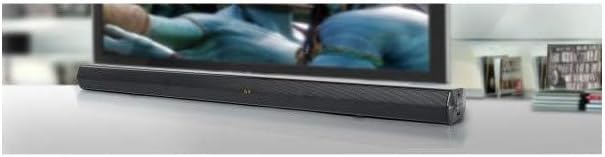
Slika 1: Ispred view of the Muse M-1600 SBT Soundbar, showcasing its sleek design and central display. The soundbar is positioned in front of a television.
Prednja ploča
Prikaz: Shows current input mode, volume level, and radio frequency.
Kontrolni gumbi: (Located on the right side) Power, Volume Up/Down, Input Source, Play/Pause.
Stražnja ploča (priključci)
Slika 2: Stražnji view of the Muse M-1600 SBT Soundbar, highlighting the various input ports for external devices.
DC IN: Ulaz za napajanje.
OPTIČKI IN: For connecting devices via optical cable.
RCA IN (L/R): For connecting devices via RCA cables.
POMOĆNI IN: 3.5 mm priključak za spajanje prijenosnih audio uređaja.
USB priključak: Za reprodukciju zvuka files s USB pogona.
Daljinski upravljač
The included remote control allows for convenient operation of all soundbar functions from a distance. Ensure batteries are correctly inserted (not included).
5. Postavljanje
5.1 Postavljanje
Place the soundbar on a stable, flat surface, preferably directly in front of your television or monitor. Ensure there are no obstructions in front of the soundbar to allow for optimal sound projection.
5.2 Priključak za napajanje
Connect the power adapter to the DC IN port on the rear of the soundbar.
Uključite drugi kraj strujnog adaptera u zidnu utičnicu.
5.3 Spajanje na audio izvore
Choose one of the following methods to connect your soundbar to an audio source (e.g., TV, DVD player, smartphone).
Optička veza: For high-quality digital audio. Connect an optical cable (not supplied) from your TV's Optical Out port to the soundbar's OPTICAL IN port.
RCA veza: Connect the supplied RCA cable to the RCA OUT ports (red for right, white for left) on your TV and to the corresponding RCA IN ports on the soundbar.
AUX veza: Use a 3.5mm audio cable (not supplied) to connect the headphone jack or AUX Out port of your device to the soundbar's AUX IN port.
Bluetooth veza: Refer to section 6.3 for Bluetooth pairing instructions.
6. Upute za rad
6.1 Uključivanje/isključivanje
Pritisnite tipku VLAST gumb na soundbaru ili daljinskom upravljaču za uključivanje ili isključivanje uređaja.
6.2 Kontrola glasnoće
Koristite GLASNOST+ i VOL- buttons on the soundbar or remote control to adjust the volume level. The current volume will be displayed on the soundbar's screen.
6.3 Odabir ulaznog izvora
Pritisnite tipku ULAZNI button on the soundbar or remote control repeatedly to cycle through the available input sources: Bluetooth (BT), USB, AUX, RCA, OPTICAL, and FM Radio.
6.4 Rad FM radija
Switch the input source to FM radio.
Pritisnite i držite REPRODUCIRAJ/PAUZIRAJ button on the remote control to initiate an automatic scan for FM stations. The soundbar will scan and save up to 30 preset stations.
Koristite PRETHODNO/Sljedeće buttons on the remote to navigate through the saved preset stations.
7. Povezivost
7.1 Bluetooth uparivanje
Switch the soundbar's input source to Bluetooth (BT) način rada. Zaslon će prikazati "BT" i početi treptati, što označava da je u načinu rada uparivanja.
Na uređaju s omogućenim Bluetoothom (pametni telefon, tablet itd.) omogućite Bluetooth i potražite dostupne uređaje.
Select "M-1600 SBT" from the list of devices.
Once paired, the "BT" indicator on the soundbar's display will stop flashing and remain solid. You can now play audio from your device through the soundbar.
7.2 Reprodukcija s USB-a
Umetnite USB flash pogon (formatiran u FAT32) koji sadrži kompatibilne audio datoteke files (e.g., MP3) into the USB port on the soundbar.
Switch the input source to USB način rada.
The soundbar will automatically begin playing the audio files. Use the remote control for playback functions (Play/Pause, Next/Previous Track).
8. Održavanje
8.1 Čišćenje
Wipe the exterior of the soundbar with a soft, dry, lint-free cloth. Do not use abrasive cleaners, waxes, or solvents as they may damage the finish.
8.2 Skladištenje
If you plan to store the soundbar for an extended period, disconnect it from the power outlet and store it in a cool, dry place, away from direct sunlight and extreme temperatures.
9. Rješavanje problema
If you encounter any issues with your soundbar, refer to the following table for common problems and solutions.
Problem
Mogući uzrok
Otopina
Nema struje
Kabel za napajanje nije spojen; Utičnica nije aktivna
Provjerite je li kabel za napajanje sigurno spojen. Provjerite radi li utičnica.
Soundbar not in pairing mode; Device Bluetooth off; Device too far
Ensure soundbar is in BT pairing mode. Enable Bluetooth on your device. Move device closer to soundbar.
Daljinski upravljač ne radi
Batteries depleted; Obstruction between remote and soundbar; Incorrect angle
Replace remote control batteries. Remove any obstructions. Point remote directly at the soundbar's sensor.
Loš FM radio prijem
Weak signal; Interference
Adjust the position of the soundbar. Avoid placing near other electronic devices that may cause interference.
10. Specifikacije
Naziv modela
M-1600 SBT
Marka
MUZA
Izlazna snaga
60 vata
Tehnologija povezivanja
Bluetooth, Wired & Wireless
Povezivost zvučnika
Bluetooth, optički, RCA, USB
Bežična komunikacijska tehnologija
Bluetooth
Način audio izlaza
Stereo
Konfiguracija kanala surround zvuka
2.0
Metoda kontrole
Daljinski upravljač
Izvor napajanja
Ožičeno
Broj USB priključaka
1
Dimenzije (D x Š x V)
88.5 x 5.9 x 82.5 cm (34.8 x 2.3 x 32.5 inča)
Težina artikla
1.8 kilograma (3.97 lbs)
Boja
Crna
Posebne značajke
Remote control, PLL FM Radio with 30 presets
Kompatibilni uređaji
Game console, MP3 player, Laptop, Smartphone, Tablet, Television
11. Jamstvo i podrška
11.1 Informacije o jamstvu
This product is covered by a legal manufacturer's warranty. Please refer to the warranty card included in your package or contact your retailer for specific terms and conditions regarding the warranty period and coverage in your region.
11.2 Korisnička podrška
For technical assistance, troubleshooting beyond this manual, or service inquiries, please contact your local retailer or the MUSE customer support service. Contact details can typically be found on the manufacturer's webmjestu ili na pakiranju proizvoda.
Ask a question about this manual
Ask about setup, troubleshooting, compatibility, parts, safety, or missing instructions. Manuals+ will review the question and use this page’s manual context to help answer it.