
1. Uvod
Thank you for choosing the HTC USB Type-C Hi-Res Earphones, Model 99H20317-00. These earphones are designed to provide a high-quality audio experience with their advanced features and ergonomic design. This manual provides essential information for the proper setup, operation, maintenance, and troubleshooting of your new earphones.
Ključne značajke uključuju:
- Concert hall design for unparalleled sound.
- Larger 13mm speakers for a fuller sound profile.
- Enhanced port optimization for improved bass reproduction.
- Lighter and thinner aerospace polymer diaphragm to increase sound frequency response.
- Ergonomic design for maximum comfort during extended use.
2. Sigurnosne informacije
Please read and follow these safety guidelines to ensure safe and optimal use of your earphones:
- Zaštita sluha: Izbjegavajte slušanje na visokim razinama glasnoće dulje vrijeme kako biste spriječili oštećenje sluha.
- Ekološka svijest: Ne koristite slušalice u situacijama u kojima bi nemogućnost slušanja okolnih zvukova mogla biti opasna, kao što je vožnja biciklom, hodanje u prometu ili vožnja biciklom.
- Čišćenje: Clean the earphones regularly with a soft, dry cloth. Do not use liquid cleaners or solvents.
- Izloženost vodi: These earphones are not waterproof. Avoid exposure to water or excessive moisture.
- djeca: Čuvati izvan dohvata male djece zbog malih dijelova koji mogu predstavljati opasnost od gušenja.
3. Sadržaj paketa
Provjerite jesu li svi artikli prisutni u vašem paketu:
- HTC USB Type-C Hi-Res Earphones (Model: 99H20317-00)
- Additional ear tips (if included)
- Korisnički priručnik (ovaj dokument)
4. Postavljanje
These earphones are designed for simple plug-and-play operation.
- Poveži: Insert the USB Type-C connector of the earphones into the USB Type-C port of your compatible device (Smartphone, Laptop, Tablet).
- Prepoznavanje uređaja: Your device should automatically recognize the earphones. If prompted, select the earphones as the audio output device.
- Podešavanje glasnoće: Begin playback at a low volume and gradually increase to a comfortable listening level.
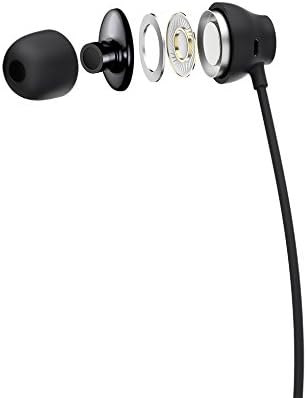
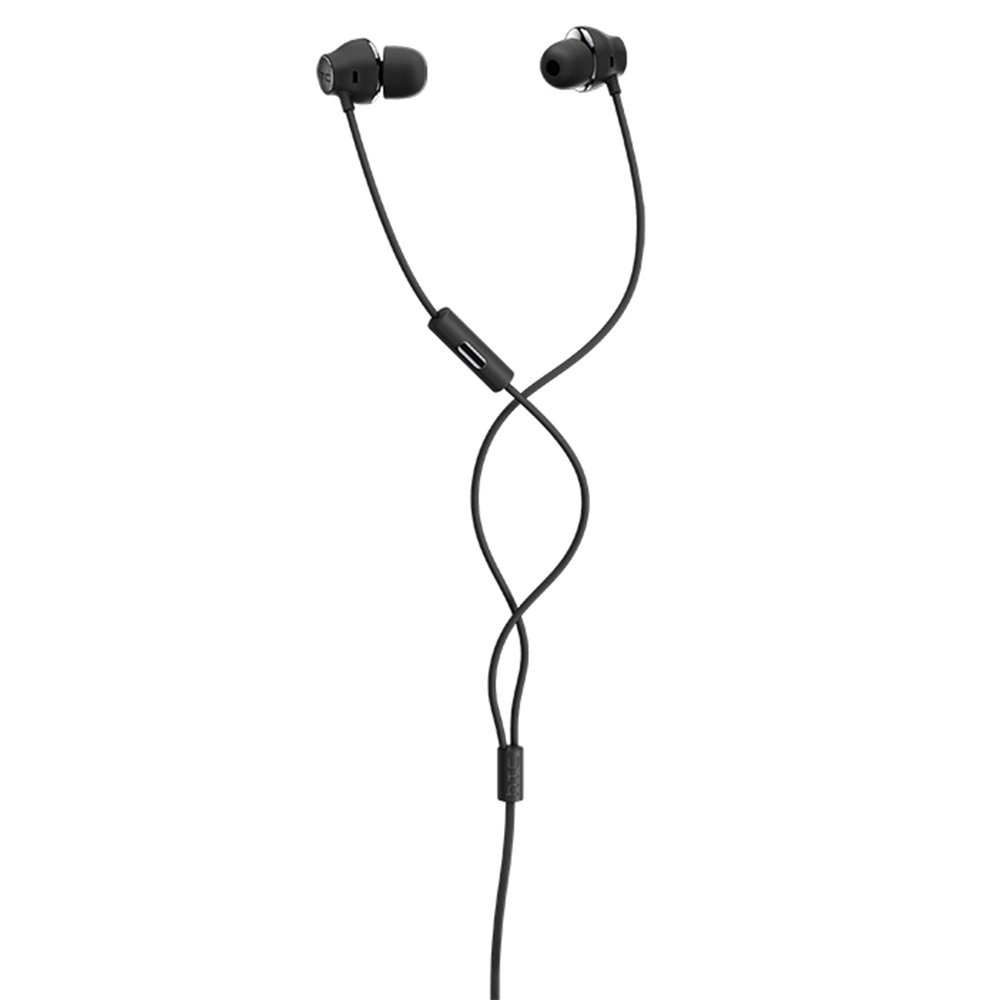
Figure 1: HTC USB Type-C Hi-Res Earphones connected to a device.
5. Upute za rad
Once connected, your earphones are ready for use.
- Audio reprodukcija: Play audio from your connected device. The sound will be routed through the earphones.
- Upravljanje pozivima: For devices supporting call functions, you can typically answer/end calls using the device's interface.
- Kontrola aplikacije: This model supports control via an application. Refer to your device's app store for any official HTC audio control applications that may offer additional features or sound customization.
6. Održavanje i njega
Proper care extends the lifespan of your earphones:
- Savjeti za čišćenje ušiju: Gently remove ear tips and clean them with a mild soap solution and water. Ensure they are completely dry before reattaching.
- Cleaning Earphone Body: Wipe the earphone body and cable with a soft, dry, lint-free cloth. Do not use abrasive materials or harsh chemicals.
- Skladištenje: Kada se ne koriste, slušalice čuvajte na čistom i suhom mjestu, po mogućnosti u zaštitnoj torbici kako biste spriječili zapetljavanje i oštećenje.
- Uprava za kabele: Avoid tightly winding the cable or subjecting it to sharp bends, which can damage internal wires.
Slika 2: Eksplodirano view of earphone components, highlighting the 13mm speaker and aerospace polymer diaphragm.
7. Rješavanje problema
Ako naiđete na probleme, pogledajte sljedeće uobičajene probleme i rješenja:
| Problem | Mogući uzrok | Otopina |
|---|---|---|
| Nema zvuka | Earphones not properly connected; device volume too low; incorrect audio output selected on device. | Ensure the USB Type-C connector is fully inserted. Increase device volume. Check device audio settings to confirm earphones are selected as output. |
| Loša kvaliteta zvuka | Dirty ear tips; damaged cable; low-quality audio source. | Clean ear tips. Inspect the cable for visible damage. Try a different audio source or file. |
| Earphones uncomfortable or fall out | Nepravilna veličina vrha uha. | Try different sized ear tips (if provided) to find the best fit for your ears. |
8. Specifikacije
| Značajka | Detalj |
|---|---|
| Marka | HTC |
| Broj modela | 99H20317-00 |
| Tehnologija povezivanja | Žičani (USB Type-C) |
| Veličina zvučnika | 13 mm |
| Materijal | Synthetic leather (ear tips/housing accents) |
| Težina | 50 grama |
| Dimenzije proizvoda | 0.1 x 0.1 x 0.1 cm (packaging/shipping dimensions, actual earphone size is compact) |
| Metoda kontrole | aplikacija |
| Bluetooth podrška | Ne |
| Potrebne baterije | Ne |
| Kompatibilni uređaji | Smartphone, Laptop, Tablet with USB Type-C audio output |
| Boja | Tamno siva |
| Postavljanje uha | U uho |
9. Jamstvo i podrška
For warranty information and technical support, please refer to the documentation provided with your purchase or visit the official HTC support webstranicu. Sačuvajte dokaz o kupnji za slučaj reklamacije.