
1. Uvod
The Symcode MJ-R30-2D is a compact, ring-type barcode scanner designed for efficient data collection in various environments such as warehouses, retail stores, and logistics centers. It offers versatile connectivity options including Bluetooth, 2.4GHz wireless, and USB wired connection, supporting both 1D and 2D barcode types. This manual provides essential information for setting up, operating, and maintaining your device.
2. Proizvod je gotovview i komponente
The MJ-R30-2D scanner features a unique ring design for comfortable, hands-free operation. It is equipped with advanced decoding capabilities to read various barcode types efficiently.

Sadržaj paketa:
- Symcode MJ-R30-2D Barcode Scanner
- USB kabel za punjenje/podatkovni kabel
- 2.4 GHz bežični USB adapter
- User Manual (Brochure)
3. Postavljanje i početna konfiguracija
The MJ-R30-2D scanner is designed for plug-and-play operation, requiring no application downloads or driver installations for basic functionality. For detailed configuration, refer to the provided Japanese instruction manual and scan the appropriate setup codes.
Kompatibilnost sustava:
- Windows
- Mac OS
- iOS (iPhone, iPad)
- Android uređaji
Bilješka: For PCs without built-in Bluetooth, a separate Bluetooth receiver adapter is required to use the Bluetooth connection mode.
4. Načini rada
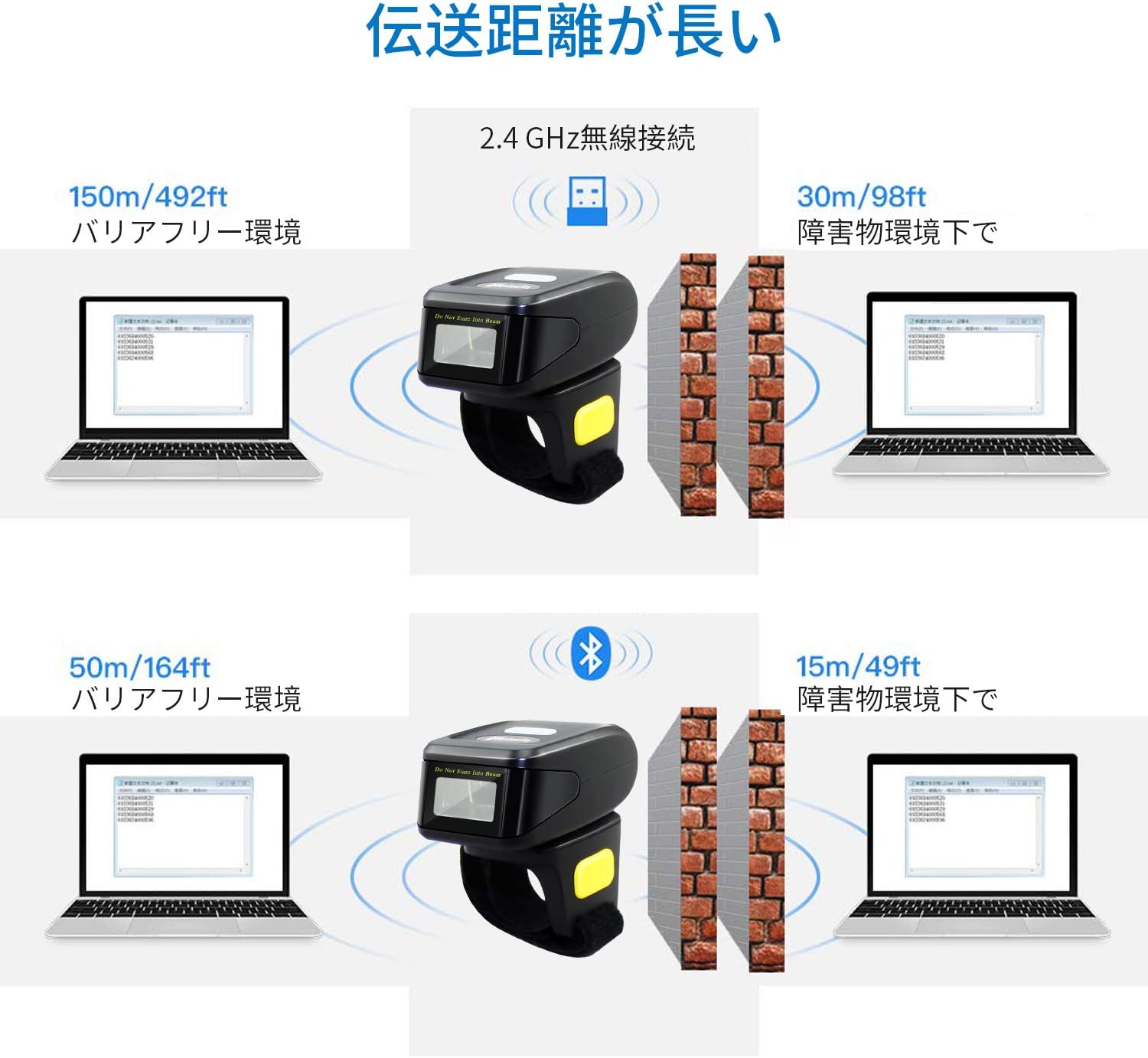
The scanner supports three primary connection modes: USB Wired, 2.4GHz Wireless, and Bluetooth.

4.1. Žičani način rada putem USB-a
Connect the scanner directly to your computer using the provided USB cable. This mode allows for both data transmission and charging. The cable ensures a stable connection and supports mobile flash charging.
4.2. Bežični način rada od 2.4 GHz
Insert the 2.4GHz USB dongle into your computer's USB port. The scanner will automatically connect to the dongle. This mode provides a robust wireless connection suitable for environments where Bluetooth might be less ideal.
4.3. Bluetooth način
Enable Bluetooth on your smartphone, tablet, or computer. Put the scanner into Bluetooth pairing mode (refer to the manual for specific instructions, usually by scanning a pairing barcode). Select the scanner from your device's Bluetooth settings to establish a connection. No dongle is required for Bluetooth-enabled devices.
5. Data Transmission Modes
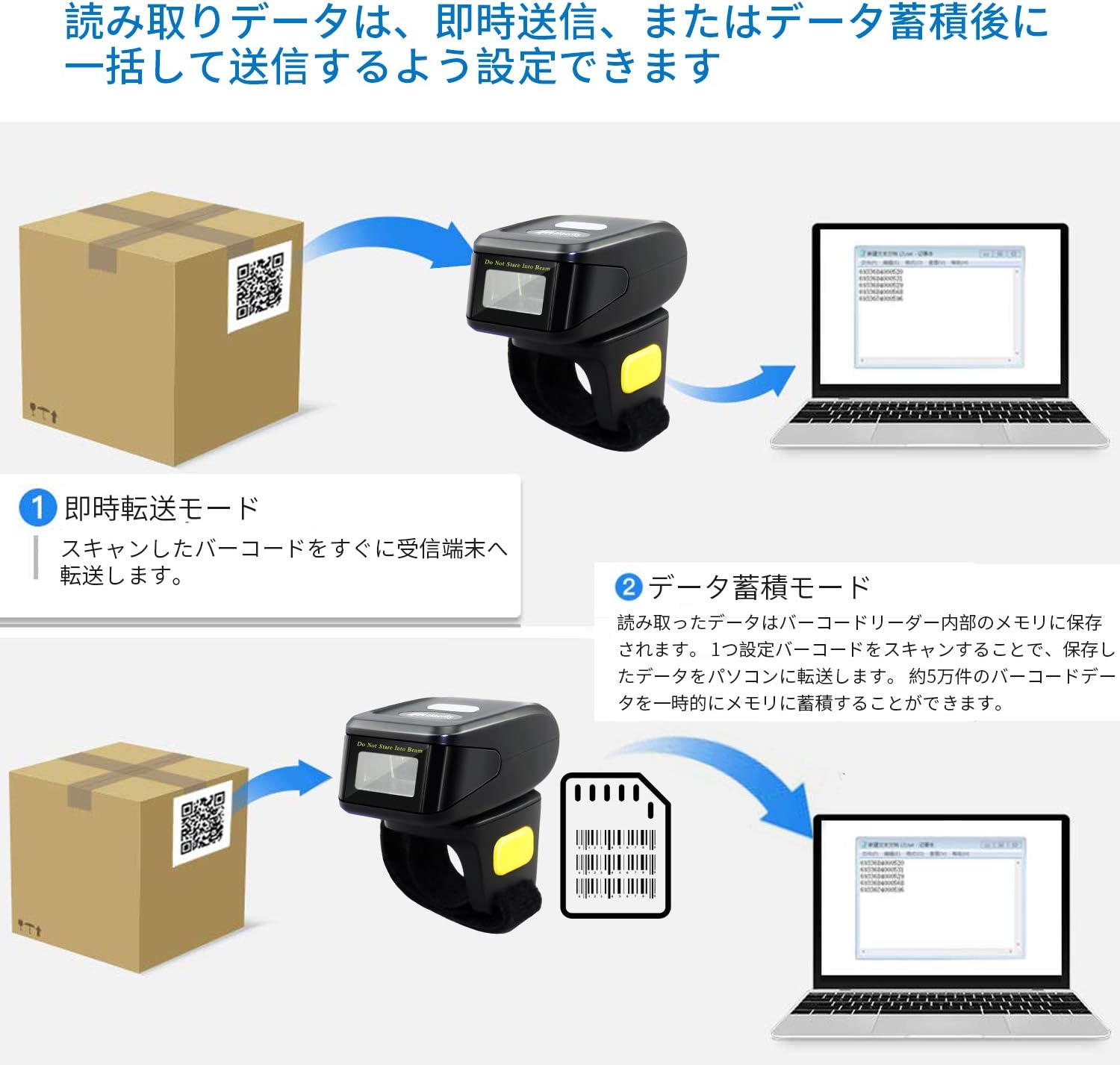
The scanner offers flexibility in how scanned data is handled, allowing for immediate transfer or temporary storage.
5.1. Instant Transmission Mode
In this mode, scanned barcodes are immediately transmitted to the connected receiving device (e.g., computer, smartphone). This is ideal for real-time inventory updates or point-of-sale operations.
5.2. Data Storage Mode
The scanner can store approximately 50,000 barcode entries in its internal memory. Scanned data is saved internally and can be uploaded in a batch to a connected PC or device later. This mode is useful for offline scanning or when connectivity is intermittent.
6. Barcode Decoding Capabilities
The MJ-R30-2D scanner features excellent decoding capabilities, recognizing both 1D and 2D barcodes even if they are blurred, damaged, or scanned under challenging lighting conditions (weak or strong light).

Supported 1D Barcode Types:
- JAN/EAN-13, JAN/EAN-8, UPC-A, UPC-E
- Code11, Code32, Code39, Code 39 Full ASCII, Code93, Code128
- Codabar (NW-7)
- Interleaved 2 of 5, Matrix 2 of 5, Industrial 2 of 5, Standard 2 of 5
- PLESSEY, MSI, ITF14
- ISBN, ISSN
- GS1 Databar, GS1-128 (UCC/EAN128), ISBT-128
Supported 2D Barcode Types:
- QR kod
- Data Matrix
- PDF417
- kod Asteka
- Maxicode
7. Baterija i punjenje
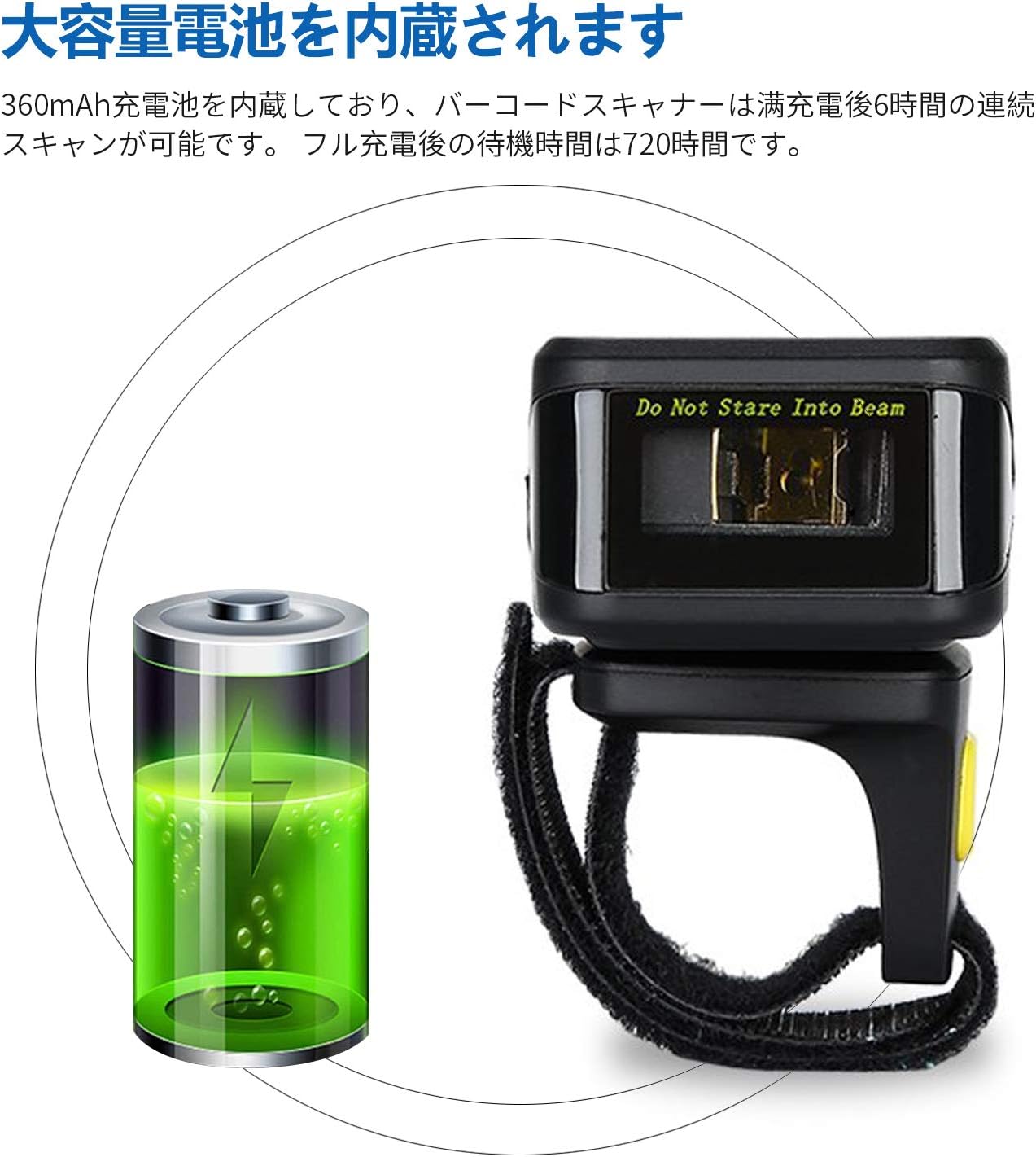
The MJ-R30-2D is equipped with a built-in 360mAh rechargeable battery, providing reliable power for extended use.
Performanse baterije:
- Kontinuirano skeniranje: Do 6 sata uz potpuno punjenje.
- Vrijeme pripravnosti: Up to 720 hours (30 days) on a full charge.
Punjenje:
Connect the scanner to a power source using the provided USB cable. The device will indicate when it is charging and when it is fully charged. Ensure the scanner is fully charged before initial use for optimal performance.
8. Customization and Settings
The scanner's operation can be customized to fit specific user needs by scanning configuration barcodes found in the detailed product manual.
Scan Reading Modes:
- Način okidača: Scan a barcode by pressing the trigger button.
- Način kontinuiranog skeniranja: The scanner continuously scans for barcodes without requiring a trigger press.
- Automatic Detection Mode: The scanner automatically detects and scans barcodes when they enter its field of view.
Feedback Settings:
The scanner's sound and vibration feedback can be toggled on or off as desired, typically by scanning specific configuration barcodes.
9. Rješavanje problema
This section addresses common issues you might encounter with your Symcode MJ-R30-2D scanner.
9.1. Skener se ne povezuje
- Provjerite snagu: Provjerite je li skener napunjen.
- Žičana veza: Verify the USB cable is securely connected to both the scanner and the computer.
- 2.4 GHz bežično: Ensure the USB dongle is properly inserted into the computer and the scanner is in 2.4GHz mode.
- Bluetooth veza: Make sure Bluetooth is enabled on your host device and the scanner is in pairing mode. If connecting to a PC without built-in Bluetooth, ensure a Bluetooth adapter is installed.
9.2. Barcodes Not Scanning
- Vrsta crtičnog koda: Confirm the barcode type is supported by the scanner (refer to Section 6).
- Kvaliteta barkoda: Ensure the barcode is not excessively damaged, blurred, or poorly printed.
- Rasvjeta: Adjust the scanning angle or environment if glare or insufficient light is an issue.
- Udaljenost: Maintain an appropriate distance between the scanner and the barcode.
9.3. On-Screen Keyboard Disappears on iOS Devices
When the scanner is connected via Bluetooth to an iOS device (e.g., iPhone, iPad), the on-screen keyboard may not appear automatically. To resolve this, you may need to disconnect the scanner temporarily or use a specific function key combination on the scanner (if available) to toggle the keyboard. Refer to the detailed manual for specific iOS compatibility settings.
10. Specifikacije
| Marka | symcode |
| Broj modela | MJ-R30-2D |
| Tehnologija povezivanja | Bluetooth, 2.4GHz Wireless, USB Cable |
| Izvor napajanja | Napajanje na baterije |
| Kapacitet baterije | 360 mAh |
| Continuous Scan Time | cca. 6 sati |
| Vrijeme pripravnosti | cca. 720 sati |
| Dimenzije proizvoda | 12.45 x 4.06 x 10.41 cm |
| Težina proizvoda | 127.57 g |
| Podržani crtični kodovi | 1D (JAN/EAN, UPC, Code series, Codabar, etc.), 2D (QR Code, Data Matrix, PDF417, Aztec, Maxicode) |
| Kapacitet memorije | Approx. 50,000 barcode entries (in storage mode) |
11. Održavanje
Proper maintenance ensures the longevity and optimal performance of your barcode scanner.
- Čišćenje: Za čišćenje vanjske strane skenera koristite meku, suhu krpu. Za prozor za skeniranje upotrijebite krpu koja ne ostavlja dlačice lagano obrisanu.ampened with a mild cleaning solution (e.g., isopropyl alcohol) if necessary. Avoid abrasive cleaners or direct spraying of liquids.
- Skladištenje: Skener čuvajte na hladnom i suhom mjestu, dalje od izravne sunčeve svjetlosti i ekstremnih temperatura.
- Njega baterije: For long-term storage, ensure the battery is partially charged (around 50%) to prevent deep discharge. Recharge the battery periodically if not in use for extended periods.
- Fizička zaštita: While durable, avoid dropping the scanner or subjecting it to strong impacts to prevent internal damage.
12. Jamstvo i podrška
Symcode Technology, established in 2009, is committed to providing high-quality barcode scanning products and comprehensive customer support.
For any product-related inquiries, technical assistance, or support needs, please contact Symcode customer service through the platform where you purchased the product (e.g., Amazon). This ensures you receive prompt and accurate support directly from the manufacturer or authorized reseller.