
Uvod
This manual provides instructions for the ZdalaMit AH59-02692E replacement remote control. This remote is designed to be compatible with various Samsung Soundbar models, offering a direct replacement without the need for complex programming. Please read this manual carefully to ensure proper use and longevity of your remote control.
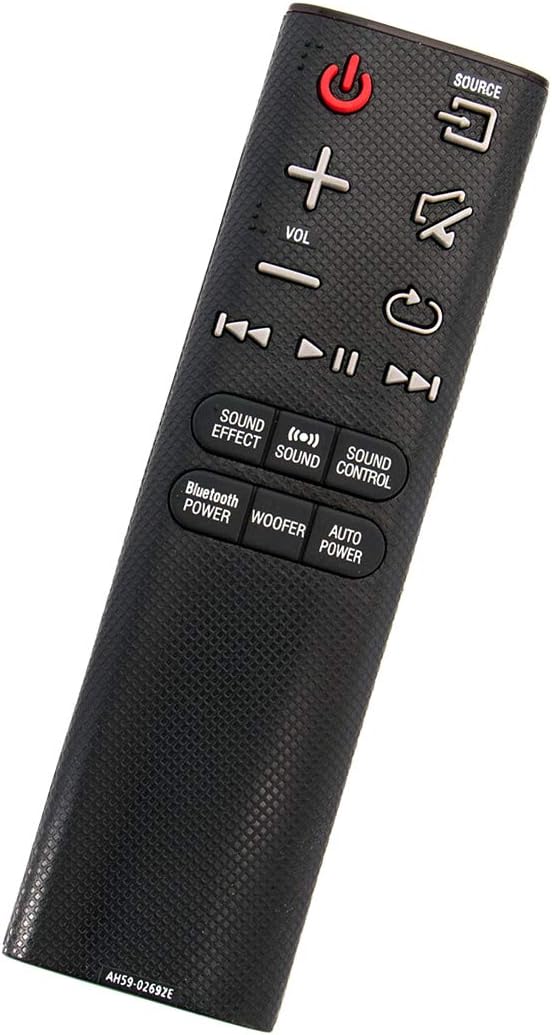
Pod kutom view of the ZdalaMit AH59-02692E replacement remote control, showing its ergonomic design.
Postavljanje
The ZdalaMit AH59-02692E remote control requires no programming or pairing. Simply insert the batteries, and it will be ready for use with your compatible Samsung Soundbar.
Ugradnja baterije
- Pronađite odjeljak za baterije na stražnjoj strani daljinskog upravljača.
- Pomaknite poklopac baterije prema dolje da biste ga otvorili.
- Umetnite dvije (2) alkalne baterije od 1.5 V AAA, pazeći da pozitivni (+) i negativni (-) terminali odgovaraju dijagramima unutar odjeljka.
- Gurnite poklopac baterije natrag na mjesto dok čvrsto ne klikne.
Bilješka: Batteries are not included with the remote control. Always use new AAA alkaline batteries for optimal performance.
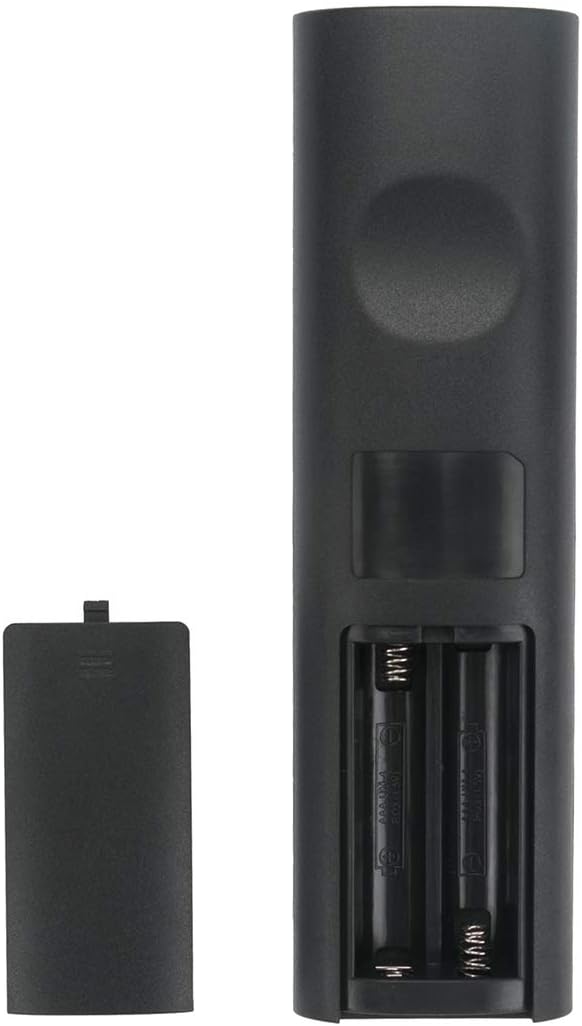
Nazad view daljinskog upravljača s otvorenim pretincem za baterije, pokazujući gdje umetnuti baterije.
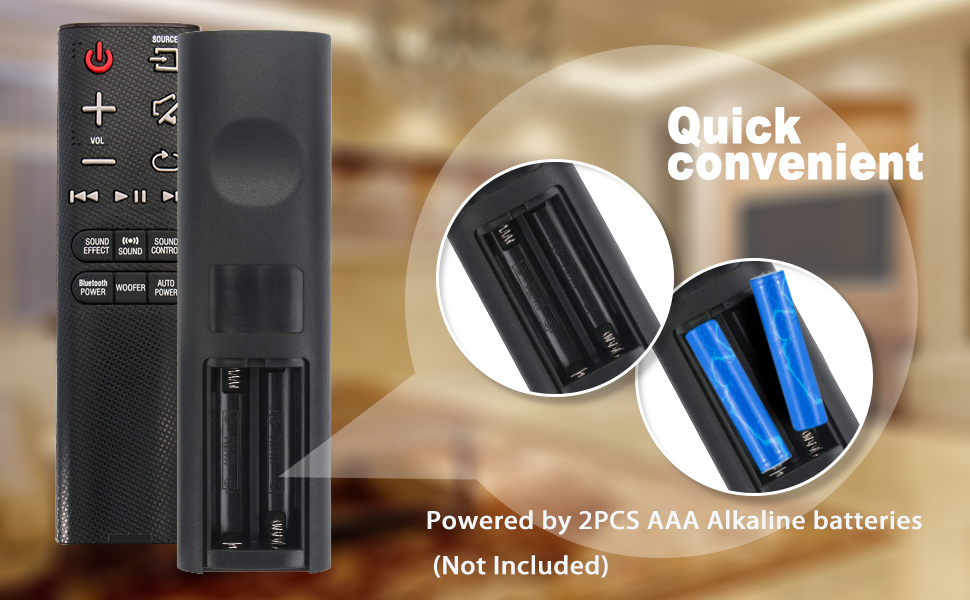
Illustration showing the correct way to insert two AAA batteries into the remote control's battery compartment.
Upute za rad
Once batteries are installed, the remote is ready to control your compatible Samsung Soundbar. Ensure there is a clear line of sight between the remote control and the soundbar's infrared receiver.

Ispred view of the ZdalaMit AH59-02692E remote control, displaying all functional buttons.
Funkcije gumba
- Napajanje (crveni gumb): Uključuje ili isključuje soundbar.
- IZVOR: Cycles through available input sources (e.g., D.IN, BT, HDMI, AUX).
- GLASNOĆA (+/-): Podešava glavnu razinu glasnoće.
- Isključi zvuk: Isključuje ili uključuje zvuk.
- Povratak/Natrag: Navigates back in menus or previous track.
- Reproduciraj/pauziraj: Kontrolira reprodukciju medija.
- Skip (Forward/Backward): Preskače na sljedeću ili prethodnu pjesmu.
- ZVUČNI EFEKT: Cycles through various sound effects/modes.
- ZVUK: Adjusts specific sound settings.
- UPRAVLJANJE ZVUKOM: Accesses advanced sound settings.
- BLUETOOTH POWER: Activates or deactivates Bluetooth power.
- VUFER: Podešava razinu subwoofera.
- AUTO SNAGA: Toggles the auto power function.
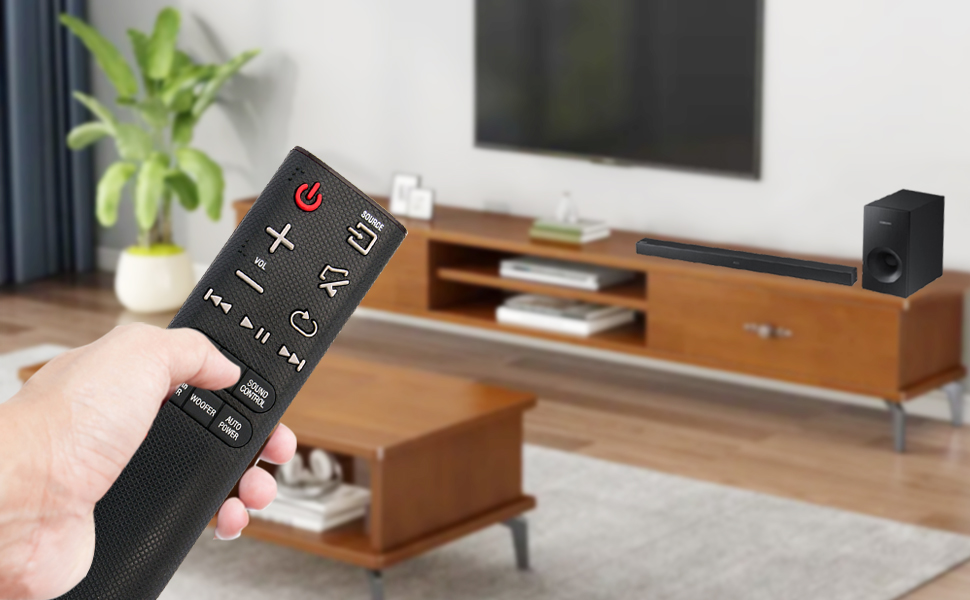
A user operating the remote control with a Samsung Soundbar and television in a home environment.
Održavanje
Pravilno održavanje osigurava dugotrajnost i pouzdan rad vašeg daljinskog upravljača.
Zamjena baterije
Replace batteries when the remote's response becomes sluggish or stops working. Always replace both AAA batteries at the same time with new ones. Do not mix old and new batteries, or different types of batteries.
Čišćenje
To clean the remote, gently wipe it with a soft, dry cloth. Do not use liquid cleaners, sprays, or abrasive materials, as these can damage the remote's surface or internal components.
Skladištenje
Store the remote control in a cool, dry place away from direct sunlight and extreme temperatures. If the remote will not be used for an extended period, remove the batteries to prevent leakage and potential damage.
Rješavanje problema
Ako imate problema s daljinskim upravljačem, pogledajte sljedeća uobičajena rješenja:
- Daljinski ne reagira:
- Provjerite jesu li baterije ispravno umetnute s ispravnim polaritetom.
- Zamijenite stare baterije novim alkalnim baterijama od 1.5 V AAA.
- Provjerite da nema prepreka između daljinskog upravljača i infracrvenog prijemnika soundbara.
- Provjerite je li daljinski upravljač usmjeren izravno prema soundbaru.
- Ograničeni raspon:
- Ensure batteries are fresh. Weak batteries can reduce the remote's effective range.
- Uklonite sve predmete koji bi mogli blokirati put signala.
- Neispravna funkcionalnost:
- This remote is pre-programmed for compatible Samsung Soundbars. If functions are incorrect, verify your soundbar model is listed as compatible.
Tehnički podaci
| Značajka | Detalj |
|---|---|
| Marka | ZdalaMit |
| Naziv modela | AH59-02692E |
| Broj modela | AH59-02692E-ZDLMT |
| Kompatibilni uređaji | Samsung Soundbars (HW-J355, HW-J450, HW-J460, HW-J550, HW-J551, HW-J6000, HW-J6001, HW-JM35, HW-JM45, HW-JM45C, HW-JM6000, HW-JM6000C, HW-J430, etc.) |
| Tehnologija povezivanja | Infracrveni |
| Napajanje | 2 x 1.5 V AAA alkalne baterije |
| Maksimalni domet | 33 stopa (otprilike 10 metra) |
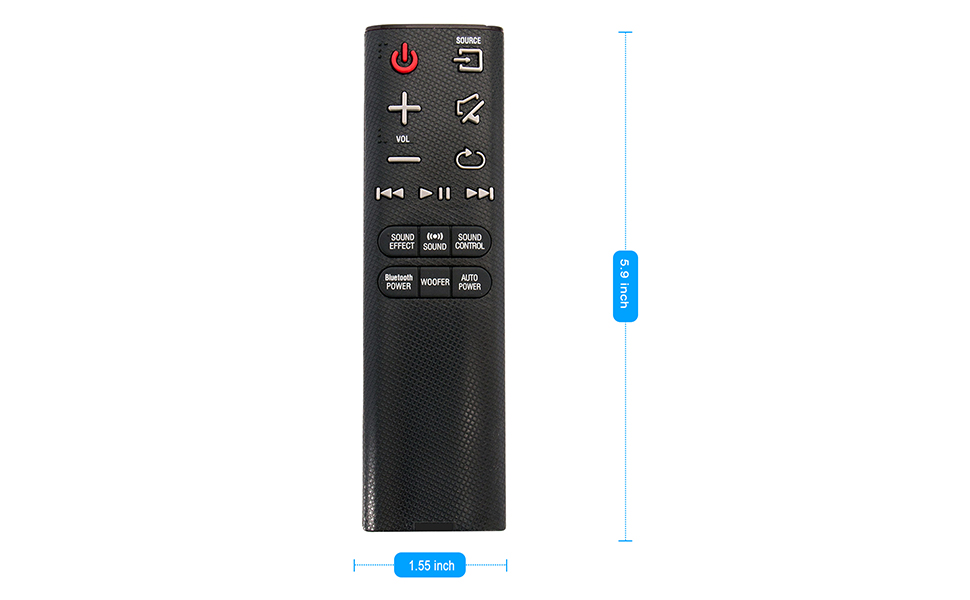
| Dimenzije predmeta (D x Š x V) | 5.9 cm x 1.55 cm x 0.5 cm |
| Posebna značajka | Unaprijed programirano |
Visual representation of the remote control's dimensions (length and width).
Informacije o jamstvu
This ZdalaMit remote control comes with a Jamstvo 1 godine from the date of purchase. This warranty covers manufacturing defects under normal use. It does not cover damage caused by misuse, accidents, unauthorized modifications, or battery leakage.
podrška
For any questions, concerns, or assistance regarding your ZdalaMit AH59-02692E replacement remote control, please contact the seller or manufacturer directly. Refer to your purchase documentation for specific contact details.
We are committed to providing reliable products and support.