
1. Proizvod je gotovview
The SAMCOM FPCN10A is a professional-grade UHF two-way radio designed for reliable long-range communication. It features a durable build, a high-capacity battery, and multiple channels with privacy codes for clear and secure conversations.
Sadržaj paketa
The SAMCOM FPCN10A radio kit includes the following items:
- SAMCOM FPCN10A Radios (2 units)
- Earpieces (2 units)
- Charger Bases with AC adapters (2 units)
- Kopče za remen (2 komada)
- Batteries (2 units)
- Antennas (2 units)
- korisnički priručnik

2. Postavljanje
2.1 Ugradnja i punjenje baterije
The SAMCOM FPCN10A radios are powered by a 3000mAh Lithium Polymer battery. Ensure the battery is fully charged before first use.
- To install the battery, align the battery pack with the back of the radio and slide it upwards until it clicks into place.
- To remove the battery, press the two small tabs on the sides of the radio (near the top of the battery compartment) and slide the battery downwards.
- Place the radio (with battery installed) into the charger base. The charger base connects to a standard AC wall outlet.
- The charging indicator light on the charger base will show the charging status. A full charge typically takes 4-5 hours.


2.2 Priključak antene
The radio comes with a detachable SMA female connector antenna. Carefully screw the antenna onto the connector at the top of the radio until it is finger-tight. Do not overtighten.
2.3 Pričvršćivanje kopče za remen
The belt clip can be attached to the back of the radio for convenient carrying. Align the belt clip with the designated slots on the battery pack and secure it with the provided screws.

3. Upute za rad
3.1 Uključivanje/isključivanje i kontrola glasnoće
- To power on the radio, rotate the top-left knob clockwise. You will hear a power-on tone and the display will illuminate.
- Continue rotating the same knob to adjust the volume. Clockwise increases volume, counter-clockwise decreases it.
- Za isključivanje, okrenite gumb suprotno od smjera kazaljke na satu dok ne klikne.
3.2 Odabir kanala
The SAMCOM FPCN10A features 20 channels. To select a channel:
- Rotate the top-right knob to cycle through the available channels. The selected channel number will be displayed on the LCD screen.
- The radio supports CTCSS/DCS codes to minimize interference and ensure private conversations within your group. These are typically pre-programmed.
3.3 Odašiljanje i primanje
- Za odašiljanje pritisnite i držite tipku Pritisni za razgovor (PTT) koja se nalazi sa strane radija. Govorite jasno u mikrofon.
- Otpustite PTT tipku za prekid odašiljanja i povratak u način prijema.
- The radio also supports Voice-Activated Transmission (VOX) for hands-free operation. This feature can be enabled or disabled through programming.
3.4 Funkcija grupnog poziva
The FPCN10A radios support a group call function, allowing you to communicate with multiple team members simultaneously across different channels. This feature enhances coordination for various operations.

3.5 Scanning Feature
The radio includes a scanning feature that allows it to automatically scan through programmed channels to detect active transmissions. This can be useful for monitoring multiple channels without manual switching.
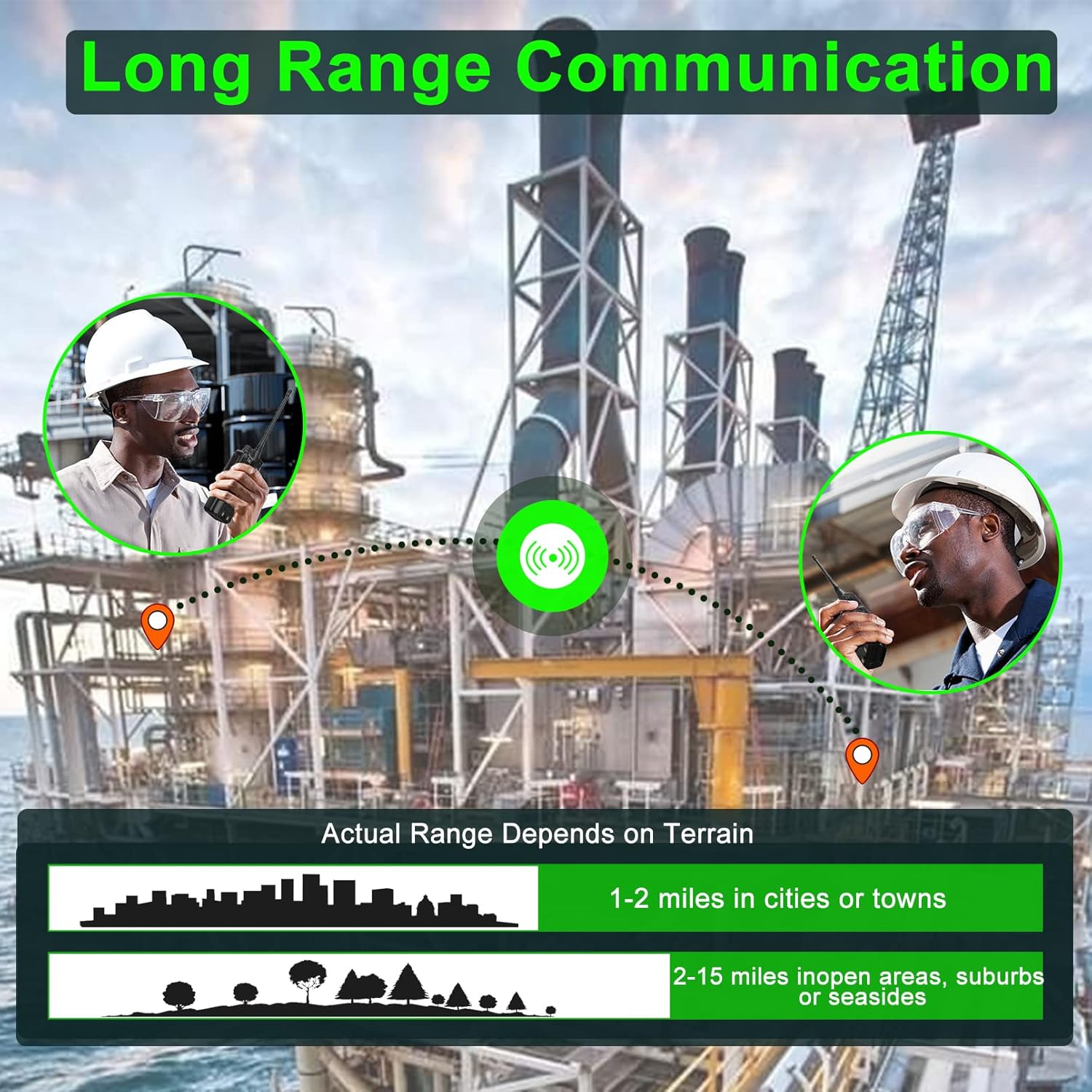
3.6 Domet komunikacije
The actual communication range of the FPCN10A radios varies depending on terrain and environmental conditions. Typical ranges are:
- 1-2 miles in cities or towns
- 2-15 miles in open areas, suburbs, or seasides
4. Održavanje
4.1 Njega baterija
The 3000mAh battery provides over 24 hours of talk time and up to 250 hours of standby time. To maximize battery life:
- U potpunosti napunite bateriju prije prve uporabe.
- Izbjegavajte prekomjerno punjenje ili potpuno pražnjenje baterije.
- Store the radio and battery in a cool, dry place when not in use.

4.2 Cleaning and Durability
The FPCN10A radios are designed to be rugged and durable, with resistance to dust, shock, and vibration, and a 2-meter drop rating. They are also water-resistant.
- Očistite vanjski dio radija mekom krpomamp tkanina. Ne koristite jake kemikalije ili abrazivna sredstva za čišćenje.
- Ensure the battery contacts are clean and dry.
- While water-resistant, avoid submerging the radio or exposing it to high-pressure water jets.
5. Rješavanje problema
5.1 Bez napajanja
- Check if the battery is properly installed and fully charged.
- Ensure the power/volume knob is rotated clockwise to the 'ON' position.
5.2 Cannot Transmit or Receive
- Verify that the radio is on the correct channel.
- Provjerite je li antena sigurno pričvršćena.
- Check that the battery has sufficient charge.
- Confirm that you are within the effective communication range.
- If using CTCSS/DCS codes, ensure they match the receiving radio.
5.3 Loša kvaliteta zvuka
- Podesite gumb za glasnoću.
- Provjerite da mikrofon i zvučnik nisu blokirani.
- Move to an area with less interference or closer to the other radio.
5.4 Problemi s programiranjem
The SAMCOM FPCN10A radios are programmable. If you encounter issues with channel settings or advanced features, specialized programming software and a programming cable are required. Refer to the SAMCOM support website for programming guides and software downloads.
6. Specifikacije
| Značajka | Detalj |
|---|---|
| Broj modela | FPCN10A-2025 |
| Frekvencijski raspon | UHF 406.1MHz-470MHz |
| Broj kanala | 20 |
| Vrsta baterije | Litij polimer |
| Kapacitet baterije | 3000 mAh |
| RF izlazna snaga | Do 2 W |
| Voltage | 7.4 volti |
| Težina artikla | 1.98 funti |
| Dimenzije proizvoda | 1.81"D x 5.63"Š x 1.81"V |
| Vrsta zaslona | LCD |
| Razina vodootpornosti | Otporan na vodu |
| FCC ID | 2AIOQ-FPCN10A |
7. Jamstvo i podrška
7.1 Informacije o jamstvu
The SAMCOM FPCN10A radios come with a 3-year manufacturer's warranty. Please retain your proof of purchase for warranty claims. The warranty covers defects in materials and workmanship under normal use.
7.2 Korisnička podrška
For technical assistance, troubleshooting, or warranty inquiries, please visit the official SAMCOM webweb-mjesto ili se obratite njihovoj službi za korisnike. Kontaktni podaci obično se nalaze na pakiranju proizvoda ili na proizvođačevim webmjesto.