
1. Proizvod je gotovview
The EJEAS V6 Bluetooth Intercom Headset is designed for clear communication among riders. It supports up to 6 rider connections with real-time intercom for 2 riders, offering a maximum range of 800m (600-800m in environments with interference). This device is suitable for most motorcycle helmets and features Bluetooth 5.1 connectivity, CVC noise reduction, and a large capacity battery.

Image: The EJEAS V6 Bluetooth Intercom unit, showing its compact design and control buttons.
2. Sadržaj paketa
Paket uključuje sljedeće stavke:
- 1 x Bluetooth Motorcycle Intercom Unit
- 1 x Ear Speaker and Microphone Headset
- 1 x USB kabel
- 2 x Self-adhesive Headphone Felt Pads
- 1 x odvijač
- 1 x Headphone Clamp and Mounting Screws
- 1 x korisnički priručnik

Image: All components included in the EJEAS V6 Bluetooth Intercom package, laid out neatly, including the intercom unit, headset, cables, and mounting accessories.
3. Raspored i kontrole uređaja
Familiarize yourself with the buttons and ports on your EJEAS V6 intercom unit.

Image: Detailed diagram showing the antenna, power on/off, phone/play, volume controls, and headphone jack on the EJEAS V6 intercom unit. Dimensions of the unit and cables are also shown.
- Antena: Za prijenos signala.
- Rider E / Power On/Off / Rider A: Multi-function buttons for power and intercom connections.
- Phone / Play: Button for call management and music playback.
- Rider B / Rider C / Rider D: Buttons for connecting to other intercom units.
- Glasnoća +/-: Podešava glasnoću zvuka.
- Priključak za slušalice: Connects the ear speaker and microphone headset.
4. Postavljanje i instalacija
4.1. Punjenje uređaja
Before first use, fully charge the intercom unit. The device features a Type-C interface for charging.

Image: The EJEAS V6 intercom unit connected to a power adapter via a USB-C cable for charging, also showing the Type-C interface for headphones and software upgrades.
The charging cable provided is for charging only and does not support data transmission. For software upgrades, use a Type-C data cable with data transmission functionality.
4.2. Pairing Two V6 Intercoms
Follow these steps to pair two EJEAS V6 intercom units for communication:
- Uključivanje: Short-press the intercom button on both devices to turn them on. The indicator light will flash blue.
- Uđite u način uparivanja: Long-press the intercom button on both devices until the indicator lights flash red and blue alternately.
- Odaberite glavni element: Choose one device as the master. Click the intercom button on the master device to start searching for the other unit.
- Uparivanje dovršeno: When both devices flash blue at the same rate, pairing is complete.
- Uđite u način rada interkoma: Kliknite gumb interkoma na glavnom uređaju za ulazak u način rada interkoma.
Video: A visual guide demonstrating the steps to pair two EJEAS V6 intercom units.
4.3. Reconnecting Two V6 Intercoms
To reconnect two V6 intercoms after initial pairing:
- Uređaji za pokretanje: Short-press the intercom button on both V6 intercoms to turn them on.
- Pokretanje veze: Click the intercom button on either device (master or slave) to initiate the connection.
Video: A visual guide demonstrating how to pair and reconnect EJEAS V6 intercom units.
5. Upute za rad
5.1. Interfonska komunikacija
The V6 system supports up to 6 rider connections and real-time intercom for 2 riders. The maximum effective distance is 800 meters.

Image: An illustration depicting six motorcycle riders connected via the EJEAS V6 intercom system, highlighting the 1200m ideal distance.
5.2. Bluetooth povezivanje
The intercom connects to mobile phones and GPS devices via Bluetooth 5.1. Key functions include:
- Slušanje glazbe
- Receiving voice commands from GPS
- Activating Siri and other mobile assistants
- Automatic call answering within 5 seconds
- Ending calls with a single button
- Ponovno biranje zadnjeg poziva
5.3. Smanjenje buke
The V6 features advanced DSP noise reduction technology, which effectively reduces background noise by over 90%. This ensures clear voice quality even at speeds up to 120 km/h.
6. Baterija i izdržljivost
The EJEAS V6 intercom is equipped with an 850 mAh large capacity battery.
- Vrijeme korištenja: Do 18 sati
- Vrijeme pripravnosti: Do 260 sati
The device is IP67 waterproof, making it suitable for various applications and weather conditions.
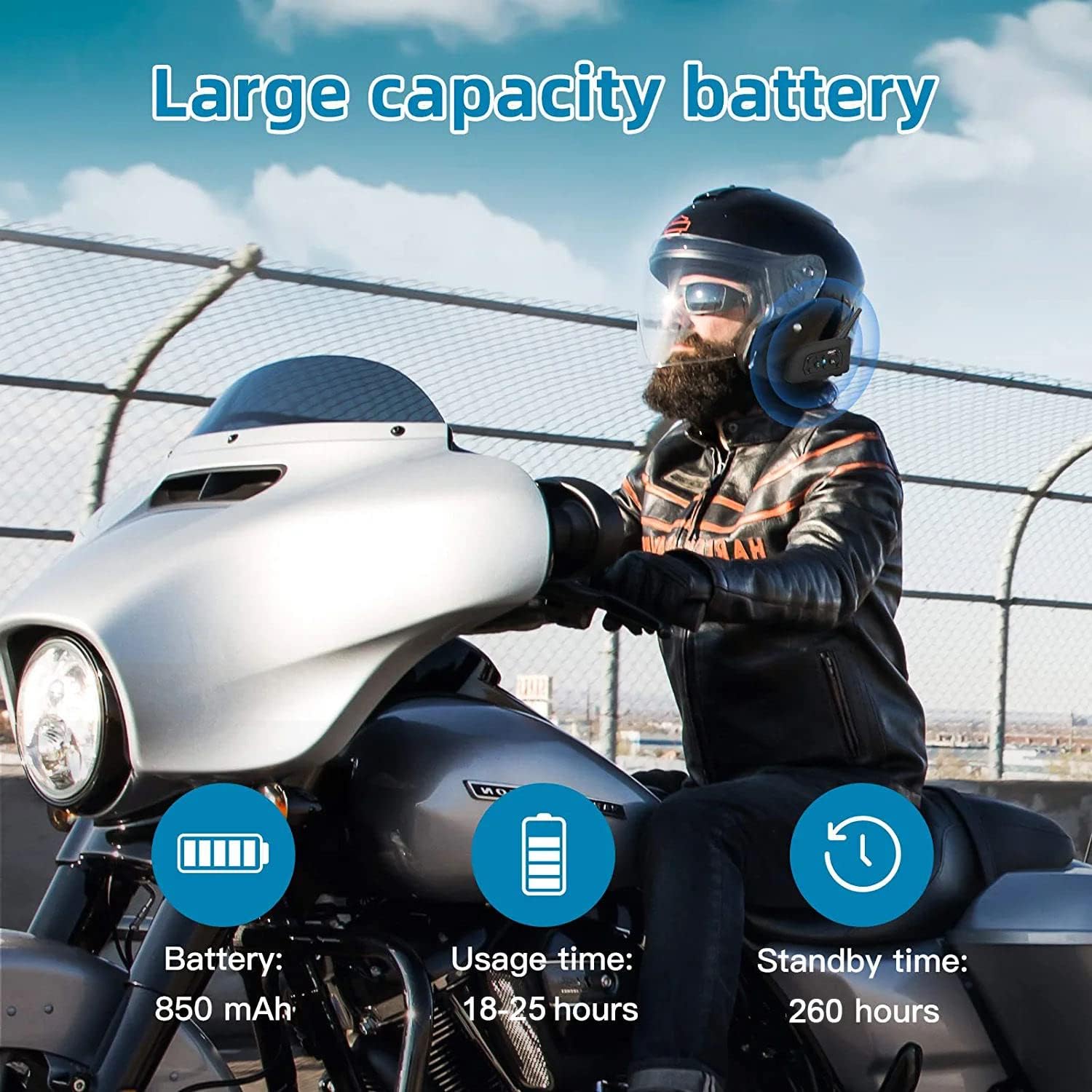
Image: An illustration highlighting the large battery capacity (850mAh), usage time (18-25 hours), standby time (260 hours), Bluetooth 5.1 chip, IP65 waterproof rating, GPS support, DSP noise reduction, 2-person real-time chat, call function, and music playback.
7. Prijave
The EJEAS V6 Bluetooth headset is versatile and can be used in various scenarios, including:
- Motorcycle riding
- Skijanje
- Gradilišta
- Referee communication

Image: A collage showing the EJEAS V6 intercom being used for motorcycle riding, skiing, referee communication, and on a construction site.
8. Specifikacije
| Značajka | Detalj |
|---|---|
| Marka | EJEAS |
| Naziv modela | V6 |
| Tehnologija povezivanja | Bežično (Bluetooth) |
| Bluetooth verzija | 3.0 |
| Postavljanje uha | Nad uho |
| Form Factor | U uho |
| Kontrola buke | Aktivno poništavanje buke |
| Priključak za slušalice | USB-C |
| Impedancija | 50 Ohma |
| Frekvencijski raspon | 20 Hz – 20,000 Hz |
| Kapacitet baterije | 850 mAh |
| Vrijeme punjenja baterije | 3 sata |
| Trajanje baterije (stanje mirovanja) | 260 sata |
| Razina vodootpornosti | Vodootporan |
| Materijal | Plastični |
| Vrsta kontrole | Kontrola glasnoće |
| Metoda kontrole | Voice-controlled, Touch |
| Kompatibilni uređaji | Motocikli |
9. Rješavanje problema
If you encounter any issues with your EJEAS V6 intercom, please consider the following:
- Bez napajanja: Provjerite je li uređaj potpuno napunjen. Spojite ga na izvor napajanja pomoću priloženog USB-C kabela.
- Problemi s uparivanjem: Repeat the pairing steps carefully. Ensure both devices are in pairing mode (flashing red and blue) before initiating the search from the master unit.
- Isključenje interfona: If the intercom disconnects, try re-initiating the connection by pressing the intercom button on either unit. Ensure you are within the effective range (up to 800m).
- Loša kvaliteta zvuka: Check the microphone and speaker placement within your helmet. Ensure the CVC noise reduction is active.
- Bluetooth Connection to Phone: If your phone doesn't connect, ensure Bluetooth is enabled on your phone and the V6 is in pairing mode. Forget the device on your phone and try pairing again.
10. Jamstvo i podrška
For warranty information and technical support, please refer to the official EJEAS webweb-mjesto ili se obratite prodavaču. Sačuvajte račun za kupnju u slučaju reklamacije.