
1. Uvod
The Zerone K-1028E is a universal remote control designed for use with a wide range of air conditioning units. This remote offers comprehensive functionality, including temperature adjustment, mode selection, fan speed control, and timer settings, providing a convenient replacement for lost or damaged original air conditioner remotes. Its compact design and clear LCD screen ensure ease of use.
2. Sigurnosne informacije
- Ne miješajte stare i nove baterije.
- Ne miješajte alkalne, standardne (ugljik-cink) ili punjive (nikl-kadmij) baterije.
- Izvadite baterije ako daljinski upravljač nećete koristiti dulje vrijeme kako biste spriječili curenje.
- Daljinski upravljač držite dalje od izravne sunčeve svjetlosti, izvora topline i vlage.
- Izbjegavajte ispuštanje ili izlaganje daljinskog upravljača jakim udarcima.
3. Proizvod je gotovview
The K-1028E remote control features an ergonomic design with clearly labeled buttons and a large LCD display for easy readability. It includes essential functions such as power, mode, temperature control, fan speed, and a dedicated light button.

This image displays the front of the Zerone K-1028E universal air conditioner remote control, highlighting its compact size with approximate dimensions of 13.3 cm in length, 5 cm in width, and 2.3 cm in thickness. The LCD screen and primary control buttons are visible.

A hand is shown holding the remote control, with the LCD screen clearly visible. The display shows a temperature setting of 26°C, along with icons indicating various modes and functions, demonstrating the remote in active use.
4. Postavljanje
4.1 Ugradnja baterije
- Otvorite poklopac pretinca za baterije na stražnjoj strani daljinskog upravljača.
- Umetnite dvije AAA baterije, pazeći na ispravan polaritet (+ i -).
- Čvrsto zatvorite poklopac odjeljka za baterije.
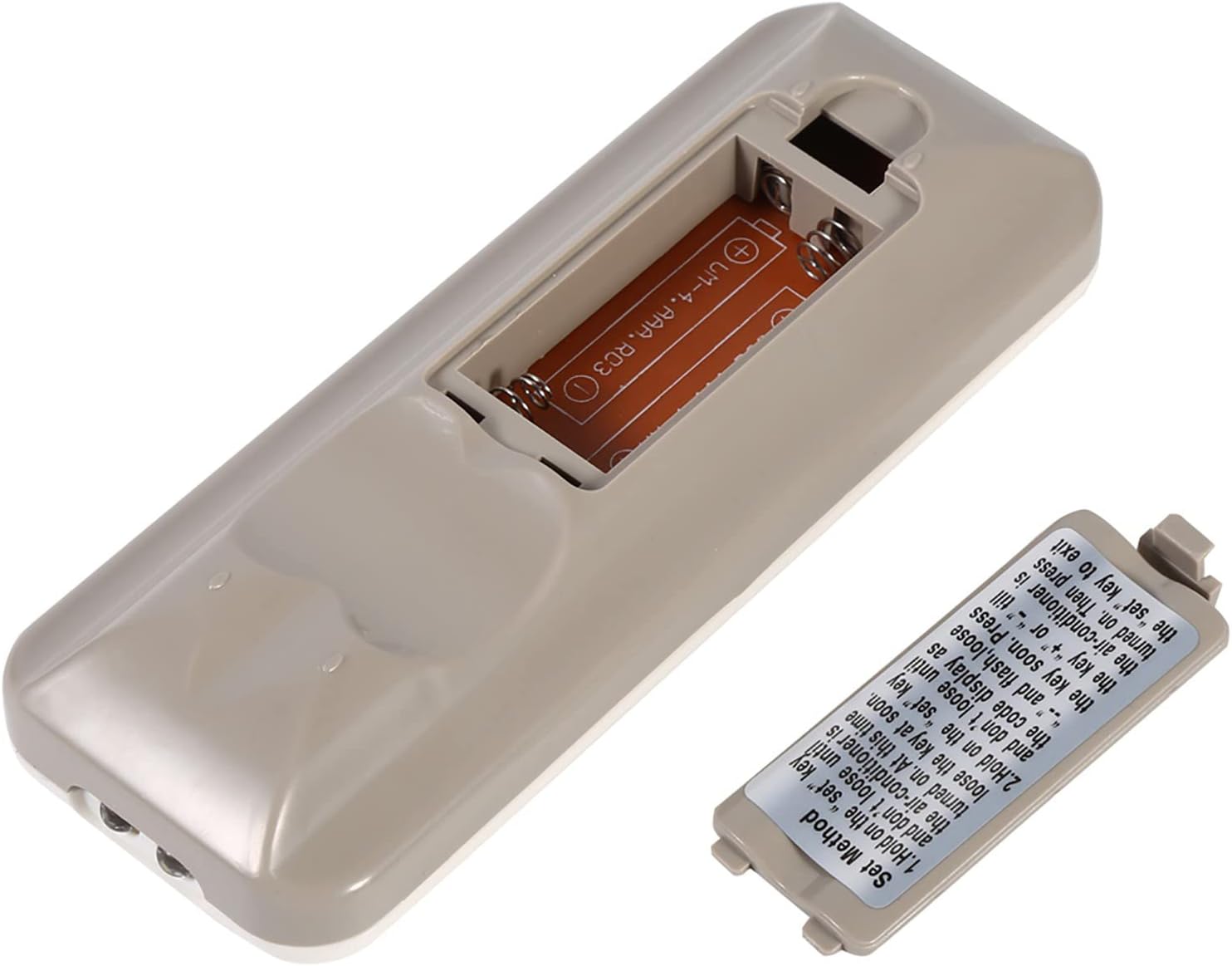
The back of the remote control is shown with the battery compartment cover removed, revealing the slot for two AAA batteries. This illustrates where to insert or replace the power source.
4.2 Programming the Remote (Automatic Search Method)
This method allows the remote to automatically search for the correct code for your air conditioner.
- Ensure your air conditioner unit is powered off.
- Pritisnite i držite SET button on the remote control. Continue holding until your air conditioner unit turns on. Once the air conditioner turns on, immediately release the SET dugme.
- Alternatively, if the above step does not work, press and hold the SET button until the code display on the remote's LCD screen shows "--" and begins to flash. Release the SET dugme.
- While the code is flashing, press the + or - buttons repeatedly until your air conditioner unit turns on.
- Once the air conditioner turns on, press the SET button again to confirm the code and exit the programming mode.
- Test all functions of the remote control to ensure proper operation. If some functions do not work, repeat the programming process to find a more compatible code.

Ova slika pruža detaljan prikaz view of the 'Set Method' instructions sticker located on the back of the remote control. It outlines the steps for automatically programming the remote to an air conditioner unit.
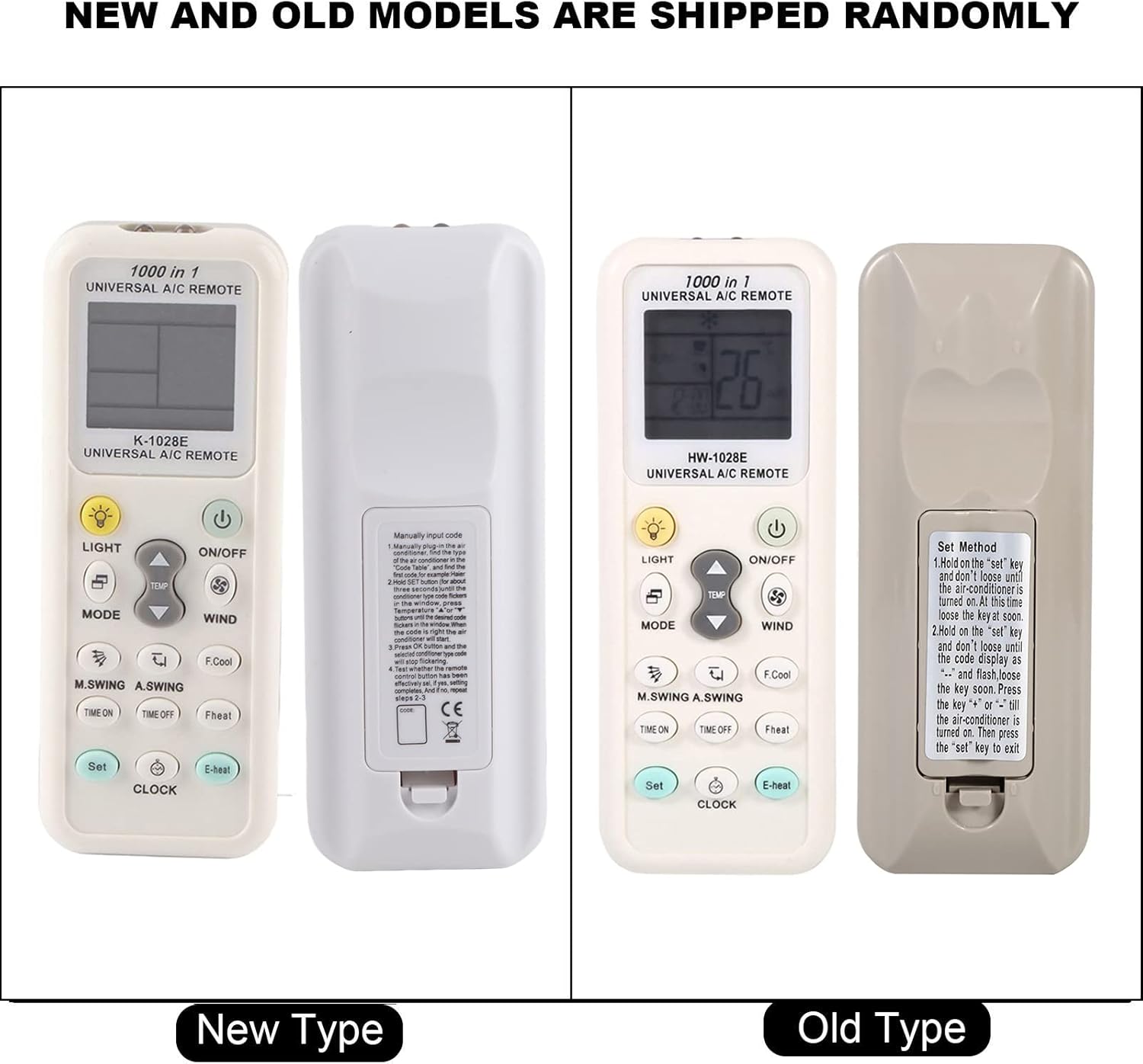
This image compares two versions of the K-1028E remote control, labeled 'New Type' and 'Old Type'. It illustrates slight variations in button arrangement and the instruction sticker on the back panel, indicating potential minor design updates over time. The programming method remains consistent.
5. Upute za rad
- Tipka ON/OFF: Pritisnite za uključivanje ili isključivanje klima uređaja.
- Gumb MODE: Press to cycle through available operating modes: Auto, Cool, Dry, Fan, Heat.
- Tipke TEMP ▲/▼: Pritisnite za povećanje ili smanjenje željene postavke temperature.
- WIND (Fan Speed) Button: Pritisnite za podešavanje brzine ventilatora (npr. Automatski, Nisko, Srednje, Visoko).
- M.SWING/A.SWING Button: Controls the horizontal or vertical swing of the air conditioner's louvers.
- TIME ON/TIME OFF Buttons: Koristi se za postavljanje timera za automatsko uključivanje ili isključivanje klima uređaja.
- LIGHT tipka: Activates or deactivates the backlight on the remote's LCD screen or the air conditioner's display light (if supported).
- Gumb SET: Used for programming the remote and confirming settings.
- Gumb SAT: Koristi se za postavljanje trenutnog vremena na zaslonu daljinskog upravljača.
6. Održavanje
- Redovito čistite daljinski upravljač mekom, suhom krpom. Nemojte koristiti tekuća sredstva za čišćenje ili abrazivne materijale.
- If the remote control is not responding or the display is dim, replace the batteries.
- Daljinski upravljač čuvajte na hladnom i suhom mjestu kada ga ne koristite dulje vrijeme.
7. Rješavanje problema
- Daljinski upravljač ne radi: Ensure batteries are inserted correctly and are not depleted. Reprogram the remote using the automatic search method. Ensure there are no obstructions between the remote and the air conditioner's receiver.
- Ograničena funkcionalnost: If some functions do not work after programming, it may indicate that the selected code is not fully compatible. Try repeating the automatic search method to find an alternative, more compatible code.
- Problemi s prikazom: If the LCD display is dim or incomplete, replace the batteries.
8. Specifikacije
| Marka | Zerone |
| Broj modela | K-1028E |
| Težina artikla | 0.704 unce (približno 20 grama) |
| Kompatibilni uređaji | Klima uređaj |
| Maksimalni broj podržanih uređaja | 1 (Universal for many AC brands) |
| Posebna značajka | Univerzalna kompatibilnost |
9. Jamstvo i podrška
Za informacije o jamstvu ili tehničku podršku, molimo pogledajte dokumentaciju koju ste dobili uz kupnju ili se obratite prodavaču. Sačuvajte račun kao dokaz o kupnji.