
1. Uvod
The SUNMI L2 SmartOrder is a rugged industrial terminal designed for various business applications requiring mobility and data capture. It features an Android 7.1 operating system, a 5-inch display, and an integrated 1D/2D Zebra scanner. This manual provides essential information for the proper setup, operation, and maintenance of your device.
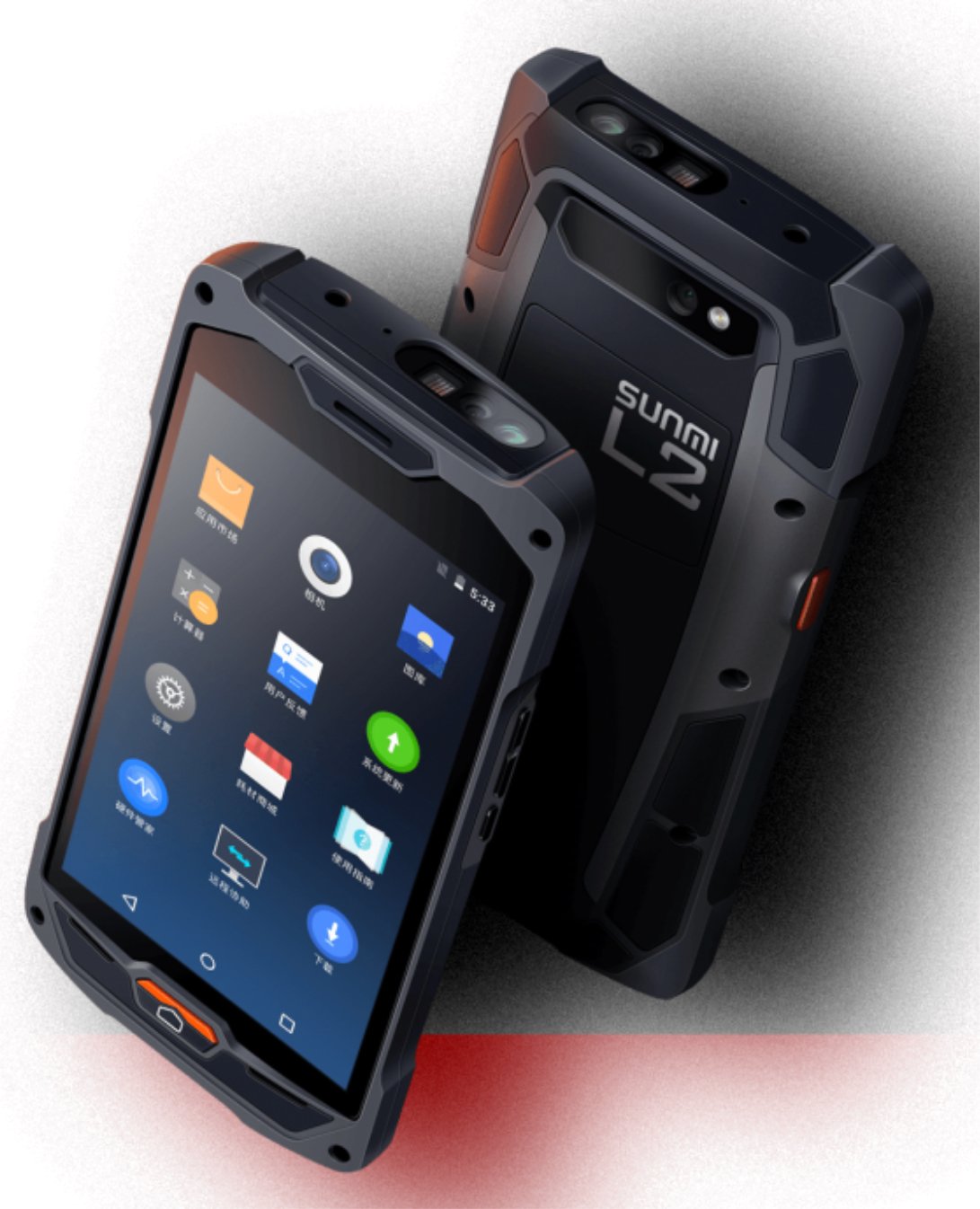
Slika 1: Prednji i stražnji dio view of the Sunmi L2 SmartOrder industrial terminal.
2. Sigurnosne informacije
Prije upotrebe uređaja pročitajte sve sigurnosne upute kako biste spriječili ozljede ili oštećenja. Sačuvajte ovaj priručnik za buduću upotrebu.
- Ne izlažite uređaj ekstremnim temperaturama, izravnoj sunčevoj svjetlosti ili visokoj vlažnosti.
- Use only SUNMI-approved accessories and power adapters.
- Izbjegavajte ispuštanje ili izlaganje uređaja jakim udarcima, unatoč njegovom robusnom dizajnu.
- Ne pokušavajte sami rastavljati ili popravljati uređaj. Obratite se kvalificiranom servisnom osoblju.
- Držite uređaj dalje od medicinskih uređaja, jer bi mogao ometati njihov rad.
3. Uređaj prekoview
The SUNMI L2 SmartOrder is designed for durability and functionality. Key features include:
- Zaslon od 5 inča: High-resolution touchscreen for clear visibility.
- 1D/2D Zebra Scanner: Integrated for efficient barcode and QR code scanning.
- USB-C priključak: Za punjenje i prijenos podataka.
- Utor za SIM karticu: For cellular network connectivity.
- Utor za TF kartice: Za proširivu pohranu.
- PSAM Card Slot (Optional): For enhanced security in professional applications.
- Područje NFC indukcije: For near-field communication.

Slika 2: Stražnji dio view showing SIM card slot, TF card slot, PSAM card slot, and NFC induction area.

Figure 3: Three different scanner options for the Sunmi L2: Zebra Code Scanner, Standard Code Scanner, and without scanner.
4. Postavljanje
4.1. Ugradnja i punjenje baterije
The device is equipped with a 5000mAh high-volume battery. Ensure the battery is fully charged before initial use.
- Spojite priloženi USB-C kabel na USB-C priključak na uređaju.
- Connect the other end of the USB-C cable to a compatible power adapter and plug it into a power outlet.
- The charging indicator will illuminate. Allow the device to charge completely before disconnecting.

Figure 4: Illustration of the 5000mAh high-volume battery with Quick Charge technology.
4.2. Instalacija SIM i TF kartice
To install SIM or TF cards:
- Locate the card slot cover on the rear of the device (refer to Figure 2).
- Pažljivo otvorite poklopac.
- Insert the SIM card into the designated SIM card slot with the gold contacts facing down.
- Insert the TF card (microSD) into the TF card slot if additional storage is required.
- Close the card slot cover securely to maintain the device's IP67 rating.
4.3. Početno uključivanje
After charging, press and hold the power button located on the side of the device until the screen illuminates and the SUNMI logo appears. The device will boot into the Android 7.1 operating system.
5. Upute za rad
5.1. Osnovna navigacija
The SUNMI L2 operates on Android 7.1. Navigate the interface using the touchscreen. Swipe to unlock, tap icons to open applications, and use the navigation buttons (Home, Back, Recent Apps) as standard for Android devices.
5.2. Using the 1D/2D Zebra Scanner
The integrated Zebra scanner is located at the top of the device.
- Otvorite aplikaciju za skeniranje na svom uređaju.
- Point the scanner window at the barcode or QR code you wish to scan.
- Press the dedicated scan button (if available on your model) or trigger the scan via the software interface.
- Ensure the barcode is well-lit and within the scanner's optimal range for accurate reading.

Slika 5: Donji dio view of the Sunmi L2, highlighting its rugged design and integrated scanner.
5.3. Povezivost
Uređaj podržava razne mogućnosti povezivanja:
- WLAN (Wi-Fi): Supports 2.4 GHz and 5 GHz bands. Access Wi-Fi settings from the Android system menu to connect to available networks.
- Bluetooth (BT): Pair with other Bluetooth-enabled devices such as printers or headsets via the Bluetooth settings.
- GPRS/LTE: Utilize cellular data by inserting a SIM card and configuring network settings.
- NFC: For short-range wireless communication, typically used for contactless payments or data exchange.
6. Održavanje
6.1. Čišćenje uređaja
Za održavanje performansi i izgleda uređaja:
- Koristite mekanu krpu koja ne ostavlja dlačice dampoprati vodom ili blagim sredstvom za čišćenje ekrana.
- Avoid using harsh chemicals, abrasive cleaners, or solvents, as these can damage the device's surface and seals.
- Ensure all port covers are securely closed before cleaning to maintain water and dust resistance.
6.2. Briga o bateriji
Pravilna njega baterije produžuje njezin vijek trajanja:
- Izbjegavajte često potpuno pražnjenje baterije.
- Ne izlažite uređaj ekstremnoj toplini ili hladnoći, jer to može smanjiti performanse baterije.
- Ako uređaj skladištite dulje vrijeme, napunite bateriju do otprilike 50% i pohranite je na hladnom i suhom mjestu.
6.3. Skladištenje
When not in use, store the SUNMI L2 in a cool, dry environment, away from direct sunlight and corrosive materials.
7. Rješavanje problema
This section addresses common issues you might encounter with your SUNMI L2 device.
- Uređaj se ne uključuje: Ensure the battery is sufficiently charged. Connect the device to a power source and attempt to power it on again.
- Skener ne radi: Verify that the scanning application is active and the scanner is enabled in the device settings. Ensure the barcode is clean, undamaged, and properly illuminated.
- Problemi s povezivanjem (Wi-Fi/Mobilna mreža): Check your Wi-Fi network connection or cellular data settings. Ensure the SIM card is correctly inserted. Try restarting the device.
- Zaslon osjetljiv na dodir ne reagira: Ponovno pokrenite uređaj. Ako se problem nastavi, obratite se podršci.
8. Specifikacije
Key technical specifications for the SUNMI L2 SmartOrder:
| Broj modela | Sunmi L2 Zebra T8900 |
| Operativni sustav | Android 7.1 |
| Prikaz | 5 inča |
| CPU | Četverojezgreni |
| OVAN | 2 GB |
| ROM | 16 GB |
| Skener | 1D/2D Zebra Scanner |
| Povezivost | USB-C, WLAN 2.4/5 GHz, Bluetooth, GPRS, LTE, NFC |
| Baterija | 5000mAh (up to 2 days use, 30 days standby) |
| Izdržljivost | IP67 rated (dust-proof, water-resistant, drop-resistant) |
| Radna temperatura | -20°C do +55°C |
| Težina | 349.27 g |
| Kompatibilni uređaji | Desktop computer, Laptop, POS, Smartphone, Tablet |

Figure 6: Sunmi L2 device partially submerged in water, demonstrating its IP67 dust-proof and water-resistant capabilities.
9. Jamstvo i podrška
For detailed warranty information, technical support, or service inquiries, please refer to the official SUNMI website or contact your authorized SUNMI distributor. Please retain your purchase receipt as proof of purchase for any warranty claims.