
Uvod
This manual provides detailed instructions for the setup, operation, and maintenance of your VTech VT1301-3 Triple Cordless Phone system. Please read this guide thoroughly to ensure optimal performance and longevity of your device. This system features digital enhanced clarity for clear communication and includes three handsets for convenience.
1. Postavljanje
1.1 Raspakiranje i komponente
Pažljivo raspakirajte sve predmete iz kutije. Provjerite jesu li svi dijelovi prisutni:
- Glavna osnovna jedinica
- Three cordless handsets
- Three charging cradles
- Three power adapters
- One telephone line cord
- Rechargeable batteries (pre-installed or separate)

Image: The VTech VT1301-3 triple cordless phone system, showing the blue, red, and green handsets with their respective charging bases and power adapters.
1.2 Spajanje osnovne jedinice
- Connect one end of the telephone line cord to the TEL LINE jack on the back of the main base unit.
- Drugi kraj telefonskog kabela spojite na zidnu telefonsku utičnicu.
- Plug the power adapter into the POWER jack on the main base unit.
- Drugi kraj ispravljača priključite u električnu utičnicu.
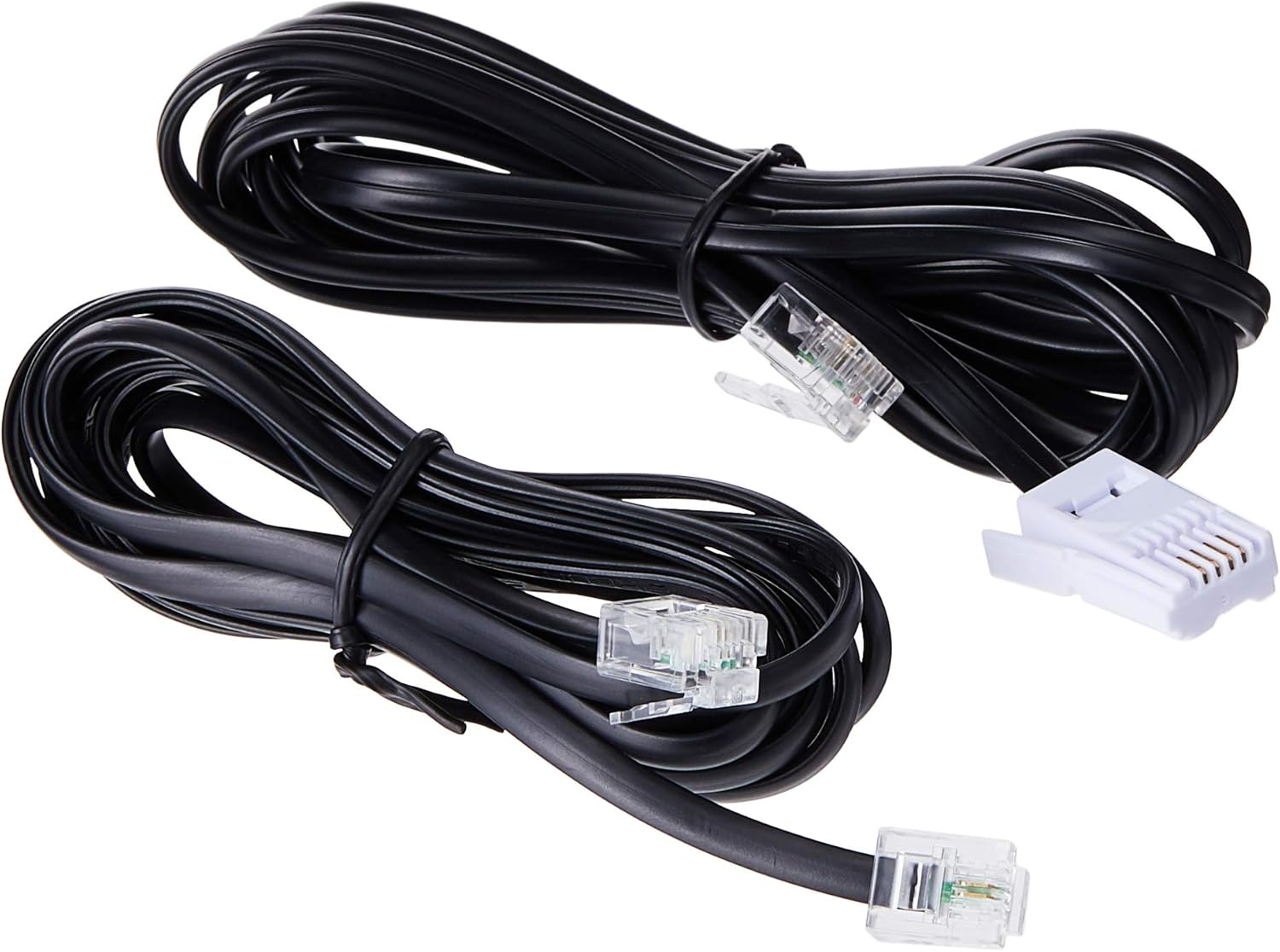
Image: Two black telephone line cords, essential for connecting the base unit to a telephone wall jack.
1.3 Punjenje slušalica
Before initial use, charge each handset for at least 16 hours. Place each handset face forward in its respective charging cradle. The charge indicator on the handset or base will illuminate to confirm proper placement and charging.
- Ensure the power adapters for all charging cradles are plugged into electrical outlets.
- Place each handset securely in its cradle.
- A full charge ensures optimal battery performance.
2. Upute za rad
2.1 Osnovne funkcije poziva

Slika: Detaljna view of the VTech VT1301-3 handset, highlighting its large character blue backlit LCD display and functional keypad.
- Upućivanje poziva: Pritisnite RAZGOVOR, a zatim birajte broj. Alternativno, prvo birajte broj, a zatim pritisnite RAZGOVOR.
- Odgovaranje na poziv: Kad zazvoni telefon, pritisnite RAZGOVOR ili bilo koju tipku za biranje (0-9, #, *).
- Završetak poziva: Pritisnite ISKLJUČENO or place the handset back in its charging cradle.
- Zvučnik slušalice: Tijekom poziva pritisnite spikerfon button (often integrated with TALK or a separate icon) to activate or deactivate the speakerphone.
2.2 Napredne značajke
- Imenik imenika: Spremite do 20 imena i brojeva. Pristupite putem IZBORNIK / OK gumb i idite do opcije Telefonski imenik.
- ID pozivatelja: The phone displays the last 10 caller numbers. Press CID (Caller ID) to review popis.
- Ponovno biranje: Pritisnite PONOVNO do view and redial the last 5 numbers called.
- Prijenos poziva: Tijekom vanjskog poziva pritisnite IZBORNIK / OK, select 'Transfer', and choose the internal handset to transfer the call to.
- Interni pozivi: Make calls between handsets by pressing the INT or IZBORNIK / OK button and selecting the desired handset.
- Trostrani konferencijski poziv: Initiate a 3-way conference call involving two internal handsets and one external line.
- Page/Handset Locator: Pritisnite tipku STRANICA button on the main base unit to locate a misplaced handset.
- Ringer Melodies: Choose from 10 ringer melodies (5 polyphonic and 5 standard) in the handset settings.
- Zaključavanje tipkovnice: Pritisnite i držite # key to lock/unlock the keypad.
- Alarm: Set an alarm through the handset menu.
3. Održavanje
3.1 Čišćenje telefona
Da biste telefon održali čistim, obrišite ga mekom, blagoamp cloth. Do not use cleaning sprays or harsh chemicals as they may damage the finish or electrical components. Ensure the phone is disconnected from power before cleaning.
3.2 Njega baterija
- Always use the VTech approved rechargeable batteries provided with your phone.
- For optimal battery life, avoid placing the phone in direct sunlight or in areas with extreme temperatures.
- Ako se telefon neće koristiti dulje vrijeme, izvadite baterije kako biste spriječili curenje.
4. Rješavanje problema
If you experience any issues with your VTech VT1301-3 phone, please refer to the following common solutions:
- Nema tona biranja: Ensure the telephone line cord is securely connected to both the base unit and the wall jack. Check if the power adapter is properly connected to the base unit and an electrical outlet.
- Ne možete upućivati ili primati pozive: Verify that the handset batteries are charged. Check the telephone line connection. If you have a DSL service, ensure a DSL filter is installed.
- Loša kvaliteta zvuka: Move closer to the base unit. Ensure there are no large metal objects or other electronic devices interfering with the signal. Check for any loose connections.
- Slušalica se ne puni: Ensure the handset is correctly seated in the charging cradle. Verify that the charging cradle's power adapter is plugged into a working electrical outlet. Clean the charging contacts on both the handset and cradle with a dry cloth.
- Handset displays "Out of Range" or "No Link": Move the handset closer to the main base unit. If the issue persists, try resetting the base unit by unplugging its power adapter for a few minutes, then plugging it back in.
5. Specifikacije
| Značajka | Opis |
|---|---|
| Broj modela | VT1301-3 |
| Vrsta telefona | Bežični (DECT) |
| Raspon razgovora | Up to 300m (outdoor)* |
| Radiation Mode | Ultra-low Radiation Mode** |
| Prikaz | Large character with blue backlit LCD display |
| Telefonski imenik | 20 Name and Number entries |
| Prikaz ID-a pozivatelja | 10 caller number display |
| Ponovno biranje zadnjeg broja | 5 last number redial |
| Ringer Melodies | 10 (5 polyphonic and 5 standard) |
| Konferencijski poziv | 3-Way conference call capability |
| Izvor napajanja | Električni na kabel |
| UPC | 735078040251 |
* The actual talk range may vary depending on environmental conditions.
** Ultra-low Radiation Mode operates with the lowest radiation.
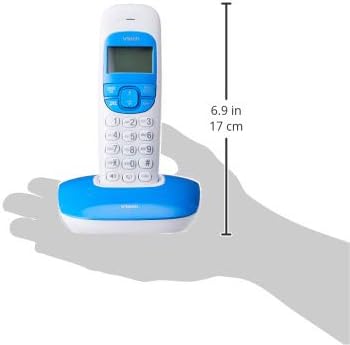
Image: Dimensions of a VTech cordless phone handset in its charging cradle, showing a height of 17 cm.
6. Jamstvo i podrška
For specific warranty terms and conditions, please refer to the warranty card included in your product packaging. This document outlines the coverage period and conditions for service.
For technical support, frequently asked questions, or to download the latest version of this manual, please visit the official VTech webweb-mjesto ili se obratite njihovoj službi za korisnike koristeći kontaktne podatke navedene u dokumentaciji proizvoda.