
1. Uvod
The StarTech.com SV231DPU34K is a 2-Port DisplayPort KVM Switch designed to allow control of two DisplayPort-enabled computers from a single monitor, keyboard, and mouse. This device supports high-resolution video up to 4K at 60Hz and includes an integrated USB 3.0 hub for sharing additional USB peripherals between connected systems. It also features 3.5mm analog audio switching and offers flexible control via front-panel push buttons or hotkey commands.
2. Sadržaj paketa
- 1x KVM Switch (SV231DPU34K)
- 1x Universal Power Adapter (NA/JP, EU, UK, ANZ)
- 4x Rubber Foot Pads
3. Proizvod je gotovview
3.1 Prednja ploča
The front panel provides convenient access to a USB HID port, a USB 3.0 port, and selection buttons for switching between connected computers.

Slika 1: Front Panel of the SV231DPU34K KVM Switch. Features include a USB HID port, a USB 3.0 port, and two computer selection buttons (1 and 2) with a 'SELECT' button.
3.2 Stražnja ploča
The rear panel houses the power input, console DisplayPort and USB HID ports, and dedicated DisplayPort, USB, and audio ports for each connected PC.
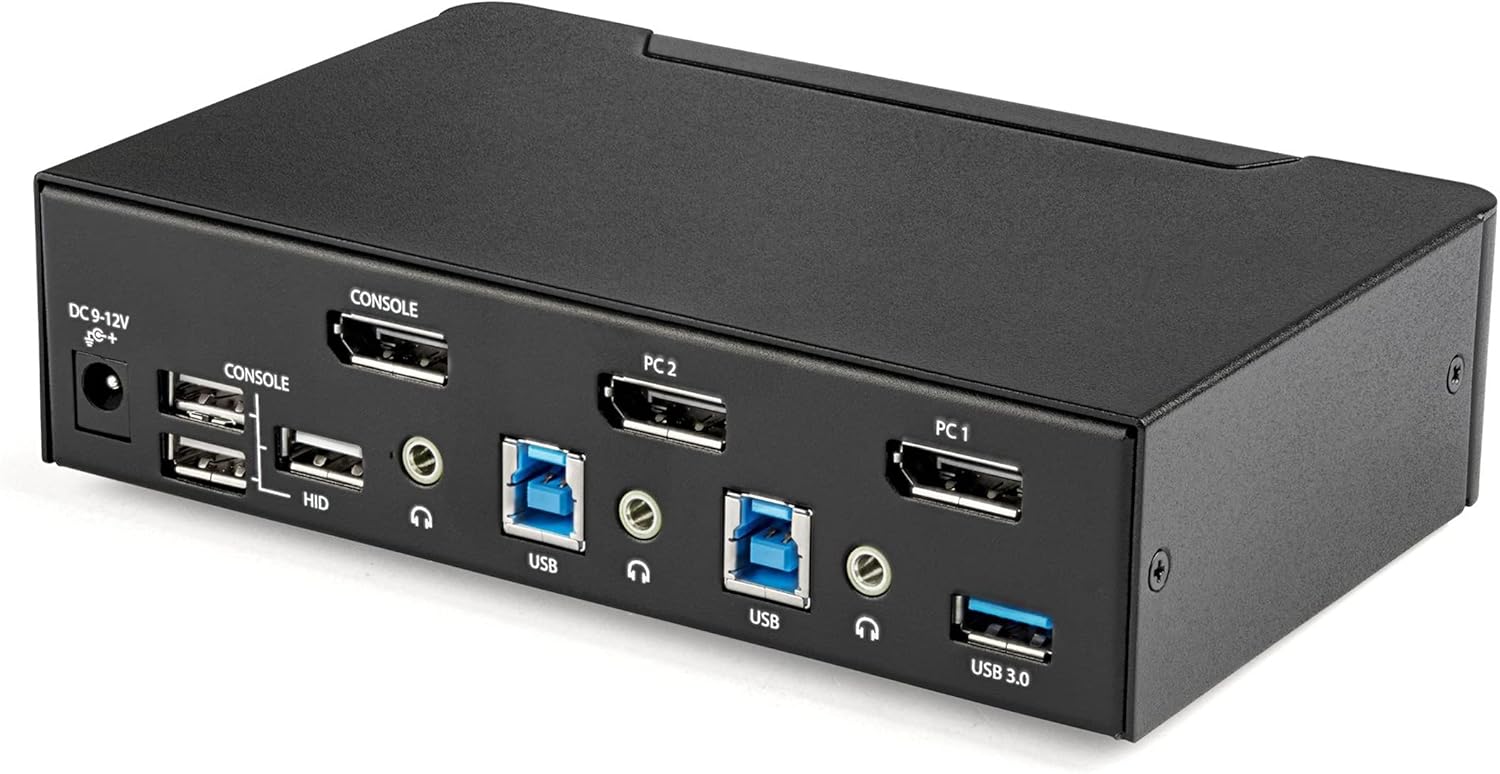
Slika 2: Rear Panel of the SV231DPU34K KVM Switch. Connections include DC 9-12V power, Console DisplayPort, Console USB HID ports, and individual DisplayPort, USB 3.0 Type-B, and 3.5mm audio jacks for PC1 and PC2.
3.3 Labeled Diagram
Ovaj dijagram pruža sveobuhvatan view of all ports and their functions on both the front and rear panels.

Slika 3: Labeled diagram illustrating all ports on the SV231DPU34K KVM Switch, including console connections for monitor, keyboard, and mouse, and PC connections for two computers.
4. Upute za postavljanje
Follow these steps to set up your StarTech.com SV231DPU34K KVM Switch:
- Uređaji za isključivanje: Ensure all computers, monitors, and peripherals are powered off before beginning the installation.
- Connect Console Devices:
- Connect your DisplayPort monitor to the CONSOLE DisplayPort on the rear of the KVM switch.
- Spojite USB tipkovnicu i miš na CONSOLE HID USB Type-A ports on the rear of the KVM switch.
- If using external speakers or a microphone, connect them to the CONSOLE 3.5mm audio jacks na stražnjoj strani.
- Connect Computers (PC1 and PC2): Za svako računalo:
- Connect a DisplayPort cable from your computer's DisplayPort output to the corresponding PC1 DisplayPort or PC2 DisplayPort input on the KVM switch.
- Connect a USB 3.0 Type-A to Type-B cable from your computer's USB 3.0 port to the corresponding PC1 USB 3.0 Type-B or PC2 USB 3.0 Type-B input on the KVM switch.
- If using audio, connect 3.5mm audio cables from your computer's audio output/input to the corresponding PC1/PC2 3.5mm audio jacks.
- Spojite USB periferne uređaje: Connect any additional USB 3.0 peripherals (e.g., USB hub, printer, flash drive) to the USB 3.0 Type-A portovi on the front or rear of the KVM switch.
- Priključite napajanje: Connect the included universal power adapter to the Ulazno napajanje DC 9-12V on the rear of the KVM switch, then plug it into a power outlet.
- Uključivanje: Power on the KVM switch, then power on your monitor, and finally power on your connected computers.
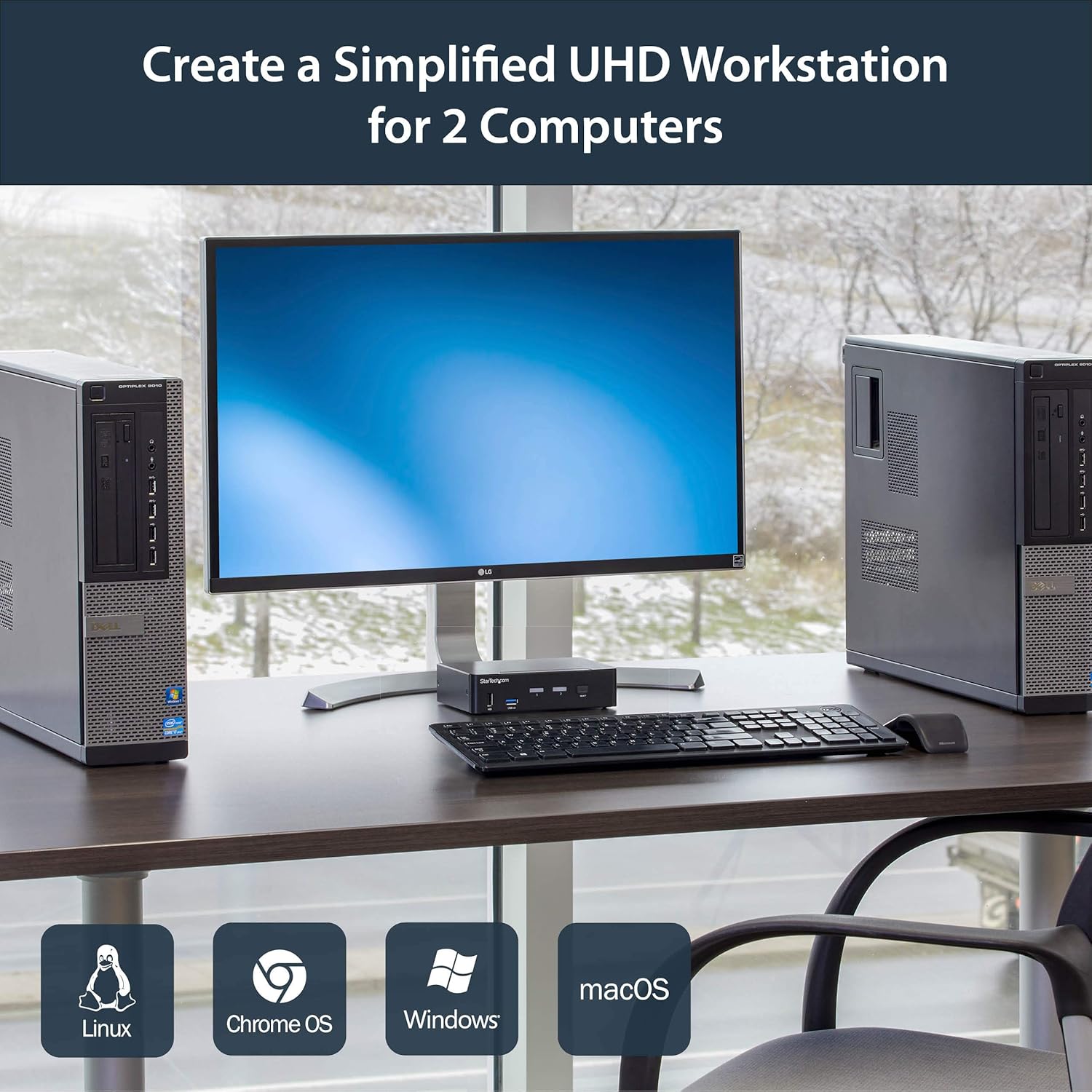
Slika 4: Connection diagram for the SV231DPU34K KVM Switch, showing how two computers share one display and peripherals.
5. Upute za rad
The SV231DPU34K KVM Switch offers two methods for switching between connected computers:
5.1 Front Panel Push Buttons
Pritisnite odgovarajuće ODABERI button on the front panel of the KVM switch to switch to the desired computer (PC1 or PC2). The LED indicator for the selected computer will illuminate.
Slika 5: Front panel with computer selection buttons.
5.2 Hotkey Switching
The KVM switch supports hotkey commands for switching between computers. Refer to the quick start guide or the official StarTech.com product page for specific hotkey sequences.
6. Održavanje
To ensure optimal performance and longevity of your KVM switch, follow these maintenance guidelines:
- Čišćenje: Keep the device clean and free from dust. Use a soft, dry, lint-free cloth for cleaning. Avoid using liquid or aerosol cleaners.
- Ventilacija: Ensure adequate airflow around the KVM switch to prevent overheating. Do not block any ventilation openings.
- Uprava za kabele: Organizirajte kablove kako biste spriječili naprezanje priključaka i slučajno isključivanje.
- Uvjeti okoliša: Operate the device within its specified temperature and humidity ranges. Avoid extreme temperatures or moisture.
7. Rješavanje problema
Ako naiđete na probleme s KVM preklopnikom, pogledajte sljedeće uobičajene probleme i rješenja:
| Problem | Moguće rješenje |
|---|---|
| No display or flickering display after switching. |
|
| Tipkovnica ili miš ne reagiraju. |
|
| USB 3.0 devices not detected or working intermittently. |
|
| Audio issues (static, no sound). |
|
| G-Sync or FreeSync not working. |
|
8. Specifikacije
| Značajka | Detalj |
|---|---|
| Model | SV231DPU34K |
| Marka | Startech.com |
| Video sučelje | DisplayPort 1.2 |
| Maksimalna razlučivost | 3840 x 2160 @ 60Hz (4K UHD) |
| MST Passthrough | Podržano |
| USB čvorište | 2-portni USB 3.0 čvorište |
| USB HID priključci | 4x USB Type-A (for keyboard/mouse) |
| Audio | 3.5mm Analog Audio Switching |
| Metode prebacivanja | Push Button, Hotkey |
| Materijal | Čelik |
| Dimenzije (D x Š x V) | 3.9 x 6.3 x 1.6 inča (9.9 x 16.0 x 4.1 cm) |
| Težina artikla | 1.3 funti (0.59 kg) |
| Ulazna snaga | DC 9-12V, 18 Watts |
| Boja | Crna |
| Radna temperatura | 0°C do 40°C (32°F do 104°F) |
| Temperatura skladištenja | -20°C do 60°C (-4°F do 140°F) |
| Vlažnost | 0-80% RH (bez kondenzacije) |
9. Jamstvo i podrška
9.1 Informacije o jamstvu
Ovaj StarTech.com proizvod podržava 2-godišnje jamstvo. For detailed warranty terms and conditions, please refer to the official StarTech.com webmjesto.
9.2 Tehnička podrška
For technical assistance, product documentation, or driver downloads, please visit the official StarTech.com support webstranica: