
1. Uvod
This manual provides comprehensive instructions for the proper use and maintenance of your Zerone Replacement TV Remote Control, model BN59-01199G. This remote is designed as a direct replacement for compatible Samsung Smart TVs, ensuring seamless operation without complex setup.

Image 1.1: The Zerone Replacement TV Remote Control, showcasing rasporedom tipki i ergonomskim dizajnom.
2. Sadržaj paketa
- 1 x Zerone Replacement TV Remote Control (Model: BN59-01199G)
3. Specifikacije
| Značajka | Detalj |
|---|---|
| Materijal školjke | ABS |
| Udaljenost daljinskog upravljača | Greater than 8 meters (actual distance may vary based on TV model and environment) |
| Model baterije | 2 x AA baterije (nisu uključene) |
| Dimenzije proizvoda | Približno 175 x 45 x 20 mm (6.9 x 1.8 x 0.8 inča) |
| Težina artikla | Cca. 67 g (2.46 unci) |
| Kompatibilni uređaji | Samsung Smart TVs requiring BN59-01199G remote |

Image 3.1: Dimensions of the remote control: 175mm (6.9in) length, 45mm (1.8in) width, and 20mm (0.8in) thickness.
4. Postavljanje
4.1 Ugradnja baterije
- Pronađite odjeljak za baterije na stražnjoj strani daljinskog upravljača.
- Pomaknite poklopac baterije prema dolje da biste ga otvorili.
- Umetnite dvije (2) AA baterije, pazeći da pozitivni (+) i negativni (-) terminali budu ispravno poravnati s oznakama unutar odjeljka.
- Gurnite poklopac baterije natrag na mjesto dok čvrsto ne klikne.
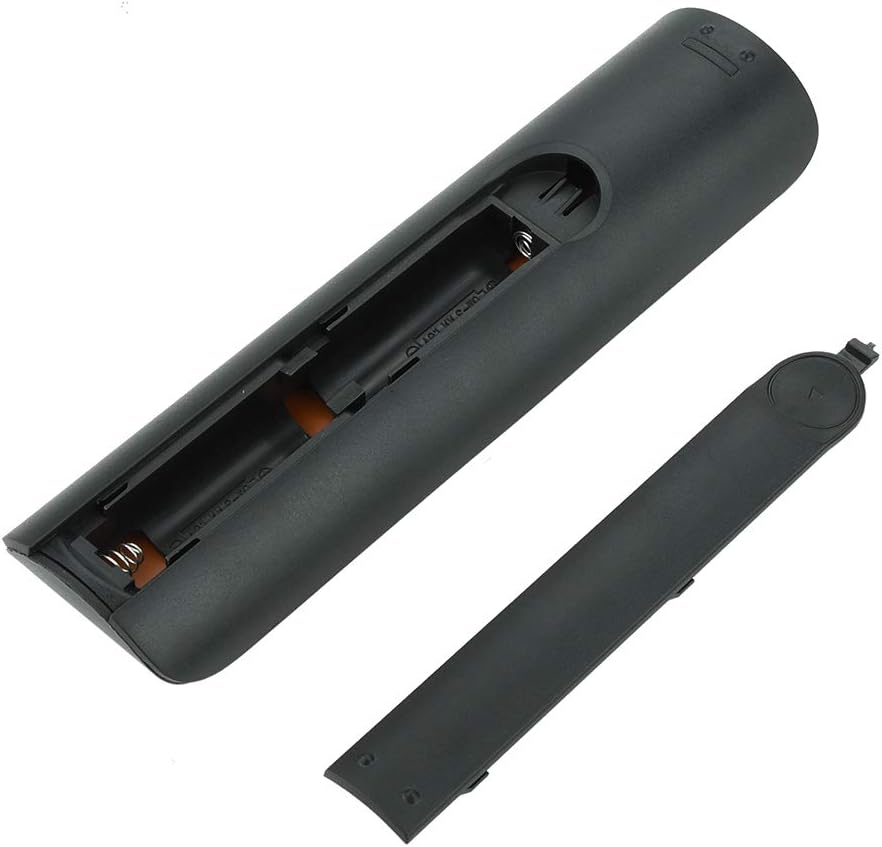
Slika 4.1: View of the remote control with the battery cover removed, showing the two AA battery slots.
4.2 Početna upotreba
This remote control is designed to work directly with compatible Samsung Smart TVs that originally used the BN59-01199G model. No programming or pairing is typically required. Simply install the batteries and point the remote towards your television.

Image 4.2: The remote control positioned near a television, illustrating its intended use with compatible Samsung models.
5. Upute za rad
The remote control features standard buttons for TV operation. Refer to the image below for a visual guide to the button layout.

Slika 5.1: Detaljan view of the remote control's buttons, including power, number pad, volume, channel, and smart functions.
- Gumb za napajanje (crveni): Uključuje ili isključuje TV.
- Numerička tipkovnica (0-9): Za izravni ulaz kanala.
- Pojačavanje/stišavanje glasnoće (+/-): Podešava glasnoću TV-a.
- Kanal gore/dolje (CH +/-): Mijenja TV kanale.
- Isključi zvuk: Utišava zvuk televizora.
- Smart Hub: Accesses the Smart Hub interface for apps and streaming services.
- Jelovnik: Otvara glavni izbornik televizora.
- Alati: Provides quick access to common TV functions.
- Info: Prikazuje informacije o trenutnom programu ili ulazu.
- Navigacijska tipkovnica (gore, dolje, lijevo, desno, Enter): Koristi se za navigaciju izbornicima i odabir opcija.
- Povratak: Povratak na prethodni zaslon ili izbornik.
- Izlaz: Zatvara trenutni izbornik ili aplikaciju.
- Gumbi u boji (A, B, C, D): Funkcionalnost se razlikuje ovisno o modelu televizora i aplikaciji.
- Kontrole reprodukcije: Reprodukcija, pauza, zaustavljanje, premotavanje naprijed, premotavanje unatrag za reprodukciju medija.
6. Održavanje
6.1 Čišćenje
Za čišćenje daljinskog upravljača, nježno ga obrišite mekom, suhom krpom. Za tvrdokornu prljavštinu, laganoampOperite krpu vodom ili blagim, neabrazivnim sredstvom za čišćenje. Izbjegavajte upotrebu jakih kemikalija ili prekomjerne vlage jer mogu oštetiti elektroniku daljinskog upravljača.
6.2 Zamjena baterije
Replace batteries when the remote control's response becomes sluggish or stops working. Always replace both AA batteries at the same time with new ones. Do not mix old and new batteries, or different types of batteries.
7. Rješavanje problema
- Daljinski ne reagira:
- Provjerite jesu li baterije ispravno umetnute s ispravnim polaritetom.
- Zamijenite baterije novima.
- Provjerite da nema prepreka između daljinskog upravljača i infracrvenog prijemnika televizora.
- Provjerite je li daljinski upravljač usmjeren izravno prema televizoru.
- Short remote control distance:
- This can indicate low battery power; replace the batteries.
- Environmental factors or strong light sources can interfere with the infrared signal. Try using the remote in different lighting conditions.
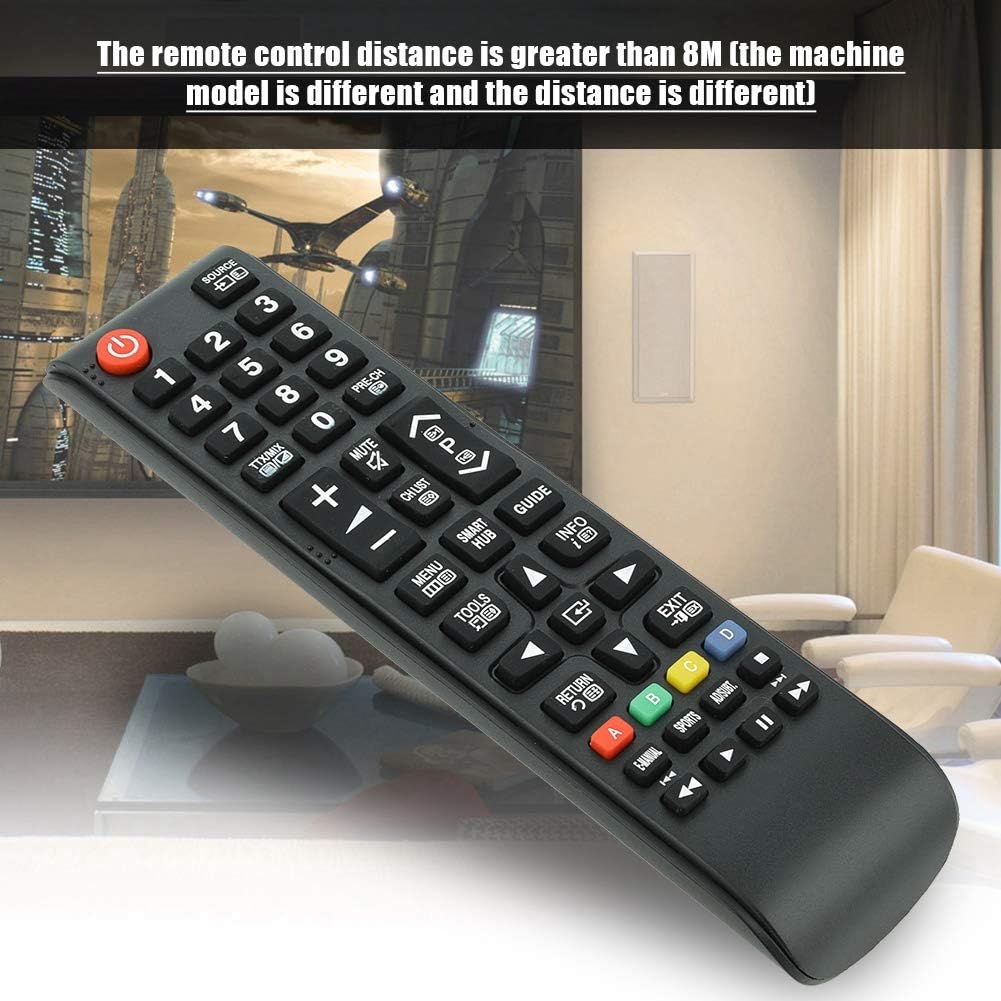
Image 7.1: The remote control in a typical home environment, demonstrating its effective range for TV operation.
8. Jamstvo i podrška
Zerone products are manufactured with quality in mind. If you encounter any issues or are not satisfied with your product, please contact the seller or manufacturer for support. Refer to your purchase documentation for specific warranty terms and contact information.