
1. Uvod
This manual provides essential information for the safe and efficient use of your TCL 32B400 32-inch HD LCD TV. Please read it thoroughly before operating the television and retain it for future reference.
The TCL 32B400 features a direct-lit LED backlight for uniform high brightness and image quality. Its VA panel technology delivers superior contrast, allowing for natural expression of subtle light and dark details. Equipped with a dual tuner, this TV supports terrestrial digital, BS digital, and 110-degree CS digital broadcasts, enabling simultaneous recording of one program while watching another. It supports various recording functions including instant, scheduled, daily/weekly repeat, and event recording. Connectivity options include two HDMI Ver1.4a input terminals (Port 1 supports ARC) and one USB2.0 input/output terminal, allowing connection to Blu-ray/DVD players/recorders and external speakers via ARC.

Slika 1: Prednja strana view of the TCL 32B400 TV.
2. Postavljanje
2.1 Raspakiranje i provjera komponenti
Pažljivo izvadite sve komponente iz pakiranja. Provjerite jesu li prisutne sve dolje navedene stavke:
- Daljinski upravljač x1
- AAA baterije x2
- miniB-CAS card x1
- Kabel za napajanje x1
- Tip-over prevention parts set x1
- Stalak x2
- Screws (ST4, 20mm) x4 (for 32-inch model)
- Priručnik s uputama
- Brzi vodič
- Jamstveni list

Slika 2: Priloženi pribor.
2.2 Instalacija postolja
- Postavite televizor zaslonom prema dolje na meku, ravnu površinu kako biste spriječili oštećenja.
- Align the stands with the corresponding slots on the bottom of the TV.
- Secure each stand using the provided screws (ST4, 20mm).
2.3 Spojni kabeli
Connect the necessary cables to the appropriate ports on the TV. Refer to the connection diagram below.
- Kabel za napajanje: Spojite kabel za napajanje na ulaz za napajanje televizora, a zatim na zidnu utičnicu.
- Antena: Connect your terrestrial digital antenna cable to the 'Antenna Input' port. For BS/CS broadcasts, connect the satellite antenna cable to the 'BS/CS 110°' port.
- HDMI uređaji: Connect external devices like Blu-ray players or game consoles to the HDMI input ports. HDMI Port 1 supports Audio Return Channel (ARC).
- USB uređaji: Connect external USB storage devices for recording to the USB port.
- miniB-CAS Card: Insert the miniB-CAS card into its dedicated slot.

Figure 3: Connection terminals overview.
2.4 Početno postavljanje
After connecting all cables and powering on the TV, follow the on-screen instructions to complete the initial setup, including channel tuning and network configuration (if applicable).
3. Upute za rad
3.1 Osnovni rad
- Uključivanje/isključivanje: Pritisnite gumb za napajanje na daljinskom upravljaču ili televizoru.
- Odabir kanala: Use the 'CH +/-' buttons or number buttons on the remote control.
- Podešavanje glasnoće: Use the 'VOL +/-' buttons on the remote control.
- Izvor ulaza: Press the 'Input' button on the remote to select between HDMI, TV, and other connected sources.
3.2 Snimanje programa
Your TCL 32B400 TV supports recording to an external USB Hard Disk Drive (HDD) thanks to its dual tuner. This allows you to record one program while watching another.
- Connect a compatible external USB HDD to the TV's USB port.
- Format the HDD if prompted by the TV.
- To record, select the desired program and use the recording options in the TV menu (e.g., instant recording, scheduled recording via EPG).

Figure 4: Dual tuner allows watching one program while recording another.
3.3 Postavke slike i zvuka
Pristupite izborniku televizora za podešavanje postavki slike (svjetlina, kontrast, boja, oštrina) i zvuka (bas, visoki tonovi, balans, način rada zvuka) prema svojim željama.
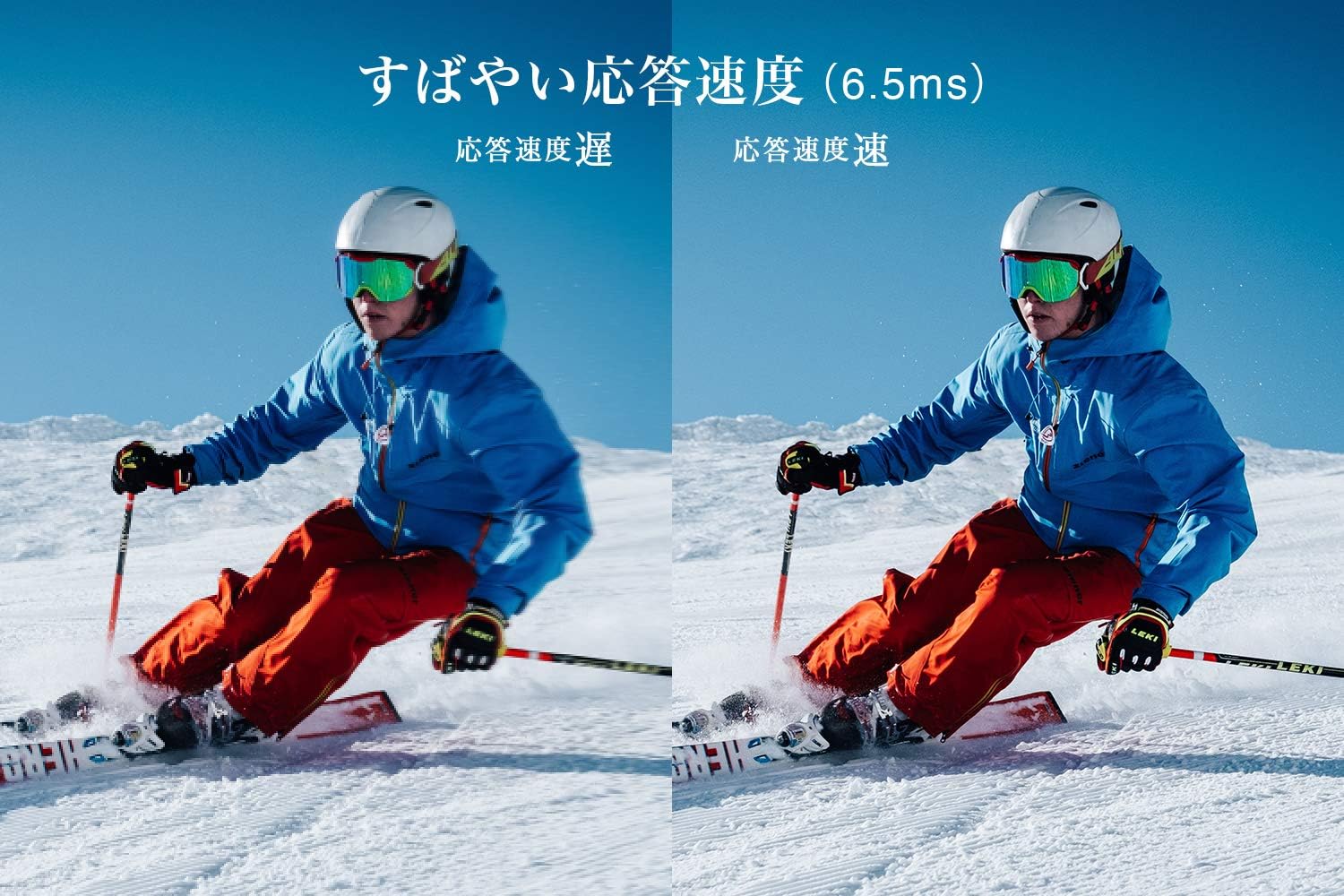
Figure 5: The TV features a fast response speed of 6.5ms for clear motion.
4. Održavanje
4.1 Čišćenje zaslona
Nježno obrišite zaslon mekom, suhom krpom koja ne ostavlja dlačice. Za tvrdokorne mrlje laganoampen the cloth with water or a specialized screen cleaner (ensure it's suitable for LCD screens) and wipe carefully. Avoid applying excessive pressure.
4.2 Čišćenje kućišta televizora
Wipe the TV body with a soft, dry cloth. Do not use abrasive cleaners, waxes, or solvents as they can damage the finish.
4.3 Opća briga
- Izbjegavajte izlaganje televizora izravnoj sunčevoj svjetlosti ili ekstremnim temperaturama.
- Osigurajte odgovarajuću ventilaciju oko televizora kako biste spriječili pregrijavanje.
- Isključite televizor iz električne utičnice tijekom grmljavine ili kada se neće koristiti dulje vrijeme.
5. Rješavanje problema
If you encounter issues with your TV, refer to the following common troubleshooting steps. If the problem persists, contact customer support.
5.1 Bez napajanja
- Check if the power cord is securely connected to both the TV and the wall outlet.
- Provjerite radi li zidna utičnica tako da u nju priključite drugi uređaj.
- Pritisnite gumb za napajanje na samom televizoru, ne samo na daljinskom upravljaču.
5.2 No Picture/No Signal
- Provjerite je li odabran ispravan ulazni izvor (npr. HDMI 1, TV).
- Provjerite sve kabelske spojeve (HDMI, antena) na labavost ili oštećenja.
- Ako koristite vanjski uređaj, provjerite je li uključen i ispravno radi.
- Perform a channel scan if you are watching broadcast TV.
5.3 Nema zvuka
- Provjerite razinu glasnoće i uvjerite se da televizor nije isključen.
- Ako koristite vanjske zvučnike, provjerite jesu li ispravno spojeni i uključeni.
- Provjerite postavke zvuka u izborniku televizora.
5.4 Daljinski upravljač ne radi
- Zamijenite baterije novima.
- Provjerite da nema prepreka između daljinskog upravljača i IR senzora televizora.
6. Specifikacije
| Značajka | Specifikacija |
|---|---|
| Veličina zaslona | 32 inča |
| Tehnologija zaslona | LCD |
| Rezolucija | HD (1366 x 768) |
| Brzina osvježavanja | 60 Hz |
| Omjer slike | 16:9 |
| Omjer kontrasta | 3000:1 |
| Viewing kut | 178/178 degrees (JEITA standard, CR>=10) |
| Vrsta pozadinskog osvjetljenja | LED s izravnim osvjetljenjem |
| Brzina odziva | 6.5 ms |
| Dimenzije (sa postoljem) | Š731 x V491 x D186 mm |
| Dimenzije (bez postolja) | Š731 x V436 x D76 mm |
| Težina (sa postoljem) | 4.4 kg |
| Težina (bez postolja) | 4.3 kg |
| Zidni nosač (VESA) | 100x100 mm |
| Godišnja potrošnja energije | 45 kWh/godina |
| HDMI priključci | 2 (HDMI Ver1.4a, Port 1 supports ARC) |
| USB priključci | 1 (USB2.0) |
| Vrsta tunera | Terrestrial Digital, BS Digital, 110-degree CS Digital (Dual Tuner) |
| Model godine | 2019 |

Figure 6: TV dimensions and recommended viewing udaljenost.

Figure 7: VA panel technology provides superior contrast and depth.
7. Jamstvo i podrška
7.1 Jamstvo proizvođača
This product comes with a 1-year manufacturer's warranty from the date of purchase. Please retain your proof of purchase for warranty claims.
7.2 Korisnička podrška
For any inquiries, technical assistance, or repair requests, please contact TCL customer support. Our dedicated Japanese staff are available to assist you.
- Telefon: 0120-955-517
- Radno vrijeme: 9:00 - 18:00 (Weekdays and Holidays, excluding year-end and New Year holidays)
- Webstranica: https://www.tcl.com/jp/ja/services.html
Nationwide repair service is available.
Figure 8: TCL Customer Support details.