
1. Uvod
Thank you for choosing the RoHS EAL9001U Keyboard. This compact USB keyboard is designed for reliable performance and ease of use. This manual provides essential information on setting up, operating, maintaining, and troubleshooting your new keyboard to ensure optimal functionality.
1.1 Sadržaj paketa
- RoHS EAL9001U Keyboard
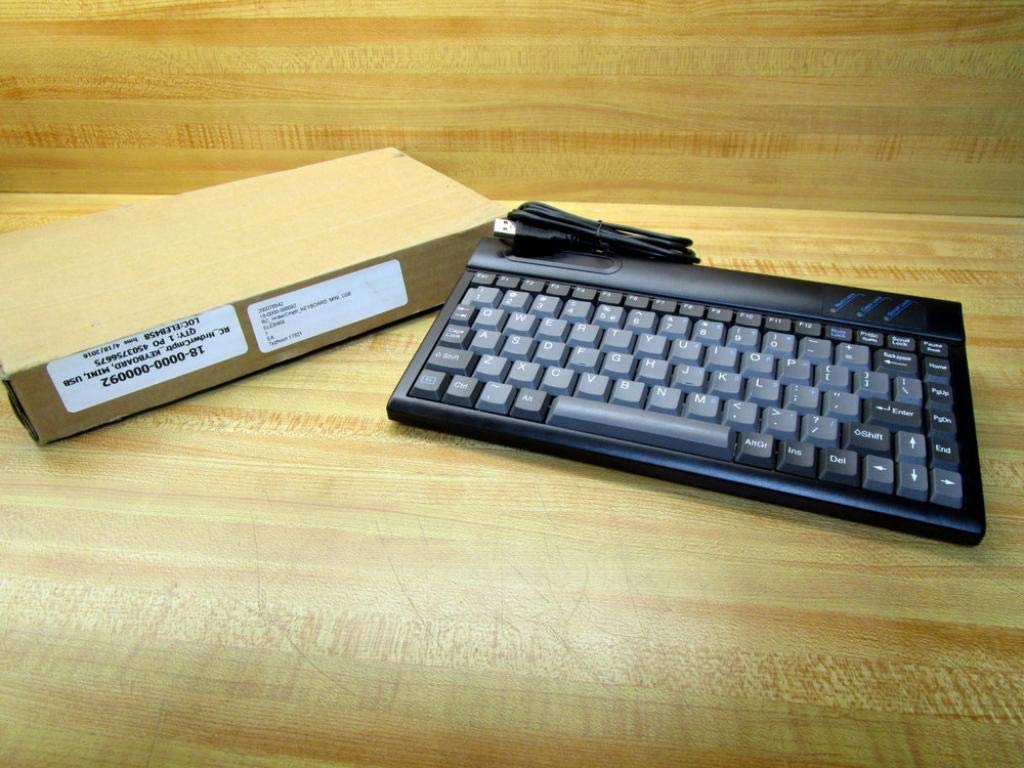
Figure 1.1: The RoHS EAL9001U Keyboard as packaged, alongside its brown cardboard box.
2. Proizvod je gotovview
The RoHS EAL9001U is a compact, 85-key QWERTY keyboard designed for various computing environments. Its durable plastic construction and USB connectivity ensure a straightforward and reliable user experience.
2.1 Ključne značajke
- Compact Design with 85 Keys
- Standard QWERTY Keyboard Layout
- USB Connectivity for Plug-and-Play Operation
- Izdržljivi plastični materijal
- USB pogon
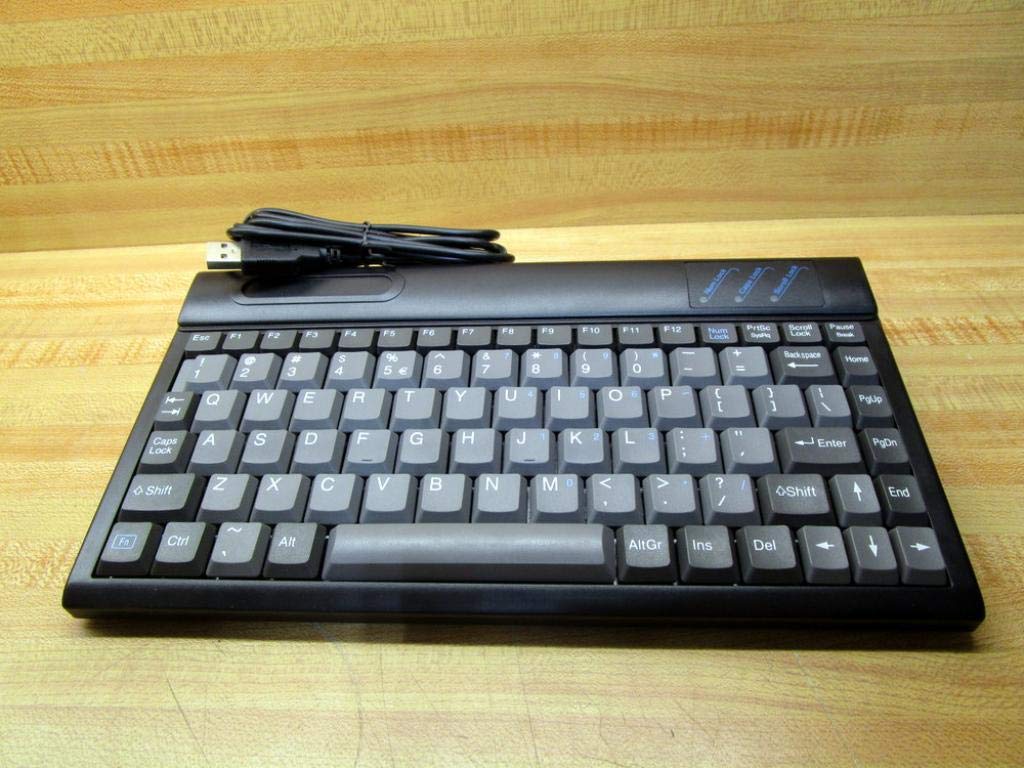
Slika 2.1: Vrh view of the RoHS EAL9001U Keyboard, showcasing its compact QWERTY layout.
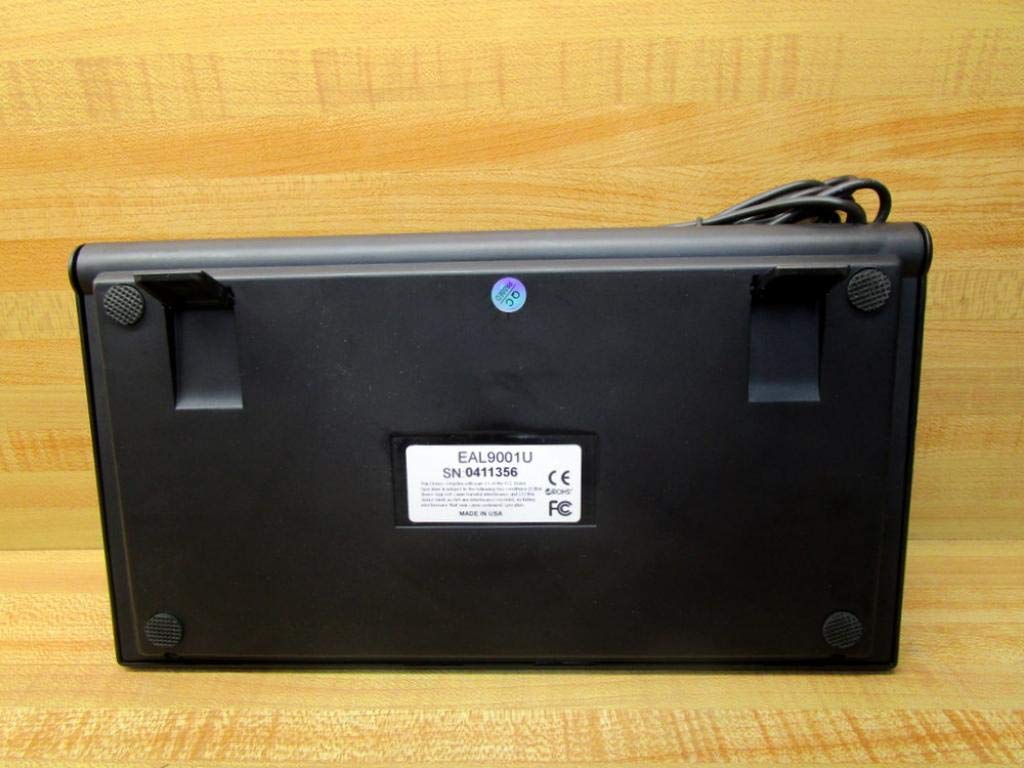
Slika 2.2: Donji dio view of the RoHS EAL9001U Keyboard, showing its stable feet and smooth surface.
3. Postavljanje
3.1 Spajanje tipkovnice
The RoHS EAL9001U Keyboard is a plug-and-play device, requiring no special drivers for most operating systems.
- Pronađite dostupan USB priključak na računalu ili uređaju.
- Čvrsto umetnite USB priključak tipkovnice u USB priključak.
- Wait for your operating system to recognize the new hardware. This usually takes a few seconds.
- Tipkovnica je sada spremna za upotrebu.
4. Upute za rad
4.1 Osnovni rad
The EAL9001U keyboard functions like a standard QWERTY keyboard. Simply type as you normally would. The 85-key layout includes all essential alphanumeric keys, function keys (F1-F12), and navigation keys.
4.2 Posebne funkcije
Due to its compact design, some less frequently used keys might be accessed via a function (Fn) key combination. Refer to your operating system's keyboard settings for any custom key assignments or shortcuts.
5. Održavanje
5.1 Čišćenje
Za održavanje izgleda i funkcionalnosti tipkovnice:
- Prije čišćenja isključite tipkovnicu iz računala.
- Koristite mekanu krpu koja ne ostavlja dlačice dampvodom ili blagom, neabrazivnom otopinom za čišćenje obrišite površinu.
- Za prašinu i ostatke između tipki koristite komprimirani zrak ili malu četku.
- Izbjegavajte prskanje tekućina izravno na tipkovnicu.
5.2 Skladištenje
Kada se ne koristi, tipkovnicu čuvajte na hladnom i suhom mjestu, dalje od izravne sunčeve svjetlosti i ekstremnih temperatura kako biste spriječili oštećenja.
6. Rješavanje problema
| Izdati | Mogući uzrok | Otopina |
|---|---|---|
| Tipkovnica ne reagira | Loose USB connection; Faulty USB port; Driver issue (rare) | Provjerite je li USB kabel sigurno priključen. Pokušajte s drugim USB priključkom. Ponovno pokrenite računalo. |
| Određene tipke ne rade | Debris under key; Key mechanism damage | Za uklanjanje ostataka koristite komprimirani zrak. Ako problem i dalje postoji, obratite se podršci. |
| Keyboard recognized but input delayed | System resource issue; USB port conflict | Close unnecessary applications. Try a different USB port. |
7. Specifikacije
| Značajka | Detalj |
|---|---|
| Broj modela | EAL9001U (18-0000-000092) |
| Tehnologija povezivanja | USB |
| Broj tipki | 85 |
| Raspored tipkovnice | QWERTY |
| Izvor napajanja | USB pogon |
| Materijal | Plastični |
| Dimenzije proizvoda | 3 x 11 x 11 inča |
| Težina proizvoda | 1.38 funti |
| Proizvođač | popustljiv |

Figure 7.1: Product label showing model EAL9001U, serial number, FCC, CE, and RoHS compliance, and 'MADE IN USA'.
8. Informacije o jamstvu
This product is covered by a standard manufacturer's warranty. Please retain your proof of purchase for any warranty claims. For specific warranty terms and conditions, refer to the documentation provided at the time of purchase or contact the manufacturer directly.
9. Korisnička podrška
For technical assistance, troubleshooting, or product inquiries, please contact your retailer or the manufacturer's customer support. Have your product model number (EAL9001U) and serial number (if applicable) ready when contacting support.