
1. Uvod
This manual provides essential information for the proper installation, operation, and maintenance of your Hayward Navigator Pro Automatic Pool Vacuum, Model W3925ADV. This suction-side pool cleaner is engineered for inground pools with vinyl surfaces, up to 20 x 40 feet in size. It utilizes patented SmartDrive® technology to systematically clean pool floors, walls, and coves, ensuring comprehensive coverage.
The Navigator Pro connects directly to your pool’s existing filtration system, providing continuous suction without the need for an additional booster pump. Its design, featuring a wide vacuum inlet and unique wing, is optimized for efficient collection of various debris types. Please read these instructions thoroughly before use to ensure optimal performance and longevity of your pool cleaner.

Image: The Hayward Navigator Pro Automatic Pool Vacuum, a blue and white unit designed for efficient pool cleaning.
2. Postavljanje i instalacija
The Hayward Navigator Pro is designed for straightforward installation, typically completed in under 10 minutes without the need for specialized tools. Follow these steps to prepare your cleaner for operation:
- Raspakirajte uređaj: Carefully remove all components of the Hayward Navigator Pro Suction Pool Vacuum from its packaging.
- Connect to Filtration System: Attach the cleaner hose directly to your pool's skimmer or a dedicated suction port. Ensure all connections are secure to prevent air leaks.
- Position Vacuum Components: Verify that the vacuum wings and skirt are correctly positioned. These components are crucial for maximizing debris suction and ensuring efficient movement across pool surfaces.
- Pokretanje operacije: Once connected, activate your pool's filtration system. The cleaner is hydraulically powered by the existing system and will begin its cleaning cycle.
The system provides continuous suction and does not require a booster pump, simplifying the setup process.

Image: The Hayward Navigator Pro connected to a pool's skimmer for quick installation.
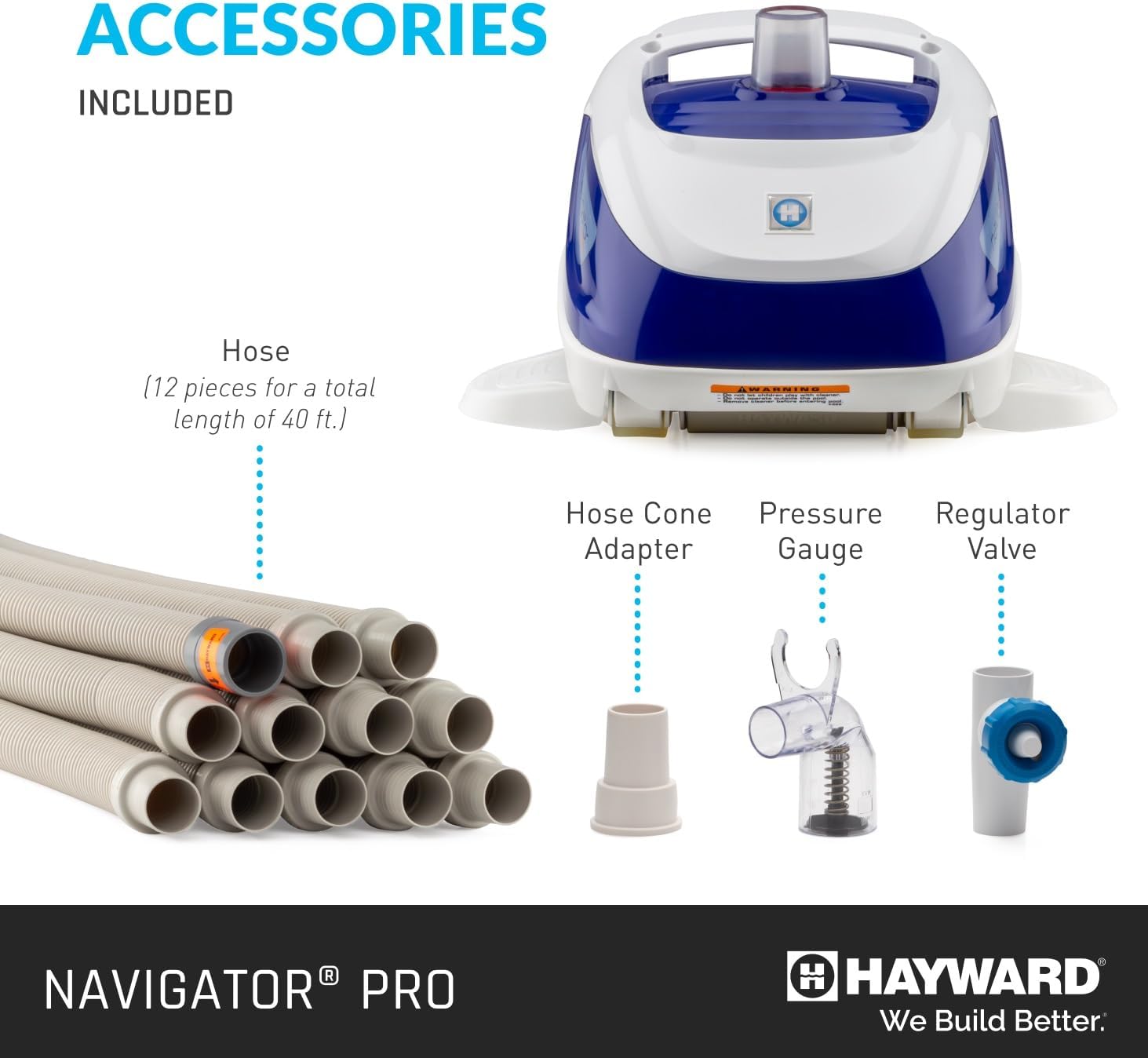
Image: Included accessories for the Navigator Pro, showing the 40 ft hose, hose cone adapter, pressure gauge, and regulator valve.
Postavljanje videozapisa:
Video: An official Hayward video demonstrating the setup and operation of the Navigator Pro pool cleaner, titled "Navigator Pro: Pool Cleaning Made Easy."
3. Upute za rad
The Navigator Pro operates autonomously once connected and the pool's filtration system is active. Its SmartDrive® programmed steering ensures efficient cleaning:
- Systematic Cleaning: The cleaner uses preset turns to systematically traverse the pool floor, walls, and coves, ensuring thorough coverage of the entire pool surface.
- Maximum Debris Suction: The vacuum's wings and skirt are specifically designed to create a broad suction path, effectively capturing leaves, twigs, dirt, and other debris.
- Tihi rad: The Navigator Pro is engineered for silent operation, allowing you to enjoy a peaceful poolside environment while the cleaner works.
Allow the cleaner to complete its cycle, which is determined by the size of your pool and the amount of debris present. For pools up to 20 x 40 ft, the included 40-foot hose provides ample dosegnuti.
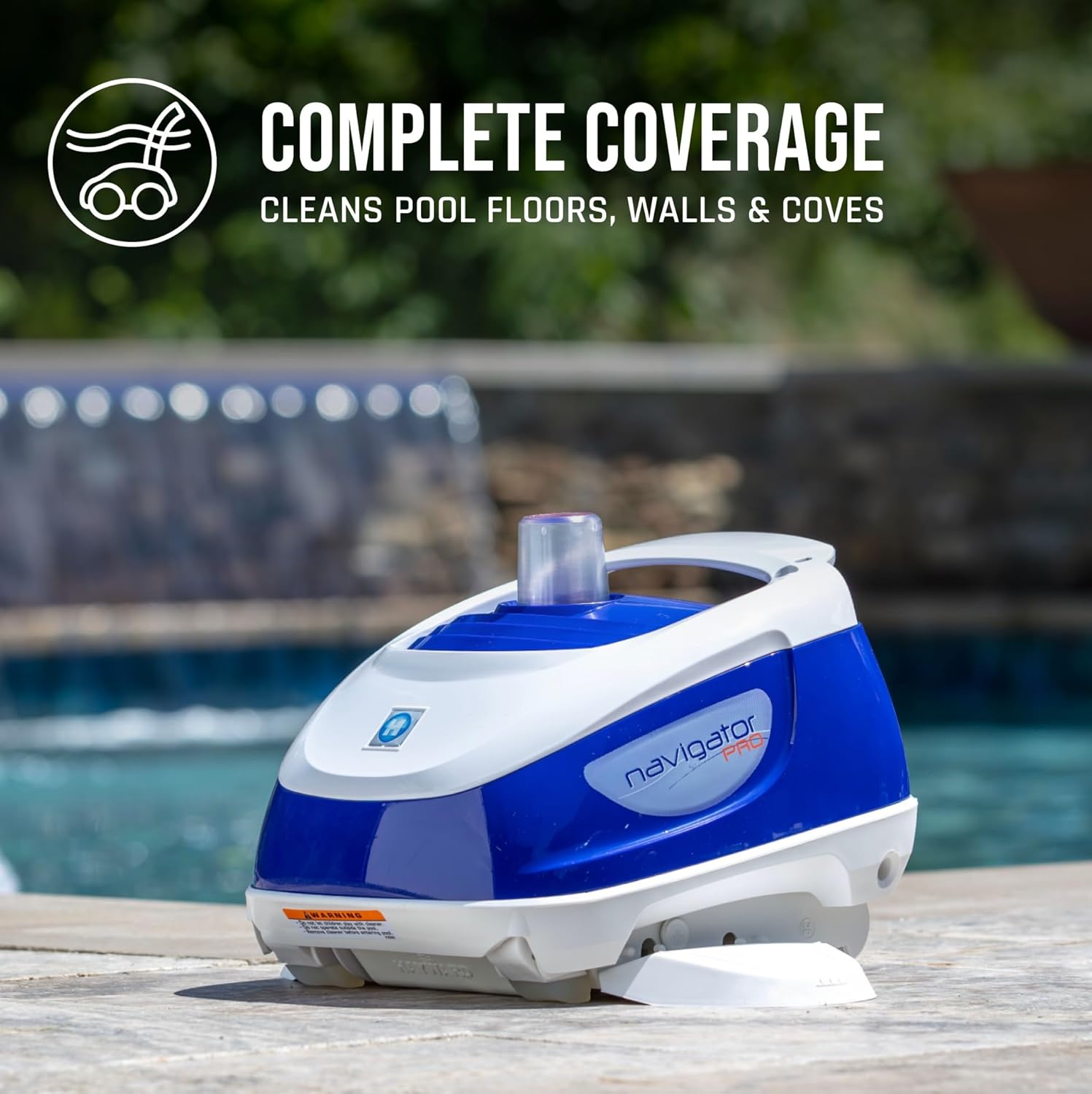
Image: The Hayward Navigator Pro in a pool, illustrating its complete coverage of pool floors, walls, and coves.
4. Održavanje
Regular maintenance ensures the longevity and optimal performance of your Hayward Navigator Pro:
- Filter and Pump Basket Cleaning: Regularly clean your pool's filter and pump basket. Since the Navigator Pro deposits debris directly into your pool's filtration system, maintaining a clean filter and pump basket is essential for sustaining optimal suction power.
- Njega nakon uporabe: After each use, rinse off any residual chlorinated water from the cleaner. Dry the unit thoroughly before storage.
- Skladištenje: Store the Navigator Pro in a cool, dry place when not in use to protect its components and extend its lifespan.
The design of the Navigator Pro eliminates the need to empty debris bags, simplifying routine maintenance tasks.

Image: A couple relaxing by a clean pool, highlighting the simplified upkeep provided by the Navigator Pro.
5. Rješavanje problema
Specific troubleshooting steps are not detailed in the provided product information. However, if your Hayward Navigator Pro is not performing as expected, consider the following general checks:
- Provjerite veze: Ensure all hose connections to the cleaner and the pool's suction port/skimmer are tight and free of air leaks.
- Inspect Filter and Pump Basket: A clogged pool filter or pump basket can reduce suction power. Clean these components as part of routine maintenance.
- Provjerite protok vode: Ensure adequate water flow through your pool's filtration system. Low flow can impact the cleaner's movement and suction efficiency.
- Examine Cleaner Components: Check the vacuum wings, skirt, and internal mechanisms for any obstructions or damage that might impede movement or suction.
For persistent issues, refer to the full product manual or contact Hayward customer support.
6. Specifikacije
| Značajka | Detalj |
|---|---|
| Marka | Hayward |
| Naziv modela | Navigator Pro |
| Broj modela | W3925ADV |
| Materijal | Plastični |
| Boja | Bijela |
| Dimenzije proizvoda (D x Š x V) | 13.6 cm x 12 cm x 8.5 cm |
| Težina | 5.08 lbs |
| Izvor napajanja | Hidraulički pogon |
| Metoda kontrole | Dodir |
| Učinkovitost | visoko |
| Duljina crijeva | 40 stopa |
| Obavezna montaža | Ne |
| Vrsta instalacije | Samoinstalacija |
| UPC | 610377390217 |

Image: Detailed dimensions and weight of the Hayward Navigator Pro.
7. Informacije o jamstvu
The Hayward Navigator Pro Automatic Pool Vacuum (Model W3925ADV) comes with a 1-godišnje ograničeno jamstvo proizvođača. This warranty covers defects in materials and workmanship under normal use. Please retain your proof of purchase for any warranty claims. For full details regarding warranty terms, conditions, and exclusions, refer to the official warranty documentation included with your product or visit the Hayward webmjesto.
8. Korisnička podrška
Should you require assistance with your Hayward Navigator Pro, including technical support, parts, or warranty service, please contact Hayward customer service. You can typically find contact information on the Hayward official website or within the packaging materials of your product. When contacting support, please have your model number (W3925ADV) and proof of purchase readily available.