
Proizvod gotovview
The Realspace Torval Big & Tall Bonded Leather High-Back Computer Office Chair is designed for comfort and support in an office environment. Featuring a bonded leather exterior and a high-back design with a waterfall seat cushion, this chair provides a comfortable seating experience. Constructed with a durable nylon and steel frame, it offers reliable support for users up to 400 lbs. This product is BIFMA Compliant, ensuring it meets rigorous performance and safety standards.
Sigurnosne informacije
Always read and follow all assembly instructions and safety warnings before using this product. Failure to do so may result in injury or damage to the product. Keep all small parts away from children.
Sadržaj paketa
Before beginning assembly, ensure all components are present and undamaged. Refer to the detailed assembly instructions included in the packaging for a complete list of parts. If any parts are missing or damaged, do not proceed with assembly and contact customer support.
Postavljanje i montaža
Assembly of the Realspace Torval chair requires careful attention to the included instructions. It is recommended to have two people for certain steps, particularly when attaching the seat back to the seat base, to ensure proper alignment and secure fastening. Lay out all parts on a soft, clean surface to prevent scratching.
Ključni koraci montaže:
- Pričvrstite kotačiće na bazu stolice.
- Insert the gas lift cylinder into the center of the chair base.
- Pričvrstite naslone za ruke na jastuk sjedala.
- Pričvrstite naslon na jastuk sjedala i naslone za ruke.
- Postavite sastavljeno sjedalo na cilindar plinskog podizača.
Refer to the detailed assembly instructions provided in your product packaging for step-by-step illustrations and specific hardware requirements.

Figure 1: Realspace Torval Chair Dimensions. This diagram illustrates the overall dimensions of the chair, including height, width, and depth measurements.
Upute za rad
The Realspace Torval chair offers several adjustable features to customize your seating experience:
- Podešavanje visine sjedala: Locate the lever on the right side beneath the seat. Pull the lever up to raise the seat. To lower, remain seated and pull the lever up. Release the lever at the desired height.
- Zaključavanje nagiba i napetost: The same lever used for height adjustment can also lock the chair in an upright position. Push the lever in to lock the tilt, pull it out to allow tilting. The tilt tension knob, located at the front center under the seat, can be rotated to adjust the resistance when reclining. Turn clockwise for more resistance, counter-clockwise for less.
- Podešavanje naslona za ruke: The padded armrests can be adjusted for height and can also pivot upwards to allow closer access to a desk or for easier entry/exit. Locate the buttons or levers on the armrest supports to make these adjustments.
- Podešavanje naslona za glavu: The integrated headrest moves up or down to provide optimal support for your head and neck. Adjust as needed for comfort.

Slika 2: Prednja strana view of the Realspace Torval chair, showcasing its high-back design and padded armrests.

Slika 3: Bočna strana view demonstrating the adjustable armrests, which can be raised for convenience.
Održavanje
To maintain the appearance and longevity of your Realspace Torval chair, follow these care instructions:
- Čišćenje: Obrišite oglasomamp cloth. Avoid harsh chemicals or abrasive cleaners, which can damage the bonded leather and other materials.
- Inspekcija: Povremeno provjeravajte sve vijke i matice kako biste bili sigurni da su čvrsto pričvršćeni. Po potrebi ih ponovno zategnite kako biste održali stabilnost i sigurnost.
- Njega kotačića: Kotačiće držite čistima od ostataka kako biste osigurali nesmetano kretanje.
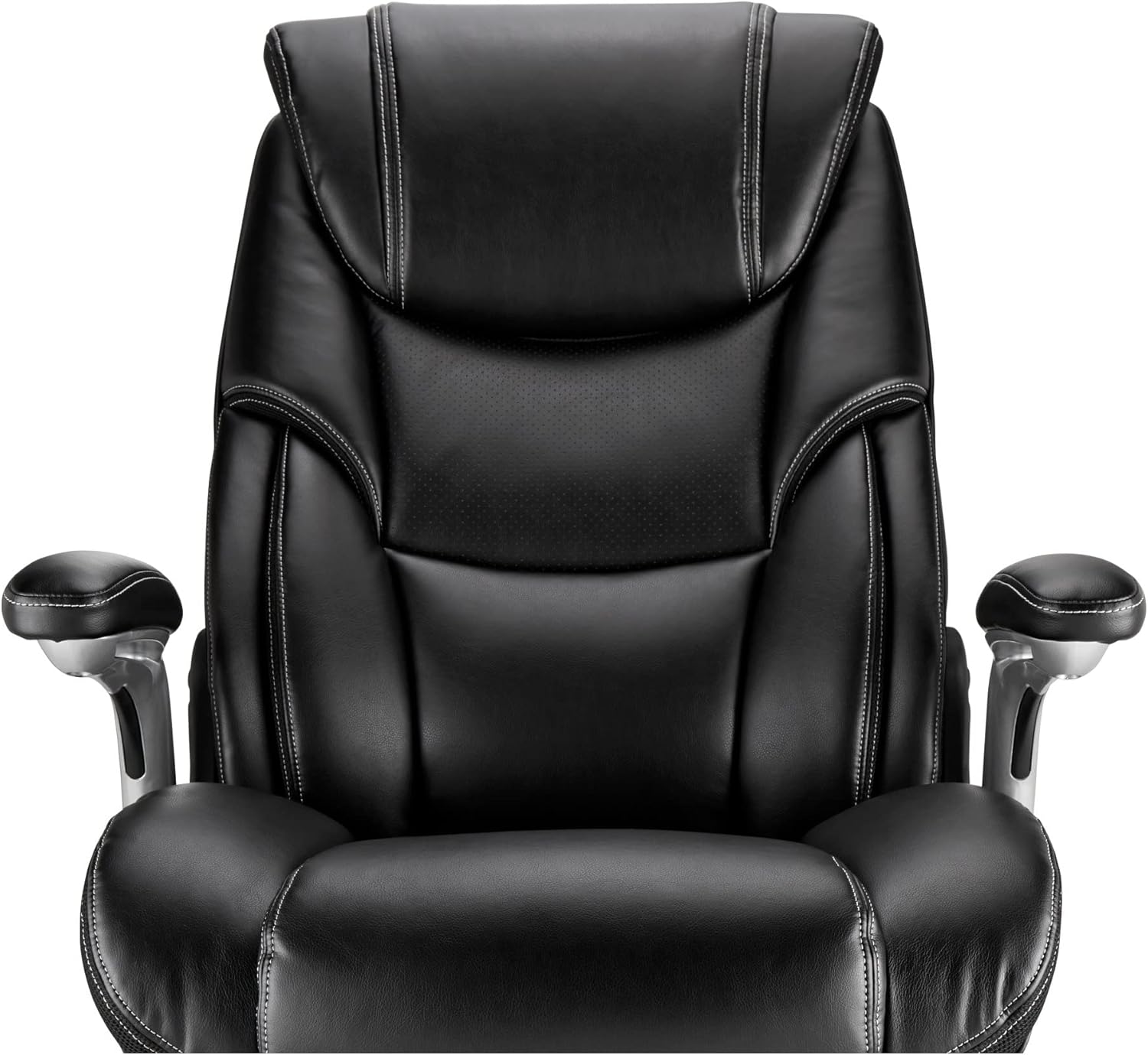
Figure 4: Close-up of the chair's seat and armrest, showing material detail. Regular cleaning helps preserve the bonded leather.
Rješavanje problema
If you encounter issues with your Realspace Torval chair, consider the following:
- Stolica se ljulja: Ensure all assembly bolts are securely tightened. Check that the chair is on a flat, even surface.
- Teškoće s podešavanjem visine: Verify that the gas lift cylinder is correctly installed and not obstructed. If the issue persists, the gas lift may need replacement.
- Kotačići se ne okreću glatko: Inspect casters for trapped hair or debris and clean as necessary.
- Škripavi zvukovi: Apply a small amount of silicone lubricant to moving parts or connection points, avoiding contact with upholstery.
Za uporne probleme obratite se korisničkoj podršci.
Tehnički podaci
| Marka | Realspace |
| Naziv modela | Torval |
| Boja | Crna/Srebrna |
| Materijal | Bonded Leather, Nylon, Alloy Steel (Frame), Foam (Fill) |
| Dimenzije proizvoda (D x Š x V) | 33.86 cm x 17.32 cm x 27.56 cm |
| Težina artikla | 54.02 funti |
| Preporuka za maksimalnu težinu | 400 funti |
| Usklađenost | Usklađeno s ANSI/BIFMA standardima |
| Upute za njegu | Obrišite |
Jamstvo i podrška
The Realspace Torval Big & Tall Bonded Leather High-Back Computer Office Chair is backed by the manufacturer's 5-year limited warranty. This warranty covers defects in materials and workmanship under normal use.
For warranty claims, technical support, or to order replacement parts, please contact Realspace customer service. Refer to your purchase documentation for specific contact details or visit the official Realspace webmjesto.