
Uvod
This manual provides instructions for the Speedlink PIAVO Wireless Ergonomic Vertical Mouse (Model SL-630019-BK-01). This ergonomic mouse is designed to promote a natural, relaxed wrist posture, reducing strain on the hand, arm, shoulder, and neck during extended computer use. It features 5 buttons, adjustable DPI settings, and wireless 2.4 GHz connectivity.

Slika 1: Speedlink PIAVO Wireless Ergonomic Vertical Mouse, front view. This image shows the overall ergonomic design of the mouse.
Sadržaj paketa
Molimo provjerite jesu li svi artikli prisutni u paketu:
- Speedlink PIAVO Wireless Ergonomic Vertical Mouse
- USB-A prijemnik
- Battery (pre-installed or included separately)
- Upute za uporabu (ovaj dokument)

Slika 2: Packaging of the Speedlink PIAVO Wireless Ergonomic Vertical Mouse. The box indicates "Wireless Vertical Mouse" and "10m Range".
Postavljanje
- Umetnite bateriju: If the battery is not pre-installed, open the battery compartment on the underside of the mouse and insert the included battery, ensuring correct polarity.
- Spojite USB prijemnik: Locate an available USB-A port on your computer or laptop. Insert the USB-A receiver into the port.
- Uključivanje miša: Locate the On/Off switch on the underside of the mouse. Slide the switch to the "On" position.
- Instalacija upravljačkog programa: The mouse is designed for plug-and-play operation. Your operating system (e.g., Windows) should automatically detect and install the necessary drivers. This process typically takes a few seconds.
- Testiranje: Once installed, move the mouse to test cursor movement. If the cursor does not respond, ensure the mouse is powered on and the USB receiver is securely connected.

Slika 3: Underside of the mouse, illustrating the battery compartment and the On/Off switch. Ensure the switch is in the 'On' position for operation.
Upute za rad
The Speedlink PIAVO mouse features 5 buttons and adjustable DPI settings for optimal control.
- Lijevi klik na tipku: Standardna primarna funkcija klika.
- Desni klik: Standardna funkcija sekundarnog klika.
- Kotačić za pomicanje: Za listanje kroz dokumente i web pages. Can also be pressed for a middle-click function.
- Gumb za promjenu DPI-ja: Located near the scroll wheel. Press this button to cycle through the available DPI settings (800, 1200, 1600 DPI). This adjusts the cursor speed and sensitivity.
- Tipke za naprijed/natrag: Located on the side of the mouse, typically used for navigation in web preglednici ili file istraživači.
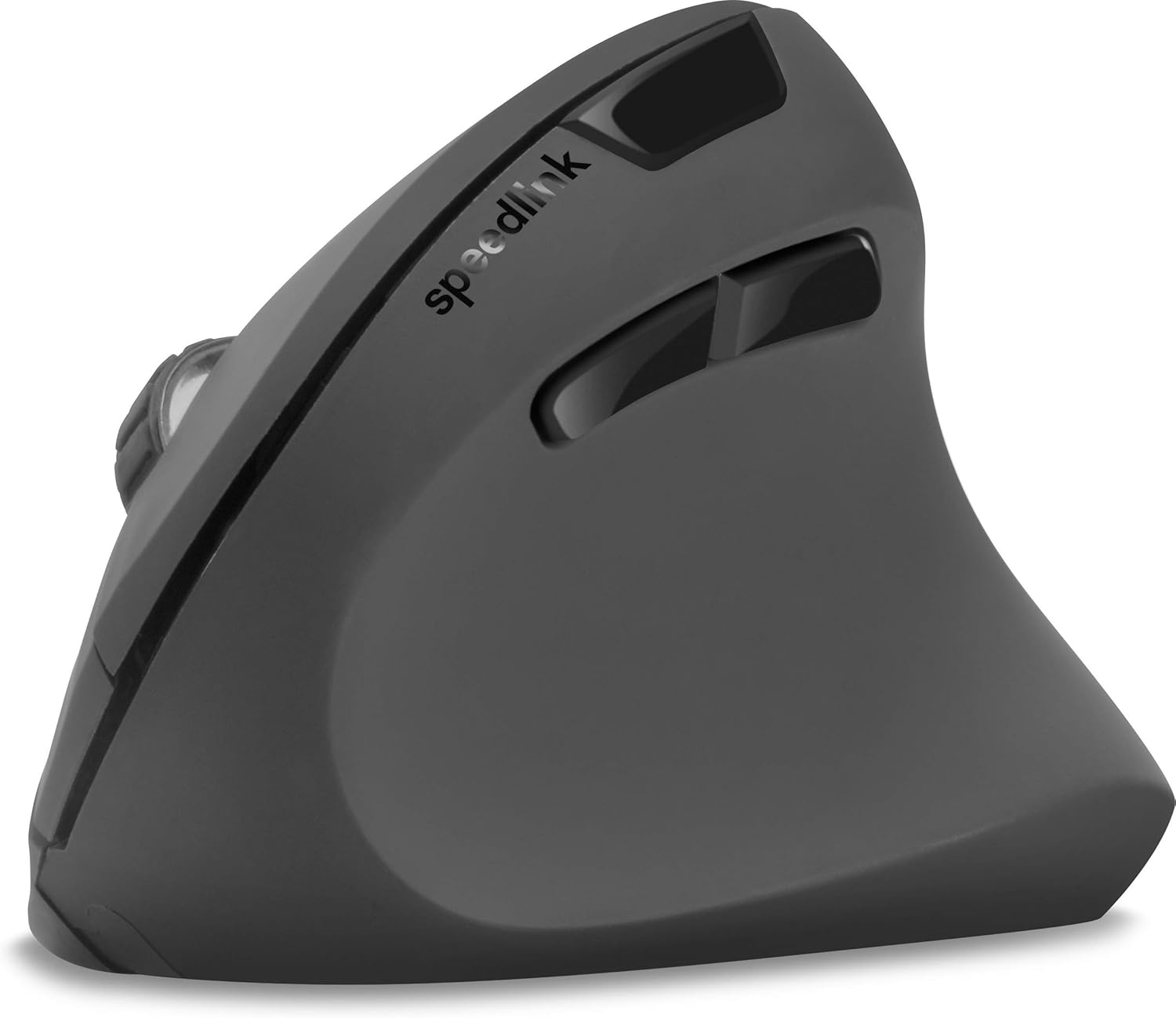
Slika 4: Odozgo prema dolje view of the mouse, highlighting the left/right click buttons, scroll wheel, and DPI switch button.

Slika 5: Strana view of the mouse, illustrating the ergonomic grip and the forward/backward navigation buttons.
Način rada za uštedu energije
The mouse features an energy-saving mode to conserve battery life. If the mouse is inactive for a period, it will enter a sleep state. To wake it up, simply move the mouse or press any button.
Održavanje
To ensure the longevity and optimal performance of your Speedlink PIAVO mouse, follow these maintenance guidelines:
- Čišćenje: Za čišćenje vanjske strane miša koristite meku, suhu krpu. Za tvrdokornu prljavštinu, laganoamp cloth can be used, but ensure no moisture enters the mouse. Avoid using harsh chemicals or abrasive cleaners.
- Čišćenje senzora: Occasionally, dust or debris may accumulate around the optical sensor on the underside of the mouse. Use a soft brush or compressed air to gently clean the sensor area.
- Zamjena baterije: When the mouse performance degrades or it stops responding, it may be time to replace the battery. Open the battery compartment, remove the old battery, and insert a new one of the same type, observing polarity.
- Skladištenje: When not in use for extended periods, it is recommended to switch off the mouse using the On/Off switch to conserve battery life. Store the mouse and USB receiver in a dry, dust-free environment.
Rješavanje problema
| Problem | Mogući uzrok | Otopina |
|---|---|---|
| Miš ne reagira / Kursor se ne pomiče. |
|
|
| Nepravilno kretanje kursora. |
|
|
| DPI setting resets after sleep/reboot. | This is a known characteristic for some mice; the DPI setting may revert to default. | Press the DPI switch button to select your preferred sensitivity after waking the mouse or restarting the computer. |
Tehnički podaci
| Broj modela | SL-630019-BK-01 |
| Povezivost | Wireless 2.4 GHz via USB-A Receiver |
| Otkrivanje pokreta | Optički |
| Broj gumba | 5 |
| DPI postavke | 800, 1200, 1600 DPI (podesivo) |
| Orijentacija ruke | Dešnjak |
| Bežični raspon | Do 10 metara |
| Izvor napajanja | Battery-powered (Battery included) |
| Kompatibilni operativni sustavi | Windows |
| Težina | 106 gram |
| Boja | Crna |
Jamstvo i podrška
Informacije o specifičnim jamstvenim uvjetima i kontaktnim podacima za korisničku podršku nisu dostupne u priloženim podacima o proizvodu. Molimo pogledajte pakiranje proizvoda ili službene podatke proizvođača. webstranicu za najnovije informacije o jamstvu i mogućnostima podrške.
Za dodatnu pomoć možete posjetiti Speedlink official webmjesto.