
Lorex W463AQD-E
Lorex 2K dvostruka objektivna unutarnja Wi-Fi sigurnosna kamera W463AQD-E Korisnički priručnik
Model: W463AQD-E
1. Uvod
This manual provides detailed instructions for the installation, configuration, and operation of your Lorex 2K Dual Lens Indoor Wi-Fi Security Camera, model W463AQD-E. Please read this manual thoroughly before using the product to ensure proper functionality and safety. Keep this manual for future reference.

Image 1.1: Lorex 2K Dual Lens Indoor Wi-Fi Security Camera with its retail packaging.
2. Sadržaj paketa
Verify that all items listed below are included in your package. If any items are missing or damaged, please contact Lorex customer support.
- 1 × 2K Dual-Lens Indoor Pan-Tilt Camera
- 1 × 32GB MicroSD Card (pre-installed)
- 1 × 6.5 ft (2 m) Power Cable
- 1 × Montažni nosač
- 3 × sidra i vijci
- 1 × strujni adapter
3. Proizvod je gotovview
Familiarize yourself with the components and features of your Lorex security camera.
3.1 Komponente kamere

Slika 3.1: Prednja strana view of the camera, showing the dual lenses and call button.

Slika 3.2: Bočna strana view of the camera, highlighting its dome shape.

Slika 3.3: Stražnja strana view of the camera, showing the power input and reset button.

Image 3.4: Bottom label displaying model number W463AQD-E and other regulatory information.
3.2 Ključne značajke
- 2K Quad HD video: Snima jasan i detaljan video footage.
- Dizajn s dvostrukim lećama: Provides enhanced surveillance capabilities.
- 360° Pan-Tilt: Daljinski podesite kameru viewing angle to cover a full 360-degree area.
- Automatsko praćenje: Automatically follows detected movement within its field of view.
- Smart Person & Pet Detection: Differentiates between human and pet activity to reduce false alerts.
- IR noćni vid: Provides clear video in low-light conditions up to 33 feet.
- Dvosmjerni razgovor: Allows for real-time communication through the camera's built-in microphone and speaker.
- Quick Call Button: Enables visitors to initiate a call to your connected device.
- Fleksibilna pohrana: Supports local storage via an included 32GB MicroSD card and optional cloud storage or Lorex Fusion recorders.
- Način privatnosti: Physically hides the camera lens for enhanced privacy when needed.
- Wi-Fi povezivanje: Connects to your home network wirelessly (2.4GHz).
4. Postavljanje
4.1 Početna postavka i povezivanje s aplikacijom
- Uključivanje: Connect the power adapter to the camera and plug it into a power outlet. The camera will power on and begin its startup sequence.
- Download Lorex Home App: Download the Lorex Home app from the App Store (iOS) or Google Play Store (Android) on your smartphone or tablet.
- Napravi račun: Open the Lorex Home app and follow the on-screen instructions to create a new account or log in to an existing one.
- Dodaj uređaj: Tap the '+' icon in the app to add a new device. Scan the QR code located on the bottom of your camera or on its packaging.
- Spojite se na Wi-Fi: Follow the app's prompts to connect the camera to your 2.4GHz Wi-Fi network. Ensure your mobile device is connected to the same Wi-Fi network during setup.
- Dovršite postavljanje: Once connected, follow the remaining steps in the app to name your camera and finalize the setup process.

Image 4.1: The Lorex Home application interface for managing camera feeds.
4.2 Montaža kamere
The camera can be placed on a flat surface or mounted to a ceiling or wall using the included mounting bracket.
- Odaberite lokaciju: Select a suitable indoor location with a clear view and within range of your Wi-Fi network.
- Označite rupe: Place the mounting bracket at the desired location and mark the screw holes with a pencil.
- Izbušite rupe: Drill pilot holes at the marked spots. If mounting on drywall, insert the included anchors.
- Sigurnosni nosač: Align the mounting bracket with the holes and secure it using the provided screws.
- Priloži kameru: Twist the camera onto the mounting bracket until it clicks securely into place.
5. Operacija
5.1 Uživo View i Kontrole
Pristupite uživo view of your camera through the Lorex Home app. From the live view screen, you can control various camera functions.
- Pan i Tilt: Use the directional controls in the app to remotely adjust the camera's horizontal (pan) and vertical (tilt) angles.
- Digitalno zumiranje: Pinch to zoom in or out on the live video feed.
- Dvostruka leća View: The app may offer options to switch between or combine views from the dual lenses.

Image 5.1: Camera shown with a smartphone displaying the dual lens live view u aplikaciji Lorex Home.
5.2 Two-Way Talk and Call Button
The camera features two-way audio for communication and a physical call button.
- Dvosmjerni razgovor: U živo view, tap the microphone icon to speak through the camera's speaker. Tap again to end.
- Gumb za poziv: A person near the camera can press the physical call button on the camera to initiate a call to your connected mobile device.

Image 5.2: Demonstrating two-way talk functionality via the Lorex Home app.

Image 5.3: A user pressing the quick call button on the camera.
5.3 Detekcija pokreta i upozorenja
The camera uses smart detection to identify important events.
- Pametna detekcija: The camera can detect and differentiate between people and pets, sending specific alerts to your phone.
- Automatsko praćenje: When motion is detected, the camera can automatically pan and tilt to follow the subject.
- Prilagodba: Adjust motion detection zones and sensitivity settings within the Lorex Home app to minimize unwanted alerts.

Image 5.4: Auto-tracking feature following a baby's movement.

Slika 5.5: Druga view of the auto-tracking feature in action.

Image 5.6: Smart motion detection alerting to a person's presence.

Image 5.7: Pet detection and auto-tracking following a dog.
5.4 Night Vision and Smart Lighting
The camera provides clear surveillance even in low-light conditions.
- IR noćni vid: Infrared LEDs provide black and white video up to 33 feet in complete darkness.
- Smart Security Lighting: The camera features integrated lighting that can be configured to activate upon motion detection or on a schedule.

Image 5.8: Comparison of daytime and IR night vision footage of a sleeping baby.

Image 5.9: Clear night vision image of a baby sleeping.

Image 5.10: The camera's smart security lighting feature in action.
5.5 Snimanje i pohranjivanje
Your camera offers multiple options for storing recorded video footage.
- Lokalna pohrana: A 32GB MicroSD card is pre-installed for local recording. This ensures your footage is stored directly on the device.
- Pohrana u oblaku: Optional cloud storage plans are available for off-site backup of your recordings. Refer to the Lorex Home app for details.
- Lorex Fusion Recorders: The camera is compatible with Lorex Fusion recorders for integrated system storage.

Image 5.11: The included 32GB MicroSD card for private and secure local storage.
5.6 Način privatnosti
Activate Privacy Mode to physically conceal the camera lens when surveillance is not desired.
- Aktivacija: Privacy Mode can be activated through the Lorex Home app. When active, the camera lens will rotate downwards, blocking its view.
- Deaktivacija: Deactivate Privacy Mode via the app to resume normal operation.
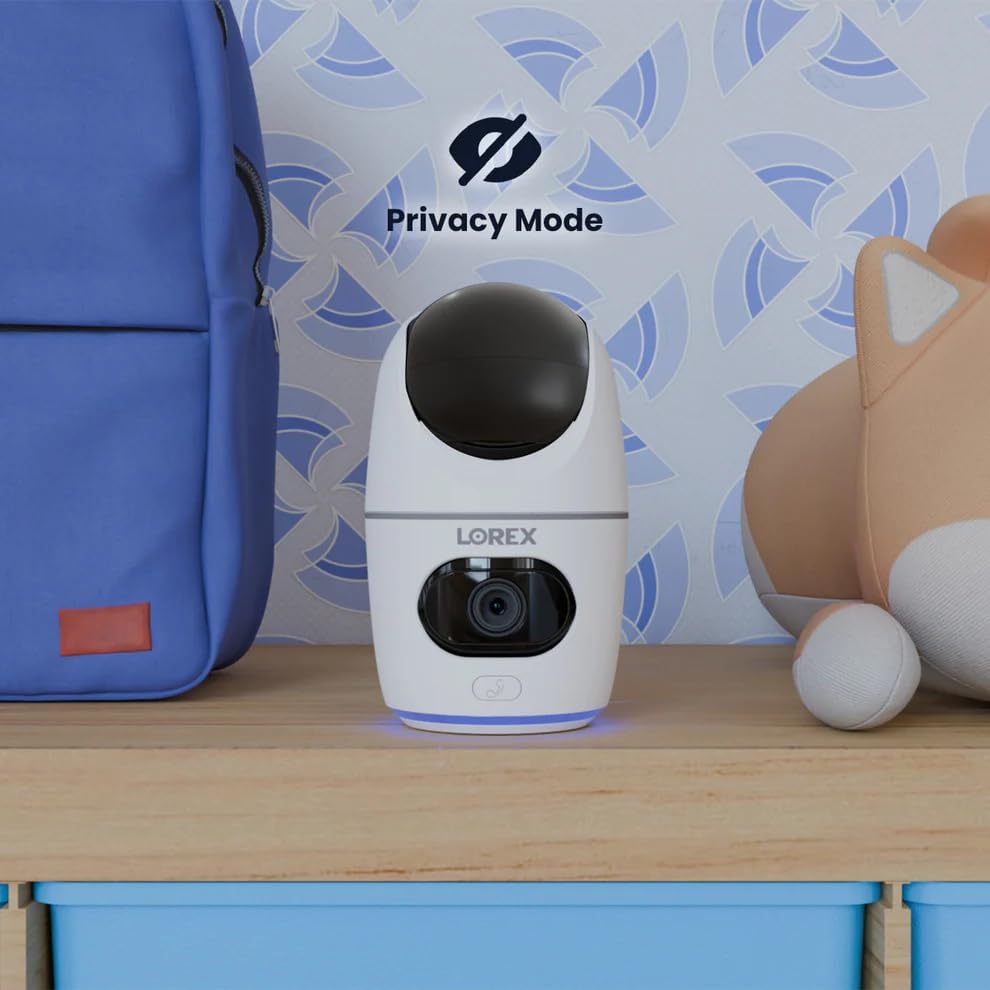
Image 5.12: The camera in Privacy Mode, with the lens retracted.
6. Održavanje
- Čišćenje: Za čišćenje objektiva i tijela fotoaparata koristite meku, suhu krpu. Izbjegavajte abrazivna sredstva za čišćenje ili otapala.
- Ažuriranja firmvera: Regularly check the Lorex Home app for available firmware updates to ensure optimal performance and security.
- MicroSD kartica: Periodically check the status of the MicroSD card in the app. If the card is full and continuous recording is enabled, older footagbit će prebrisano. Napravite sigurnosnu kopiju važnih datotekatage po potrebi.
- Napajanje: Ensure the camera is connected to a stable power source. Avoid using third-party power adapters that are not specified for this device.
7. Rješavanje problema
| Problem | Otopina |
|---|---|
| Camera is offline or disconnected. |
|
| Ne mogu se spojiti na Wi-Fi. |
|
| No video or poor video quality. |
|
| Motion alerts are too frequent or not received. |
|
8. Specifikacije
| Značajka | Detalj |
|---|---|
| Broj modela | W463AQD-E |
| Video rezolucija | 2K (1440p) |
| Učinkovito još uvijek razrješenje | 4 MP |
| Viewing kut | 360 Degrees (Pan-Tilt), 135 Degrees (Field of View) |
| Domet noćnog vida | 33 Feet (IR Night Vision) |
| Povezivost | Wi-Fi (2.4 GHz) |
| Skladištenje | 32GB MicroSD Card (included), supports up to 256GB, Cloud Storage (optional), Lorex Fusion compatible |
| Audio | Dvosmjerni razgovor (ugrađeni mikrofon i zvučnik) |
| Otkrivanje | Smart Person & Pet Detection, Auto-Tracking |
| Izvor napajanja | Corded Electric (5V=2A) |
| Dimenzije (D x Š x V) | 5 x 6 x 5 inča |
| Težina artikla | 15.2 unci |
| Unutarnja/vanjska upotreba | Samo u zatvorenom prostoru |
| Uključene komponente | Camera, 32GB MicroSD Card, Power Cable, Mounting Bracket, Power Adapter |
9. Jamstvo i podrška
For warranty information, technical support, or additional resources, please visit the official Lorex webstranici ili se obratite njihovom odjelu korisničke službe.
- lorex Webstranica: www.lorex.com
- Korisnička podrška: Refer to the Lorex website for contact details and support hours.
Preporučuje se registracija proizvoda kako biste primali ažuriranja i podršku.
Ask a question about this manual
Ask about setup, troubleshooting, compatibility, parts, safety, or missing instructions. Manuals+ will review the question and use this page’s manual context to help answer it.