
1. Uvod
This manual provides detailed instructions for the installation, operation, and maintenance of your JOOAN 3MP Wireless Security Camera System, Model 703. This system is designed to provide reliable surveillance with features such as 3MP resolution, AI human detection, audio recording, and remote access.

Slika 1.1: Gotovoview of the JOOAN Wireless Security Camera System components.
2. Komponente sustava
The JOOAN 3MP Wireless Security Camera System typically includes the following components:
- NVR (Network Video Recorder) with pre-installed 1TB HDD
- Wireless IP Cameras (4 units)
- Power Adapters for NVR and cameras
- USB miš
- Ethernet kabel
- Montažni vijci i sidra
- Korisnički priručnik (ovaj dokument)

Image 2.1: The 1TB Hard Disk Drive included with the NVR for video storage.
3. Vodič za postavljanje
3.1 Početno uključivanje i spajanje
- Spojite NVR na monitor pomoću HDMI ili VGA kabela.
- Connect the USB mouse to the NVR.
- Connect the NVR to power using its adapter.
- Spojite svaku kameru na odgovarajući adapter za napajanje.
- The cameras will automatically pair with the NVR upon power-up.

Image 3.1: Illustration of the 'Auto Pair, Plug N Play' setup process for the camera system.
The system is designed for 'Plug N Play' functionality, meaning cameras should automatically connect to the NVR once powered. For optimal wireless signal, consider the NVR's built-in router capabilities.

Image 3.2: The NVR features a built-in router, providing up to 200ft range with one wall obstruction and up to 1640ft in open spaces.
3.2 Remote Access Setup (Eseecloud App)
Do view your cameras remotely on mobile devices or PC, download the Eseecloud application.
- Download the Eseecloud app from your mobile app store (iOS/Android) or the Eseecloud software for PC.
- Registrirajte račun i prijavite se.
- On the NVR interface, navigate to Network Setup to find the Cloud ID (QR code).
- In the Eseecloud app, scan the Cloud ID QR code or manually enter the ID to add your device.
- Ensure your NVR is connected to the internet for remote viewing.

Slika 3.3: Daljinski upravljač viewing setup showing the Eseecloud app on mobile and PC for multi-device access.
Video 3.1: Demonstrates how to get a local image within one minute, showcasing the quick setup process.
Video 3.2: Overview of the Jooan 3MP Super HD Wireless System, highlighting its features and ease of use.
4. Upute za rad
4.1 Uživo View i Reprodukcija
Nakon što je sustav postavljen, možete view živi footage on your connected monitor or through the Eseecloud app. Recorded footage can be accessed via the NVR interface or the app for playback.
4.2 Detekcija pokreta i upozorenja
The system features advanced AI Human Detection to minimize false alarms. When motion or a human shape is detected, the system can trigger various alerts:
- NVR Buzzer
- Upozorenje putem e-pošte
- APP Notification (Push Alert)

Image 4.1: Demonstrates motion detection and the corresponding app push alerts and email notifications.
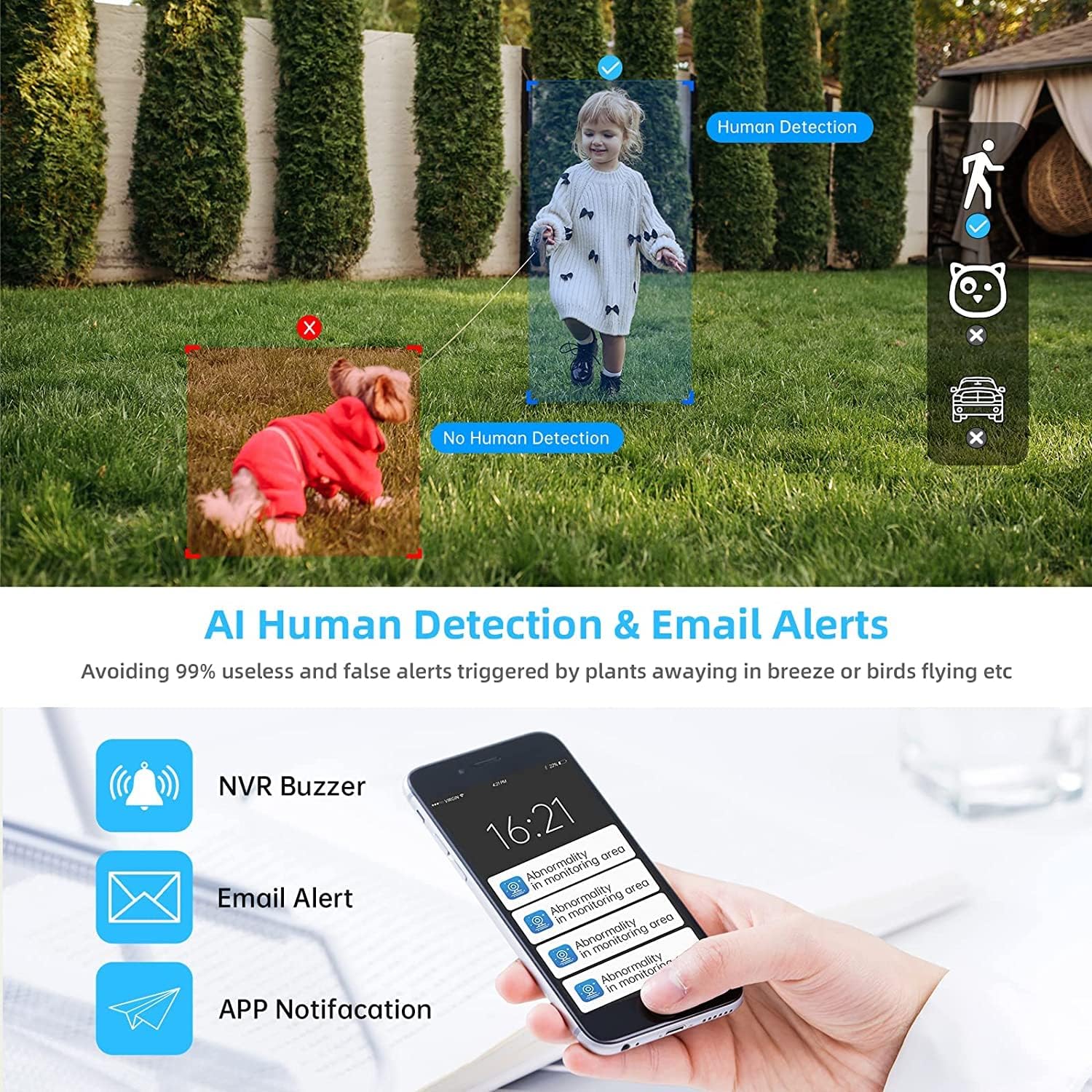
Image 4.2: AI Human Detection feature, distinguishing human shapes from other movements to reduce false alarms.
4.3 Audio Recording (One-Way Audio)
Each camera is equipped with a microphone, allowing for one-way audio recording. You can hear the sound from the monitoring scene during live viewreprodukciju i reprodukciju.
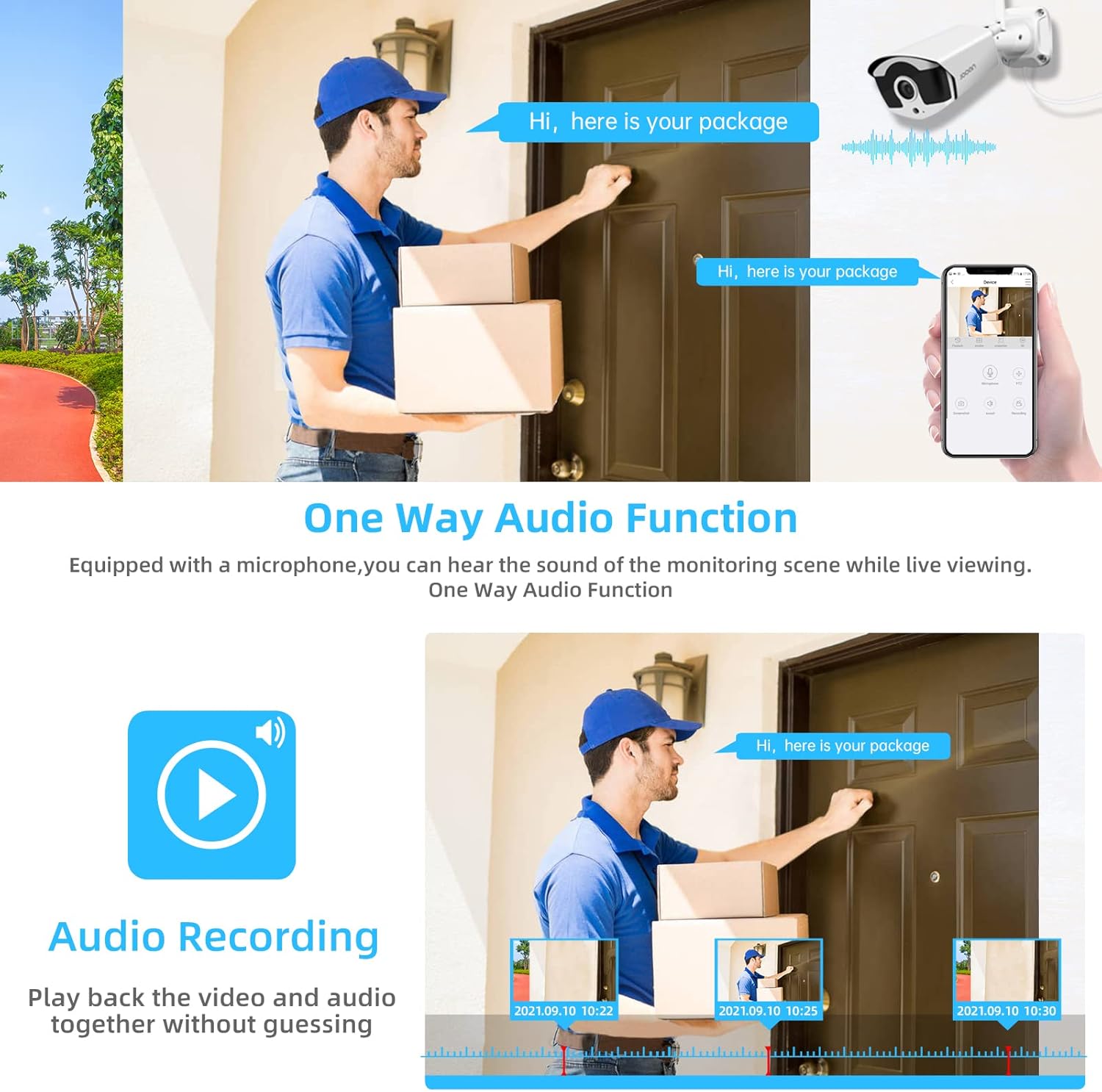
Image 4.3: Illustration of the one-way audio function, showing a delivery person speaking and the audio being recorded.
4.4 Noćni vid
The cameras provide clear night vision, ensuring continuous surveillance even in low-light conditions.

Image 4.4: Depiction of the camera's night vision feature, providing clear images in darkness.
Video 4.1: A short clip demonstrating the night time monitoring capabilities of the camera system.
4.5 H.265+ video kompresija
The system utilizes advanced H.265+ video compression technology, which significantly reduces storage space requirements while maintaining high video quality. This allows for longer recording times on the 1TB HDD.

Image 4.5: Comparison showing how H.265+ compression saves storage space compared to H.264 and H.265.
5. Održavanje
Redovito održavanje osigurava dugotrajnost i optimalne performanse vašeg sigurnosnog sustava.
- Čišćenje objektiva fotoaparata: Povremeno čistite leće fotoaparata mekom krpomamp krpom za uklanjanje prašine i mrlja. Izbjegavajte abrazivna sredstva za čišćenje.
- Uprava za kabele: Osigurajte da su svi kabeli sigurno spojeni i zaštićeni od oštećenja od okoliša.
- Ažuriranja softvera: Provjerite proizvođača website or the Eseecloud app for firmware updates for the NVR and cameras to ensure the latest features and security patches.
- Zaštita okoliša: While cameras are IP67 waterproof, extreme weather conditions can still affect performance. Ensure cameras are mounted securely and protected where possible.

Image 5.1: The IP67 waterproof rating ensures the camera's durability against various weather conditions, including rain, snow, and dust.
6. Rješavanje problema
If you encounter issues with your JOOAN Security Camera System, refer to the following common troubleshooting steps:
6.1 Nema video prikaza
- Provjerite snagu: Ensure the NVR and all cameras are properly powered on.
- Povezivanje monitora: Provjerite HDMI/VGA kabelsku vezu između NVR-a i monitora.
- Uparivanje fotoaparata: If a specific camera has no video, check its power and ensure it's within range of the NVR for wireless connection. Re-pair if necessary (refer to NVR manual for specific re-pairing steps).
6.2 Problemi s udaljenim pristupom
- Internetska veza: Ensure the NVR is connected to the internet via an Ethernet cable.
- Prijava u aplikaciju: Verify your Eseecloud app login credentials.
- ID oblaka: Double-check that the correct Cloud ID is entered in the app.
- Mrežne postavke: Ensure your router settings are not blocking the NVR's internet access.
6.3 Problemi sa snimanjem
- Status tvrdog diska: Check the NVR's settings to ensure the 1TB HDD is detected and functioning correctly.
- Raspored snimanja: Verify that the recording schedule is properly configured.
- Postavke detekcije pokreta: If using motion-triggered recording, ensure motion detection is enabled and sensitivity is adjusted appropriately.
7. Specifikacije
| Značajka | Specifikacija |
|---|---|
| Marka | JOOAN |
| Broj modela | 703 |
| Rezolucija video snimanja | 3MP (Clearer than 1080p) |
| Broj kanala | 8 |
| Noćni vid | Night color (up to 100ft) |
| Način snimanja | Continuous, Motion Detection, Event |
| Hardversko sučelje | 802.11 ac/b/g/n (Wireless) |
| Video ulaz | VGA, HDMI |
| Tehnologija optičkih senzora | CMOS |
| Ocjena vodootpornosti | IP67 |
| HDD Included | 1TB |
8. Jamstvo i podrška
For warranty information and technical support, please refer to the official JOOAN webweb-mjesto ili se izravno obratite njihovoj korisničkoj službi. Sačuvajte račun kao dokaz o kupnji za slučaj zahtjeva za jamstvo.
Dodatne resurse i često postavljana pitanja možete pronaći i na JOOAN Store on Amazon.

