
Uvod
This manual provides detailed instructions for the installation, operation, and maintenance of your BINIZE Double Din Car Stereo. Please read this manual thoroughly before using the product to ensure proper functionality and to prevent damage. Keep this manual for future reference.
Proizvod gotovview
The BINIZE Double Din Car Stereo is a 10.1-inch multimedia player running on an Android 13 system. It offers a range of features designed to enhance your in-car entertainment and navigation experience.
Ključne karakteristike:
- 10.1-inch capacitive touch screen with 1024x600 resolution.
- Android 13 Operating System with Quad-core Coretex-A7 processor (up to 1.3GHz).
- 2 GB RAM-a + 32 GB interne memorije.
- Wireless CarPlay and Android Auto support.
- Wired MirrorLink for Android and iOS devices.
- Ugrađeni Bluetooth za hands-free pozive i streaming zvuka.
- Integrated GPS receiver for online and offline navigation.
- FM radio prijemnik.
- Support for AUX, front, and rear camera inputs.
- Steering Wheel Control compatibility (manual learning required).
- Built-in Wi-Fi receiver and support for 4G communication (via external dongle, not included).
- Expandable options for OBD and tire pressure monitoring (accessories sold separately).

Figure 1: BINIZE Double Din Car Stereo Front View s istaknutim ključnim značajkama.
Postavljanje i instalacija
Proper installation is crucial for the optimal performance of your car stereo. If you are unfamiliar with car audio wiring and installation, professional assistance is recommended.
Fizičke dimenzije:
The unit measures approximately 251mm (width) x 146mm (height) x 56mm (depth). Ensure your vehicle's dashboard opening is compatible with these dimensions.
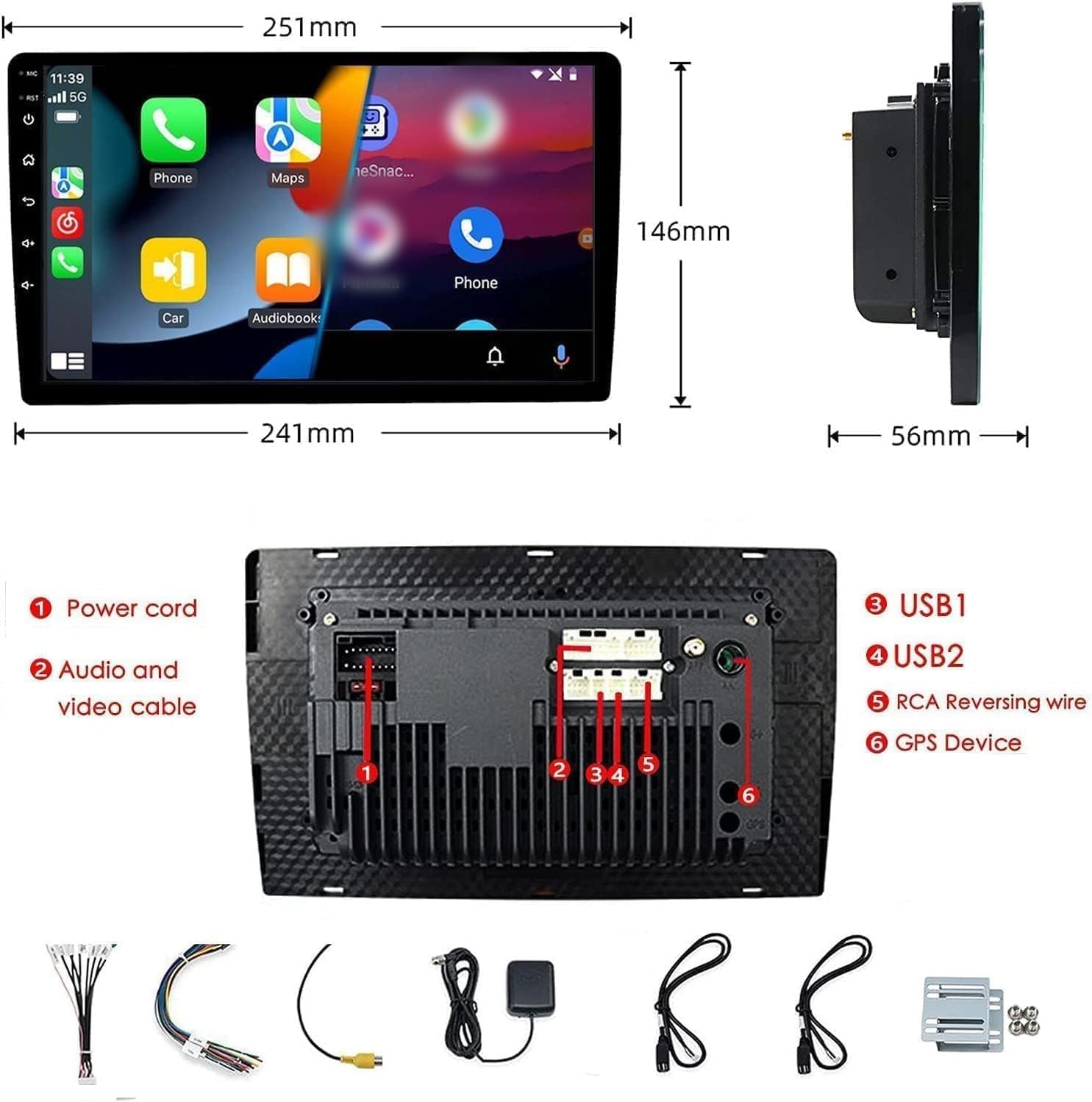
Figure 2: Unit dimensions and rear panel connection points.
Ožičenje:
Refer to the included wiring diagram for specific connections. Key connections include:
- Kabel za napajanje: Connect to vehicle's power supply (constant 12V, accessory 12V, ground).
- Audio and Video Cable: For external audio/video devices.
- USB portovi (USB1, USB2): For media playback, phone charging, and wired CarPlay/Android Auto.
- RCA Reversing Wire: Connect to the backup camera trigger wire.
- GPS Device: Connect the external GPS antenna for navigation functionality.
- Steering Wheel Control Wires (Key/SW): Za integraciju s kontrolama na volanu vozila.
Provjerite jesu li svi spojevi sigurni i pravilno izolirani kako biste spriječili kratki spoj.
Upute za rad
Uključivanje/isključivanje:
The unit will power on automatically when the vehicle's ignition is turned on. To manually power off or restart, use the power button on the front panel.
Rad zaslona osjetljivog na dodir:
Navigate the interface by tapping, swiping, and pinching on the 10.1-inch capacitive touch screen, similar to a smartphone or tablet.
FM radio:
Access the FM Radio application from the main menu. You can scan for stations, save presets, and adjust volume. The unit supports standard FM frequencies.

Slika 3: Sučelje FM radija.
Bluetooth uparivanje:
- Provjerite je li Bluetooth omogućen na vašem mobilnom telefonu.
- On the car stereo, open the Bluetooth application.
- Tražiti available devices on your phone and select "BINIZE" or a similar device name.
- Potvrdite kod za uparivanje na oba uređaja ako se to od vas zatraži.
- Nakon uparivanja možete upućivati pozive bez upotrebe ruku i strujati glazbu.
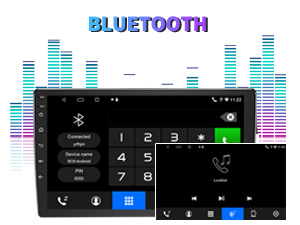
Figure 4: Bluetooth pairing screen.
Kontrola na upravljaču:
To use your vehicle's steering wheel controls, manual learning is required. Access the Steering Wheel Control settings in the system menu and follow the on-screen instructions to map your vehicle's buttons to the stereo functions.
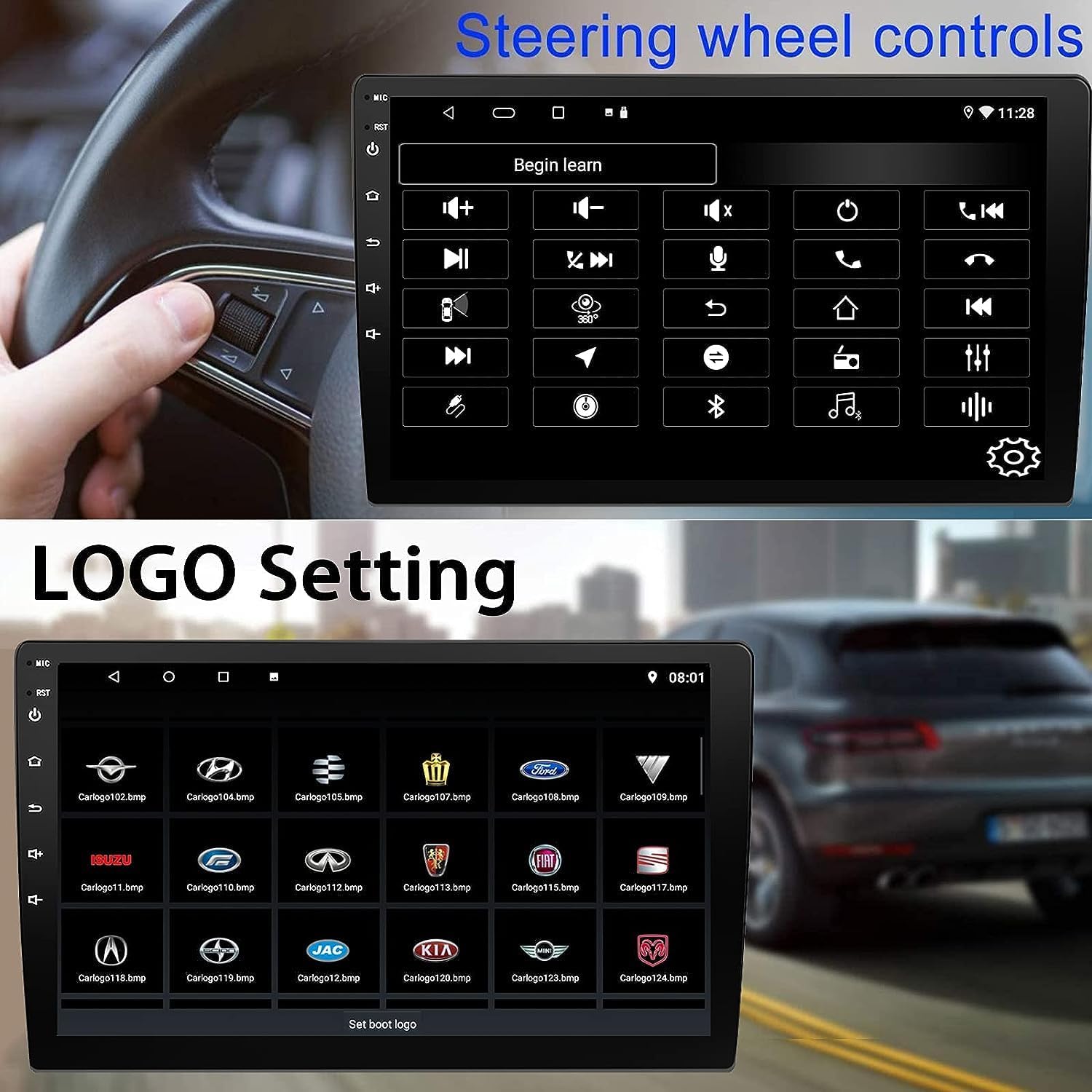
Figure 5: Steering Wheel Control setup screen.
Connectivity: CarPlay, Android Auto, and MirrorLink
Bežični CarPlay:
Connect your iPhone wirelessly to access CarPlay features such as navigation, music, messages, and calls directly on the stereo display. Ensure Wi-Fi and Bluetooth are enabled on your iPhone.
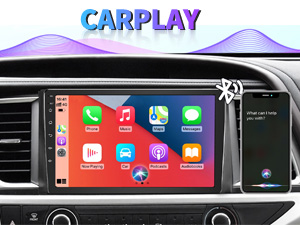
Figure 6: Wireless CarPlay interface.
Bežični Android Auto:
Connect your Android phone wirelessly to use Android Auto for navigation, communication, and entertainment apps. Ensure Wi-Fi and Bluetooth are enabled on your Android device.

Slika 7: Bežično Android Auto sučelje.
MirrorLink:
MirrorLink allows you to display your smartphone's screen directly onto the car stereo. This feature works with both Android and iOS devices via a wired connection. Note that CarPlay/Android Auto and MirrorLink cannot be used simultaneously.

Figure 8: MirrorLink feature displaying a phone screen on the stereo.
Navigacija
The car stereo features an integrated GPS receiver, supporting both online and offline navigation. Connect to Wi-Fi or a mobile hotspot to use online navigation apps. For offline navigation, you may need to download map data.

Figure 9: GPS navigation map display.
Ulaz kamere
Rezervna kamera:
The unit supports backup camera input. When properly connected, the display will automatically switch to the rear view when the vehicle is put into reverse, providing parking assistance with guidelines.
Ispred View Fotoaparat:
The stereo also supports front view camera input, allowing for enhanced visibility when maneuvering in tight spaces.

Figure 10: Backup camera and front view camera displays.
Održavanje
To ensure the longevity and optimal performance of your BINIZE car stereo, follow these maintenance guidelines:
- Čišćenje ekrana: Zaslon osjetljiv na dodir nježno obrišite mekom krpom koja ne ostavlja dlačice. Za tvrdokorne mrlje lagano obrišiteampOperite krpu vodom ili sredstvom za čišćenje ekrana. Izbjegavajte jake kemikalije ili abrazivne materijale.
- Generalno čišćenje: Keep the unit and surrounding areas free from dust and debris. Use a soft brush or compressed air to clean vents and button areas.
- Ažuriranja softvera: Periodically check for available software updates through the system settings to ensure you have the latest features and performance improvements.
- Izbjegavajte ekstremne temperature: Ne izlažite uređaj ekstremnoj toplini ili hladnoći dulje vrijeme, jer to može utjecati na njegove elektroničke komponente.
Rješavanje problema
Ako imate problema s autoradiom, pogledajte sljedeće uobičajene probleme i rješenja:
| Problem | Mogući uzrok | Otopina |
|---|---|---|
| Jedinica se ne uključuje. | Neispravno ožičenje; Pregorjeli osigurač; Problem s napajanjem vozila. | Check power connections and vehicle fuses. Ensure constant 12V and accessory 12V are correctly wired. |
| Nema zvuka. | Glasnoća je preniska; zvuk je uključen; problem s ožičenjem zvučnika. | Povećajte glasnoću. Provjerite je li uključeno isključivanje zvuka. Provjerite spojeve zvučnika. |
| CarPlay/Android Auto se ne povezuje bežično. | Bluetooth/Wi-Fi off on phone; Pairing issue; Software glitch. | Ensure phone's Bluetooth and Wi-Fi are on. Try re-pairing the device. Restart both phone and stereo. Some users reported needing to open phone's Bluetooth settings each time. |
| Screen too bright/dim at night. | Postavke prikaza nisu optimizirane. | Adjust brightness settings in the display menu. Consider using a screen dimming app if available. |
| Kamera za vožnju unatrag se ne prikazuje. | Camera not connected; RCA reversing wire not connected or faulty. | Check camera and RCA reversing wire connections. Ensure the camera is powered. |
Tehnički podaci
| Značajka | Detalj |
|---|---|
| Marka | BINIZE |
| Broj modela | Binize |
| Operativni sustav | Android 13 |
| Veličina zaslona | 10.1 inča (26 cm vidljive dijagonale) |
| Rezolucija | 1024x600 |
| Procesor | Quad-core Coretex-A7, 1.3GHz |
| Memorija (RAM) | 2 GB |
| Pohrana (ROM) | 32 GB |
| Povezivost | Bluetooth, Wi-Fi, USB, Auxiliary |
| Posebne značajke | Wireless CarPlay, Wireless Android Auto, MirrorLink, GPS Navigation, Touchscreen, Built-In Bluetooth |
| Način audio izlaza | Stereo (konfiguracija kanala za surround zvuk 2.0) |
| Težina artikla | 2.94 funti |
| Boja | Crna |
Jamstvo i podrška
Informacije o jamstvu:
The BINIZE Double Din Car Stereo comes with a 1 godina besplatnog jamstva od datuma kupnje. Ovo jamstvo pokriva proizvodne nedostatke i kvarove pri normalnoj uporabi. Molimo sačuvajte dokaz o kupnji za reklamacije.
Tehnička podrška:
For any technical assistance, questions, or issues not covered in this manual, please contact our professional technical support team. You can reach us via Amazon email for 24/7 online technical support. Our team is available to assist with system upgrades and parts replacement.
We are committed to providing enthusiastic customer service and ensuring your satisfaction with the BINIZE product.


