
West Biking 1A-PZ-YP0702061-Blackgreen
West Biking Wireless Bike Computer User Manual
Model: 1A-PZ-YP0702061-Blackgreen
Uvod
Thank you for choosing the West Biking Wireless Bike Computer. This multifunctional and waterproof device is designed to enhance your cycling experience by providing accurate data such as speed, distance, and time. Featuring a smart touch backlight and a clear HD digital LCD display, it ensures readability day and night. This manual provides detailed instructions for setup, operation, and maintenance to help you get the most out of your new bike computer.

Image: West Biking Wireless Bike Computer with a clear digital display, indicating its waterproof design.
Sadržaj paketa
Before proceeding with installation, please ensure all components are present:
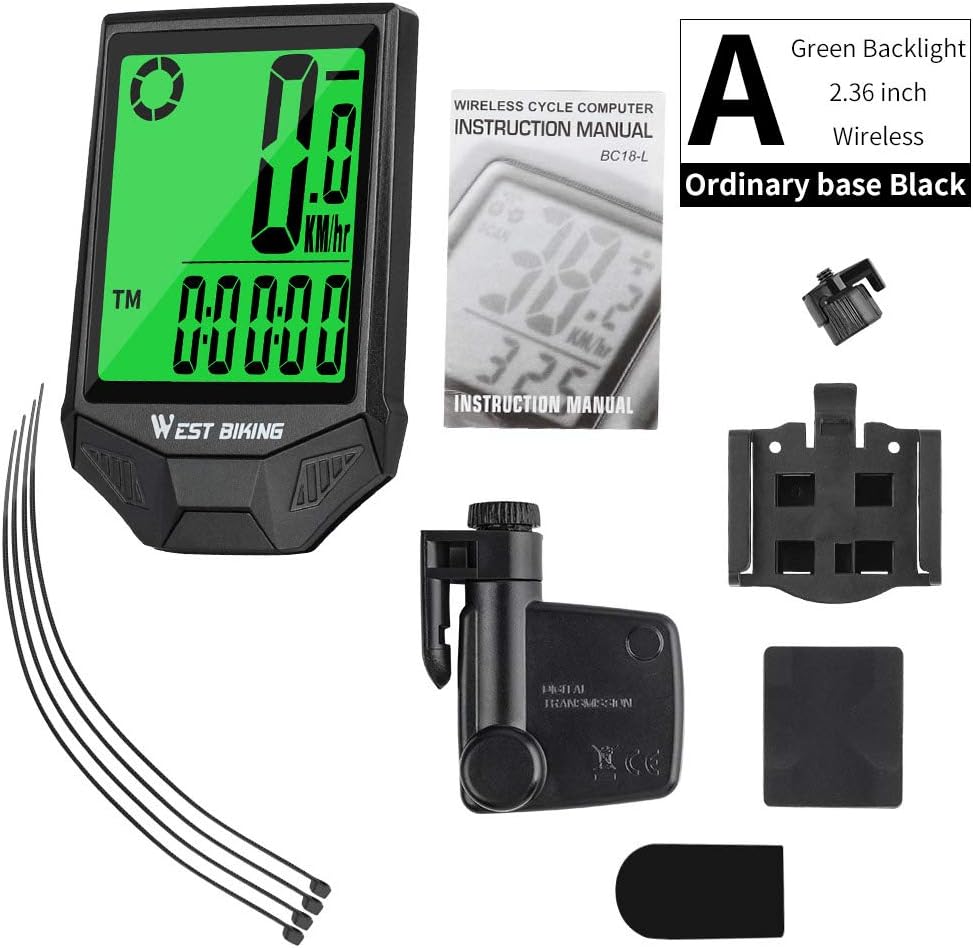
Image: All components included with the West Biking Wireless Bike Computer, such as the main unit, wireless sensor, wheel magnet, handlebar mount, and zip ties.
- West Biking Bike Computer Unit
- Bežični senzor brzine
- Magnet za kotače
- Handlebar Mounting Base
- Zip Ties for installation
- Upute za uporabu (ovaj dokument)
Postavljanje i instalacija
Follow these steps to correctly install your West Biking Wireless Bike Computer:
- Attach the Base to the Handlebar: Secure the mounting base to your bicycle's handlebar using the provided zip ties or screws, ensuring it is firmly in place and positioned for easy viewing.
- Fix the Computer to the Base: Slide the bike computer unit onto the installed mounting base until it clicks securely into position.
- Attach the Magnet to a Spoke: Securely attach the wheel magnet to one of the spokes on your front wheel. Position it so that it will pass closely by the wireless speed sensor.
- Attach Wireless Sensor: Mount the wireless speed sensor to the front fork of your bicycle using the provided zip ties. Ensure it is aligned with the wheel magnet.
- Adjust Sensor-Magnet Distance: Crucially, adjust the position of the sensor and magnet so that the distance between them is no more than 3mm when the wheel rotates. This ensures accurate data transmission.
- Initial Data Setting: After physical installation, power on the device and proceed with initial data settings such as wheel circumference, unit preference (KM/H or MPH), and current time. Refer to the "Operating Instructions" section for detailed setting procedures.

Image: Visual guide illustrating the six key steps for installing the bike computer, sensor, and magnet.
Video vodič za instalaciju
Video: A detailed video demonstrating the installation process of the West Biking Bike Computer, including mounting the sensor, magnet, and main unit.
Upute za rad
The West Biking Bike Computer offers various functions to track your cycling performance. Familiarize yourself with its features and how to navigate them.
Key Features and Display Modes

Slika: Prekoview of the various functions and metrics displayed by the bike computer, such as speed, distance, time, and calorie consumption.
- Odabir km/milje: Switch between kilometers and miles for distance and speed measurements.
- LED pozadinsko osvjetljenje: Activate the backlight for clear visibility in low-light conditions.
- Speed Tendency: Indicates whether your current speed is increasing ili dekretasing.
- Sat: Prikazuje trenutno vrijeme.
- Current Speed (SPD): Shows your real-time cycling speed.
- Average Speed (AVS): Calculates your average speed during the current trip.
- Maximum Speed (MXS): Records the highest speed achieved during the current trip.
- Trip Time (TM): Displays the duration of your current ride.
- Speed Comparator (+ or -): Indicates if your current speed is above or below your average speed.
- Potrošnja kalorija: Estimates calories burned during your ride.
- Scan (Automatic Circulation): Automatically cycles through different display modes every few seconds.
- FAT Burned (FAT): Estimates fat burned during your ride.
- Temperature (°C/°F Selection): Displays ambient temperature and allows switching between Celsius and Fahrenheit.
- Auto Wake-up: The computer automatically powers on when motion is detected.
Using the Touch Sensor Backlight
The device features a smart touch sensor for activating the backlight, improving visibility during night rides or in dim conditions.
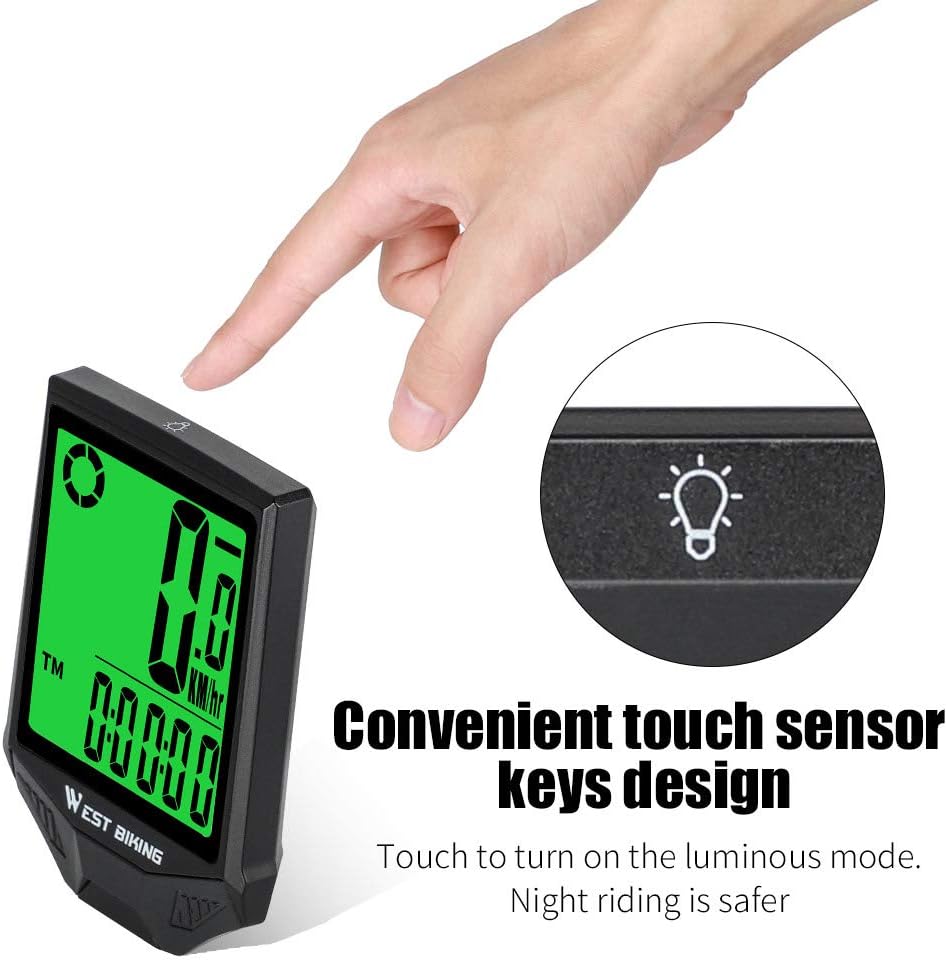
Image: Illustration of the convenient touch sensor keys design, showing how to activate the luminous mode for night riding.
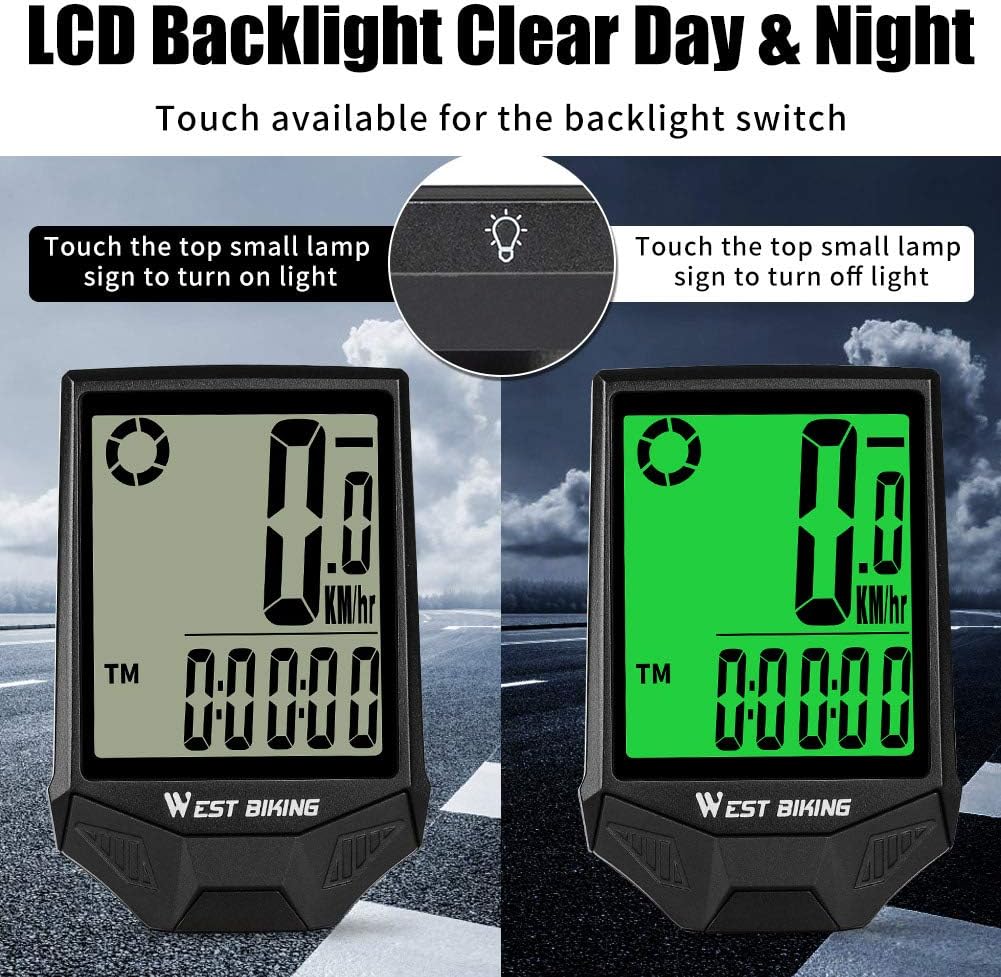
Image: Side-by-side comparison of the LCD display in daylight and with the backlight activated for clear night visibility.
To turn on the backlight, gently touch the top small lamp sign on the device. Touch it again to turn off the backlight.
Automatic Display Cycling (Scan Mode)
In Scan Mode, the device automatically displays trip distance (DST), maximum speed (MXS), average speed (AVS), and trip time (TM) every 4 seconds, providing a comprehensive overview without manual input.
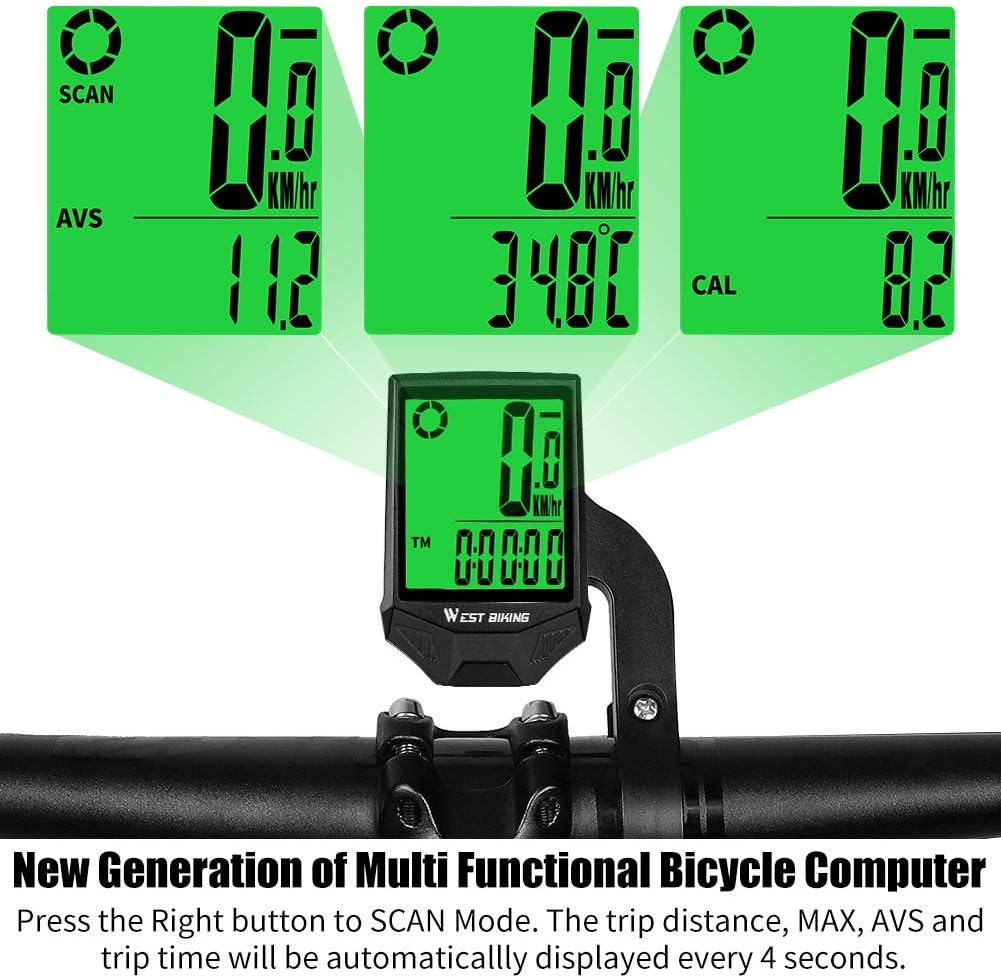
Image: The bike computer displaying various functions like AVS (Average Speed), CAL (Calories), and DST (Trip Distance) in automatic scan mode.
General Usage and Features Video
Video: Prekorview video prezentacijaasing the features and general operation of the West Biking Wireless Bike Computer, including its waterproof capabilities.
Održavanje
To ensure the longevity and optimal performance of your West Biking Wireless Bike Computer, follow these maintenance guidelines:
- Čišćenje: Obrišite zaslon i casing s mekim, damp cloth. Avoid using abrasive cleaners or solvents, as they may damage the screen or finish.
- Vodootpornost: The device is designed to be waterproof for typical cycling conditions (rain, splashes). However, avoid submerging it in water or exposing it to high-pressure water jets.
- Zamjena baterije: When the display becomes dim or unresponsive, it may be time to replace the battery. Refer to the device's specific battery compartment for instructions on opening and replacing the battery (typically a coin cell battery). Ensure proper polarity.
- Sensor and Magnet Check: Periodically check the alignment and security of the wireless sensor and wheel magnet. Ensure the 3mm gap is maintained for accurate readings.
- Skladištenje: If storing the bike computer for an extended period, remove the battery to prevent leakage and corrosion. Store in a cool, dry place away from direct sunlight.
Image: The bike computer demonstrating its waterproof capability with water droplets on the screen.
Rješavanje problema
If you encounter issues with your West Biking Wireless Bike Computer, refer to the following common troubleshooting steps:
| Problem | Mogući uzrok | Otopina |
|---|---|---|
| Nema zaslona ili je zaslon taman | Low or dead battery; device in sleep mode. | Replace the battery. Tap the screen or rotate the wheel to wake up the device. |
| Inaccurate speed/distance readings or no readings | Incorrect sensor-magnet distance; misaligned sensor/magnet; weak battery in sensor; incorrect wheel circumference setting. | Ensure the gap between the sensor and magnet is within 3mm. Realign the sensor and magnet. Replace the sensor battery. Verify the wheel circumference setting is correct. |
| Pozadinsko osvjetljenje ne radi | Battery low; touch sensor not activated correctly. | Replace the main unit battery. Ensure you are touching the designated lamp icon area on the screen. |
| Device not responding to button presses (if applicable) | Device frozen; low battery. | Try removing and reinserting the battery to reset. Replace the battery. |
Tehnički podaci
| Značajka | Detalj |
|---|---|
| Marka | West Biking |
| Broj modela | 1A-PZ-YP0702061-Blackgreen |
| Težina artikla | 52 gram |
| Veličina zaslona | 2.36 inča |
| Vrsta zaslona | LCD |
| Vrsta senzora | Speed Sensor (Wireless) |
| Vrsta montaže | Nosač upravljača |
| Unos ljudskog sučelja | Buttons, Touch Sensor |
| Dimenzije paketa predmeta | 6.2 x 3.2 x 1.9 inča |
| Težina paketa | 0.14 kilogram |
| Datum prve dostupnosti | 1. kolovoza 2020 |
Jamstvo i podrška
For specific warranty information regarding your West Biking Wireless Bike Computer, please refer to the warranty card included with your purchase or visit the official West Biking webstranica. Uvjeti jamstva mogu se razlikovati ovisno o regiji i prodavaču.
If you require further assistance, have questions not covered in this manual, or need technical support, please contact West Biking customer service through their official channels. You may also find additional resources and FAQs on their webmjesto.
PDF verzija korisničkog priručnika također je dostupna za preuzimanje: Preuzmite korisnički priručnik (PDF)