
Uvod
Hvala na kupnjiasing the ThermoPro TP53 Indoor Hygrometer Thermometer. This device is designed to provide accurate measurements of indoor temperature and humidity, helping you maintain a comfortable and healthy living environment. Please read this manual carefully before use to ensure proper operation and to maximize the product's lifespan.
Značajke proizvoda
- Touch-Sensitive Backlight: Features a touch backlight button on the frame for easy screen illumination in dark conditions.
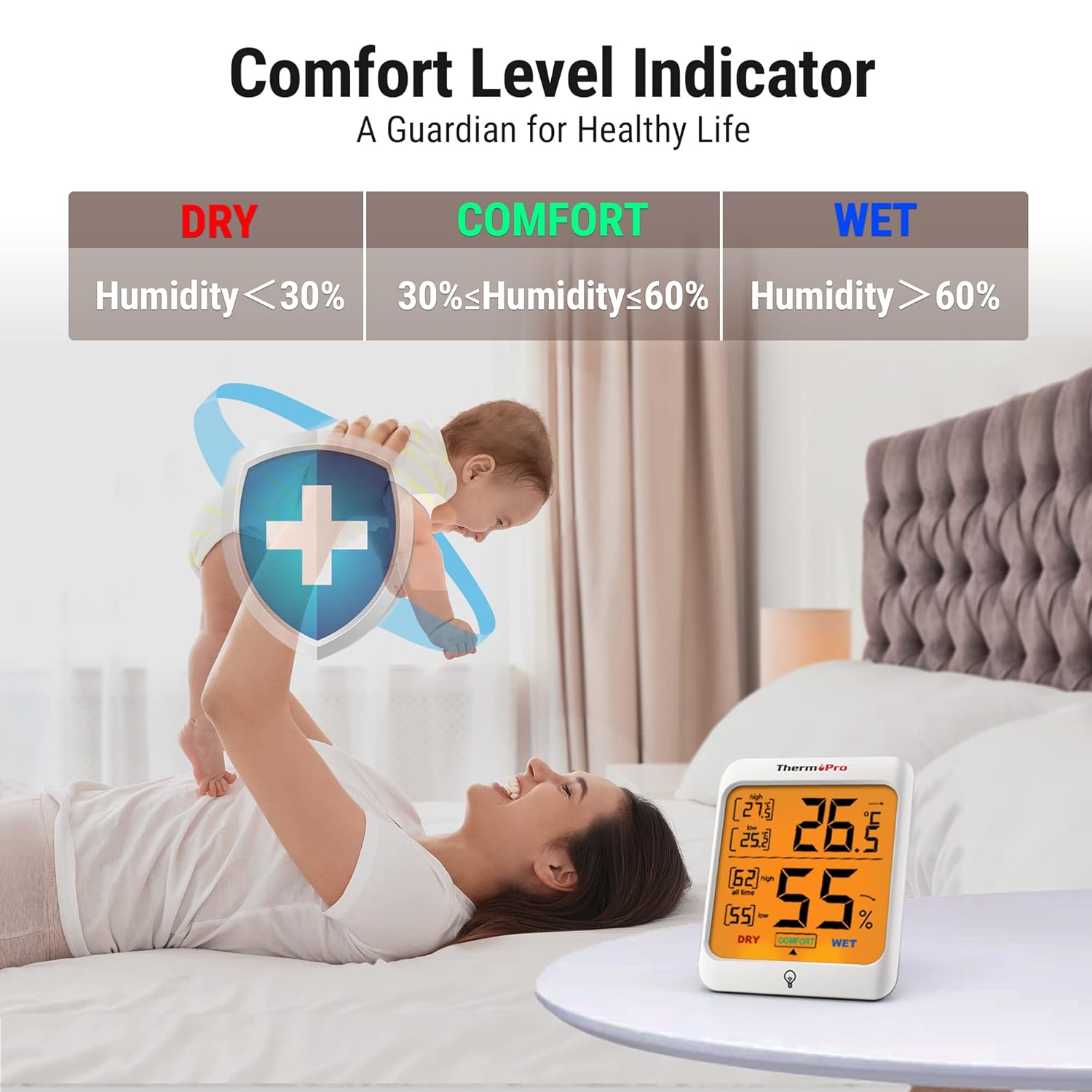
- Indikator udobnosti zraka: Displays the comfort level (DRY, COMFORT, WET) based on current humidity, keeping you informed of indoor conditions.
- Max and Min Records: Stores and displays all-time or 24-hour maximum and minimum temperature and humidity records.
- Više opcija montaže: Designed for tabletop placement, wall mounting, or magnetic attachment for versatile positioning.
- Široka primjena: Provides essential temperature and humidity control for various environments such as baby rooms, nurseries, basements, warehouses, and greenhouses.

Sadržaj paketa
- 2 x ThermoPro TP53 Indoor Hygrometer Thermometer
- 4 x AAA baterije
- 1 x korisnički priručnik
Ključne komponente

Prednji zaslon:
- Unutarnja temperatura: Očitavanje trenutne temperature.
- Unutarnja vlažnost: Current humidity reading.
- MAX/MIN temperatura: Highest/lowest temperature recorded.
- MAX/MIN Humidity: Highest/lowest humidity recorded.
- Indikator razine udobnosti: Shows DRY, COMFORT, or WET.
- Temperature Trend Arrow: Indicates rising, falling, or stable temperature.
- Humidity Trend Arrow: Indicates rising, falling, or stable humidity.
- Touch Backlight Button: Located at the bottom center of the display.
Gumbi za povratak:
- °C/°F Switcher: Toggles between Celsius and Fahrenheit.
- ALL TIME/24HRS Button: Switches between all-time and 24-hour MAX/MIN records.
Postavljanje
- Umetnite baterije: Open the battery compartment on the back of the unit. Insert 2 AAA batteries, ensuring correct polarity (+/-). Close the battery compartment. The device will power on automatically.
- Odaberite jedinicu temperature: On the back of the unit, press the '°C/°F' button to switch between Celsius and Fahrenheit as desired.
- Plasman: Place the hygrometer in your desired location. It can stand on a tabletop using its integrated stand, be mounted on a wall using the hanging hole, or attached to a metallic surface via its powerful magnets. Allow approximately 10-15 minutes for the sensor to stabilize and provide accurate readings.

Upute za rad
Reading Temperature and Humidity:
The current indoor temperature and humidity are displayed prominently on the large LCD screen.
Korištenje pozadinskog osvjetljenja:
Touch the backlight button located on the front frame of the unit to activate the backlight. The backlight will remain on for approximately 15 seconds before automatically turning off to conserve battery life.

Viewing MAX/MIN Records:
Press the 'ALL TIME/24HRS' button on the back of the unit to cycle through the maximum and minimum records. You can view records for the past 24 hours or all-time since the last reset/battery change.

Understanding the Comfort Level Indicator:
The comfort level indicator provides a quick visual reference for your indoor environment:
- SUHO: Humidity below 30% RH
- UDOBNOST: Humidity between 30% and 60% RH
- MOKRO: Humidity above 60% RH
Understanding Trend Arrows:
Arrows next to the temperature and humidity readings indicate the trend:
- Up Arrow (↑): Rising trend
- Down Arrow (↓): Falling trend
- Horizontal Arrow (→): Stable trend
Održavanje
- Čišćenje: Obrišite uređaj mekom, damp krpom. Nemojte koristiti abrazivna sredstva za čišćenje niti uranjati uređaj u vodu.
- Zamjena baterije: When the battery indicator appears on the display, replace the AAA batteries. Ensure correct polarity.
- Skladištenje: If storing the unit for an extended period, remove the batteries to prevent leakage. Store in a dry place away from extreme temperatures.
Rješavanje problema
Nema prikaza ili slab prikaz:
- Provjerite jesu li baterije ispravno umetnute s odgovarajućim polaritetom.
- Zamijenite novim AAA baterijama.
Netočna očitanja:
- Ensure the unit is placed in a location away from direct sunlight, heat sources, or drafts, which can affect readings.
- Allow 10-15 minutes for the sensor to stabilize after initial setup or relocation.
- If readings seem consistently off, try replacing the batteries.
Tehnički podaci
| Marka | ThermoPro |
| Broj modela | TP53 |
| Boja | Bijela |
| Raspon temperature | -50°C do 70°C (-58°F do 158°F) |
| Točnost temperature | ±0.5°C (±1.0°F) |
| Raspon vlage | 10% do 99% RH |
| Točnost vlažnosti | ±2-3% RH |
| Brzina osvježavanja | 10 sekundi |
| Izvor napajanja | 2 x AAA baterije |
| Dimenzije (Š x V x D) | 7.1 cm x 8.4 cm x 6.2 cm (approximate, based on visual representation) |


Jamstvo
ThermoPro provides a 3-year warranty for this product from the date of purchase. This warranty covers defects in materials and workmanship under normal use. It does not cover damage caused by misuse, accidents, unauthorized modifications, or normal wear and tear. Please retain your proof of purchase for warranty claims.
podrška
For any questions, assistance, or warranty claims, please contact ThermoPro Customer Service. Refer to the contact information provided on the ThermoPro official webweb-mjesto ili pakiranje vašeg proizvoda.