
SYSTEMTREFF 20192505-a
SYSTEMTREFF PC AMD Ryzen 7 5700G User Manual
Model: Ed2505 (20192505-a)
Uvod
This manual provides essential information for setting up, operating, maintaining, and troubleshooting your SYSTEMTREFF PC AMD Ryzen 7 5700G. Please read this manual thoroughly before using your new computer to ensure proper functionality and longevity.

Slika: Prednja strana view of the SYSTEMTREFF PC, showcasing its transparent side panel and illuminated internal components.
Vodič za postavljanje
Follow these steps to set up your SYSTEMTREFF PC.
1. Raspakiranje i postavljanje
- Pažljivo izvadite računalo iz ambalaže. Sačuvajte sav ambalažni materijal za budući transport ili servis.
- Place the PC on a stable, flat surface with adequate ventilation. Ensure there is sufficient space around the computer for airflow, especially at the front, rear, and top vents.
- Avoid placing the PC near heat sources, in direct sunlight, or in areas with excessive dust or humidity.

Slika: Razno views of the PC case illustrating its physical dimensions for proper placement.
2. Povezivanje perifernih uređaja
Connect your monitor, keyboard, mouse, and other devices to the appropriate ports.
- Monitor: Connect your monitor to the HDMI or DVI-D port on the rear of the PC. Ensure the cable is securely fastened.
- Tipkovnica i miš: Connect your USB keyboard and mouse to any available USB ports (USB 2.0 or USB 3.0/3.2). PS/2 ports are also available for compatible devices.
- Audio: Connect speakers or headphones to the audio output jack (green) and a microphone to the microphone input jack (pink) on the rear or front panel.
- Mreža: For a wired connection, connect an Ethernet cable from your router to the RJ45 LAN port on the rear. For wireless connectivity, ensure the included USB Wi-Fi stick is connected.
- Vlast: Spojite kabel za napajanje na jedinicu za napajanje (PSU) na stražnjoj strani računala, a zatim drugi kraj uključite u uzemljenu električnu utičnicu.

Slika: Detaljna view of the available front and rear ports for connecting various peripherals.
Upute za rad
1. Prvo pokretanje i početno postavljanje
- After connecting all peripherals, press the power button located on the top front of the PC.
- The system will boot into Windows 10 Pro. Follow the on-screen instructions to complete the initial Windows setup, including region, language, and user account creation.
- Drivers for all components are pre-installed, ensuring a plug-and-play experience.
2. Osnovna uporaba
- Uključivanje/isključivanje: Pritisnite gumb za uključivanje/isključivanje. Za isključivanje kliknite gumb Start u sustavu Windows, a zatim odaberite Napajanje > Isključi.
- Ponovno pokretanje: Za ponovno pokretanje sustava kliknite gumb Start, a zatim odaberite Napajanje > Ponovno pokretanje.
- Stanje mirovanja: Da biste sustav prebacili u stanje mirovanja, kliknite gumb Start, a zatim odaberite Napajanje > Mirovanje.
- Povezivost: The PC supports Wi-Fi and Bluetooth for wireless connections. Use the Windows settings to connect to wireless networks or pair Bluetooth devices.

Slika: pramples of typical usage scenarios for the PC, including productivity, entertainment, and gaming.
Održavanje
Regular maintenance helps ensure the optimal performance and longevity of your PC.
1. Čišćenje
- Vanjski: Koristite meku, damp krpom očistite vanjštinu kućišta. Izbjegavajte abrazivna sredstva za čišćenje.
- Prah: Periodically clean dust from the vents and fans using compressed air. Ensure the PC is powered off and unplugged before cleaning. The case features a mesh front and side panel for improved airflow and dust filtration.

Image: Features of the PC case designed for efficient cooling and maintenance access.
2. Ažuriranja softvera
- Redovito provjeravajte i instalirajte ažuriranja za Windows kako biste osigurali stabilnost i sigurnost sustava.
- Keep your graphics drivers updated for optimal performance, especially for gaming and multimedia applications.
Rješavanje problema
Ovaj odjeljak obrađuje uobičajene probleme s kojima se možete susresti.
Nema snage
- Provjerite je li kabel za napajanje sigurno spojen i na računalo i na električnu utičnicu.
- Verify that the power switch on the back of the power supply unit (PSU) is in the 'On' position.
- Testirajte utičnicu s drugim uređajem kako biste potvrdili da je funkcionalna.
Nema prikaza na monitoru
- Check that the monitor is powered on and its video cable is securely connected to the PC's HDMI or DVI-D port.
- Ensure the monitor input source is correctly selected (e.g., HDMI 1, DVI).
- If you have multiple display outputs, try connecting to a different port.
Usporavanje ili zamrzavanje sustava
- Zatvorite nepotrebne aplikacije koje rade u pozadini.
- Check for sufficient free space on your drives, especially the C: drive (SSD).
- Pokrenite skeniranje virusa kako biste provjerili ima li zlonamjernog softvera.
- Ensure the PC has adequate ventilation and is not overheating.
Tehnički podaci
Detailed technical specifications of your SYSTEMTREFF PC.
| komponenta | Specifikacija |
|---|---|
| Procesor | AMD Ryzen 7 5700G (8 Cores, up to 4.6 GHz Turbo) |
| Grafika | Integrated AMD Radeon RX Vega 8 (4GB, 2000 MHz, DirectX 12.1) |
| OVAN | 32GB DDR4 3200MHz |
| Skladištenje | 1TB M.2 NVMe SSD + 2TB HDD |
| Operativni sustav | Windows 10 Pro (64-bit, pre-installed) |
| Napajanje | 500 vat |
| Povezivost | Wi-Fi, Bluetooth, Gigabit LAN (RJ45) |
| Prednji priključci | 1x USB 3.0, 2x USB 2.0, Audio In/Out |
| Stražnji portovi | HDMI 4K HD, DVI-D, PS/2, 4x USB 3.2, 2x USB 2.0, HD 7.1 Sound, RJ45 LAN |
| Dimenzije (VxŠxD) | 45 x 20.5 x 38.5 cm |
| Težina | 12 kg |

Image: Visual summary of the PC's core performance components.


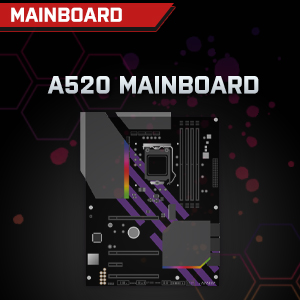

Image: Individual component representations for CPU, RAM, Graphics, Storage, Mainboard, and Power Supply.
Jamstvo i podrška
SYSTEMTREFF is committed to providing excellent customer service.
- Jamstvo proizvođača: Your SYSTEMTREFF PC comes with a 36-month (3-year) manufacturer's warranty. This warranty covers defects in materials and workmanship under normal use.
- Kontrola kvalitete: All individually assembled PCs undergo a quality control check before shipment.
- Povratak: In case of issues, SYSTEMTREFF offers free returns.
- Kontaktirajte podršku: For technical assistance, warranty claims, or any other inquiries, please contact SYSTEMTREFF customer support. Contact details can typically be found on the manufacturer's official webweb-mjesto ili dokumentaciju priloženu uz vašu kupnju.

Image: Information regarding warranty, ease of setup, and customer support availability.
Ask a question about this manual
Ask about setup, troubleshooting, compatibility, parts, safety, or missing instructions. Manuals+ will review the question and use this page’s manual context to help answer it.