
1. Uvod
1.1 Proizvod višeview
The Renkforce RF-HC-100 is a compact 16-megapixel trail camera designed for outdoor monitoring. It features a time-lapse function, night vision capabilities, and a durable, camouflage brown housing. This camera is suitable for wildlife observation, property surveillance, and other outdoor recording needs.
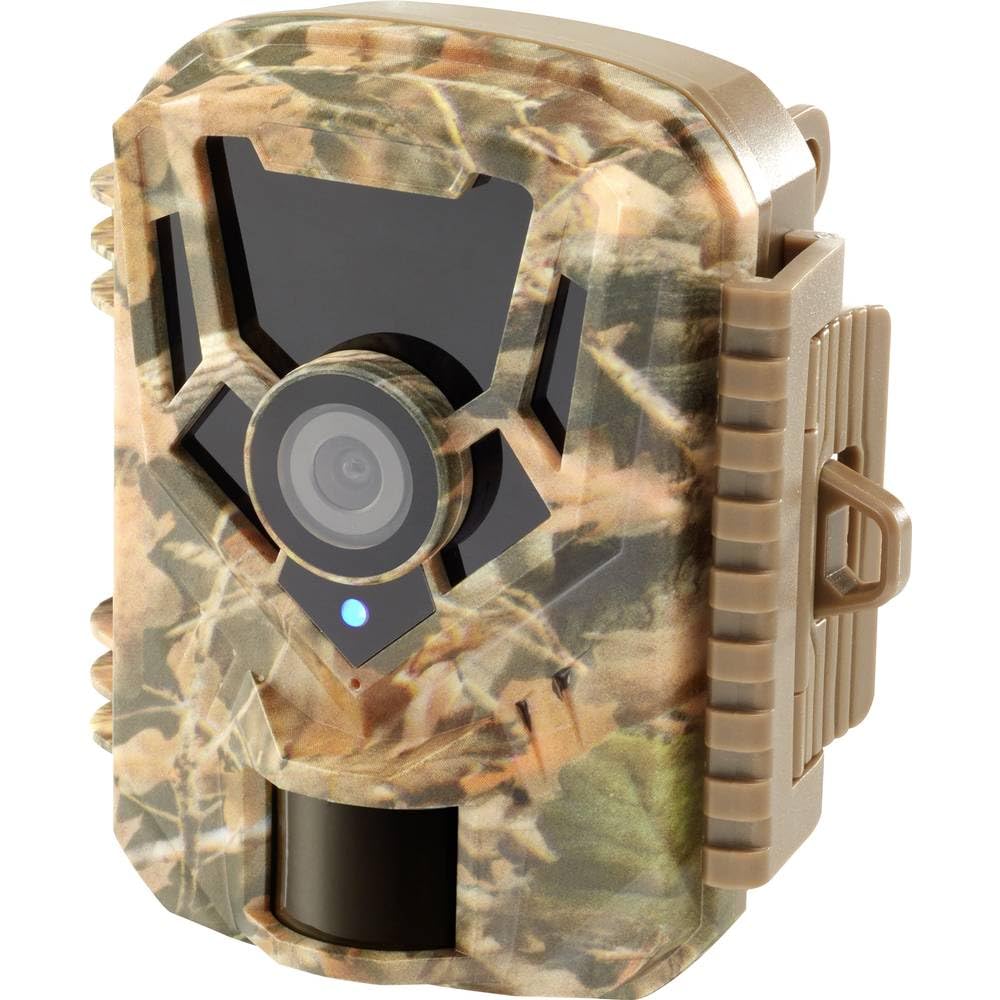
Slika: Prednja strana view of the Renkforce RF-HC-100 Trail Camera, showcasing svojim kompaktnim dizajnom i kamuflažnim uzorkom.

Slika: prednja strana view of the Renkforce RF-HC-100 Trail Camera, highlighting the main lens and motion sensor.
1.2 Sadržaj paketa
- 1 x Renkforce RF-HC-100 Trail Camera Unit
- Note: Additional accessories such as mounting straps, USB cables, or user manuals may be included depending on the specific package.
2. Sigurnosne informacije
- Prije rada s uređajem pažljivo pročitajte sve upute.
- Do not expose the camera to extreme temperatures, direct sunlight for prolonged periods, or corrosive liquids.
- Ensure the battery compartment is properly sealed to maintain the IP65 weather resistance.
- Baterije odložite u skladu s lokalnim propisima. Nemojte miješati stare i nove baterije ili različite vrste baterija.
- Držite uređaj izvan dohvata djece.
- Ne pokušavajte rastavljati ili modificirati kameru jer će to poništiti jamstvo i može uzrokovati oštećenje.
3. Značajke proizvoda
The Renkforce RF-HC-100 Trail Camera offers the following key features:
- Slika visoke rezolucije: 16 Megapixel effective capture resolution for clear photos and 1080p video recording.
- Noćni vid: Equipped with color night vision for monitoring in low-light conditions.
- Funkcija ubrzanog snimanja: Capture images at set intervals to observe long-term events.
- Utor za SD karticu: Supports external SD cards for ample storage of photos and videos.
- Otpornost na vremenske uvjete: IP65 international protection rating ensures durability in various outdoor environments.
- Kompaktan dizajn: Miniature form factor with a camouflage brown finish for discreet placement.
- Široki kut View: 90-degree angle of view pokriti široko područje.
- Povezivost: Features wired connectivity (USB, AV ports) and Wi-Fi protocol for data transfer and control via application.
- Mogućnosti montaže: Includes support for wall mounting.
4. Postavljanje
4.1 Ugradnja baterije
- Otvorite kućište kamere otključavanjem bočnih kopči.
- Pronađite odjeljak za baterije.
- Insert the required number of AA batteries (not included) according to the polarity markings (+/-).
- Čvrsto zatvorite odjeljak za baterije.
4.2 Instalacija SD kartice
- S otvorenim kućištem kamere pronađite utor za SD karticu.
- Insert a compatible SD card (up to 32GB, Class 10 recommended) into the slot with the metal contacts facing down until it clicks into place.
- Za vađenje, ponovno gurnite SD karticu dok ne izađe.

Image: The Renkforce RF-HC-100 Trail Camera with its housing open, revealing the control panel, USB, AV, and DC ports, and the ON/SETUP/OFF switch.
4.3 Montaža kamere
The camera can be mounted using a strap or a wall mount bracket (if included or purchased separately).
- Montaža remena: Thread a mounting strap through the slots on the back of the camera and secure it to a tree or pole.
- Montaža na zid: Use the integrated mounting points or a compatible wall mount bracket to attach the camera to a flat surface. Ensure the camera is stable and pointed in the desired direction.
5. Upute za rad
5.1 Uključivanje/isključivanje i odabir načina rada
Locate the ON/SETUP/OFF switch inside the camera housing.
- OFF: Isključuje kameru.
- POSTAVITI: Enters setup mode, allowing you to configure settings via the internal display.
- NA: Activates the camera for recording based on the configured settings.
5.2 Konfiguriranje postavki
In SETUP mode, use the navigation buttons (if available) to access the menu and adjust parameters such as:
- Foto/Video rezolucija
- Osjetljivost PIR senzora
- Odgoda detekcije
- Interval ubrzanog snimanja
- Datum i vrijeme
- Recording Mode (Photo, Video, Photo+Video, Time-Lapse)
5.3 Dohvaćanje podataka
Za pristup snimljenom files:
- Preko USB -a: Connect the camera to a computer using a USB cable. The camera will appear as a removable disk.
- Putem SD kartice: Remove the SD card from the camera and insert it into a computer's card reader.
6. Održavanje
- Čišćenje: Use a soft, dry cloth to clean the camera lens and housing. For stubborn dirt, a slightly damp Može se koristiti krpa, ali pazite da vlaga ne uđe u uređaj.
- Zamjena baterije: Zamijenite baterije kada se pojavi indikator slabe baterije ili kada se performanse pogoršaju.
- Upravljanje SD karticama: Regularly format the SD card (after backing up important data) to maintain optimal performance and prevent errors.
- Skladištenje: Kada se fotoaparat ne koristi dulje vrijeme, izvadite baterije i spremite ga na hladno i suho mjesto, zaštićeno od izravne sunčeve svjetlosti.
7. Rješavanje problema
| Problem | Mogući uzrok | Otopina |
|---|---|---|
| Kamera se ne uključuje. | Low or dead batteries; incorrect battery installation; power switch in OFF position. | Replace batteries; ensure correct polarity; set switch to ON or SETUP. |
| Loša kvaliteta slike/videa. | Prljav objektiv; uvjeti slabog osvjetljenja; neispravne postavke rezolucije. | Clean the lens; ensure adequate lighting or use night vision; adjust resolution settings. |
| Kamera ne snima. | SD card full or faulty; incorrect mode selected; PIR sensor blocked. | Format or replace SD card; select appropriate recording mode; clear sensor path. |
| Ne može se spojiti na računalo. | Faulty USB cable; camera not in correct mode; driver issues. | Try a different USB cable; ensure camera is in connection mode (if applicable); try another computer or card reader. |
8. Specifikacije
| Naziv modela | RF-HC-100 (RF-4466574) |
| Effective Capture Resolution | 16 megapiksela |
| Video rezolucija | 1080 p |
| Dimenzije (D x Š x V) | 21 x 12 x 9 cm (8.27 x 4.72 x 3.54 inča) |
| Težina | 186 grama (0.41 lbs) |
| Tehnologija povezivanja | Wired (USB, AV), Wi-Fi Protocol (for control/transfer) |
| Posebne značajke | Local Recording, Night Vision (Color Night Vision) |
| Okruženje korištenja | Vanjski |
| Međunarodna ocjena zaštite | IP65 |
| Izvor napajanja | Manual Operation (Battery-powered, batteries not included) |
| Wattage | 1.5 vata |
| View Kut | 90 stupnja |
| Boja | Camouflage Brown |
| Materijal | Metal (internal) |
| Vrsta nosača | Nosač za montažu na zid |
9. Jamstvo i podrška
Renkforce provides support for its products. Spare parts availability is indicated for 1 year from the date of purchase. For technical assistance, troubleshooting beyond this manual, or warranty claims, please refer to the contact information provided with your product packaging or visit the official Renkforce webmjesto.