
Yaheetech YTwy4o0001001
Yaheetech YTwy4o0001001 Corner Computer Desk Instruction Manual
Model: YTwy4o0001001
1. Uvod
Thank you for choosing the Yaheetech Wood Triangle Computer Desk Corner Table. This manual provides detailed instructions for the assembly, operation, and maintenance of your new desk. Please read all instructions carefully before assembly and use to ensure safe and proper functionality.

Image 1: Yaheetech Wood Triangle Computer Desk Corner Table.
2. Važne sigurnosne upute
- Pročitajte sve upute: Prije nego što nastavite, provjerite jeste li razumjeli sve korake sastavljanja i sigurnosna upozorenja.
- Držite djecu podalje: Držite djecu i kućne ljubimce podalje od područja montaže. Mali dijelovi mogu predstavljati opasnost od gušenja.
- Koristite ispravne alate: Use only the tools specified in the assembly guide. Do not overtighten screws.
- Ograničenje težine: Ne prekoračujte maksimalnu težinu 110 lb (50 kg) za sigurnu upotrebu.
- Stabilna površina: Assemble the desk on a clean, flat, and stable surface to prevent damage or injury.
- Preporučuje se montaža od strane dvije osobe: For optimal safety and ease, assembly by two people is recommended.
- Redovito održavanje: Povremeno provjeravajte sve spojeve i pričvršćivače kako biste bili sigurni da su ostali čvrsti.
3. Sadržaj paketa
Before beginning assembly, verify that all parts and hardware are present. Refer to the parts list provided in your package. If any parts are missing or damaged, please contact customer support.

Slika 2: Dijagram dimenzija proizvoda.
4. Upute za sastavljanje
Follow these step-by-step instructions to assemble your Yaheetech Corner Computer Desk. It is recommended to have a second person assist with assembly.
Video 1: Official Yaheetech assembly guide for the Corner Computer Desk. This video demonstrates the full assembly process from unboxing to final setup.
- Pripremite bazu: Lay out the base frame components. Attach the side support bars to the main base using the provided screws and an Allen wrench. Ensure all connections are secure but do not fully tighten until all parts are aligned.
- Pričvrstite noge: Connect the four desk legs to the assembled base frame. Use the designated screws and dowels to ensure a stable connection.
- Ugradnja donjih polica: Slide the triangular lower shelves into place within the leg structure. Secure them using the provided fasteners. These shelves form the corner storage area.
- Sastavite kutiju s ladicama: Construct the drawer box by attaching the side panels to the front and back panels. Ensure the drawer slides are correctly oriented.
- Pričvrstite ručku ladice: Secure the semilunar metal handle to the front of the drawer using the small screws.
- Install Drawer into Desk: Carefully slide the assembled drawer into the desk frame. Ensure it glides smoothly.
- Place Desktop: Position the main desktop panel onto the assembled frame. Align the pre-drilled holes and secure the desktop using the remaining screws.
- Završno zatezanje: Nakon što su sve komponente na svom mjestu i poravnate, potpuno zategnite sve vijke i pričvršćivače.
5. Upute za rad
Your Yaheetech Corner Computer Desk is designed for versatile use in various small spaces. Here’s how to best utilize its features:
- Postavljanje radne stanice: Place your laptop, monitor, or other work essentials on the spacious desktop. The triangular shape is ideal for corner placement, maximizing your room’s layout.
- Upotreba ladice: The smooth-sliding drawer provides convenient, out-of-sight storage for office supplies, documents, or personal items. Pull the semilunar metal handle to open and close.
- Police za odlaganje: Utilize the two bottom open shelves for books, binders, decorative items, or small storage bins. These shelves help keep your workspace organized and clutter-free.
- Svestrani položaj: This desk can be positioned against a corner, a flat wall, or even in the center of a room, adapting to your specific needs.
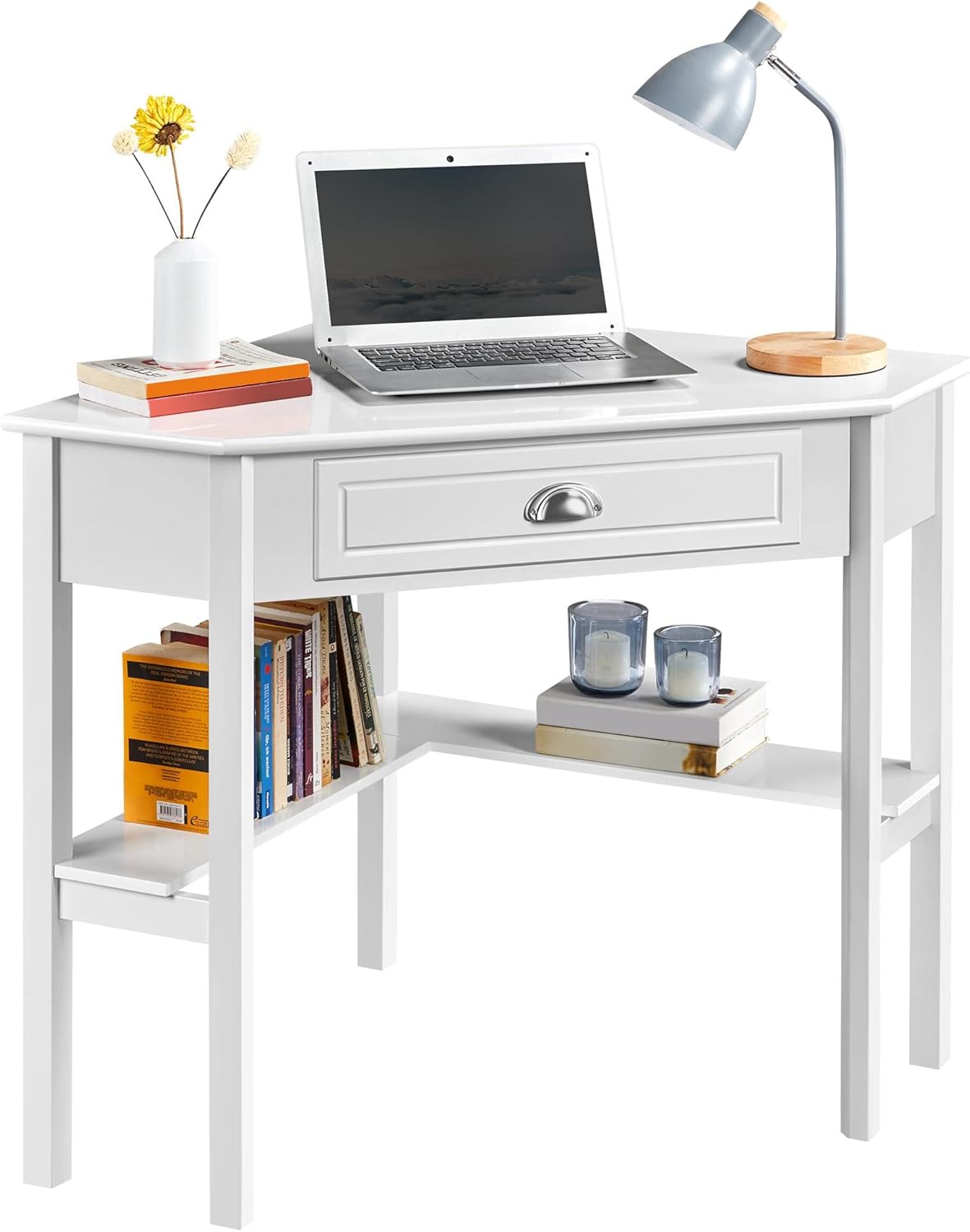
Image 3: Desk configured as a workstation with a laptop and books.
6. Održavanje
Kako biste osigurali dugotrajnost i izgled svog stola, pridržavajte se ovih smjernica za održavanje:
- Čišćenje: Obrišite površinu stola mekom, damp cloth. Avoid harsh chemicals or abrasive cleaners, as they may damage the finish. The surface is waterproof and moisture-proof, making it easy to clean.
- Izlijevanje: Odmah očistite prolivenu tekućinu kako biste spriječili mrlje ili oštećenje drva.
- Izbjegavajte izravnu sunčevu svjetlost: Dugotrajno izlaganje izravnoj sunčevoj svjetlosti može uzrokovati blijeđenje ili promjenu boje.
- Provjerite pričvršćivače: Periodically inspect all screws and connections. Tighten any loose fasteners to maintain stability.

Image 4: Waterproof surface for easy cleaning.
7. Rješavanje problema
Ako naiđete na bilo kakve probleme sa svojim stolom, pogledajte sljedeće uobičajene probleme i rješenja:
- Klimanje stola:
- Provjerite jesu li svi vijci i pričvrsni elementi dobro zategnuti.
- Verify that the desk is placed on a level surface. Adjust if necessary.
- Ladica se zaglavljuje ili se ne zatvara pravilno:
- Check if the drawer slides are properly aligned and free of obstructions.
- Ensure the drawer box was assembled correctly and is not warped.
- Dijelovi koji nedostaju:
- Carefully re-check the packaging and all contents.
- Contact Yaheetech customer support for assistance with missing components.
8. Specifikacije
| Značajka | Detalj |
|---|---|
| Marka | Yaheetech |
| Broj modela | YTwy4o0001001 |
| Oblik | Trokutasti |
| Dimenzije proizvoda (D x Š x V) | 29.5"D x 41.7"Š x 30"V |
| Boja | Bijela |
| Stil | Moderno |
| Vrsta materijala | Engineered Wood (MDF Desktop & Pine Legs) |
| Broj ladica | 1 |
| Broj polica | 2 (otvorene police) |
| Težina artikla | 32.4 funti |
| Preporuka za maksimalnu težinu | 110 funti (50 kg) |
| Obavezna montaža | Da |
| Preporučeni broj ljudi za okupljanje | 2 |
9. Jamstvo i podrška
This Yaheetech product comes with a Ograničeno jamstvo. Please refer to your purchase documentation for specific terms and conditions. A 30-dnevno jamstvo proizvođača covers parts and labor for defects in materials or workmanship.
For any questions, missing parts, or support needs, please contact Yaheetech customer service through the retailer where the product was purchased or visit the official Yaheetech webstranica za kontakt podatke.
Ask a question about this manual
Ask about setup, troubleshooting, compatibility, parts, safety, or missing instructions. Manuals+ will review the question and use this page’s manual context to help answer it.