
1. Uvod
The ARCTIC F12 Silent is a 120mm PC case fan designed for quiet and efficient cooling. This manual provides essential information for the proper installation, operation, and maintenance of your fan to ensure optimal performance and longevity.
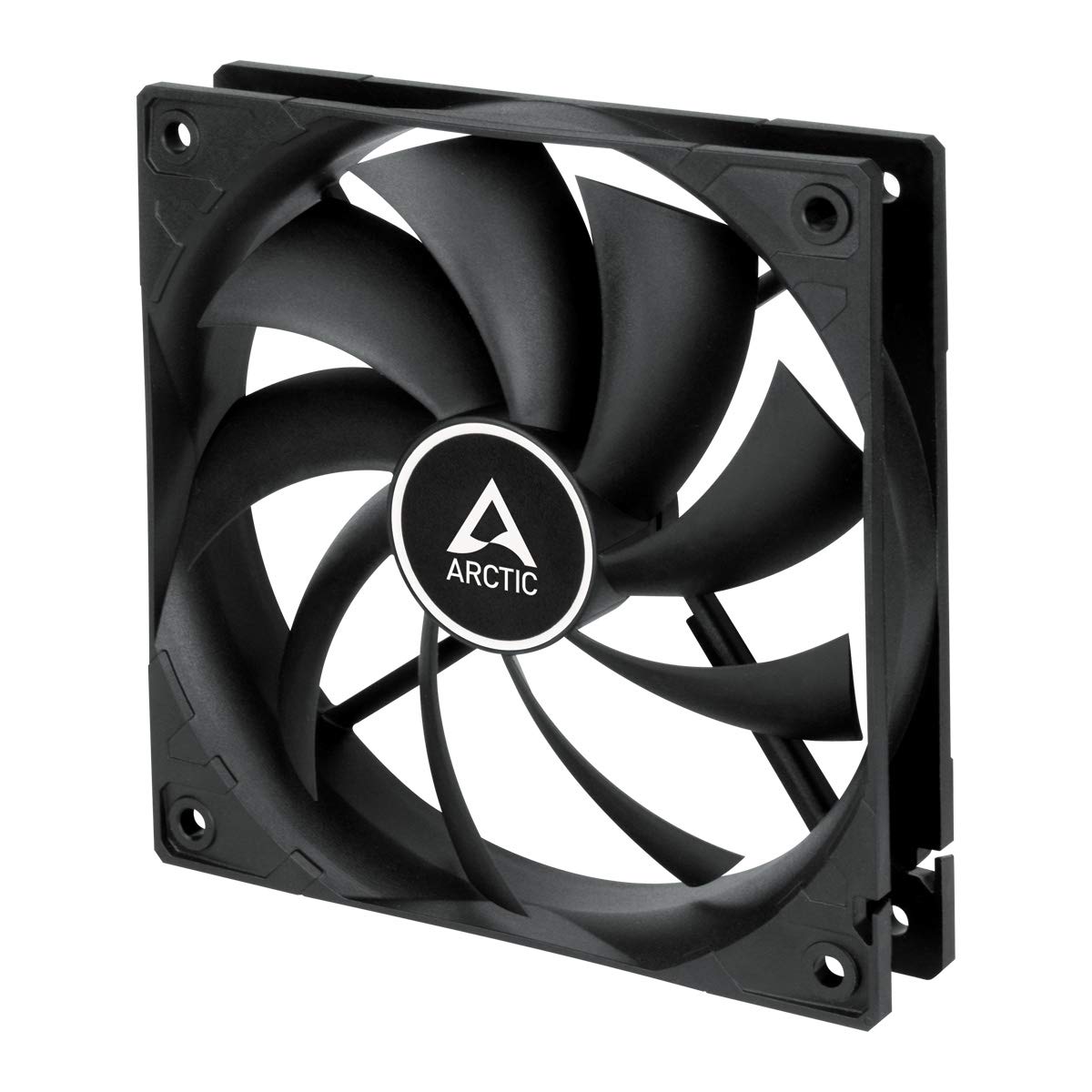
Slika 1.1: Prednja strana view of the ARCTIC F12 Silent 120mm PC Case Fan, showcasing its black frame and nine-blade impeller.
2. Sigurnosne informacije
- Prije instalacije ili održavanja provjerite je li vaše računalo isključeno i iskopčano iz zidne utičnice.
- Ventilator držite za okvir kako biste izbjegli oštećenje lopatica.
- Keep fingers and other objects away from the fan blades when the fan is operating.
- Ne pokušavajte rastavljati ili modificirati ventilator. Time ćete poništiti jamstvo.
- Use only the provided mounting screws to prevent damage.
3. Sadržaj paketa
Provjerite jesu li svi artikli prisutni u vašem paketu:
- 1x ARCTIC F12 Silent 120mm PC Case Fan
- 4x montažni vijci

Image 3.1: The retail packaging for the ARCTIC F12 Silent fan, showing the fan and branding.
4. Značajke proizvoda
- Tihi rad: Engineered with a German-developed motor and an optimized alloy/lubricant combination to minimize friction and noise, ensuring almost inaudible performance at 800 RPM.
- Optimizirani protok zraka: The fan blade design is specifically crafted to improve air circulation and facilitate efficient ventilation, focusing on minimizing noise while delivering effective airflow and static pressure.
- Fluid Dynamic Bearing: Equipped with a Fluid Dynamic Bearing that includes an oil capsule to prevent lubricant leakage, offering a service life comparable to sleeve bearings but with enhanced quietness and durability.

Image 4.1: Diagram illustrating the internal structure of the fan motor, highlighting the quiet operation design.

Image 4.2: Cross-section diagram of the Fluid Dynamic Bearing, showing the lubricant capsule and precision components for extended service life.
5. Postavljanje i instalacija
The ARCTIC F12 Silent fan supports two-way installation for flexible airflow management within your PC case.
- Odredite smjer strujanja zraka: Decide whether you want the fan to draw cool air into the case (intake) or exhaust warm air out of the case (outtake). The fan's frame typically has arrows indicating airflow direction and blade rotation.
- Postavite ventilator: Place the fan in the desired mounting location within your PC case (e.g., front, rear, top, bottom).
- Osigurajte ventilator: Use the four included mounting screws to firmly attach the fan to the case. Do not overtighten.
- Priključite napajanje: Connect the fan's 3-pin connector to an available 3-pin fan header on your motherboard or a fan controller. Ensure the connector is properly aligned before pushing it in.

Image 5.1: Illustration demonstrating the two-way installation options: exhausting hot air out of the case (left) and drawing cool air into the case (right).
Video 5.1: Kratki overview video prezentacijaasing the ARCTIC F12 Silent fan from various angles, demonstrating its physical design and quiet operation.
6. Upute za rad
Once installed and connected, the ARCTIC F12 Silent fan will operate at a fixed speed of 800 RPM. This speed is optimized for a balance between quietness and effective airflow.
- Ventilator je dizajniran za kontinuirani rad.
- Monitor your system's temperatures to ensure adequate cooling.
- The 3-pin connector provides constant power, meaning the fan speed is not controlled by PWM (Pulse Width Modulation).
7. Održavanje
Redovito održavanje pomaže u osiguravanju dugotrajnosti i optimalnih performansi vašeg ventilatora.
- Čišćenje: Periodically clean the fan blades and frame to remove dust buildup. Use compressed air or a soft brush. Ensure the fan is powered off and unplugged before cleaning.
- Inspekcija: Check for any obstructions around the fan that might impede airflow.
- No lubrication is required for the Fluid Dynamic Bearing as it is designed to be maintenance-free.
8. Rješavanje problema
- Ventilator se ne vrti:
- Ensure the 3-pin connector is securely plugged into the motherboard or fan controller.
- Check if the fan header on the motherboard is supplying power. Try connecting the fan to a different header if available.
- Verify that your power supply unit (PSU) is functioning correctly.
- Pretjerana buka:
- Ensure the fan is securely mounted and not vibrating against the PC case.
- Check for any cables or objects obstructing the fan blades.
- Očistite svu nakupljenu prašinu na lopaticama ventilatora.
- Slab protok zraka:
- Verify the fan is installed in the correct orientation for your desired airflow (intake or exhaust).
- Provjerite da nema prepreka koje blokiraju usis ili ispuh ventilatora.
9. Specifikacije

Image 9.1: Diagram showing the dimensions of the ARCTIC F12 Silent fan: 120mm x 120mm x 25mm.
| Značajka | Specifikacija |
|---|---|
| Brzina ventilatora | 800 okretaja u minuti |
| Strujanje zraka | 37 CFM | 62.9 m³/h |
| Razina buke | 0.08 Sone |
| Statički tlak | 0.3 mmHXNUMX |
| Priključak | 3-pinski |
| Voltage | 12 volti |
| Dimenzije proizvoda (D x Š x V) | 120 mm x 120 mm x 25 mm (4.72" D x 4.72" Š x 0.98" V) |
| Težina artikla | 107 gram |
| Materijal | Metal |
| Vrsta ležaja | Dinamičko ležište tekućine |
10. Jamstvo i podrška
The ARCTIC F12 Silent fan comes with a Jamstvo 6 godine from the date of purchase. For warranty claims or technical support, please contact ARCTIC customer service through their official webmjesto.
For additional information and resources, please visit the official ARCTIC webstranica: www.arctic.ac/f12silent