
ELD 9858822518316
Upute za uporabu zidnog sata ELD Aviator
Model: 9858822518316
Uvod
This manual provides detailed instructions for the setup, operation, and maintenance of your ELD Aviator Wall Clock. Please read this manual thoroughly before use and retain it for future reference.

Slika: prednja strana view of the ELD Aviator Wall Clock, showcasing its unique turbine-inspired face and analog hands.
Sigurnosne informacije
- Keep the clock away from direct sunlight and extreme temperatures to prevent damage.
- Do not expose the clock to water or high humidity.
- Use only the specified battery type (1 AA battery).
- Držite baterije izvan dohvata djece.
- Do not attempt to disassemble or repair the clock yourself. Contact qualified personnel for service.
- Provjerite je li sat sigurno pričvršćen kako biste spriječili njegov pad.
Sadržaj paketa
Provjerite jesu li svi artikli prisutni u paketu:
- 1 x ELD Aviator Wall Clock
- 1 x Kutija proizvoda
- (AA battery not included)
Postavljanje
1. Ugradnja baterije
- Pronađite odjeljak za baterije na stražnjoj strani sata.
- Umetnite jednu (1) AA bateriju, pazeći da pozitivni (+) i negativni (-) terminali budu ispravno poravnati s oznakama unutar odjeljka.
- Zatvorite poklopac odjeljka za baterije.
2. Montaža sata
The clock is designed for wall mounting. Choose a suitable location on a stable wall.

Slika: Bočni profesionalacfile of the ELD Aviator Wall Clock, illustrating its depth and how it appears when mounted on a wall.
- Identify a secure spot on the wall where you wish to hang the clock.
- Use a nail or screw (not included) appropriate for your wall type. Ensure it is strong enough to support the clock's weight (approximately 450g).
- Hang the clock securely using the hanging slot on the back.
Operativni
Postavljanje vremena
- Locate the time-setting knob on the back of the clock, usually near the battery compartment.
- Gently rotate the knob in either direction until the hour and minute hands display the correct time.
- The quartz movement ensures accurate timekeeping once set.
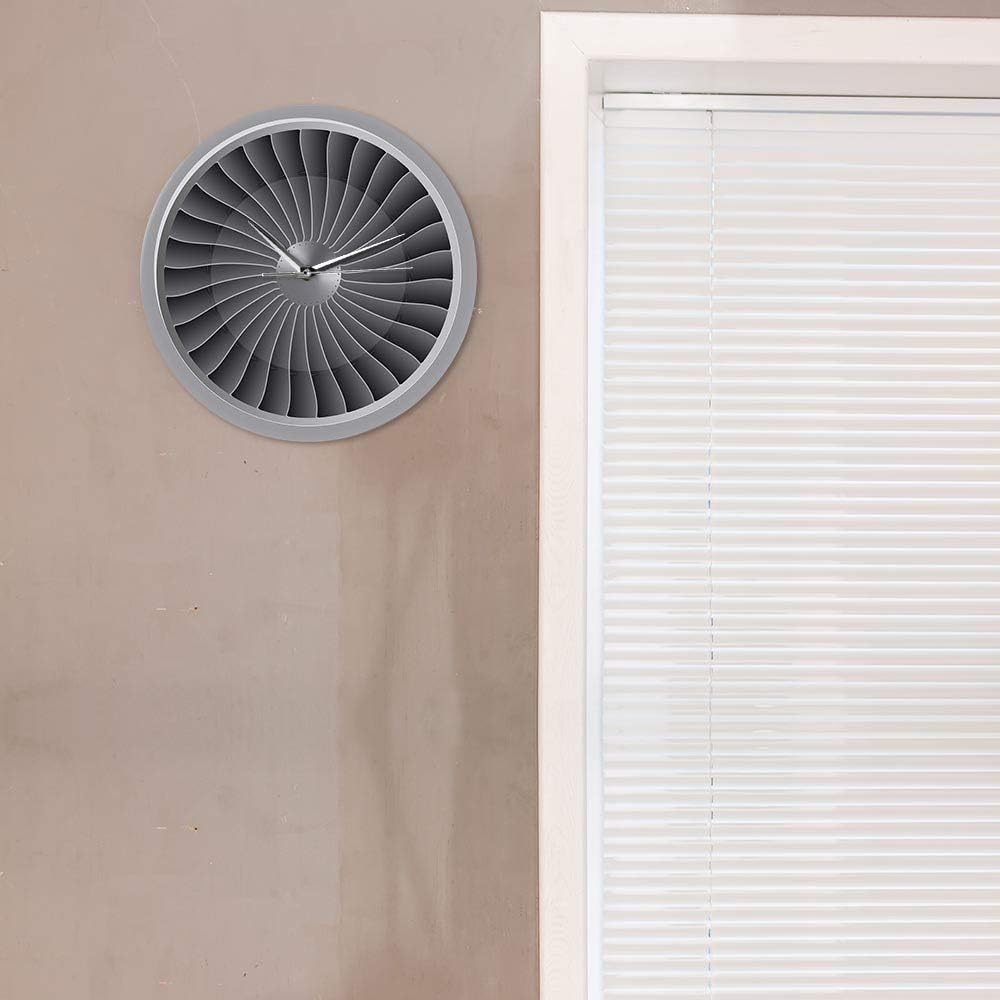
Image: The ELD Aviator Wall Clock displayed in a room setting, demonstrating its aesthetic appeal as a decorative piece.
Održavanje
- Čišćenje: Wipe the clock surface gently with a soft, dry cloth. Do not use abrasive cleaners or solvents.
- Zamjena baterije: Replace the AA battery annually or when the clock starts losing time.
- Skladištenje: Ako sat skladištite dulje vrijeme, izvadite bateriju kako biste spriječili curenje.
Rješavanje problema
| Problem | Mogući uzrok | Otopina |
|---|---|---|
| Sat ne radi / Kazaljke se ne pomiču | Baterija je prazna ili nepravilno instalirana. | Zamijenite AA bateriju novom, pazeći na ispravan polaritet (+/-). |
| Sat gubi vrijeme | Baterija je slaba. | Zamijenite AA bateriju. |
| Glasan zvuk otkucavanja | Not applicable. The clock features a silent movement. | No action required. This clock is designed for silent operation. |
Tehnički podaci
| Naziv proizvoda | Aviator Wall Clock |
| Marka | ELD |
| Broj modela | 9858822518316 |
| Materijal | Akril |
| Dimenzije | promjera 30.5 cm (12 inča) |
| Težina | 450 g |
| Izvor napajanja | 1 x AA baterije (nisu uključene) |
| Vrsta kretanja | Quartz, Silent Movement |
| Vrsta zaslona | Analog |
| Vrsta montaže | Zidni nosač |
Jamstvo i podrška
For any questions or issues not covered in this manual, please contact your retailer or the manufacturer directly. Information regarding specific warranty terms may be provided at the point of purchase or on the product packaging.
This product is designed for long-term use with proper care and maintenance.
Ask a question about this manual
Ask about setup, troubleshooting, compatibility, parts, safety, or missing instructions. Manuals+ will review the question and use this page’s manual context to help answer it.