
1. Uvod
Thank you for choosing the Cecotec ForceClima 7450 Touch Connected Portable Air Conditioner. This manual provides essential information for the safe and efficient operation, maintenance, and troubleshooting of your new appliance. Please read it thoroughly before use and keep it for future reference.

Figure 1.1: Cecotec ForceClima 7450 Touch Connected Portable Air Conditioner
The ForceClima 7450 Touch Connected is designed to provide effective cooling, ventilation, and dehumidification for spaces up to 15 m². It features a powerful 7000 BTU cooling capacity, a user-friendly touch control panel, a remote control, and Wi-Fi connectivity for convenient operation via your smartphone.
2. Sigurnosne upute
Kako biste smanjili rizik od požara, strujnog udara ili ozljeda pri korištenju klima uređaja, slijedite ove osnovne mjere opreza:
- Uvijek spojite uređaj na uzemljenu utičnicu s ispravnim naponomtage (230 volta).
- Ne koristite klima uređaj s oštećenim kabelom ili utikačem.
- Osigurajte pravilnu ventilaciju oko uređaja. Ne blokirajte ulaze ili izlaze zraka.
- Ne stavljajte prste ili strane predmete u otvore za zrak.
- Keep the unit away from water and other liquids. Do not use it in bathrooms or very humid environments.
- Isključite uređaj iz struje prije čišćenja ili bilo kakvog održavanja.
- Ne pokušavajte sami popravljati ili modificirati uređaj. Za popravke se obratite kvalificiranom servisnom osoblju.
- Ensure the exhaust hose is properly installed to expel hot air outside.
- Nadzirite djecu kako biste bili sigurni da se ne igraju s uređajem.
3. Sadržaj paketa
Carefully unpack your air conditioner and check that all items are present and in good condition:
- Cecotec ForceClima 7450 Touch Connected Portable Air Conditioner Unit
- Daljinski upravljač
- Ispušno crijevo
- Komplet za brtvljenje prozora
- Odvodno crijevo
- korisnički priručnik
4. Značajke proizvoda
The Cecotec ForceClima 7450 Touch Connected offers a range of features for optimal comfort:
- Kapacitet hlađenja: 7000 BTU, suitable for rooms up to 15 m².
- Vlast: 790 vati.
- Opcije kontrole: Intuitive touch control panel, remote control, and Wi-Fi connectivity via smartphone app.
- Prikaz: Clear LED screen showing current settings.
- Načini rada:
- Način hlađenja: For effective temperature reduction.
- Način ventilatora: Kruži zrak bez hlađenja.
- Način odvlaživanja: Removes up to 20 liters of moisture per day, improving air quality.
- Noćni način rada: Operates quietly for undisturbed sleep.
- Brzine ventilatora: Two adjustable speeds (Low and High).
- Funkcija mjerača vremena: Programmable for up to 24 hours.
- Prenosivost: Opremljen kotačima za lakše kretanje.
5. Postavljanje
Slijedite ove korake za postavljanje prijenosnog klima uređaja:
5.1 Postavljanje jedinice
Place the air conditioner on a flat, stable surface, ensuring there is at least 30 cm of clear space around the unit for proper airflow. Position it near a window or opening for exhaust hose installation.
5.2 Installing the Exhaust Hose
- Pričvrstite jedan kraj ispušnog crijeva na otvor za zrak na stražnjoj strani uređaja.
- Produžite ispušno crijevo i pričvrstite adapter za prozor na drugi kraj.
- Open the window and install the window sealing kit. Secure the window adapter into the opening of the sealing kit to ensure hot air is expelled outside and warm air does not re-enter the room.
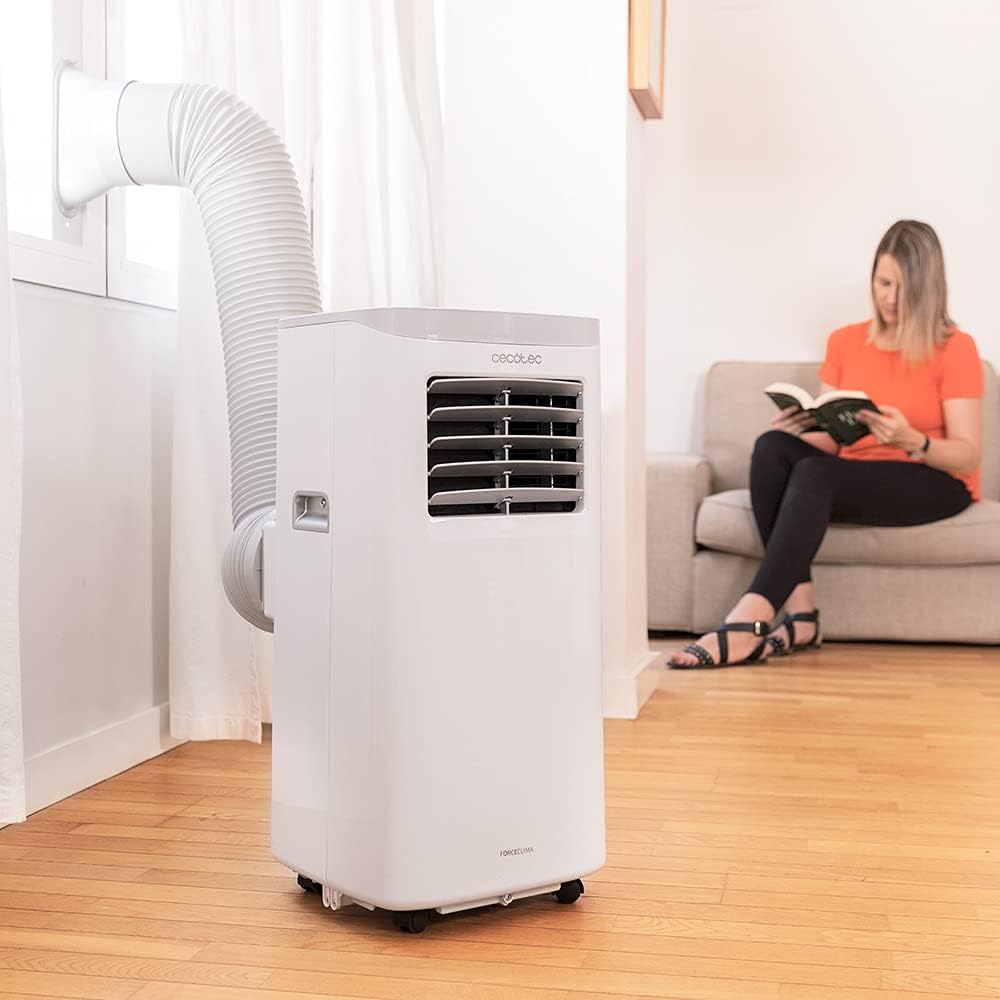
Figure 5.1: Proper installation of the exhaust hose in a window
5.3 Priključak za napajanje
Plug the power cord into a standard 230V grounded electrical outlet. Ensure the outlet is suitable for the appliance's power requirements.
6. Upute za rad
Your Cecotec ForceClima 7450 Touch Connected can be operated using the touch control panel, the remote control, or the dedicated smartphone app.
6.1 Rad upravljačke ploče

Slika 6.1: Dodirna upravljačka ploča

Figure 6.2: Interacting with the Control Panel
- Gumb za napajanje: Pritisnite za uključivanje ili isključivanje jedinice.
- Gumb za način rada: Cycle through Cooling, Fan, Dehumidification, and Night modes. The selected mode will be indicated on the LED display.
- Tipke za podešavanje temperature (gore/dolje): Podesite željenu temperaturu u načinu rada Hlađenje.
- Tipka za brzinu ventilatora: Toggle between Low and High fan speeds.
- Gumb mjerača vremena: Set the auto-off timer (up to 24 hours).
6.2 Rad daljinskog upravljača
The remote control allows you to operate all functions of the air conditioner from a distance. Ensure there are no obstructions between the remote control and the unit's receiver.
- Gumbi na daljinskom upravljaču odgovaraju funkcijama na upravljačkoj ploči.
- Insert 2x AAA batteries (not included) into the remote control before first use.
6.3 Upravljanje putem Wi-Fi-ja (aplikacija za pametne telefone)
The Cecotec ForceClima 7450 Touch Connected can be controlled remotely via a smartphone app. This allows you to manage settings from anywhere with an internet connection.
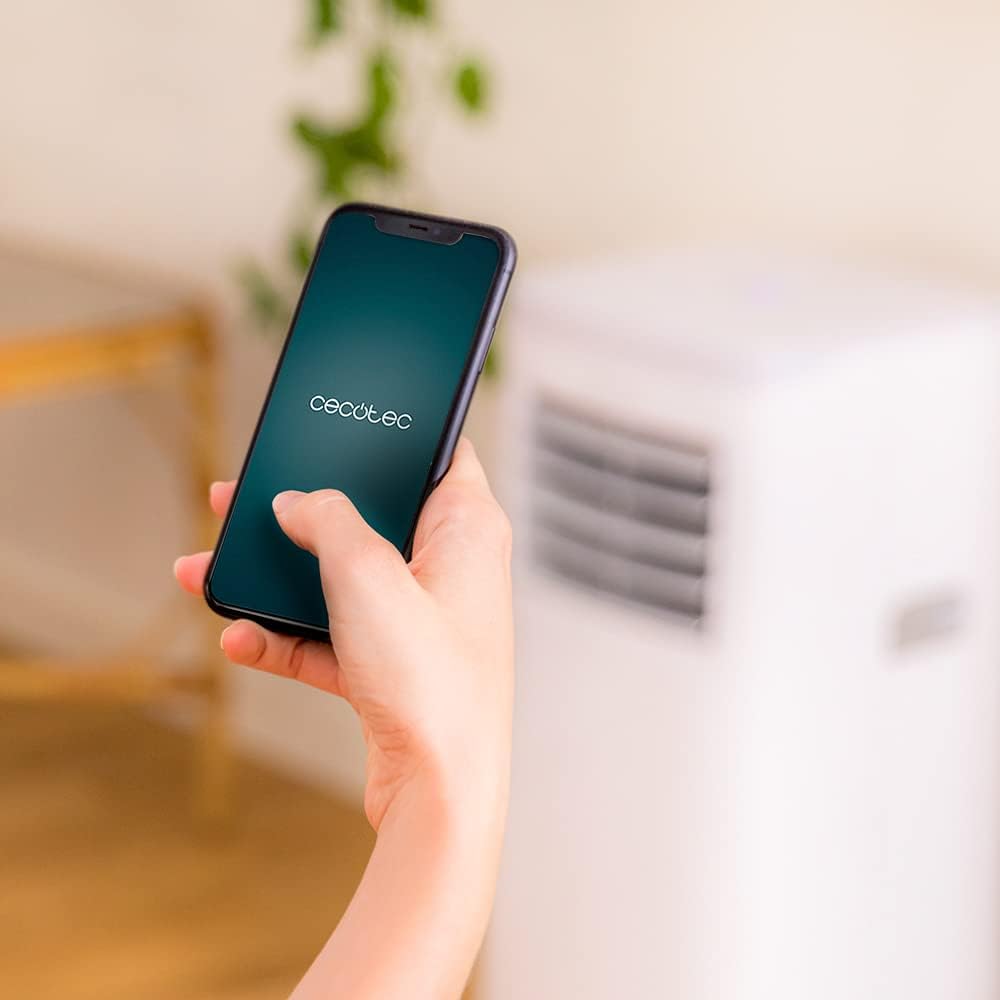
Figure 6.3: Controlling the unit via the Cecotec App
- Download the official Cecotec app from your smartphone's app store (iOS or Android).
- Registrirajte račun ili se prijavite.
- Follow the in-app instructions to add your ForceClima 7450 Touch Connected unit. This typically involves putting the unit into pairing mode and connecting it to your home Wi-Fi network.
- Once connected, you can control all functions, including power, mode, temperature, fan speed, and timer, directly from your smartphone.
7. Održavanje
Redovito održavanje osigurava optimalne performanse i produžuje vijek trajanja vašeg klima uređaja.
7.1 Čišćenje zračnog filtera
Zračni filter treba čistiti svaka dva tjedna ili češće, ovisno o korištenju i kvaliteti zraka. Zaprljan filter može smanjiti učinkovitost hlađenja i protok zraka.
- Isključite klima uređaj iz električne utičnice.
- Locate and remove the air filter from the back or side of the unit (refer to the diagram in your quick start guide if unsure).
- Clean the filter using a vacuum cleaner to remove dust. For stubborn dirt, wash it gently with lukewarm water and a mild detergent.
- Prije ponovnog umetanja u uređaj, ostavite filter da se potpuno osuši. Ne izlažite ga izravnoj sunčevoj svjetlosti.
7.2 Ispuštanje nakupljene vode
During cooling and dehumidification, water will accumulate inside the unit. The unit has an internal water tank, but for continuous operation or high humidity, manual drainage may be required.
- When the internal tank is full, the unit may stop operating and display an indicator.
- Odspojite jedinicu.
- Postavite plitku posudu ili kantu ispod odvodnog otvora na donjoj stražnjoj strani uređaja.
- Izvadite čep za odvod i pustite da sva voda iscuri.
- For continuous drainage, attach the provided drainage hose to the outlet and direct it to a floor drain or suitable container.
- Replace the drain plug securely after draining.
7.3 Čišćenje vanjštine uređaja
Obrišite vanjski dio jedinice mekom, damp krpom. Nemojte koristiti jake kemikalije, abrazivna sredstva za čišćenje ili otapala jer mogu oštetiti površinu.
8. Rješavanje problema
Prije nego što kontaktirate korisničku službu, pogledajte sljedeće uobičajene probleme i rješenja:
| Problem | Mogući uzrok | Otopina |
|---|---|---|
| Jedinica se ne uključuje | No power; Power cord not plugged in; Full water tank | Check power supply; Plug in power cord; Drain water tank |
| Uređaj ne hladi učinkovito | Dirty air filter; Exhaust hose not properly installed; Room too large; Doors/windows open | Clean air filter; Ensure proper hose installation; Close doors/windows; Check room size (max 15 m²) |
| Jedinica je bučna | Unit not on a flat surface; Obstruction in fan; Normal operating sound (65 dB) | Place on flat surface; Check for obstructions; Note that some noise is normal for portable ACs |
| Wi-Fi veza nije uspjela | Incorrect Wi-Fi password; Router too far; App issues | Verify password; Move unit closer to router; Restart app/unit; Consult app's troubleshooting guide |
| Propuštanje vode | Drain plug loose; Drainage hose not properly connected | Secure drain plug; Ensure drainage hose is tightly connected |
9. Specifikacije
| Značajka | Specifikacija |
|---|---|
| Broj modela | 05957 |
| Kapacitet hlađenja | 7000 BTU |
| Potrošnja energije | 790 vata |
| Voltage | 230 volti |
| Razina buke | 65 dB |
| Područje pokrivenosti | cca. 15 m² |
| Kapacitet odvlaživanja | Do 20 litre/dan |
| Dimenzije (D x Š x V) | 30.5 x 32.8 x 67.8 cm |
| Težina | 20 kg |
10. Jamstvo i podrška
Cecotec products are manufactured to high-quality standards. This product is covered by a manufacturer's warranty against defects in materials and workmanship from the date of purchase. Please retain your proof of purchase for warranty claims.
For technical support, spare parts, or warranty service, please contact Cecotec customer service through their official website or the contact information provided in your product's packaging. Do not attempt to repair the unit yourself, as this may void the warranty.