
blucoil Portable USB Audio Interface
Blucoil prijenosni USB audio priručnik
Model: Portable USB Audio Interface
Brand: Blucoil
1. Proizvod je gotovview
The Blucoil Portable USB Audio Interface is designed to deliver high-quality audio resolution for various applications including home studio recording, streaming, gaming, and podcasting. This compact device supports 24-bit/48kHz resolution and is compatible with both Windows and Mac operating systems. It features versatile input/output options and low-latency direct monitoring capabilities, making it an essential tool for capturing clear and precise audio.

Ispred view of the Blucoil Portable USB Audio Interface, showing the microphone input, instrument input, and output controls.

The Blucoil Portable USB Audio Interface set up on a desk, ready for recording or streaming high-quality audio.
2. Vodič za postavljanje
2.1 Zahtjevi sustava
- Operating System: Windows or Mac OS
- Dostupan USB port
- Compatible recording software (e.g., Audacity, GarageBand)
2.2 Spajanje sučelja
- Connect the USB cable from the interface to an available USB port on your computer. The interface is USB bus-powered, so no external power supply is needed.
- For microphone input, plug your condenser microphone into the XLR-1/4" combo input. Ensure the +48V phantom power button is engaged if your microphone requires it.
- For instrument input, connect your instrument (e.g., guitar, keyboard) to the 1/4" TRS input.
- Connect your studio monitors or speakers to the main outputs on the rear panel. Alternatively, plug headphones into the 1/4" stereo headphone jack on the front panel for monitoring.

The Blucoil Audio Interface connected to a laptop, demonstrating reliable connections for recording.
The interface accommodates various microphone types, including condenser microphones requiring 48V phantom power.
3. Upute za rad
3.1 Podešavanje ulaznih razina
- Koristite dobitak knob for the microphone input to set the input level.
- Koristite Razina knob for the instrument input to set its input level.
- Monitor the Clip and Signal Indicators for each channel. A green light indicates a signal, while a red light indicates clipping (signal distortion). Adjust the gain/level knobs to prevent clipping.

Krupni plan view of the interface controls, showing gain and level knobs for fine-tuning your sound.

A hand adjusting one of the input level knobs, demonstrating how to prevent signal clipping by observing the LED indicators.
3.2 Izravno praćenje
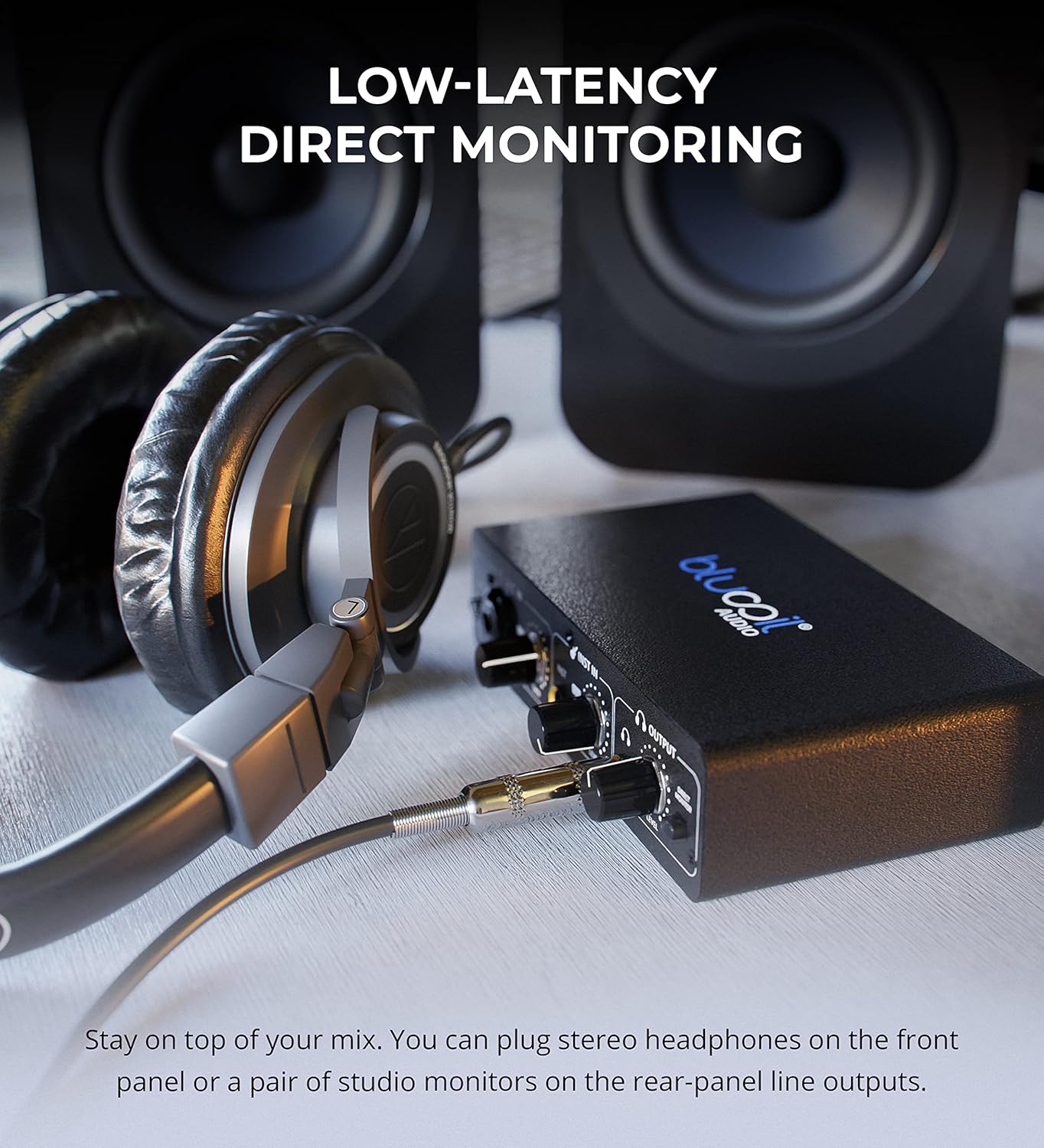
- Uključite se Izravni monitor button to hear your input signals directly through your headphones or main outputs with zero latency. This allows you to monitor your performance without delay from your computer's processing.

Headphones connected to the Blucoil Audio Interface, enabling low-latency direct monitoring of input signals.
3.3 Output Volume Control
- Koristite Razina glasnoće knob in the Output section to control the overall output volume for both headphones and main outputs.
4. Održavanje i njega
- Uređaj održavajte čistim brisanjem mekom, suhom krpom. Izbjegavajte korištenje tekućih sredstava za čišćenje ili otapala.
- Sučelje čuvajte na hladnom i suhom mjestu, dalje od izravne sunčeve svjetlosti i ekstremnih temperatura.
- Izbjegavajte ispuštanje ili izlaganje uređaja jakim udarcima.
- Ensure all cables are connected securely but without excessive force to prevent damage to ports.
5. Rješavanje problema
| Problem | Mogući uzrok | Otopina |
|---|---|---|
| Nema zvuka | Incorrect volume settings, incorrect output selection in software, loose cables. | Check the Output Volume knob. Ensure the interface is selected as the output device in your computer's sound settings and recording software. Verify all cables are securely connected. |
| Input signal clipping (red light) | Input gain/level is too high. | Reduce the Gain or Level knob for the respective input until the red Clip indicator no longer illuminates. |
| Mikrofon ne radi (kondenzatorski mikrofon) | 48V phantom power not enabled. | Press the +48V button to enable phantom power for condenser microphones. |
| No sound from instrument input | Instrument level too low, incorrect cable. | Increase the Level knob for the instrument input. Ensure you are using a proper 1/4" TS or TRS instrument cable. |
| Interface not recognized by computer | USB cable issue, driver issue (rare for class-compliant devices), faulty USB port. | Try a different USB port or cable. Restart your computer. While typically plug-and-play, ensure your operating system is up to date. |
6. Specifikacije
- Težina artikla: 1 funti
- Dimenzije proizvoda: 3.94 x 6.69 x 1.73 inča
- ASIN: B096ZRJSX6
- Kompatibilni uređaji: Prijenosno računalo
- Vrsta priključka: 1/4" Jack, USB Port, XLR-TRS Combo Connector
- Hardversko sučelje: USB
- Podržani softver: Windows audio recording and editing software (also compatible with Mac OS software like GarageBand)
- Operativni sustav: Windows (also compatible with Mac OS)
- Marka: blucoil
- Tehnologija povezivanja: USB
- Broj kanala: 4 (implied by inputs and outputs, 2 input channels, 2 output channels)
7. Jamstvo i podrška
For detailed warranty information and customer support, please refer to the official Blucoil webweb-mjesto ili se izravno obratite njihovoj korisničkoj službi. Sačuvajte račun za slučaj reklamacije.
Ask a question about this manual
Ask about setup, troubleshooting, compatibility, parts, safety, or missing instructions. Manuals+ will review the question and use this page’s manual context to help answer it.