
Uvod
This manual provides detailed instructions for the setup, operation, and maintenance of your Arducam 5MP Wide Angle USB Camera, Model UB0233. Please read this manual thoroughly before using the product to ensure proper functionality and longevity.
Proizvod gotovview
The Arducam 5MP Wide Angle USB Camera (Model UB0233) is a compact, UVC-compliant camera featuring a 5MP OV5648 CMOS sensor and a 95-degree horizontal view angle M12 lens with an IR-cut filter. It is designed for various applications including video surveillance, live streaming, videoconferencing, and dashcams.

Image: The Arducam 5MP Wide Angle USB Camera, showing its compact design and lens.
Što je u kutiji
- Arducam 5MP Wide Angle USB Camera (Model UB0233)
- USB Cable (3.3ft/1m)
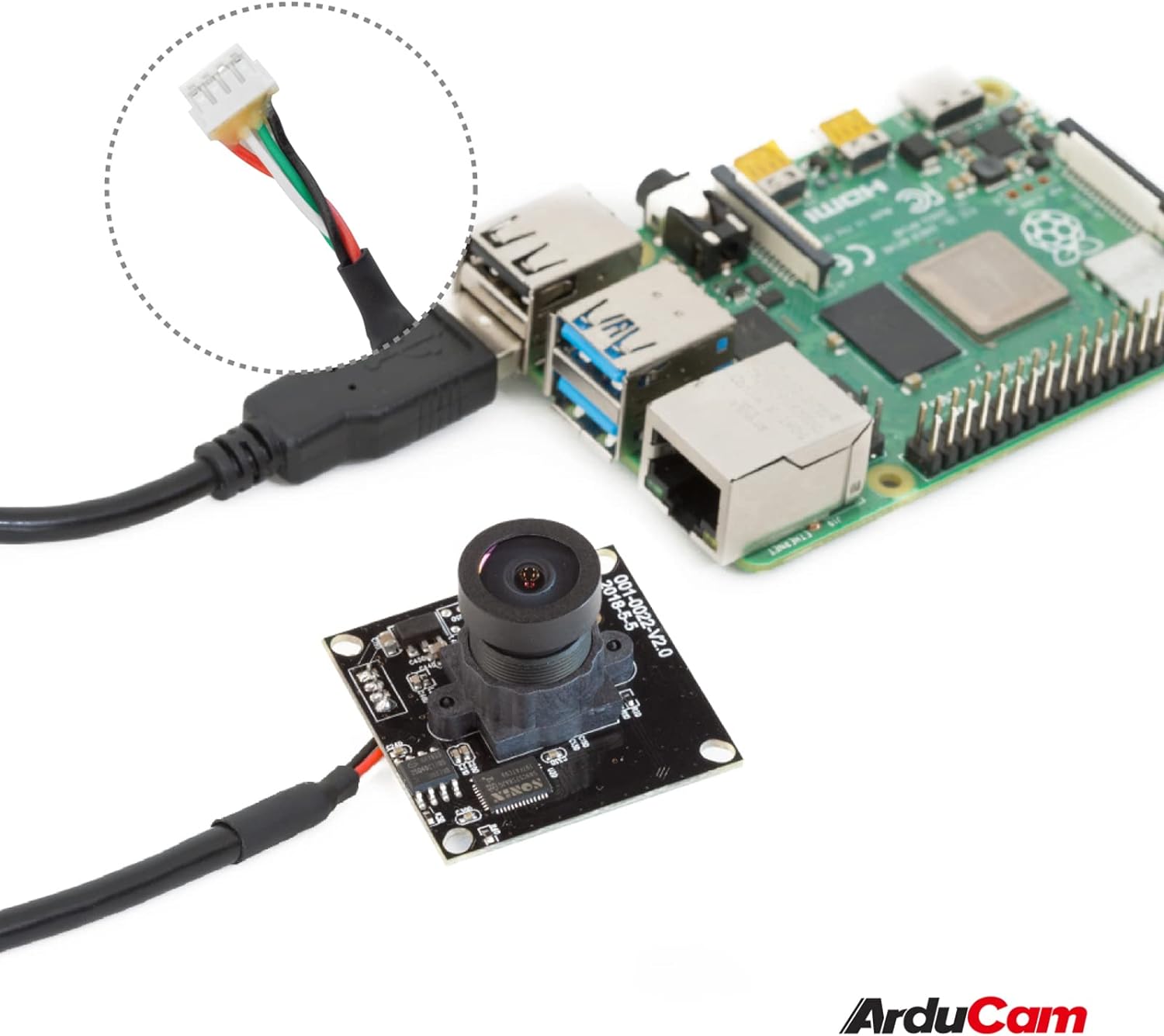
Image: The Arducam USB camera with its included USB cable, shown connected to a Raspberry Pi for illustration.
Upute za postavljanje
- Spojite kameru: Insert the USB cable into the camera's USB port and then connect the other end to a compatible device (PC, laptop, Android device, or Raspberry Pi).
- Instalacija upravljačkog programa: The camera is UVC-compliant, meaning it is plug-and-play. No additional drivers are required for Windows, Linux, or Mac operating systems. The system should automatically detect and install the necessary drivers.
- Provjerite vezu: After connecting, check your device's system settings or camera application to ensure the camera is recognized and functioning.
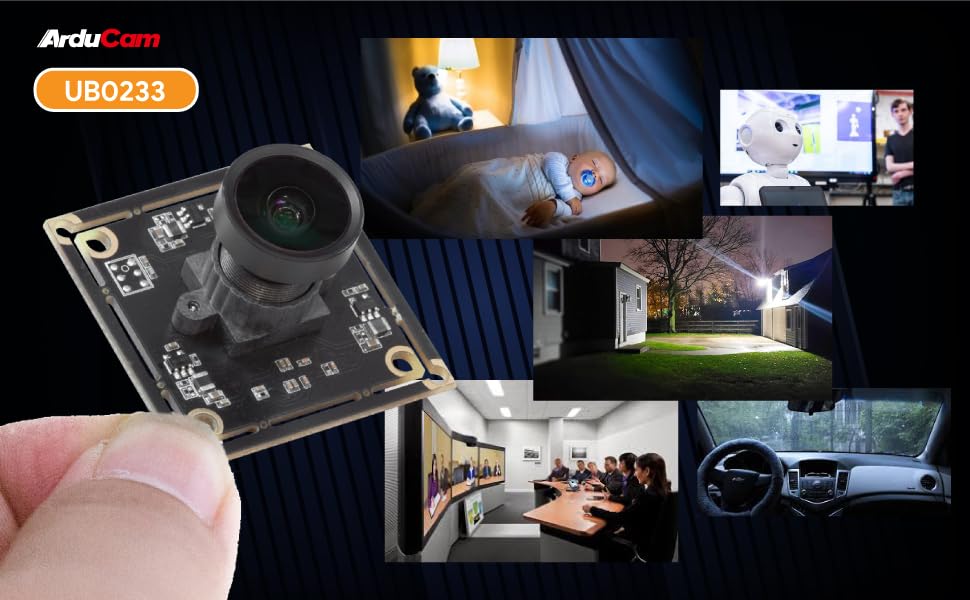
Image: Diagram illustrating the Arducam USB camera's compatibility with various operating systems including Windows, Mac, and Linux, and devices like PCs, laptops, and Raspberry Pi.
Upute za rad
Osnovna operacija
Once connected and recognized by your device, the Arducam 5MP USB Camera can be used with any standard camera application or software that supports UVC devices. This includes common video conferencing software, surveillance applications, and custom vision projects.
Podešavanje fokusa
The camera features a manual focus lens. To adjust the focus, gently rotate the lens barrel until the image appears clear and sharp. This allows for precise focus depending on your application's distance requirements.
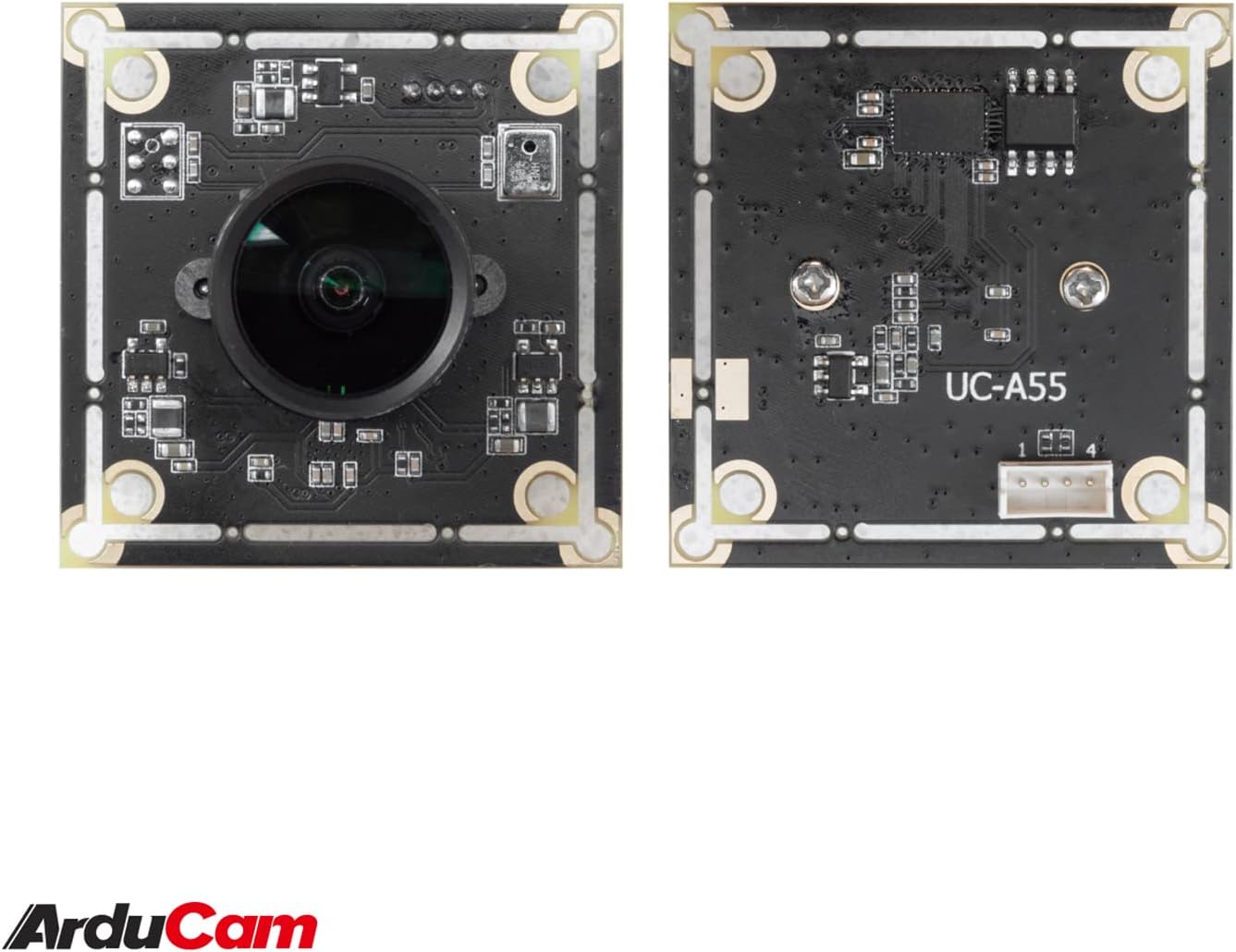
Image: The compact Arducam 5MP USB Camera being held, demonstrating its small form factor suitable for various integrations.
Frame Rates and Resolutions
The camera supports various frame rates and resolutions:
- MJPG:
- 15fps@2592*1944 / 2048*1536 / 1600*1200
- 30fps@1920*1080 / 1280*960 / 1280*720 / 1024*768 / 800*600 / 640*360 / 640*480
- YUY2:
- 2fps@2592*1944 / 2048*1536
- 5fps@1920*1080
- 7.5fps@1600*1200 / 1280*960
- 10fps@1280*720 / 1024*768
- 20fps@800*600
- 30fps@640*360 / 640*480
Prijave
This camera is suitable for a variety of applications, including:
- Video surveillance systems
- Prijenos uživo
- Videokonferencije
- Dashcam functionality
- Other vision applications requiring a wide field of view and high resolution
Video: An official video demonstrating the Arducam 5MP Wide Angle USB Camera's various applications, including live streaming, home surveillance, and meetings.
Održavanje
- Čišćenje: Za čišćenje objektiva i tijela fotoaparata koristite meku, suhu krpu. Izbjegavajte upotrebu jakih kemikalija ili abrazivnih materijala.
- Skladištenje: Kada se ne koristi, čuvajte kameru na hladnom i suhom mjestu, dalje od izravne sunčeve svjetlosti i ekstremnih temperatura.
- Rukovanje: Handle the camera with care to prevent damage to the lens or circuit board.
Rješavanje problema
- Camera not detected by the device:
- Ensure the USB cable is securely connected to both the camera and the device.
- Pokušajte spojiti kameru na drugi USB priključak na uređaju.
- Test the camera on another computer or compatible device to rule out a device-specific issue.
- Ponovno pokrenite računalo ili uređaj.
- Slika je mutna ili nije u fokusu:
- Gently rotate the lens barrel to adjust the manual focus until the image is clear.
- Provjerite je li objektiv čist i bez prašine ili mrlja.
- Low frame rate or video lag:
- Ensure your device meets the minimum system requirements for the desired resolution and frame rate.
- Zatvorite ostale aplikacije koje možda troše sistemske resurse.
- Try a different USB port, preferably a USB 2.0 port for optimal compatibility.
Tehnički podaci
| Značajka | Detalj |
|---|---|
| Marka | Arducam |
| Broj modela | UB0233 |
| Tehnologija foto senzora | CMOS |
| Učinkovito još uvijek razrješenje | 5 MP |
| Rezolucija video snimanja | Up to 1944p (MJPG) |
| Vrsta objektiva | Široki kut |
| Viewing kut | 95 stupnjeva |
| Vrsta fokusa | Ručni fokus |
| Tehnologija povezivanja | USB 2.0 |
| Kompatibilnost operativnog sustava | Windows 7/8/10, Linux, Mac |
| Posebna značajka | Performanse pri slabom osvjetljenju |
| Težina artikla | 0.06 kg |
| Dimenzije predmeta (D x Š x V) | 1.26"D x 1.26"Š x 1.26"V |
| Ugrađeni mediji | USB kabel |
| Maksimalna žarišna duljina | 32 milimetara |
| Minimalna žarišna duljina | 6 milimetara |
| Maksimalni otvor blende | 4 f_stop |
| Minimalni otvor blende | 4 milimetara |
| Omjer slike | 1.33:1 |
| Postavke bijele ravnoteže | Auto |
| Vrsta kontrole izloženosti | Priručnik |

Slika: Detaljna view of the Arducam 5MP USB Camera with its physical dimensions (32mm x 28mm) indicated.
Informacije o jamstvu
The Arducam 5MP Wide Angle USB Camera (Model UB0233) comes with a Jamstvo 6 mjeseci from the date of purchase. This warranty covers manufacturing defects and malfunctions under normal use. Please retain your proof of purchase for warranty claims. For detailed warranty terms and conditions, please refer to the official Arducam webstranicu ili se obratite korisničkoj podršci.
Korisnička podrška
For technical assistance, troubleshooting, or further inquiries regarding your Arducam 5MP Wide Angle USB Camera, please visit the official Arducam webstranicu ili kontaktirajte njihov tim za korisničku podršku.
- Mrežni resursi: www.arducam.com
- Trgovina robne marke: Arducam Amazon Store