
1. Uvod i krajview
The Hbada W203 Gaming Chair is designed to provide ergonomic support and comfort for extended periods of sitting, whether for gaming or office work. It features a robust construction, adjustable components, and a design focused on user well-being.
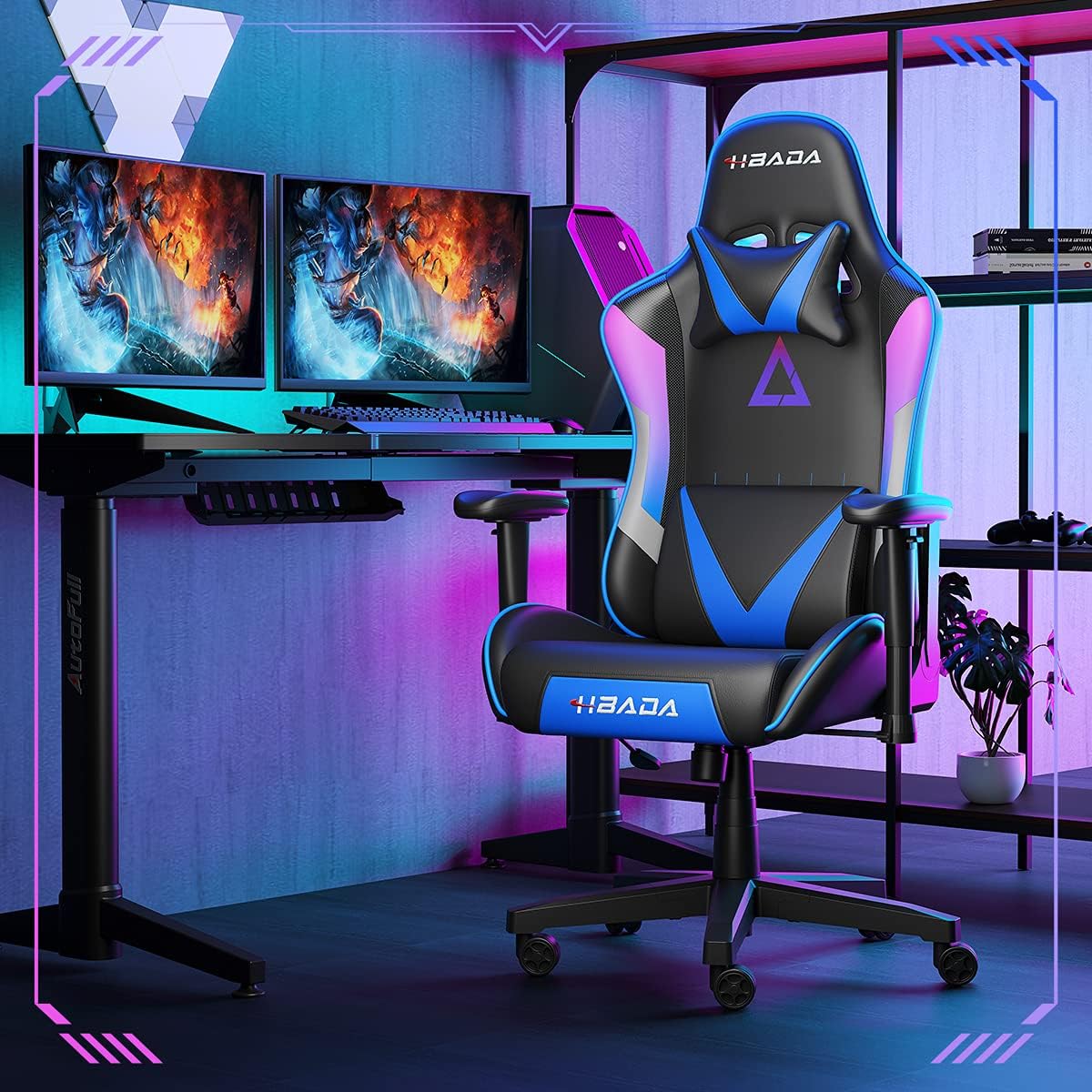
Image 1.1: The Hbada W203 Gaming Chair in a typical gaming environment, showcasinnjegov dizajn i prisutnost.
2. Sigurnosne informacije
- Ne prekoračujte maksimalnu nosivost od 150 kg (330.7 lbs).
- Prije upotrebe provjerite jesu li svi vijci i matice čvrsto zategnuti i povremeno provjeravajte jesu li labavi.
- Izbjegavajte stajanje na stolici ili korištenje iste kao stepenice.
- Tijekom podešavanja držite ruke i prste podalje od pokretnih dijelova.
- Koristite stolicu na ravnoj, stabilnoj površini kako biste spriječili prevrtanje.
3. Sadržaj paketa
Prije početka sastavljanja provjerite jesu li svi dijelovi prisutni. Ako neki dijelovi nedostaju ili su oštećeni, obratite se službi za korisnike.
- naslon za leđa
- Jastuk za sjedenje
- Nasloni za ruke (2)
- Zvjezdana baza
- Kotači (5)
- Cilindar za plinsko podizanje
- Poklopac plinskog lifta
- Ploča mehanizma
- Jastuk za glavu
- Jastuk za lumbalnu potporu
- Paket hardvera (vijci, podloške, imbus ključ)
- Priručnik s uputama
4. Upute za sastavljanje
Assembly typically requires two people due to the weight of some components. Follow these steps carefully.
- Pričvrstite kotačiće na bazu: Insert each of the five casters into the holes at the end of each leg of the star base until they click into place.
- Umetnite plinski lift: Postavite cilindar plinskog podizača u središnji otvor zvjezdaste baze. Pokrijte ga poklopcem plinskog podizača.
- Pričvrstite ploču mehanizma na sjedalo: Align the mechanism plate with the screw holes on the underside of the seat cushion. Secure it with the provided screws and Allen wrench. Ensure the front of the mechanism faces the front of the seat.
- Pričvrstite naslone za ruke na sjedalo: Secure the armrests to the sides of the seat cushion using the designated screws. Do not overtighten initially to allow for minor adjustments.
- Pričvrstite naslon za sjedalo: Align the backrest with the mounting brackets on the seat cushion. Secure it with screws.
- Spojite sklop sjedala s bazom: Carefully place the assembled seat onto the gas lift cylinder, ensuring it is centered. Apply downward pressure to secure it.
- Attach Headrest and Lumbar Support: Position the headrest pillow and lumbar support pillow as desired. They are typically secured with straps.
- Završno zatezanje: Once fully assembled, go back and tighten all screws firmly.

Slika 4.1: Gotovoview of chair features, including lift function, height-adjustable armrests, 155-degree recline, silent casters, 360-degree rotation, and durable base.
5. Upute za rad
5.1. Podešavanje visine stolice
To adjust the chair height, locate the lever on the right side, beneath the seat. While seated, pull the lever up to lower the chair. To raise the chair, stand up slightly and pull the lever up. Release the lever at the desired height.
5.2. Funkcija naginjanja
The chair offers a recline angle of up to 155 degrees with a 17-degree locking feature. To recline, pull the recline lever (typically on the left side) upwards and lean back. Release the lever to lock the backrest in position. To return to an upright position, pull the lever and lean forward.

Image 5.1: The chair's backrest can recline up to 155 degrees, allowing for various comfortable positions.
5.3. Podešavanje naslona za ruke
The armrests can be lifted to adjust their height. Locate the button or lever on the side of each armrest. Press or lift it and move the armrest up or down to your preferred height. Release the button/lever to lock it.
5.4. Lumbar Support and Headrest
The chair includes removable and adjustable headrest and lumbar support pillows. Adjust their position by sliding them along the backrest straps to provide optimal support for your head, neck, and lower back.
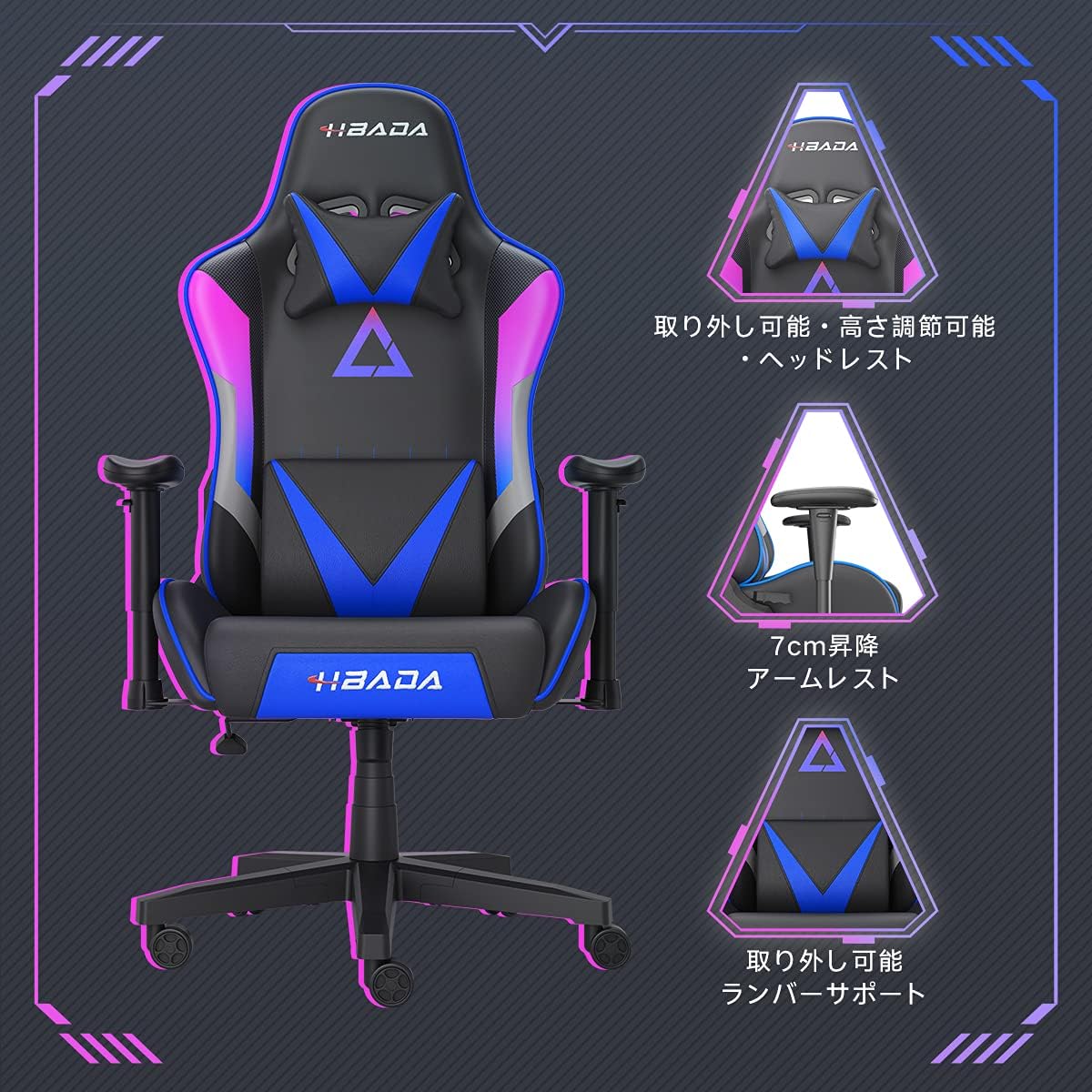
Slika 5.2: Detaljno view of the adjustable headrest, lifting armrests, and removable lumbar support.
5.5. Funkcija okretanja
Stolica ima funkciju okretanja od 360 stupnjeva, što omogućuje jednostavno okretanje bez pomicanja baze.
6. Održavanje
- Čišćenje: The chair's synthetic leather (PU) material can be wiped clean with a damp krpom. Izbjegavajte jake kemikalije ili abrazivna sredstva za čišćenje.
- Pričvršćivači: Povremeno provjeravajte sve vijke i matice kako biste bili sigurni da su čvrsto pričvršćeni. Po potrebi ih ponovno zategnite kako biste održali stabilnost i spriječili škripanje.
- Kotačići: Kotačiće držite čistima od kose i ostataka kako biste osigurali nesmetano kretanje.
7. Rješavanje problema
- Škripanje stolice: Check and tighten all assembly screws. Applying a small amount of lubricant to moving metal parts (like the mechanism plate) may help.
- Podešavanje visine ne radi: Ensure the gas lift lever is fully engaged. If the issue persists, the gas lift cylinder may need replacement. Contact customer service.
- Stolica se čini nestabilnom: Verify that the star base is correctly assembled and all casters are fully inserted. Ensure all screws are tightened.
- Kotačići se ne okreću glatko: Očistite sve ostatke (kosu, prašinu) s kotačića.
For issues not listed here or persistent problems, please contact Hbada customer service.
8. Specifikacije

Image 8.1: Key dimensions of the Hbada W203 Gaming Chair.
| Značajka | Detalj |
|---|---|
| Naziv modela | Hbada W203 |
| Dimenzije proizvoda (D x Š x V) | 70 x 70 x 128 cm (27.6 x 27.6 x 50.4 inča) |
| Podesiva visina sjedala | 40 - 48 cm (15.7 - 18.9 inča) |
| Težina artikla | 22.5 kg (49.6 lbs) |
| Maksimalna nosivost | 150 kg (330.7 lbs) |
| Materijal | Synthetic leather (PU upholstery), Metal (frame), Reinforced Nylon Resin (base), High-density Urethane Foam (cushion), Silent PU Nylon Casters |
| Kut nagiba | Up to 155 degrees with 17-degree locking |
| Podešavanje naslona za ruke | Lifting (approx. 7 cm range) |
| Posebne značajke | Adjustable Lumbar Support, Ergonomic Design |

Image 8.2: Internal construction details, showing high-density foam and a robust metal frame.
9. Jamstvo i podrška
The Hbada W203 Gaming Chair comes with a Jamstveni servis od 1 godine. This warranty covers initial defects and manufacturing faults.
If you encounter any initial defects, malfunctions, or have any concerns regarding your product, please contact our customer service center. Our support team aims to respond within 24 hours and will assist with free exchanges or repairs as applicable.
For customer service inquiries, please refer to the contact information provided on your purchase receipt or the official Hbada webmjesto.