
1. Proizvod je gotovview

Prednji vrh view of the SUNMI 80mm Kitchen Cloud Receipt Printer, showcasing its compact black design with orange accents and control panel.
The SUNMI 80mm Kitchen Cloud Receipt Printer (Model C04000069) is a compact and efficient thermal printer designed for various environments, particularly suited for kitchen and point-of-sale applications. It offers reliable, high-speed printing for receipts and orders.
Ključne karakteristike:
- Compact 130mm square design for space-saving installation.
- High-performance Seiko thermal print head.
- Fast printing speed of 165mm/s for 80mm receipts.
- Easy internet connectivity via LAN cable.
- Supports 80mm paper format.
2. Sadržaj paketa
Molimo označite okvir za sljedeće stavke:
- SUNMI 80mm Kitchen Cloud Receipt Printer (Model C04000069)
- Adapter napajanja
- Thermal Paper Roll (for initial setup)
- Korisnički priručnik (ovaj dokument)
3. Vodič za postavljanje
3.1 Priključak za napajanje
- Ensure the printer is placed on a stable, flat surface.
- Spojite adapter za napajanje na ulazni priključak za napajanje pisača.
- Utaknite strujni adapter u odgovarajuću električnu utičnicu.
- Pritisnite gumb za uključivanje pisača. Indikator napajanja će svijetliti.
3.2 Instalacija role papira

Otvoreno view of the SUNMI printer's interior, revealing the paper roll compartment and the high-performance Seiko thermal print head, capable of 165mm/s printing speed.
- Open the printer's top cover by pressing the release latch.
- Insert the 80mm thermal paper roll into the compartment, ensuring the paper feeds from the bottom and the leading edge is straight.
- Izvucite malu količinu papira izvan rezača.
- Čvrsto zatvorite gornji poklopac dok ne klikne na svoje mjesto.

Two sequential images: one showing a hand inserting a receipt into the printer's output slot, and another showing a hand replacing the thermal paper roll inside the printer's open compartment.
3.3 Mrežna veza
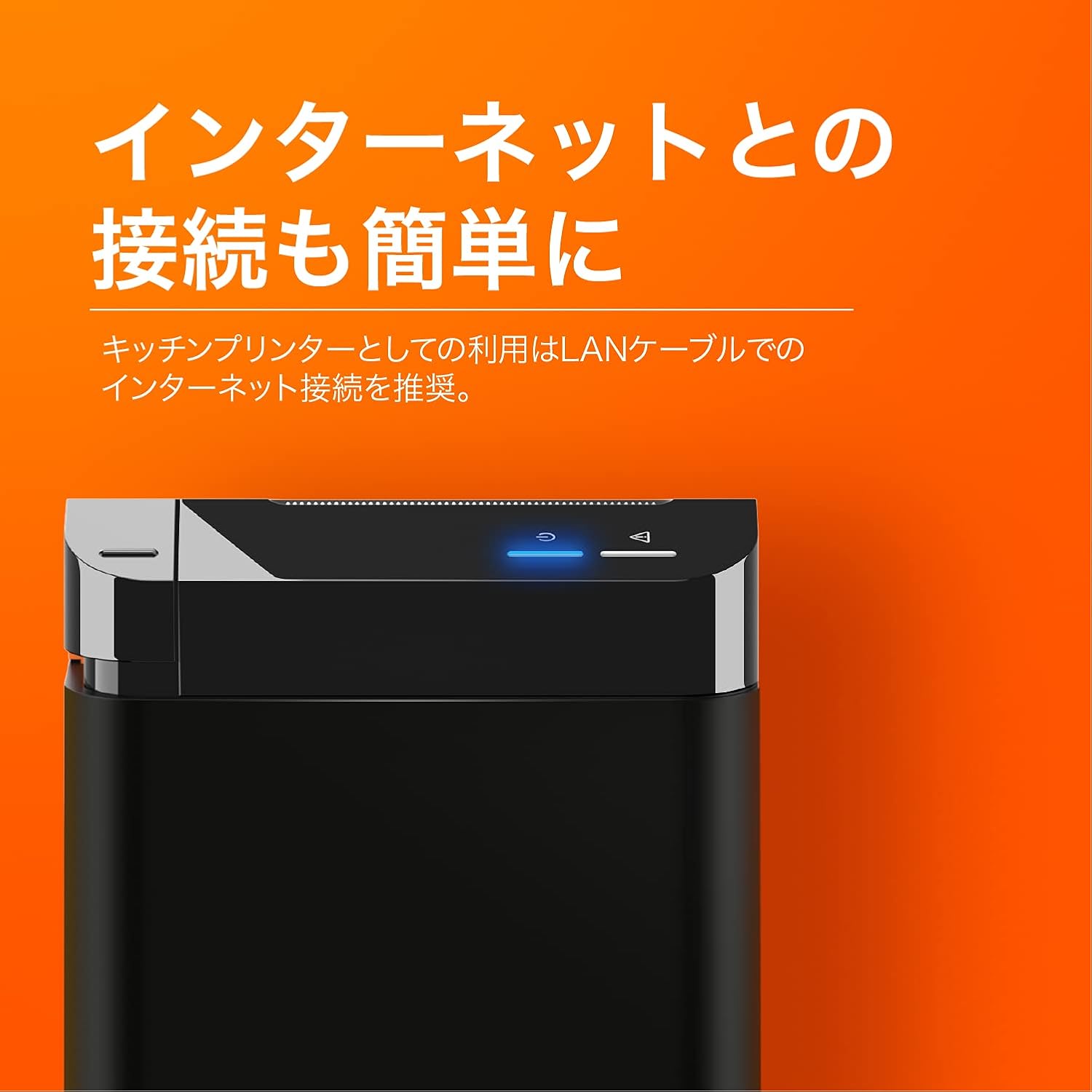
The SUNMI printer with a blue illuminated status light, highlighting its easy internet connectivity via LAN cable, recommended for kitchen printer use.
For optimal performance, especially in kitchen environments, a wired LAN connection is recommended.
- Connect one end of an Ethernet (LAN) cable to the printer's LAN port.
- Spojite drugi kraj Ethernet kabela na mrežni usmjerivač ili preklopnik.
- The network indicator light on the printer will show connection status (e.g., solid blue for connected).
4. Upute za rad
4.1 Osnovni ispis
Once the printer is powered on and connected to your network, it is ready to receive print commands from compatible software or systems (e.g., POS software, kitchen display systems).
- Ensure your printing application is configured to use the SUNMI 80mm Kitchen Cloud Printer.
- Initiate a print job from your application.
- The printer will automatically feed and cut the receipt after printing.

A view of two SUNMI 80mm Kitchen Cloud Printers side-by-side, with one actively printing a receipt, demonstrating its operational use.
4.2 Indikatori statusa
The printer features indicator lights on its control panel to provide status information:
- Indikator napajanja: Solid light indicates the printer is on.
- Indikator greške: Flashing or solid light indicates an error (e.g., paper out, cover open). Refer to the Troubleshooting section.
- Indikator mreže: Indicates network connectivity status.
5. Održavanje
5.1 Čišćenje pisača
Redovito čišćenje pomaže u održavanju kvalitete ispisa i produžuje vijek trajanja pisača.
- Prije čišćenja isključite i iskopčajte pisač iz struje.
- Koristite mekanu krpu koja ne ostavlja dlačice dampened with water or isopropyl alcohol to wipe the exterior.
- Gently clean the thermal print head with a cotton swab dipped in isopropyl alcohol. Allow it to dry completely before use.
- Uklonite svu papirnu prašinu ili ostatke s puta papira.
5.2 Zamjena role papira
When the paper roll is nearing its end, the printer may indicate a paper-low error or print faint lines. Follow the steps in Section 3.2 to replace the paper roll.
6. Rješavanje problema
If you encounter issues with your SUNMI printer, refer to the table below for common problems and solutions.
| Problem | Mogući uzrok | Otopina |
|---|---|---|
| Pisač se ne uključuje | No power, faulty adapter | Check power cable connection; ensure outlet is working; try a different adapter if available. |
| No printing / Error light on | Paper out, cover open, paper jammed | Replace paper roll; ensure cover is closed properly; clear any paper jams. |
| Faint or blank prints | Incorrect paper type, dirty print head, paper loaded incorrectly | Ensure thermal paper is used; clean the print head (Section 5.1); check paper orientation. |
| Povezivanje s mrežom nije moguće | Loose LAN cable, network configuration issue | Check LAN cable connection; verify network settings on your router/system. |
7. Tehničke specifikacije

The SUNMI 80mm Kitchen Cloud Printer, demonstrating its compact 130mm square footprint, ideal for space-saving installations.
| Značajka | Specifikacija |
|---|---|
| Broj modela | C04000069 |
| Marka | SUNMI |
| Vrsta pisača | Printer s toplinskim prijemnikom |
| Brzina ispisa | 165 mm/s |
| Širina papira | 80 mm |
| Tehnologija povezivanja | USB, LAN (Ethernet) |
| Boja | Multicolor (primarily black with orange accents) |
| Dimenzije proizvoda | 13 x 13 x 13 cm (otprilike 5.1 x 5.1 x 5.1 inč) |
| Težina artikla | 1.32 kilograma (približno 2.91 lbs) |
| Maksimalni ulazni kapacitet listova | 100 sheets (referring to paper roll length equivalent) |
| Duplex ispis | No (single-sided receipt printing) |
| Podržani mediji | Thermal Labels/Receipt Paper |
8. Jamstvo i podrška
This product is covered by the standard manufacturer's warranty. For specific warranty terms and conditions, please refer to the documentation provided at the time of purchase or contact your retailer.
For technical support, troubleshooting assistance beyond this manual, or service inquiries, please contact SUNMI customer support or your authorized dealer. Keep your purchase receipt and product model number (C04000069) ready when contacting support.